
7 Best Ad Tracking Platforms in 2026, by What You Sell
Seven ad tracking platforms matched to what you sell (leads, B2B deals, ecommerce, apps), with real reviews and how each credits your ads.
Table of contents
Add up the conversions Google Ads, Meta and Microsoft Ads each claim for last month. Then compare that total with the leads or orders you actually got.
The platforms' total is almost always higher. Each one counts conversions it touched, using its own window and rules, and several of them can claim the same customer.
An ad tracking platform sits above all of them and counts each conversion once. Which one fits depends mostly on what you sell, so that's how I've organized this list.
Where these picks come from
We connected Google Ads and Meta to every tool we could access ourselves: Dreamdata's free plan, AppsFlyer's free tier and Segment's trial. HockeyStack, Ruler and Rockerbox are demo-led, so we used walkthroughs, documentation and accounts the brands and agencies we work with already run.
For opinions beyond our own, we read recent reviews on G2 and Capterra and kept quotes verbatim. Our main question for each tool was simple: does it count each conversion once, and can it tell the ad platforms which ones mattered?
SourceLoop is our own product. We held it to the same checks as every other platform here, and its section is upfront about what it can't do.
Last checked November 2026. Confirm pricing directly with each vendor.
Why ad platform numbers never add up
The gap isn't fraud or bad setup. It comes from how each platform decides what counts.
- Different windows: Meta's default attribution setting credits conversions within 7 days of a click or 1 day of a view. Google Ads uses its own windows and data-driven attribution.
- View-through credit: a person who scrolled past an ad and later bought from a Google search can be counted by both platforms.
- Modeled conversions: when tracking is blocked, platforms estimate conversions they couldn't observe.
- No sense of quality: a spam form fill counts the same as a signed customer.
None of these are wrong from each platform's point of view. They just don't add up to one truth, which is the job of the tools below.
If you're tagging campaigns by hand, a consistent Google Ads tracking template makes any of these tools more accurate.
Ad tracking platforms compared
Here's how the 7 ad tracking platforms compare on what they suit, how they credit ads and price, as of November 2026.
| Platform | What you sell | How credit is assigned | Counts ad views | Sends results back to ad platforms | Pricing |
|---|---|---|---|---|---|
 SourceLoop SourceLoop | Leads, calls, subscriptions | Click-based, seven models | No | Google, Meta, Microsoft, ChatGPT | From $49/mo |
 Ruler Analytics Ruler Analytics | Leads closed by phone | Click-based, rule models | No | Google, Meta | From £299/mo |
 Dreamdata Dreamdata | B2B deals | Account-level, multi-touch | LinkedIn impressions | On paid plans | Free plan, paid quoted |
 HockeyStack HockeyStack | B2B deals | Account-level, switchable models | Partly | Partly | Quote |
 Rockerbox Rockerbox | Ecommerce, omnichannel | MTA plus MMM and tests | Yes | Via exports | Quote |
 AppsFlyer AppsFlyer | Mobile apps | SDK install and event attribution | Yes | Yes | Free tier, then $0.07 per conversion |
 Twilio Segment Twilio Segment | Anything, if you build it | None, it routes data | No | Via destinations | Free trial, custom |
The 7 best ad tracking platforms
Grouped by what you sell: leads first, then B2B deals, ecommerce, apps, and the build-it-yourself route.
1. SourceLoop
Best for: lead generation businesses, agencies and SaaS teams running Google, Meta or Microsoft Ads that want one honest count of leads and revenue per ad.
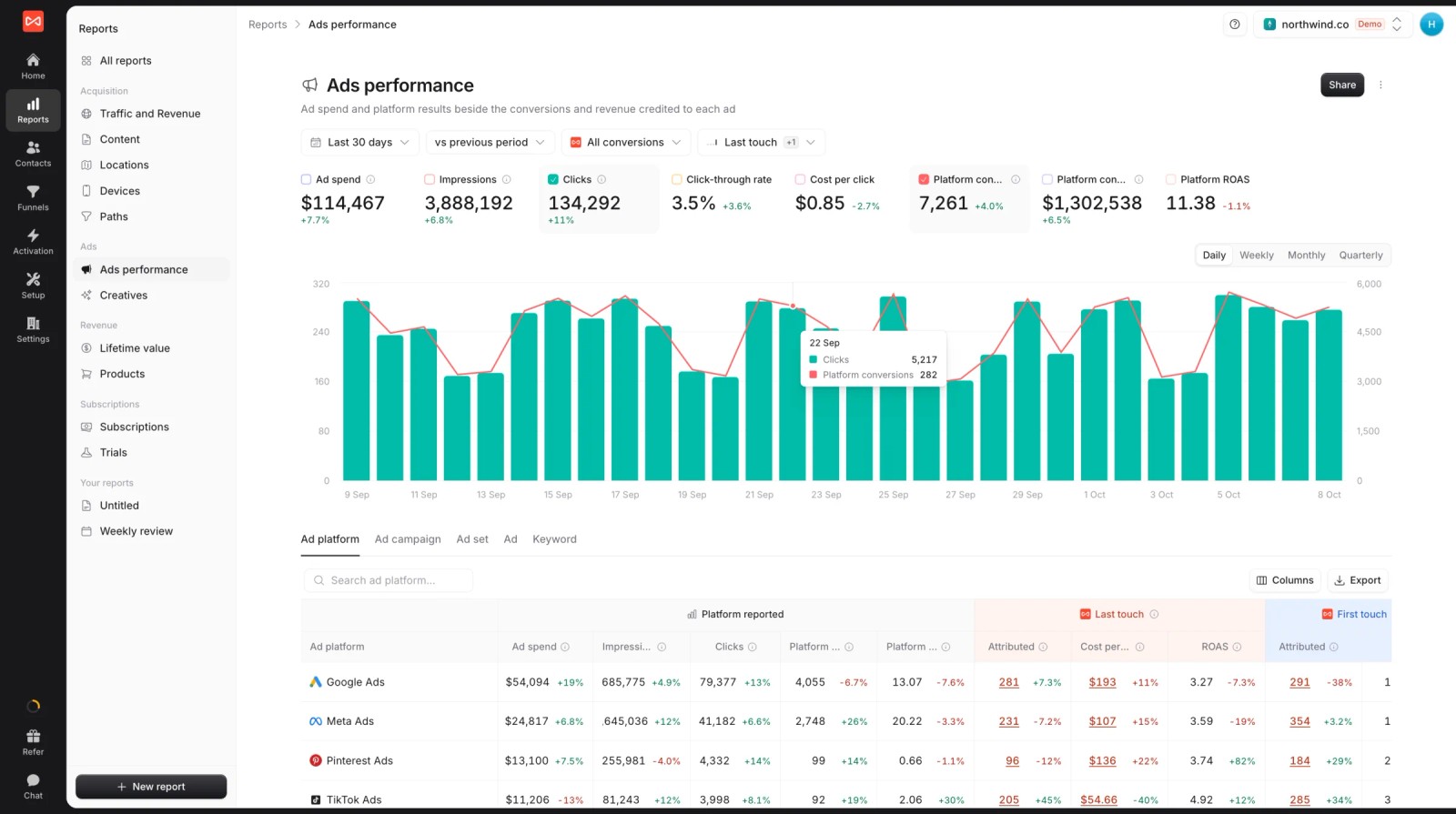
SourceLoop is a marketing attribution and lead source tracking tool. Its ads report puts the platforms' self-reported conversions next to the ones SourceLoop credits, so the overlap is visible at a glance.
Behind that report, every lead is tied to the click that brought it, followed into the CRM, and graded. That's what lets it tell Google and Meta which ads produced customers and which produced spam.
Key features
- Platform-reported vs credited: spend, platform conversions and ROAS beside first-touch and last-touch credited conversions, per platform and campaign.
- Revenue by channel and campaign: leads, deals and payments credited under seven models.

- The click behind every lead: gclid, fbclid and other click IDs, the campaign and the landing page, kept on the contact with the full journey.

- Conversion sync: send good leads, booked meetings, won deals or payments to Google Ads, Meta, Microsoft Ads and ChatGPT Ads with a value, so bidding favors the ads that bring customers.

- Spend sync: ad spend from Google Ads, Meta, Microsoft Ads and ChatGPT Ads, with manual costs for anything else.
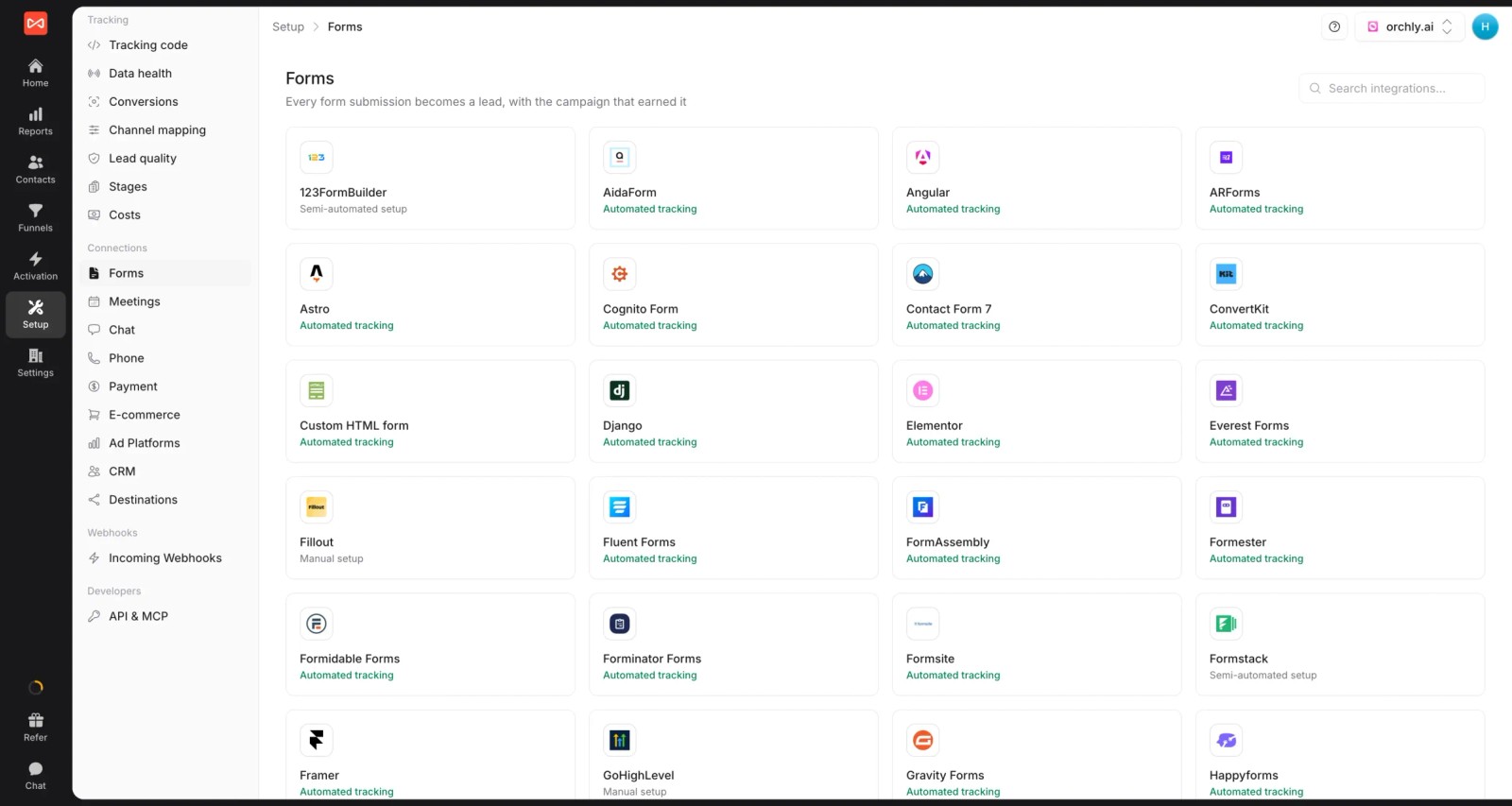
- Lead quality rules: Good, Not a fit or Spam, from form answers, email domain or call length.
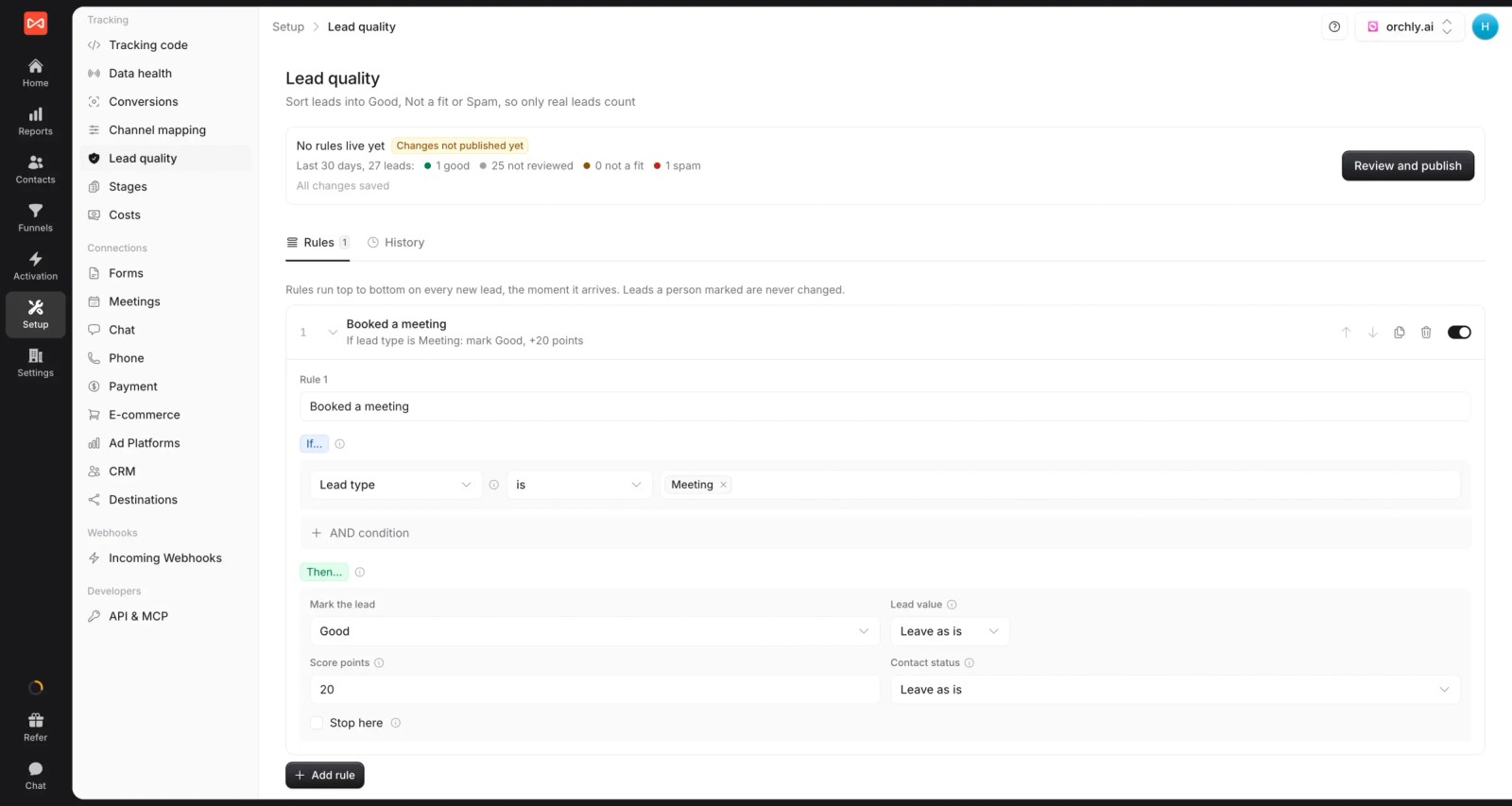
- Calls, forms, chats and bookings: around 70 integrations, including CallRail and CallTrackingMetrics.
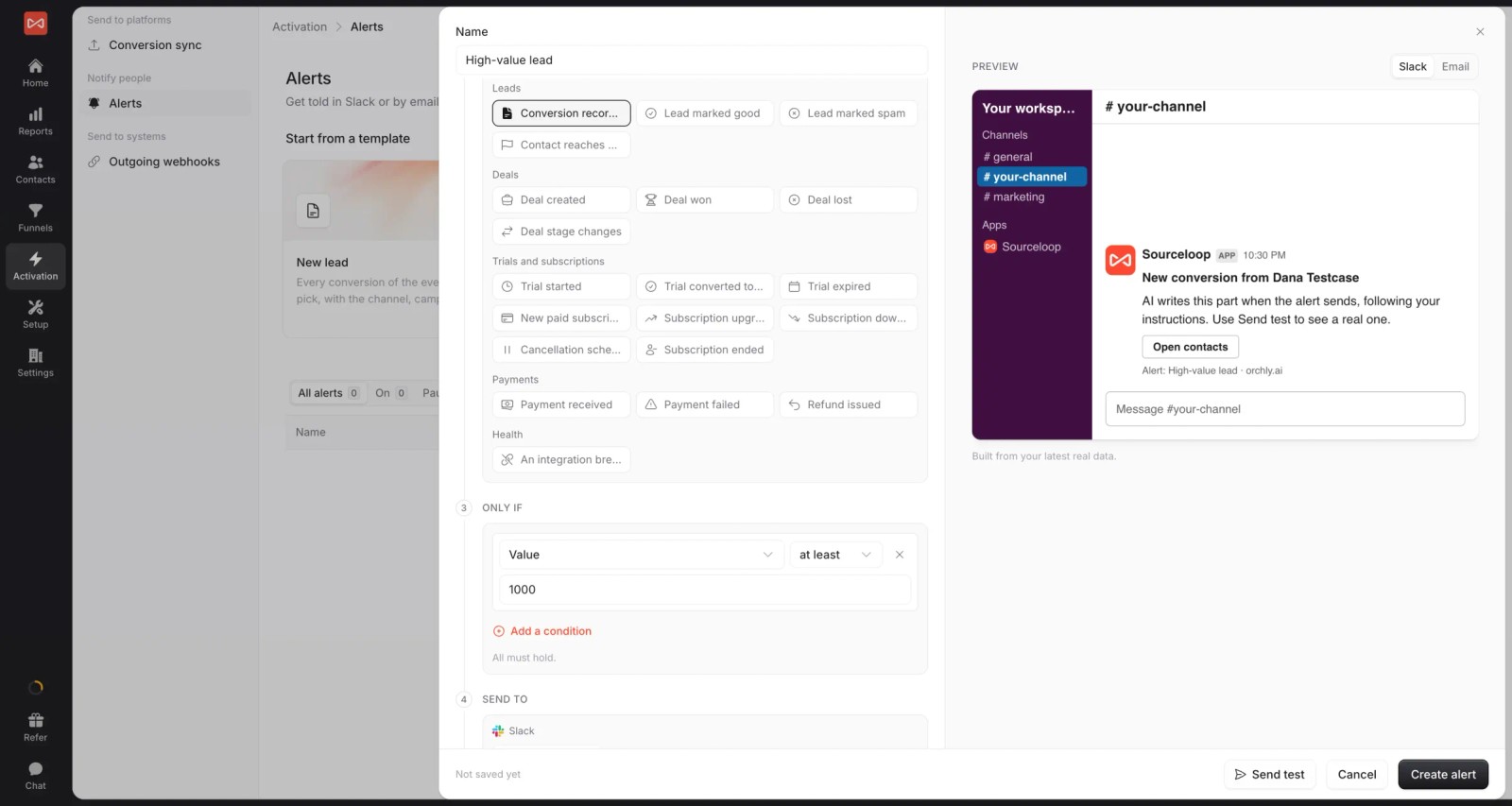
- Alerts: a Slack or email ping when a lead arrives from paid ads, or when cost per lead crosses a threshold.
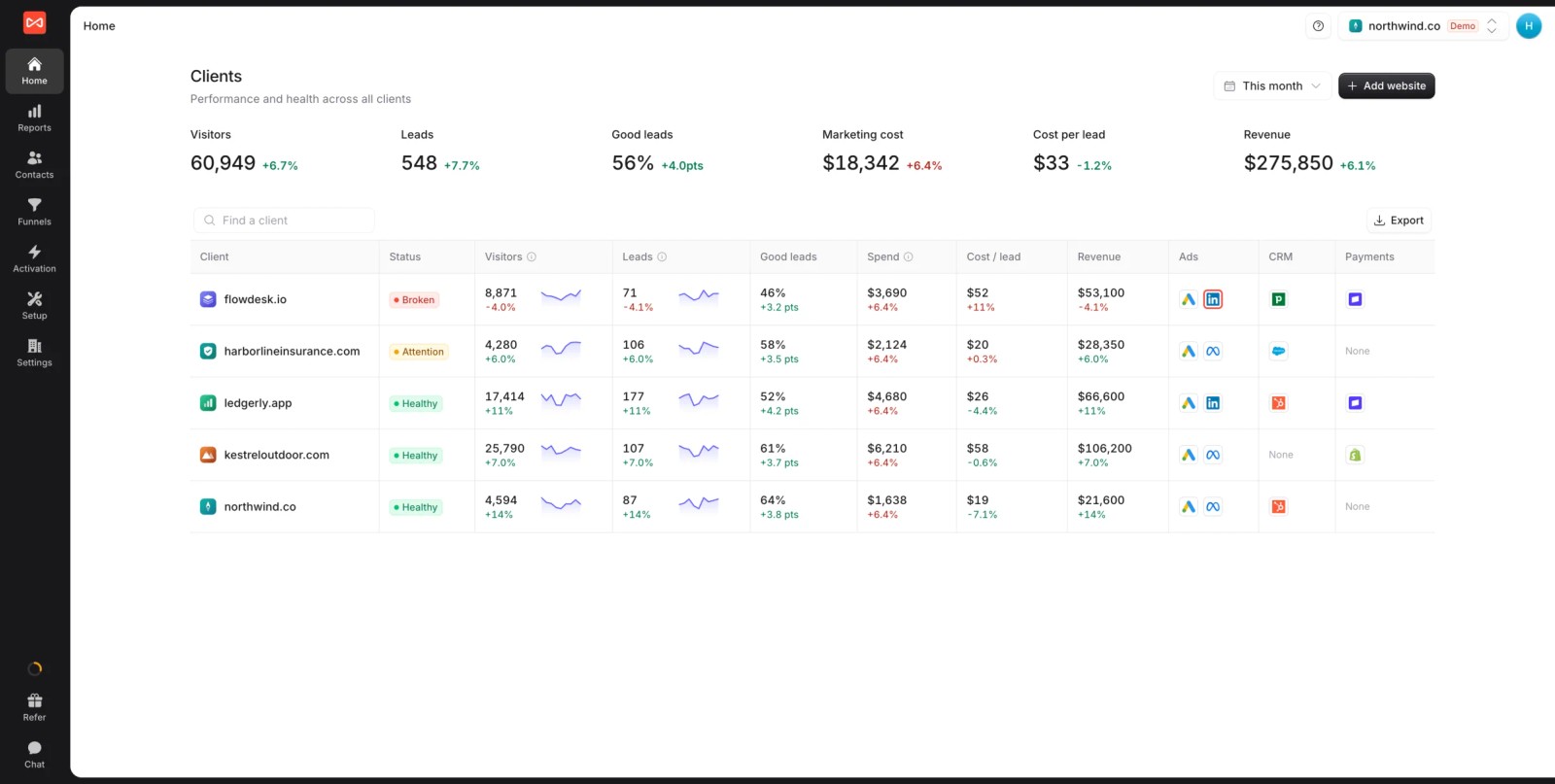
- Multiple websites and white label: several sites under one login and your brand. If you're an agency, each client gets a branded workspace.
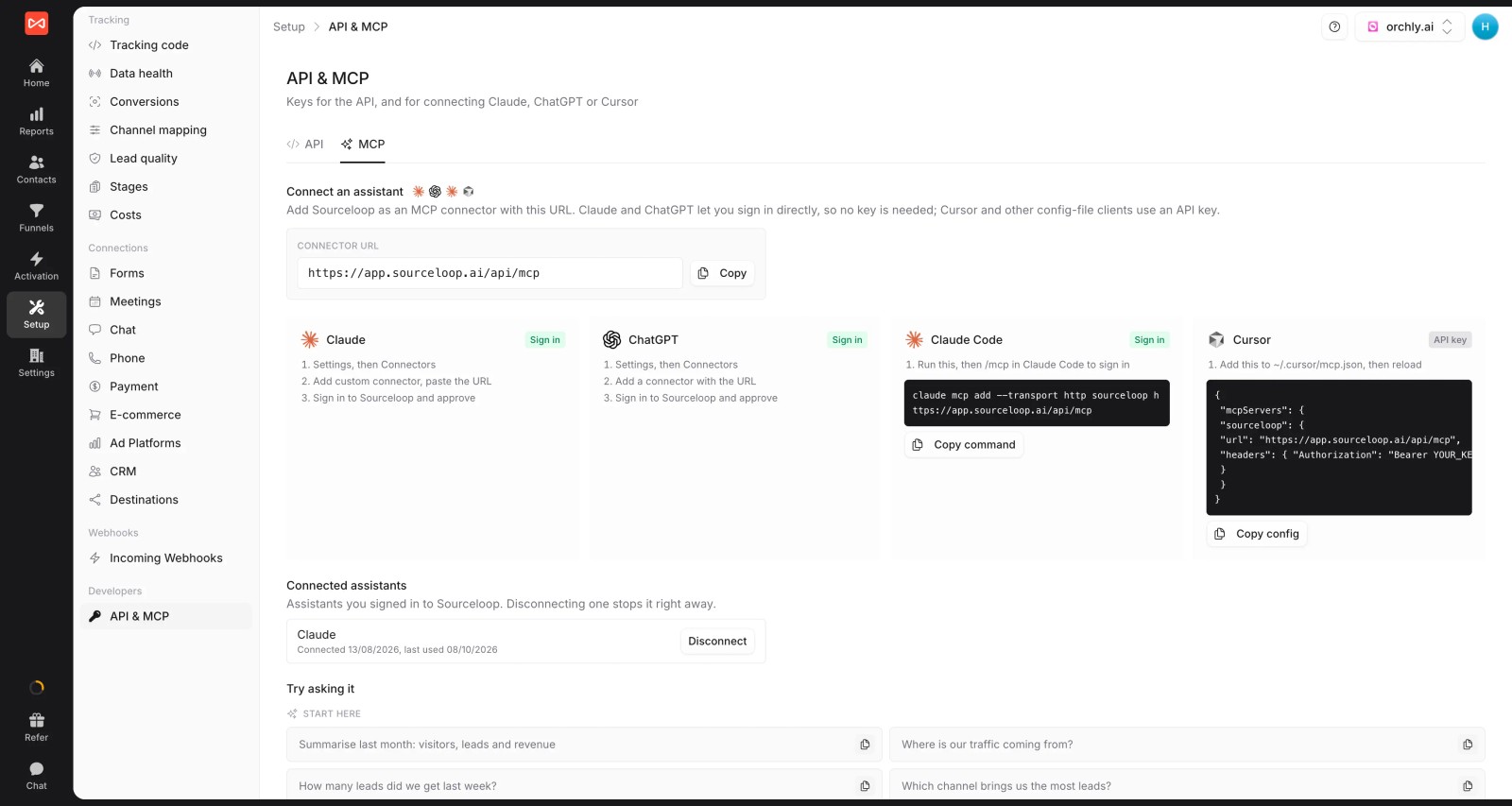
- API and MCP server (Professional and up): pull spend, leads and credited revenue into your own dashboards, or ask an AI assistant which campaigns paid off last month.
Where it falls short
- It's click-based, so it doesn't credit ads people only viewed. Brands that rely on video and display reach may want a modeling tool alongside it.
- LinkedIn and TikTok spend and conversion sync are coming soon, not live.
Pricing
- Essential: $49/mo for one site and 30,000 page views, with tracking, attribution reports, lead quality rules and alerts
- Professional: $99/mo for 100,000 page views and unlimited users, adding CRM sync, conversion sync to the ad platforms, the API and MCP
- Agency: $249/mo for three sites and 1.5 million page views, adding white label reporting
- Unlimited conversions on every plan, 7-day trial.
Verdict: the clearest per-ad view of leads and revenue for lead-based businesses. Not built for app installs or view-through credit.
2. Ruler Analytics
Best for: lead generation businesses where a lot of ad-driven leads arrive by phone.
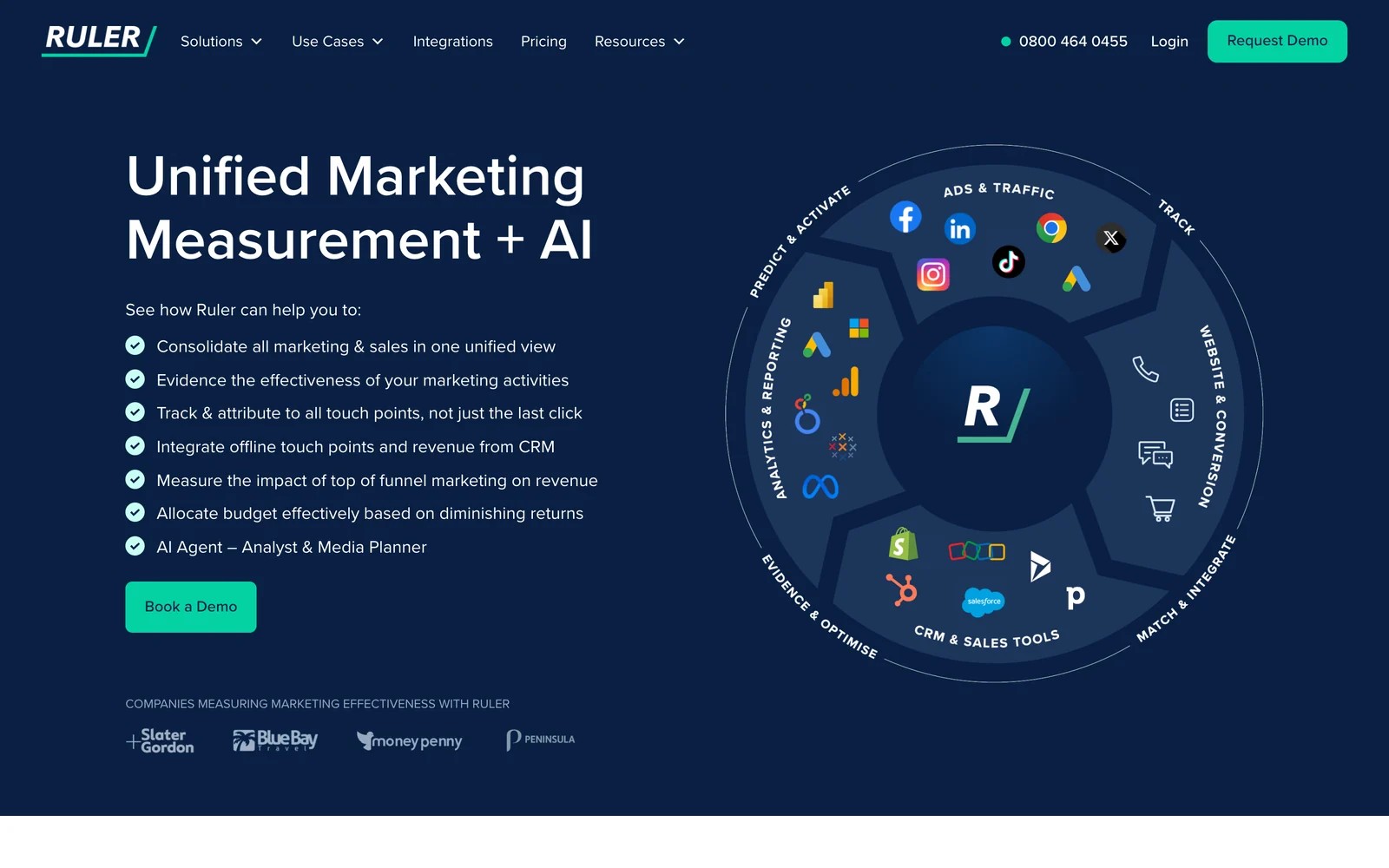
Ruler Analytics tracks each visitor from the ad click through calls, forms and chats, then matches CRM revenue back to the ad and keyword. Built-in call tracking is the reason most teams pick it.
Agencies we know who use it like being able to show a client every enquiry with its source. The complaints are about setup time and contract terms.
Key features
- Built-in call tracking gives every phone lead the ad, campaign and keyword behind it, which matters when half your ad-driven enquiries never touch a form.
- Closed revenue from Salesforce, HubSpot, Pipedrive and other CRMs is matched back to the original click, so you judge campaigns on sales rather than lead counts.
- That revenue can be pushed to Google Ads and Meta, letting value-based bidding chase the leads that actually close.
- The top plan adds marketing mix modeling, useful for brands that also spend on channels a click tracker can't see.
Where it falls short
- There's no free trial, so you have to sit through a demo before you can see whether it fits your setup.
- Reviewers mention annual contracts, which is a big commitment for smaller lead-gen businesses that want to test first.
- It doesn't credit view-through impressions, so channels like paid social video may look weaker than they really are.
What users say
"Finally being able to match multiple clicks to forms AND calls leads is really valuable for me and my agency." (Source)
"terms when you are locked in a 12 month contract is insane and the tech is hard to set up (tool almost 3 weeks)." (Source)
"you can only see first and last click of the user journey" (Source)
Pricing
- Small: from £299/mo for up to 10,000 monthly visits
- Medium to Advanced: from £499 to £1,499/mo. See our Ruler Analytics pricing breakdown.
3. Dreamdata
Best for: B2B companies that want ad performance measured by pipeline and revenue across whole buying committees.
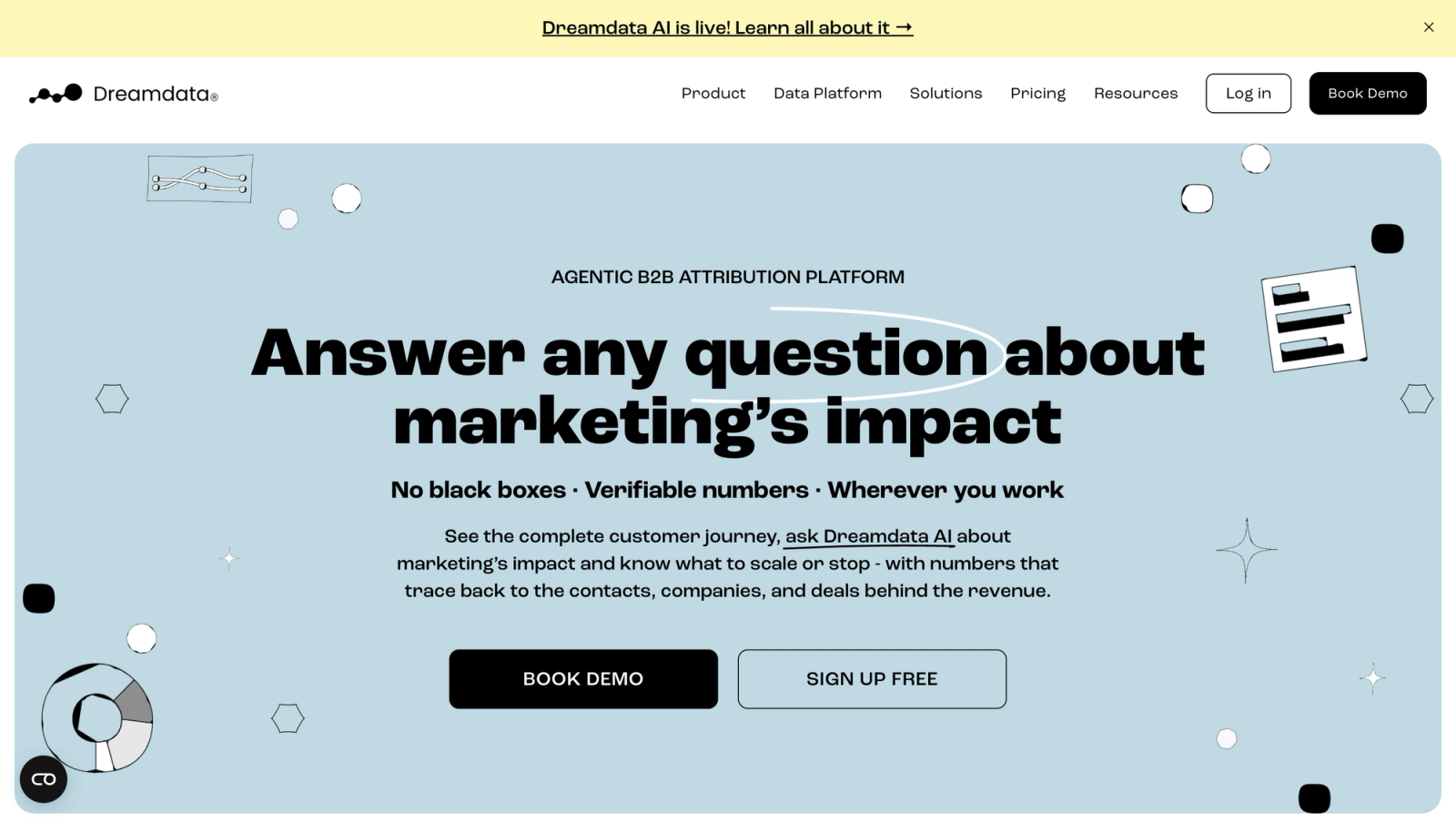
Dreamdata ties ad touches, including LinkedIn ad impressions, to the companies that later become deals, then credits revenue across every contact at the account. For B2B ad spend, that's closer to reality than a single last click.
We've used it ourselves. Seeing which LinkedIn campaigns touched accounts that closed was genuinely useful. Finding the right report took longer, and its value depends heavily on how clean your CRM is.
Key features
- Ad touches on LinkedIn, Google and Meta are tied to the companies they reached, then to the deals those companies opened later.
- Revenue is spread across every contact at the account, which reflects how B2B buying committees work better than crediting the one person who filled in a form.
- Paid plans send audiences and conversions back to the ad platforms, so campaigns can optimize toward accounts that turn into pipeline.
- An AI agent and an MCP server let analysts query the data from their own tools without exporting spreadsheets.
Where it falls short
- Calls and local lead gen aren't its focus, so service businesses that close by phone will find big gaps in the journey.
- Ecommerce orders aren't part of the model, which rules it out for online stores tracking purchases rather than deals.
- Paid plans aren't published, so budgeting beyond the free tier means a sales conversation first.
What users say
"Since Dreamdata is easy to use the non technical marketers can easily find out which channel are driving most pipeline with Dreamdata reports." (Source)
"If your CRM health is poor, then no magic will happen, but Dreamdata is very helpful at revealing the problems." (Source)
"Learning curve is rather steep in the first 1-2 months." (Source)
Pricing
- Free: $0/mo with 2 months of history
- Paid plans: custom pricing
4. HockeyStack
Best for: mid-market and enterprise B2B teams with large ad budgets across many channels.
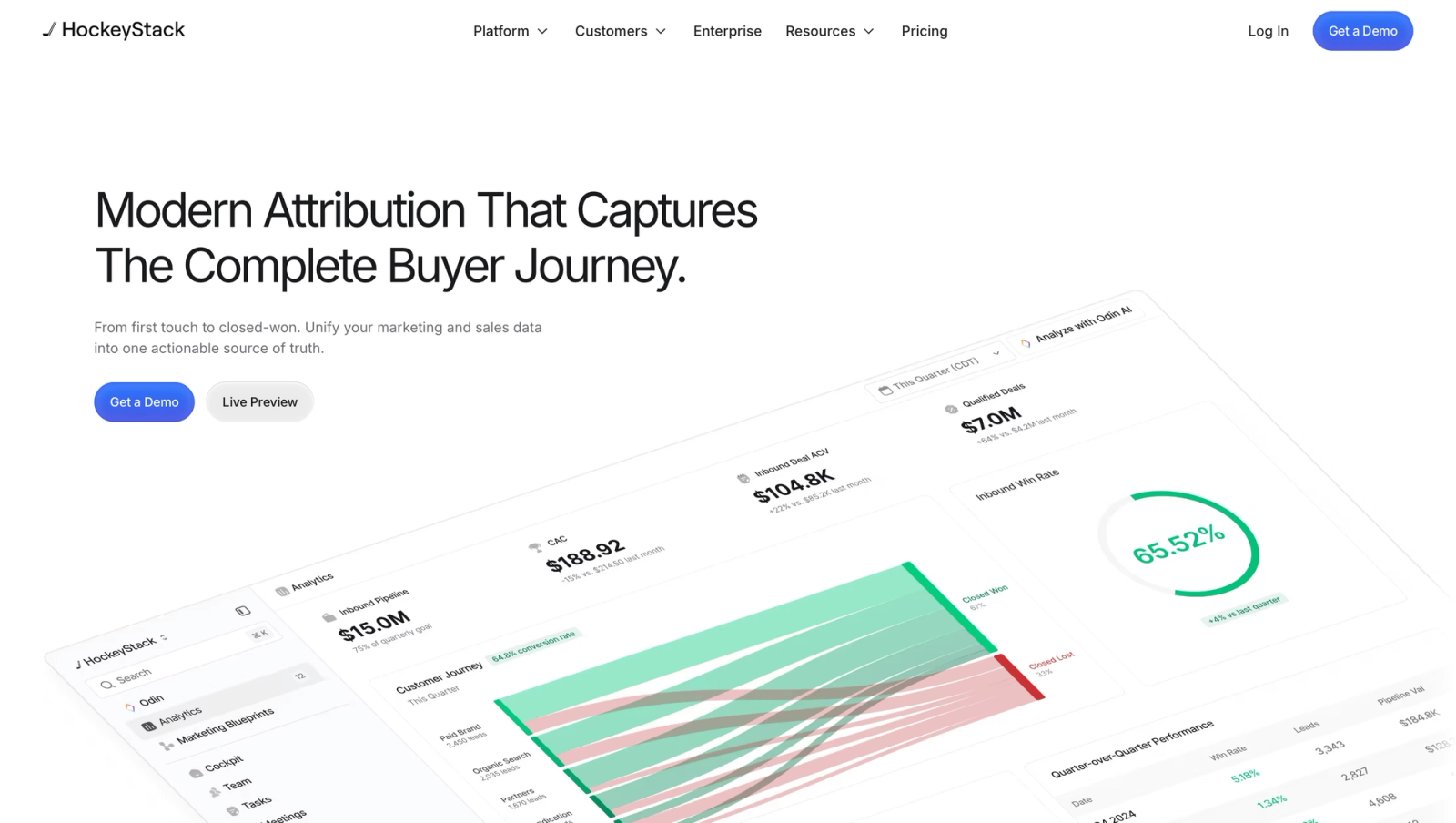
HockeyStack combines ad, CRM, website and product data into account journeys, with AI agents on top. You can switch attribution models on the same report to see how each changes ad credit.
The product demos well. The risk is implementation: the same failed-onboarding story shows up on both G2 and Capterra, so ask for references with a stack like yours.
Key features
- Ad, CRM, marketing automation and product usage data are joined into one model, so ad performance sits next to what happened in sales and the product.
- You can flip between attribution models on the same report, which makes it easy to show how credit for a campaign shifts under different rules.
- Account journeys stretch from the first anonymous visit to closed-won, giving long B2B cycles a single readable timeline.
- AI agents sit on top for analysis and sales prospecting, aimed at teams that want answers without building reports by hand.
Where it falls short
- There's no self-serve trial, so you can't test it on your own data before signing a contract.
- Pricing and setup are aimed at large budgets, which makes it a poor fit for small teams running a few campaigns.
- Phone leads aren't tracked natively, so call-heavy businesses would still need a separate call tracking tool.
What users say
"I like being able to switch between attribution models like first touch, linear, and last touch in a second, so different marketing teammates can look at reports in different ways." (Source)
"4 months of onboarding ended in us cancelling the contract because they could not connect our data." (Source)
"Reporting is incredibly complicated." (Source)
Pricing
- Quoted, on annual contracts. See our HockeyStack pricing guide.
5. Rockerbox
Best for: ecommerce and omnichannel brands spending across many paid channels, including TV and podcasts.
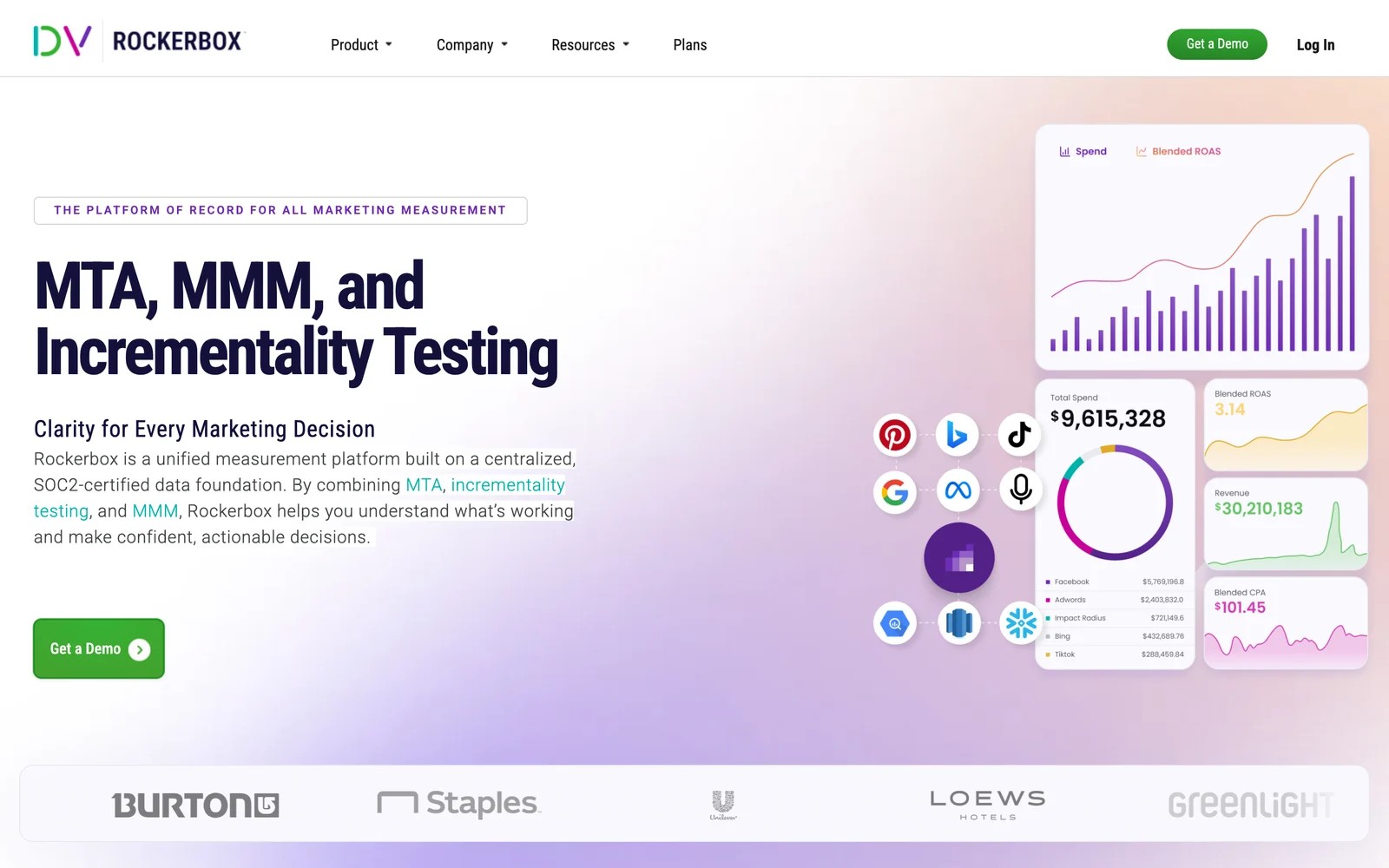
Rockerbox builds a unified dataset of spend and conversions across channels, then layers multi-touch attribution, marketing mix modeling and managed incrementality tests on top. It's now part of DoubleVerify.
For a brand on a dozen channels, the single dataset is the real value. Users praise its support and journey views, and some find setup heavy and view-based channels harder to measure.
Key features
- A unified data foundation pulls spend and conversions from every channel into one dataset, which saves brands on a dozen channels from stitching exports together.
- Multi-touch attribution follows customers across paid, owned and offline touchpoints, including channels like TV and podcasts that click trackers miss.
- Marketing mix modeling and fully managed incrementality tests live in the same platform, so attribution can be checked against other methods.
- The unified dataset exports to your warehouse or Google Sheets for teams that want to run their own analysis.
Where it falls short
- Lead-level CRM tracking for service businesses isn't what it's built for, since the model centers on ecommerce and omnichannel brands.
- Setup is heavy, and several reviewers describe needing developer time and ongoing support to get data flowing correctly.
- Prices aren't published, so you won't know the cost until you've been through a sales process.
What users say
"I wanted to see top conversion paths and this tool does a great job at showing me that." (Source)
"We've been able to cut our paid ads budget 40% and maintain revenues while using this platform." (Source)
"The first initial set up of Rockerbox can be very tedious it takes a full-time developer to have this done as well as continuous support on the Rockerbox side." (Source)
Pricing
- Quoted after a demo. Our Rockerbox alternatives guide compares options.
6. AppsFlyer
Best for: mobile apps running install and in-app event campaigns.
AppsFlyer is the standard mobile measurement partner. Its SDK attributes installs and in-app events to the ad networks that drove them, handles Apple's SKAdNetwork, and detects install fraud.
If your conversion happens inside an app, web trackers can't help, and AppsFlyer or a peer like Adjust is the right tool. Its free tier covers a first year of conversions, and costs climb with volume after that.
We tried the free tier on a test app. Adding the SDK was the easy part; mapping in-app events and setting up each ad network's postbacks took longer, and the dashboards assume you already speak mobile measurement.
Key features
- The SDK attributes app installs and in-app events to the ad networks that drove them, including view-through, which web-based trackers simply can't see.
- SKAdNetwork support and privacy-preserving measurement keep iOS campaigns measurable under Apple's tracking limits.
- Fraud protection flags fake installs and bot traffic, so ad budgets aren't spent paying networks for users who never existed.
- OneLink deep links send people to the right screen in the app from any campaign, which helps both conversion rates and measurement.
Where it falls short
- It doesn't track web leads, so businesses whose conversions happen on a website rather than in an app get little from it.
- CRM deal revenue isn't part of the picture, which limits it for apps that sell through a sales team.
- Costs rise with attributed conversions after the free tier, so a successful app can see its bill climb quickly.
What users say
"Appsflyer is probably the most comprehensive mobile measurement tool for app developers and marketers." (Source)
"AppsFlyer is costly and demands a premium over it's rivals." (Source)
"The pricing gets expensive as install volume grows, and it isn’t always easy to forecast monthly cost when campaigns scale quickly." (Source)
Pricing
- Zero: free, with 12,000 conversions in the first year
- Growth: $0.07 per conversion after that
- Enterprise: custom, with fraud protection and more
7. Twilio Segment
Best for: teams with engineers who want to build their own ad tracking on a customer data pipeline.
Segment collects events from your site and app and routes them to hundreds of destinations, including ad platforms' conversion APIs, analytics tools and your warehouse. It's moving onto Twilio's own website.
It isn't an attribution tool. It gives you clean, consistent data, and you decide how ads get credit, usually in a warehouse or BI tool. Reviewers praise the integrations and warn about cost and getting the event plan right.
On the trial, connecting a website source and a couple of destinations didn't take long. The harder work was deciding event names and properties up front, then keeping marketing and engineering agreed on them.
Key features
- One tracking plan collects events from web, mobile and server, giving every downstream tool the same consistent definition of a conversion.
- Hundreds of destinations receive that data, including ad platforms' conversion APIs, so you can feed Meta and Google without separate pixels.
- Identity resolution on the CDP plan joins one person's events across devices, which makes later attribution modeling far more reliable.
- Warehouse syncs land everything in your own database, where engineers or analysts can build whatever attribution logic the business needs.
Where it falls short
- It doesn't attribute anything out of the box, so someone still has to build the logic that decides which ads get credit.
- Running it well takes engineers, from designing the event plan to maintaining destinations as tools change.
- High event volumes get expensive, which reviewers flag as a common surprise once usage grows.
What users say
"Segment has a super clean interface that makes it really easy to add or remove third party scripts." (Source)
"I don't like that the conversion APIs don't work as well." (Source)
"Initial implementation and event taxonomy design are hard to get right, and mistakes are expensive long-term." (Source)
Pricing
- Connections starts with a free trial. Larger plans and the full CDP are custom-priced.
How to choose an ad tracking platform
Start with where the money changes hands.
- A lead, call or booking that closes later: SourceLoop, or Ruler if phones dominate. SourceLoop suits lead generation businesses, agencies and SaaS teams and sends qualified leads back to the ad platforms.
- A B2B deal with several stakeholders: Dreamdata to start, HockeyStack at enterprise scale.
- An online order across many channels: Rockerbox.
- An app install or in-app purchase: AppsFlyer.
- Your own data stack: Segment, with modeling in your warehouse.
Then check two things in a trial. First, does the tool's count of conversions match your CRM, store or app? Second, can it send the right conversions back to the platforms you spend the most on?
Frequently asked questions
-
What is an ad tracking platform?
An ad tracking platform records which ads people click or see, ties them to conversions like leads, orders or installs, and reports results across ad networks in one place, counting each conversion once.
-
Why don't Google Ads and Meta conversions match my CRM?
Each platform counts conversions it can link to its own ads, using its own attribution window, and often includes view-through and modeled conversions. Several platforms can claim the same customer, and none of them know which leads were real.
-
Do I need an ad tracking platform if I use GA4?
GA4 tracks on-site behavior and credits conversions to channels, but it can't show individual leads, follow them into a CRM, or send qualified conversions to Meta or Microsoft Ads.
-
What is view-through attribution?
View-through attribution credits an ad when someone saw it but didn't click, then converted later. It's common for video and social ads, and it's one reason platform totals overlap.
-
Which ad tracking platform is best for lead generation?
SourceLoop, because it ties every lead to its ad click, follows it into the CRM, grades lead quality and sends good leads or won deals back to Google Ads, Meta and Microsoft Ads. It starts at $49 a month.
-
Which ad tracking platform is best for mobile apps?
AppsFlyer is the most widely used mobile measurement partner, with a free tier for a first year of conversions. Adjust and Branch are common alternatives.




 Paid Social


