









Cost per qualified lead
Lead source attribution for lead generation
Marketing attribution software for lead generation business
See which channels, ads, and keywords produce real leads, not just clicks. Separate cost per qualified lead from cost per form fill, unify form, call, and chat leads in one model, and push the qualified ones straight back to your ad platforms.
Free 7-day trial. No credit card required.
Used by 750+ marketing teams, agencies, and SaaS companies
Built for lead gen
Every lead, attributed, scored, and pushed back to the channel that earned it
Cost per qualified lead by channel, lead quality scored by source, and form, call, chat, and meeting leads unified in one first-party model.
Lead quality by source
See which channels send leads that actually close.
Every lead source
Forms, calls, chats, and meetings, unified in one model.
 Web forms
 Live chat
 Meetings
Channel attribution
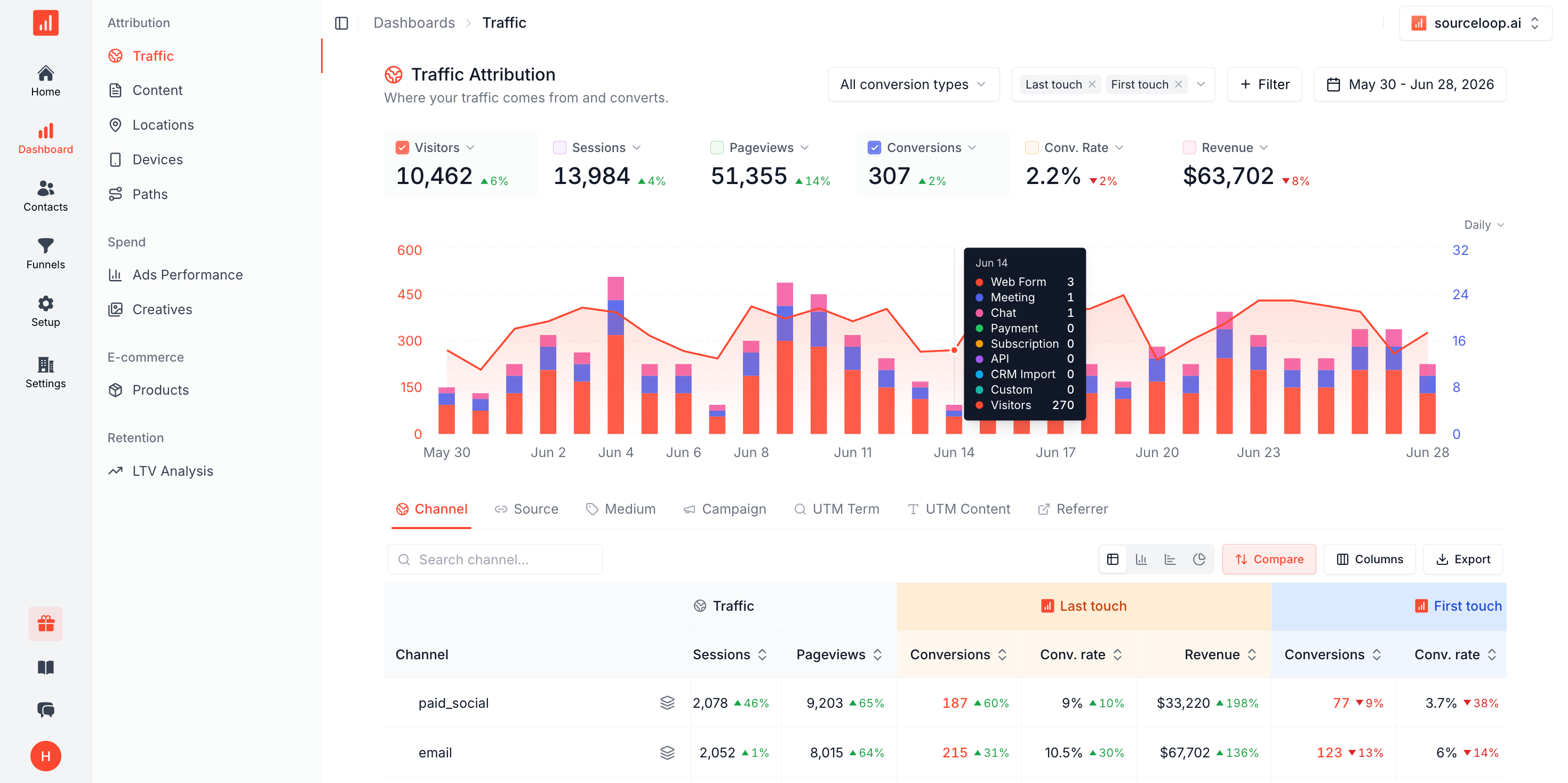
Know which channels actually produce qualified leads
Multi-touch attribution on a single first-party dataset. Switch between first-touch, last-touch, and multi-touch models in one click to see which ad, keyword, and campaign drove each lead, and put cost per qualified lead next to cost per form fill on every channel.
- UTM, GCLID, fbclid, and keyword on every lead
- Cost per qualified lead, by channel
Cost per qualified lead · Last 30 days
Qualified| Channel | Cost/lead | Qualified | CPQL |
|---|---|---|---|
 Google Ads Google Ads | $11 | 61% | $18 |
 Meta Meta | $9 | 38% | $24 |
 LinkedIn LinkedIn | $28 | 61% | $46 |
 Microsoft Microsoft | $12 | 57% | $21 |
 Email Email | $4 | 52% | $8 |
Call tracking
Phone leads attributed like every other lead
A lot of lead gen still happens on the phone. Connect CallRail, CallTrackingMetrics, or Invoca and every inbound call becomes an attributed lead, matched to the caller's web journey, with the recording attached.
- CallRail, CallTrackingMetrics, and Invoca
- Source and campaign on every call
A
(415) 555-0142 · Inbound call
4m 12s · recording attached
First touch
Google · CPC ·
brand_search
Google · CPC ·
brand_search Journey before the call
Google Ads click 2d ago
Visited /pricing 2d ago
Called sales line just now
-
4M+
Leads attributed to source
-
Form, call & chat
Every lead type, one model
-
30+
Ad & CRM integrations
-
1 hr
From snippet to first report
Lead quality
Separate lead volume from lead quality
The channel that fills your forms is rarely the one that fills your pipeline. Watch leads and qualified leads side by side, sliced by source, so you can shift budget toward the channels that produce leads that actually close, not the ones that just run up the count.
- Leads vs qualified, side by side
- Qualified status flows back from your CRM
Leads vs qualified Live
Leads 1,284 +18%
Qualified 318 +9%
Trend
By source Google Ads 142 LinkedIn 86 Meta 54 Organic 36
Google Ads 142 LinkedIn 86 Meta 54 Organic 36 Lead funnel
See where leads drop off, from form view to won
Drag steps onto a canvas, pick a window, watch conversion rates roll in. Slice by source so you can see exactly which channel converts at which step, from first form view to a closed-won lead, and where the spend is leaking.
- Build any lead funnel in clicks, no SQL
- Source breakdown for every step
Lead funnel · Last 30 days
Conversion sync
Feed qualified leads back to your ad platforms
Server-side delivery to Meta CAPI, Google Ads, LinkedIn CAPI, and every other major platform, with click IDs and hashed identifiers handled per platform. Bid on qualified leads, not on the cheapest form fills.
- Real-time, server-side via Conversions API
- No GTM, no DIY CAPI endpoint to babysit
Qualified leads pushed back
Google Ads 2,140 Live Meta CAPI 1,820 Live LinkedIn CAPI 624 Live Microsoft Ads 188 Live  TikTok Ads 142 Pending
 FAQ
Lead generation attribution questions
How do you attribute leads that come in by phone?
Connect CallRail, CallTrackingMetrics, or Invoca and every inbound call becomes an attributed lead alongside your form and chat leads. SourceLoop matches the call to the caller's web session, so the phone lead carries the same source, campaign, and journey as a form fill. Calls from offline sources still record, tagged as Direct.
Can I see which keyword or ad drove each lead?
Yes. SourceLoop captures UTM parameters, GCLID, fbclid, and msclkid on the first visit and keeps them on the visitor through the whole session, so each lead carries the exact ad, campaign, and keyword that produced it, not a rounded-off channel guess.
How do you separate lead volume from lead quality?
Every lead is stitched to a person with their full journey, and qualified or won status flows back from your CRM. You can report on cost per qualified lead, not just cost per form fill, and see which channels produce leads that actually close versus channels that just produce volume.
Can I push qualified leads back to Google and Meta as conversions?
Yes. Forward qualified and won leads to Google Ads, Meta, and LinkedIn as server-side offline conversions so smart bidding optimizes toward leads that convert, not raw form submissions. Identifiers and click IDs are handled per platform.
Does this work across every lead source at once?
Yes. Forms, live chat, phone calls, meeting bookings, and payments all land in one model. Install one snippet, connect your lead sources, and every lead type is attributed on the same first-party dataset, no per-channel reconciliation.