
9 Best Website Visitor Tracking Software in 2026
We compared 9 website visitor tracking tools on what they reveal, from traffic and heatmaps to the company and revenue behind each visit.
Table of contents
"Visitor tracking" means four different things depending on who's asking.
A content lead wants traffic sources. A designer wants heatmaps. A sales rep wants the company name. A marketer wants to know which visits became revenue.
No single tool does all four well. So in this list, I've sorted nine tools by the question they answer, with current pricing from each vendor's own site.
How we tested these tools
We signed up for the free plan or trial of every other tool here that offers one and used it to see what it actually tells you about a visitor. Prices come from each vendor's own pricing page.
We also leaned on conversations with the brands and agencies we work with, and on what users report on G2 and Capterra, mostly about setup effort and how much the data can be trusted. We compared each tool on:
- How much detail it gives on where traffic comes from
- Whether it shows behavior, the company or the person behind a visit
- Whether a visit can be tied to a lead, a deal or revenue
- Price, free plan and privacy setup
SourceLoop is our product. It's on the list because it does one of these jobs well, connecting visits to leads and revenue, and each section says plainly when another tool is the better pick.
Last checked November 2026. Prices change, so confirm on each vendor's site before you buy.
What website visitor tracking software does
At its simplest, it records who lands on your site, where they came from and what they did. The tools differ in how far past that they go.
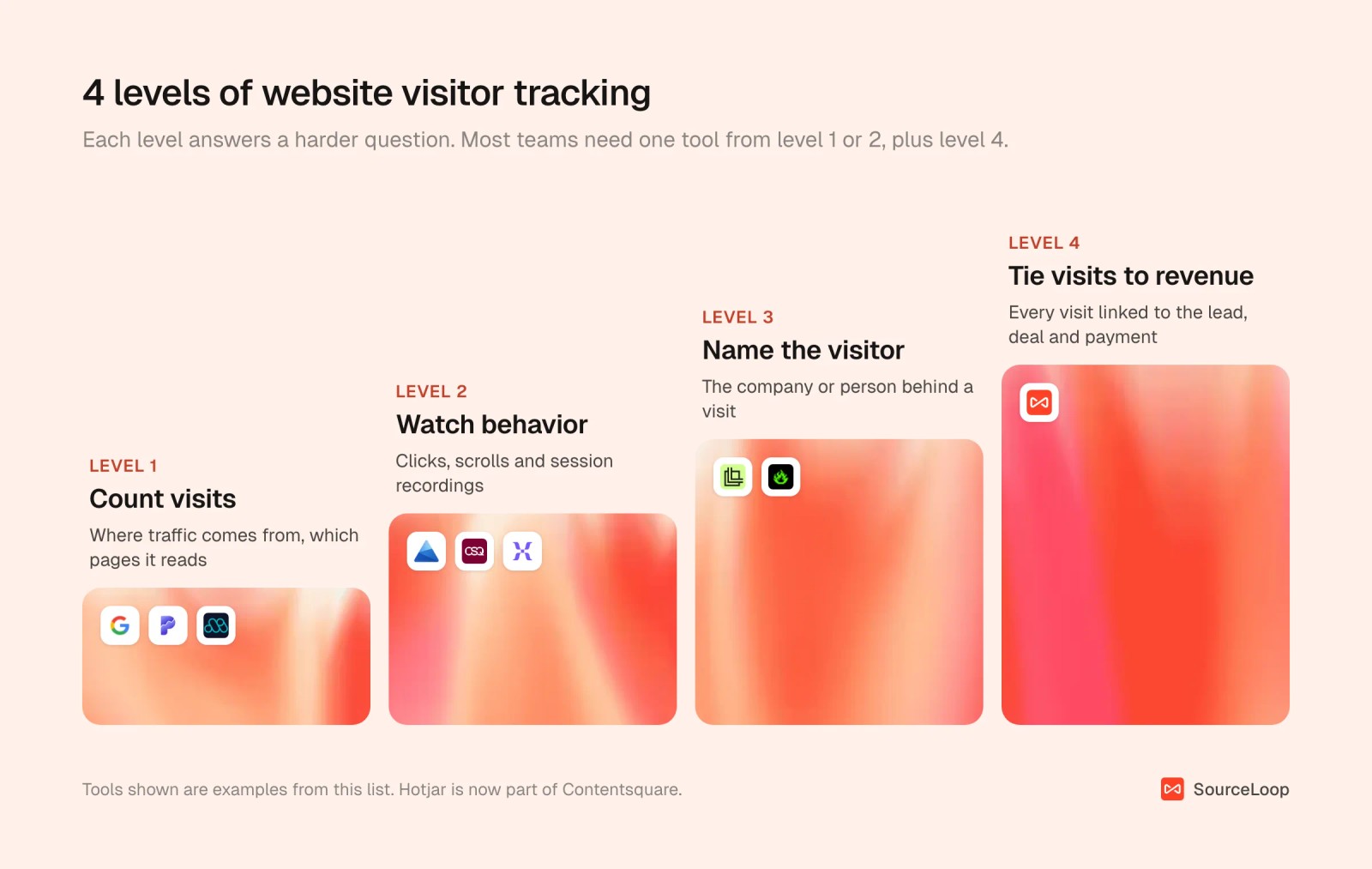
Most teams end up with two tools: one for traffic or behavior, and one that connects visits to leads and revenue. If you're new to the topic, our guide on how to track website visitors covers the basics.
Website visitor tracking software compared
Here's how the 9 website visitor tracking tools compare on what they're best at, what they can tell you about a visitor, and price, as of November 2026.
| Tool | Best for | Traffic sources | Heatmaps and recordings | Company behind a visit | Person behind a visit | Visits tied to leads and revenue | Free plan | Paid plan from |
|---|---|---|---|---|---|---|---|---|
 SourceLoop SourceLoop | Tying visits to leads, deals and revenue | Yes | No | Partly | Yes | Yes | 7-day trial | $49/mo |
 Google Analytics 4 Google Analytics 4 | Free traffic and channel reports | Yes | No | No | No | Partly | Yes | Free (360 is enterprise) |
 Microsoft Clarity Microsoft Clarity | Free heatmaps and session recordings | Partly | Yes | No | No | No | Yes, no traffic limit | Free |
 Hotjar (Contentsquare) Hotjar (Contentsquare) | Heatmaps, recordings and on-site feedback | Partly | Yes | No | No | No | Yes | $39/mo billed yearly |
 Plausible Plausible | Simple, cookie-free traffic stats | Yes | No | No | No | Partly | 30-day trial | $9/mo |
 Matomo Matomo | Owning your analytics data | Yes | Partly | No | No | Partly | Self-hosted is free | €29/mo (Cloud) |
 Leadfeeder Leadfeeder | Seeing which companies visit | Partly | No | Yes | No | No | 100 companies a month | €79/mo billed yearly |
 RB2B RB2B | Person-level visitor matches in the US | No | No | Yes | Yes | No | 150 company matches a month | $79/mo |
 Mixpanel Mixpanel | Event and product analytics | Partly | Yes | No | Partly | Partly | 1M events a month | Usage-based |
The 9 best website visitor tracking tools
Here's each tool, what it's best at, what it costs, and where it falls short.
1. SourceLoop
Best for: teams that want to know which visits, channels and campaigns turn into leads, pipeline and revenue.
SourceLoop is a marketing attribution and lead source tracking tool. It tracks every visit with its source, UTM parameters and ad click IDs. Each visitor keeps one profile across sessions, even while they're anonymous.
When that visitor fills in a form, starts a chat, calls or books a meeting, their whole visit history attaches to the new contact. Nothing from the earlier visits is lost.
Setup
One script goes in the head of your site, with install guides for WordPress, Webflow, Framer, Wix and Shopify. It loads asynchronously, so it doesn't slow the page.
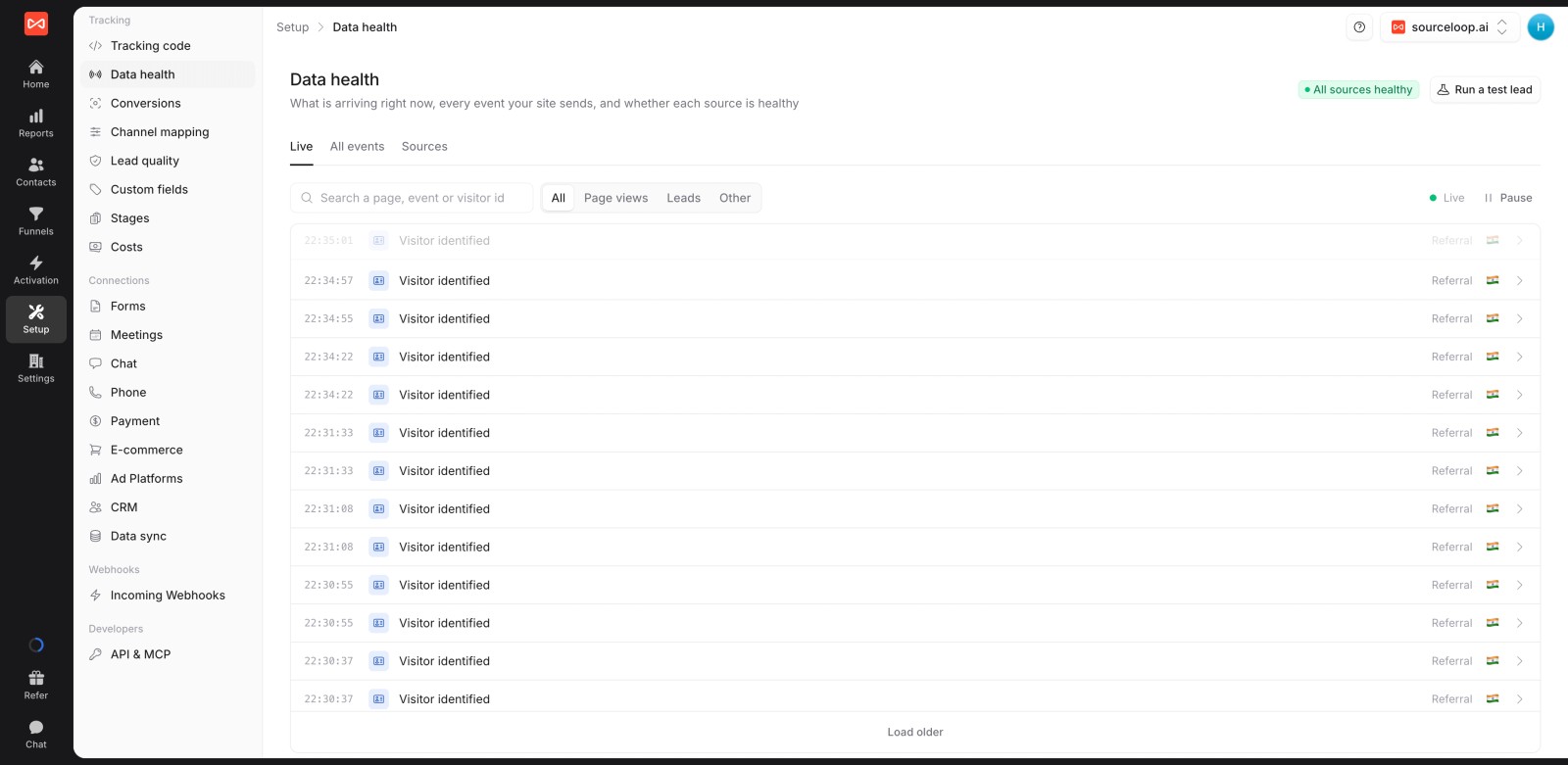
From there, form, chat and booking conversions are picked up without extra tags in most tools. The Data health page shows events arriving live, so you know it works before you close the tab.
What you can see
The Traffic and Revenue report shows visitors, sessions, conversions and revenue by channel, source and campaign. First touch and last touch sit side by side, so you can see what introduced people and what closed them.

Open any contact and you get the visit-by-visit journey: every session, the page they landed on, where they came from, and the conversion at the end.

Visitors who haven't identified themselves yet live in a separate anonymous visitors list, with their pages and sources.
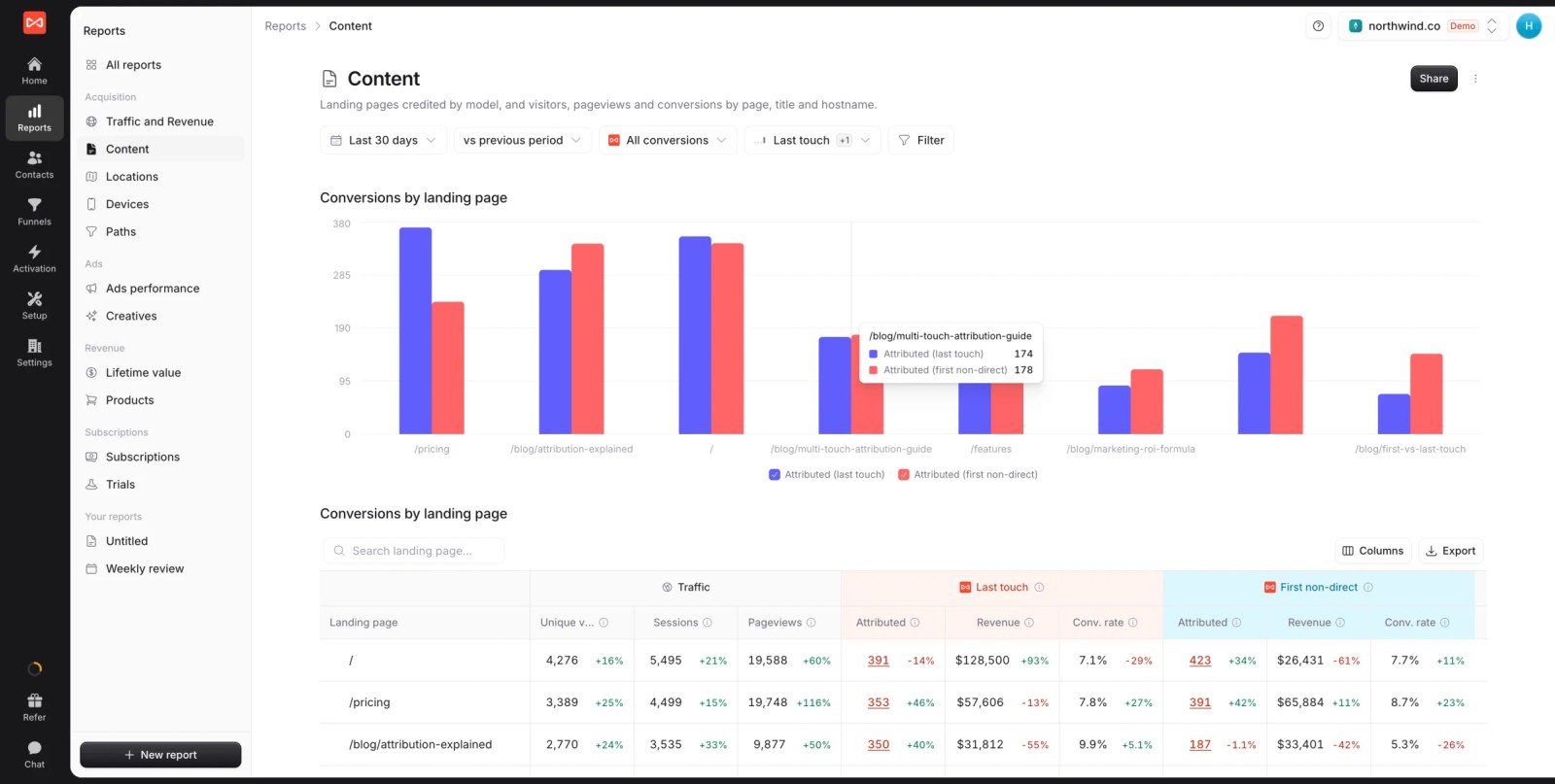
Content, Locations and Devices reports break the same numbers down by landing page, country and device, so you can see which blog posts actually produce leads. The Traffic report guide explains each column.
Where conversions come from
This is the part most traffic tools skip. SourceLoop picks up form submissions from most form builders, plus live chats, phone calls through CallRail and similar tools, and booked meetings from Calendly, Cal.com and others.
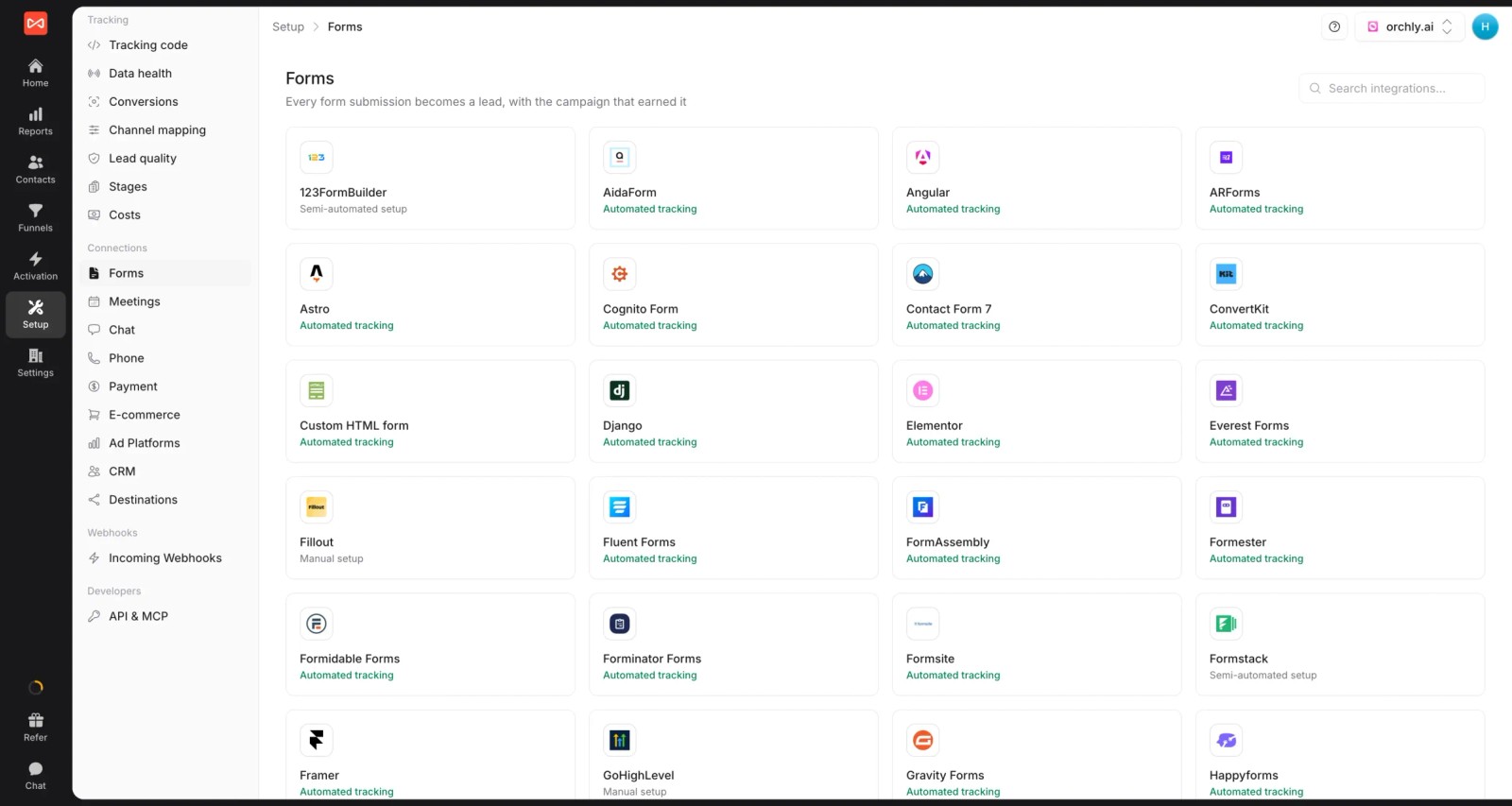
Connect HubSpot, Salesforce or Pipedrive and the contact's stage and deals sync back. Connect Stripe or Paddle and payments land on the same record. Reports can then switch from leads to pipeline or revenue.
For B2B, you can credit visits from everyone at the buyer's company. The colleague who found you through a search and the manager who signed up a week later then count as one buying journey.
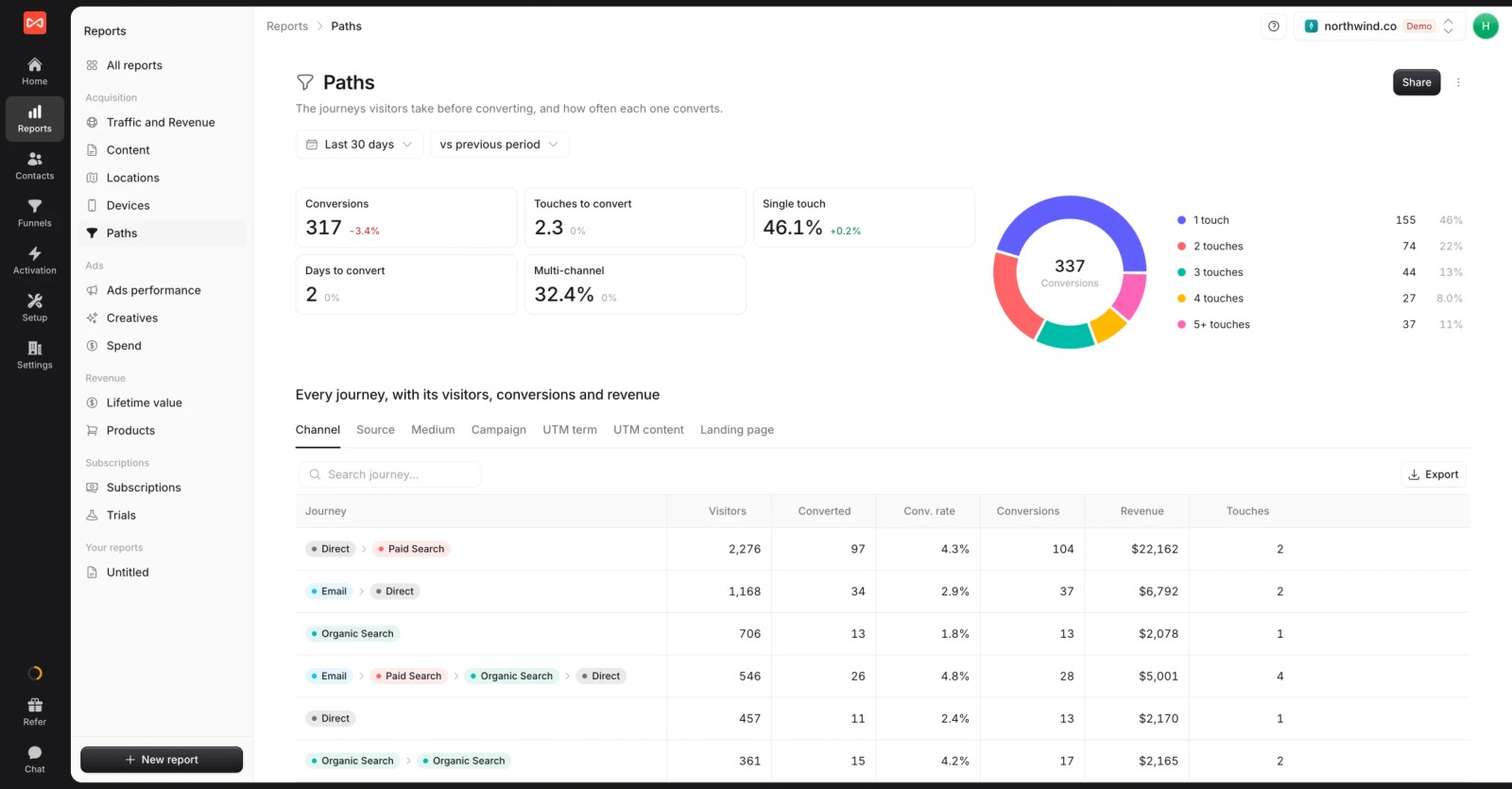
The Paths report shows the actual sequences of channels people took, with how many touches and days each one needed.
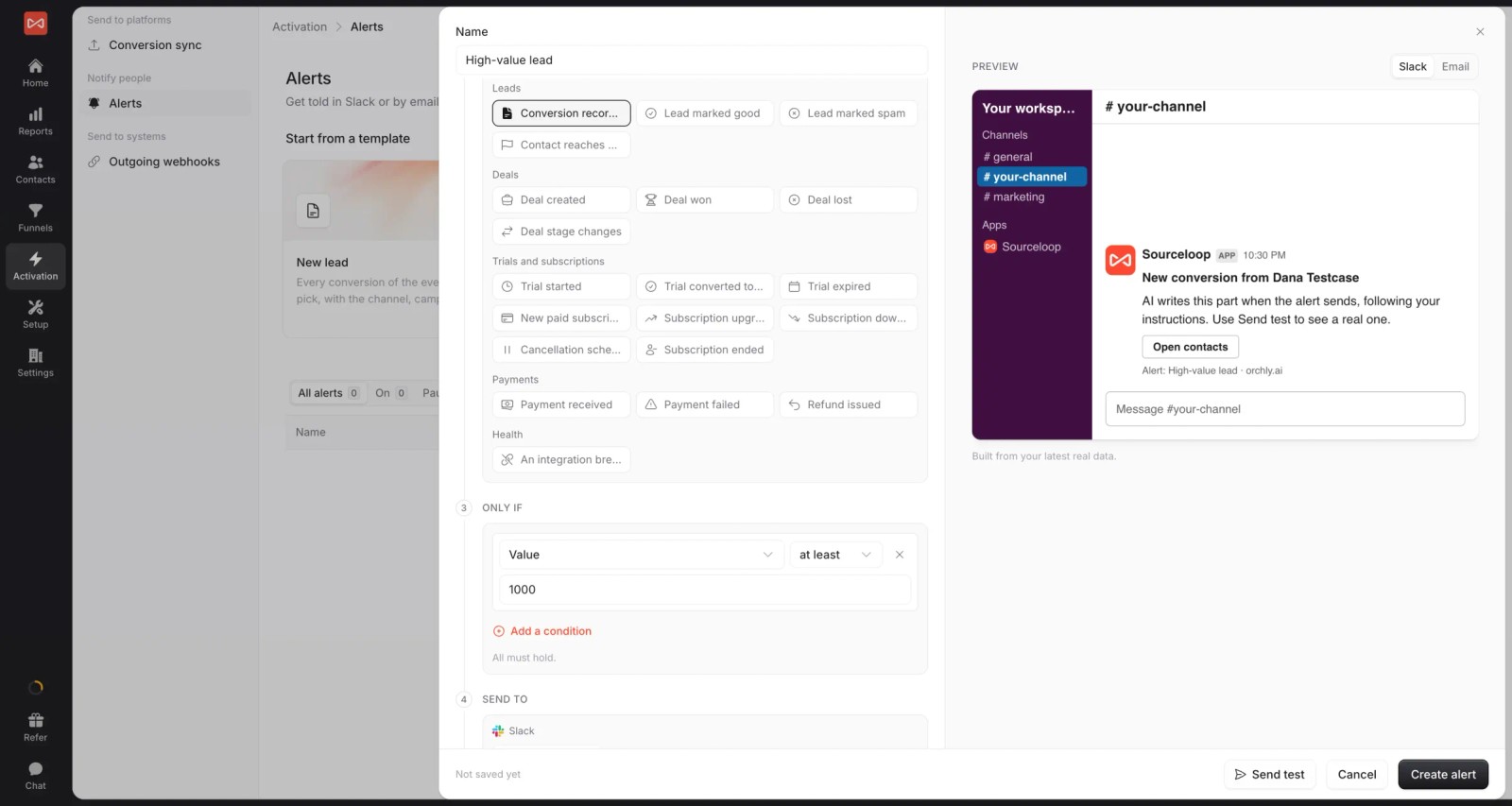
Alerts post to Slack or email when something worth acting on happens, such as a lead from a paid campaign or a high-value deal, so sales sees it while the visitor is still warm.
What happens after the lead
Visitor data is most useful when it changes where your ad budget goes. Lead quality rules mark each lead Good, Not a fit or Spam, and conversion sync sends the good ones, or the won deals, back to Google Ads, Meta, Microsoft Ads and ChatGPT Ads with their value.
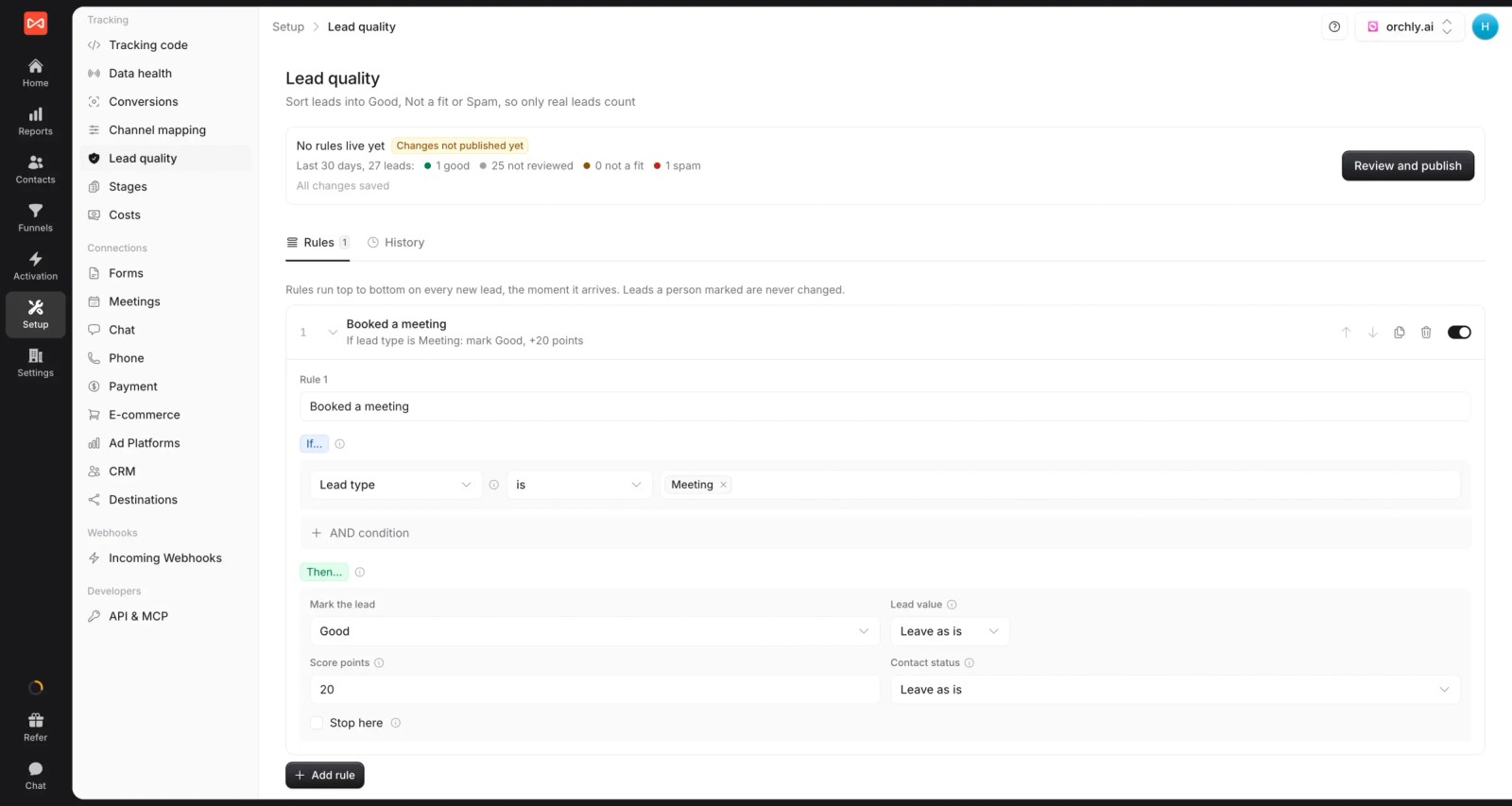

The ad platforms then learn which clicks became customers, not just which ones filled in a form. Server-side conversion sync explains how matching works.
Privacy
Tracking follows Google Consent Mode, so a visitor who declines isn't tracked. There's also an optional cookieless mode for sites that would rather skip the banner question, covered in our GDPR and consent guide.
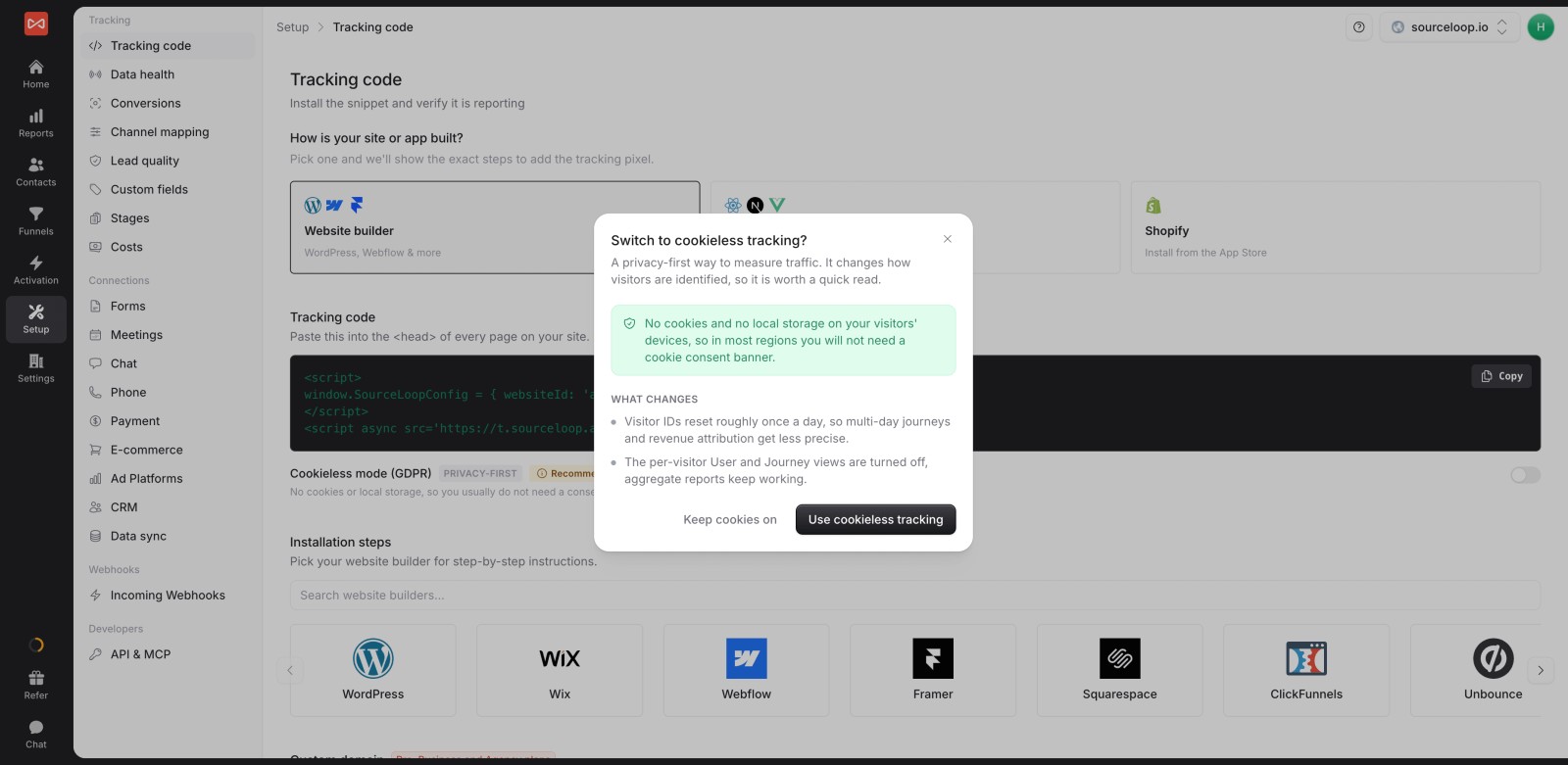
What it costs
Essential is $49/mo for one site and 30,000 page views a month. Professional is $99/mo for 100,000 page views, three users and unlimited data history, plus the API and MCP server. Agency is $249/mo for three sites, 1.5 million page views and full white label. Yearly billing takes 25% off.
Conversions are unlimited on every plan. You pay for page views, so a better conversion rate never costs more. Details are on the pricing page.
Where it falls short
- It doesn't show heatmaps or session recordings, so pair it with Microsoft Clarity, which is free, if you want to watch on-page behavior.
- There's no IP-based company reveal. Companies come from email domains and your CRM, so a visitor stays anonymous until they convert.
- It isn't a product analytics tool. For in-app funnels and feature usage after signup, Mixpanel is a better fit.
2. Google Analytics 4
Best for: free traffic and channel reports for any site.
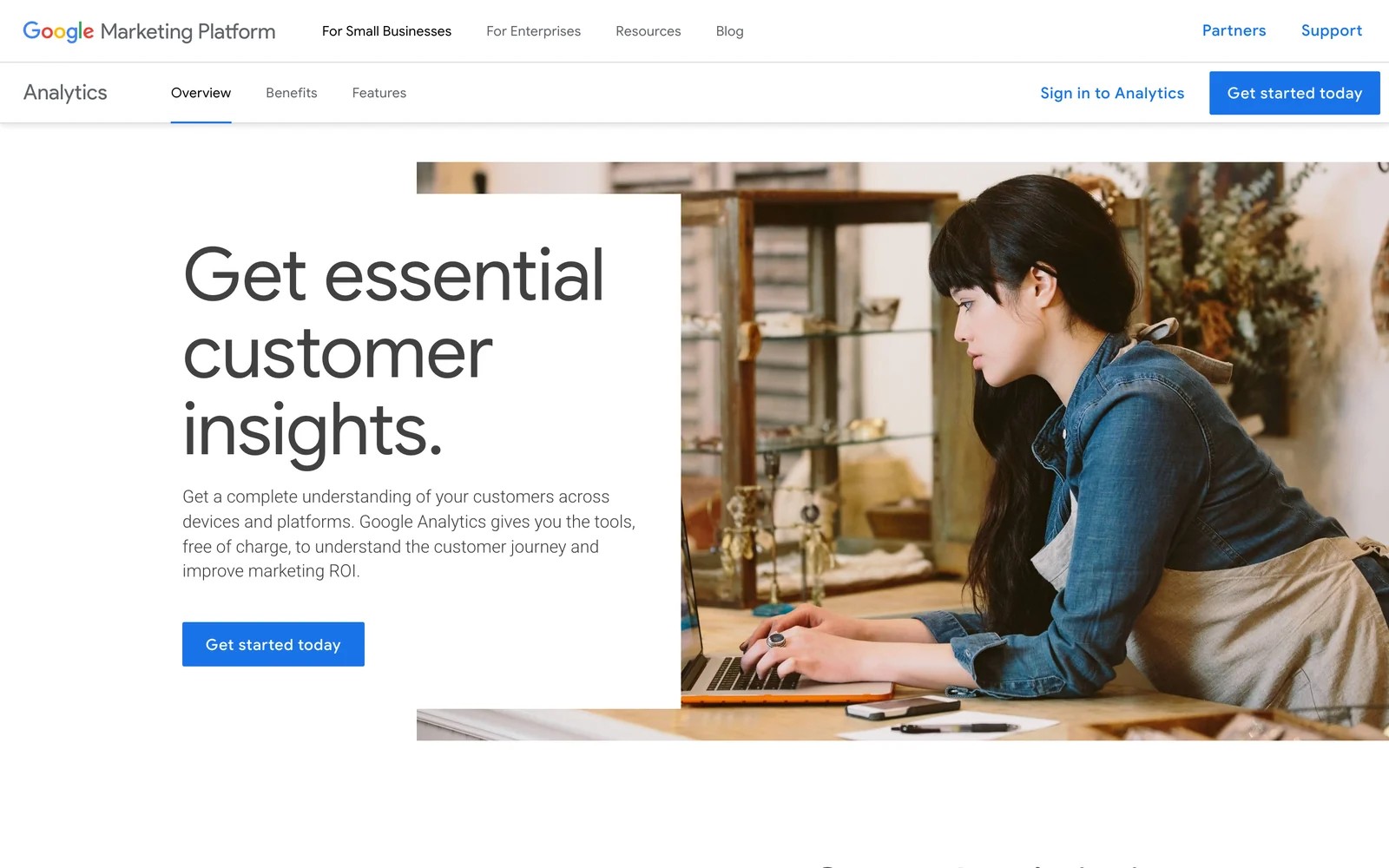
GA4 is the default for a reason. It's free, it tracks sources, pages and events, and it connects to Google Ads and Search Console in a few clicks.
Everything is an event, so you can track form submits, scroll depth or video plays without a separate tool. Explorations add funnels, path analysis and segment comparisons on top of the standard reports.
If you outgrow the interface, you can export raw events to BigQuery. Standard properties are capped at 1 million exported events a day, which is plenty for most marketing sites.
When visitors decline cookies, Consent Mode fills part of the gap with modeled data. That keeps totals closer to reality, but those visits are estimates, not real sessions. We cover the details in how GA4 uses cookies and what Direct traffic means in GA4.
We've run GA4 on our own sites for years, and on the free plan it does what it promises for traffic. Where it wore us down was speed of answers: simple questions often meant building an exploration from scratch.
Key features
- Every interaction is tracked as an event, so form submits, scroll depth and video plays can be measured without adding a second tool.
- Explorations add funnels, path analysis and segment comparisons on top of the standard reports, for when the defaults don't answer your question.
- Google Ads and Search Console link in a few clicks, putting paid and organic search performance right next to on-site behavior.
- Raw events can be exported to BigQuery once you outgrow the interface, giving analysts the full dataset to query however they like.
Where it falls short
- You can't see the person behind a lead, since Google's terms prohibit sending personal information like emails, so individual visit histories stay hidden.
- Reports with small user counts or demographic data can be withheld by thresholds you can't switch off, which hides detail on smaller sites.
- Standard properties keep event-level data for two or 14 months, limiting how far back explorations can go when comparing years.
- Deals that close later in HubSpot or Salesforce don't flow back without custom work, and rule-based models were removed in 2023.
What users say
"Google Analytics provides excellent value for the price." (Source)
"There have been moments when I only wanted to check one specific thing, but I still had to click through multiple reports and metrics" (Source)
"Goals and advanced tracking require technical setup that can become complex without support, and misconfigured settings can throw off your data." (Source)
Pricing
Free. GA4 360 is a paid enterprise tier with quoted pricing.
3. Microsoft Clarity
Best for: free heatmaps and session recordings.
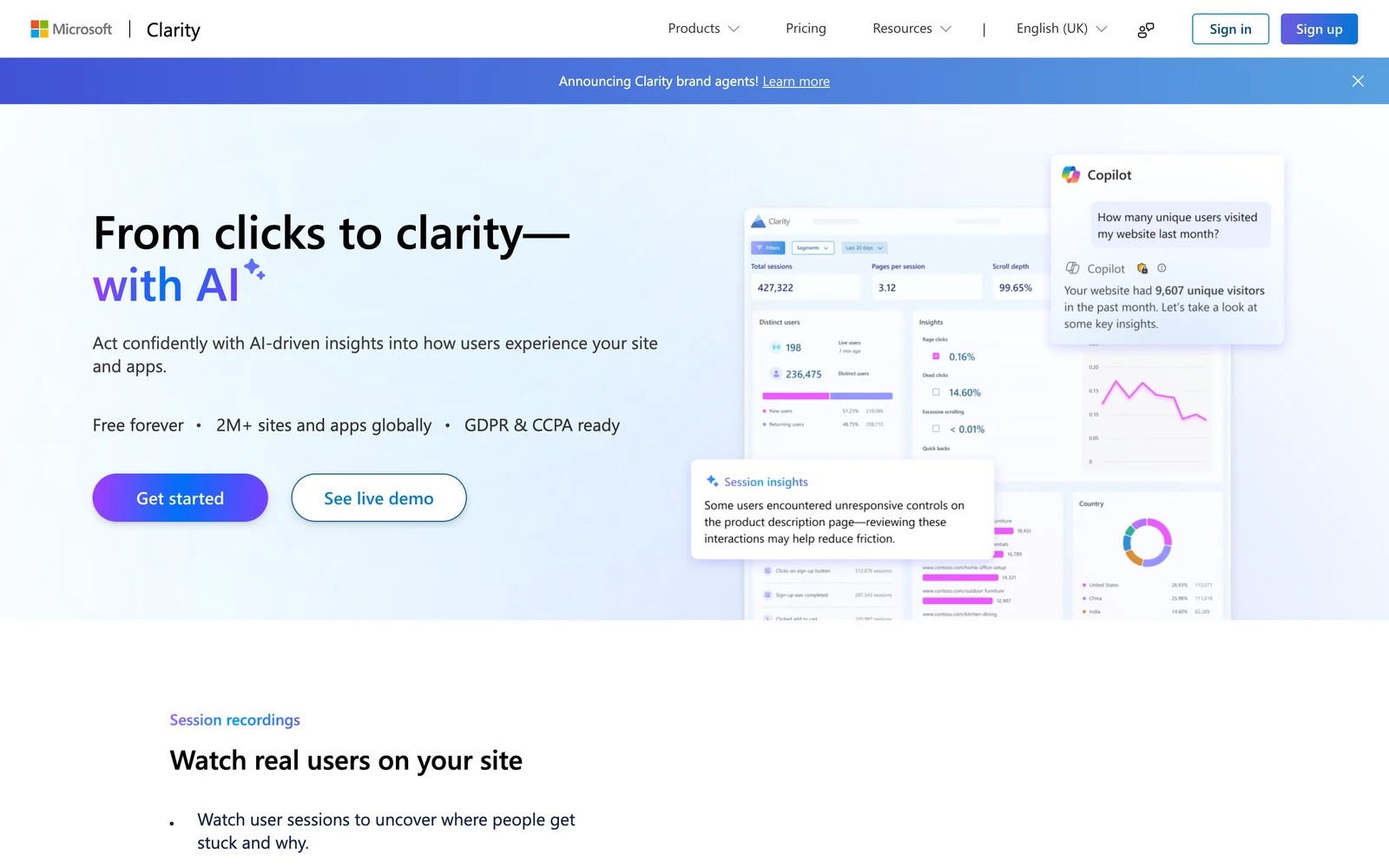
Clarity is free with no traffic limits and no sampling. You get click and scroll heatmaps, session recordings, and flags for rage clicks, dead clicks and quick backs.
Its AI layer (Copilot) summarizes recordings and answers questions about your data in plain language, which saves a lot of time once you have thousands of sessions.
It's the easiest win on this list. Install it next to whatever else you use and you'll spot broken buttons and confusing pages within a day. It also connects to Google Analytics, so you can jump from a GA segment to the matching recordings.
We installed Clarity next to GA4 on a test site and had useful recordings the same afternoon. The dead-click and rage-click filters found a broken button faster than any report would have.
Key features
- Click and scroll heatmaps show where attention goes on every page, with no sampling and no traffic limits, even on the free plan.
- Session recordings can be filtered by rage clicks, dead clicks, quick backs and JavaScript errors, which makes broken pages easy to find.
- Copilot summarizes recordings and answers questions in plain language, saving hours once you have thousands of sessions to sift through.
- The Google Analytics integration lets you jump from a GA segment straight to the matching recordings, so numbers and behavior connect.
Where it falls short
- Recordings and heatmap data are only kept for 30 days, so you can't look back at behavior from earlier quarters.
- It shows how people behave on a page, not how channels or campaigns performed, so it can't compare Google Ads with Meta.
- Sessions aren't tied to leads, deals or revenue, which means it explains friction but never which visits made money.
- It works best as a companion to GA4 or an attribution tool, and teams expecting it to replace analytics will be disappointed.
What users say
"I like that Microsoft Clarity is free and does not slow down page rendering." (Source)
"Sometimes the recordings are buggy and it does not support adding events." (Source)
"I wish it could compare (measure and report) on previous periods" (Source)
Pricing
Free.
4. Hotjar (Contentsquare)
Best for: heatmaps and recordings plus on-site surveys.
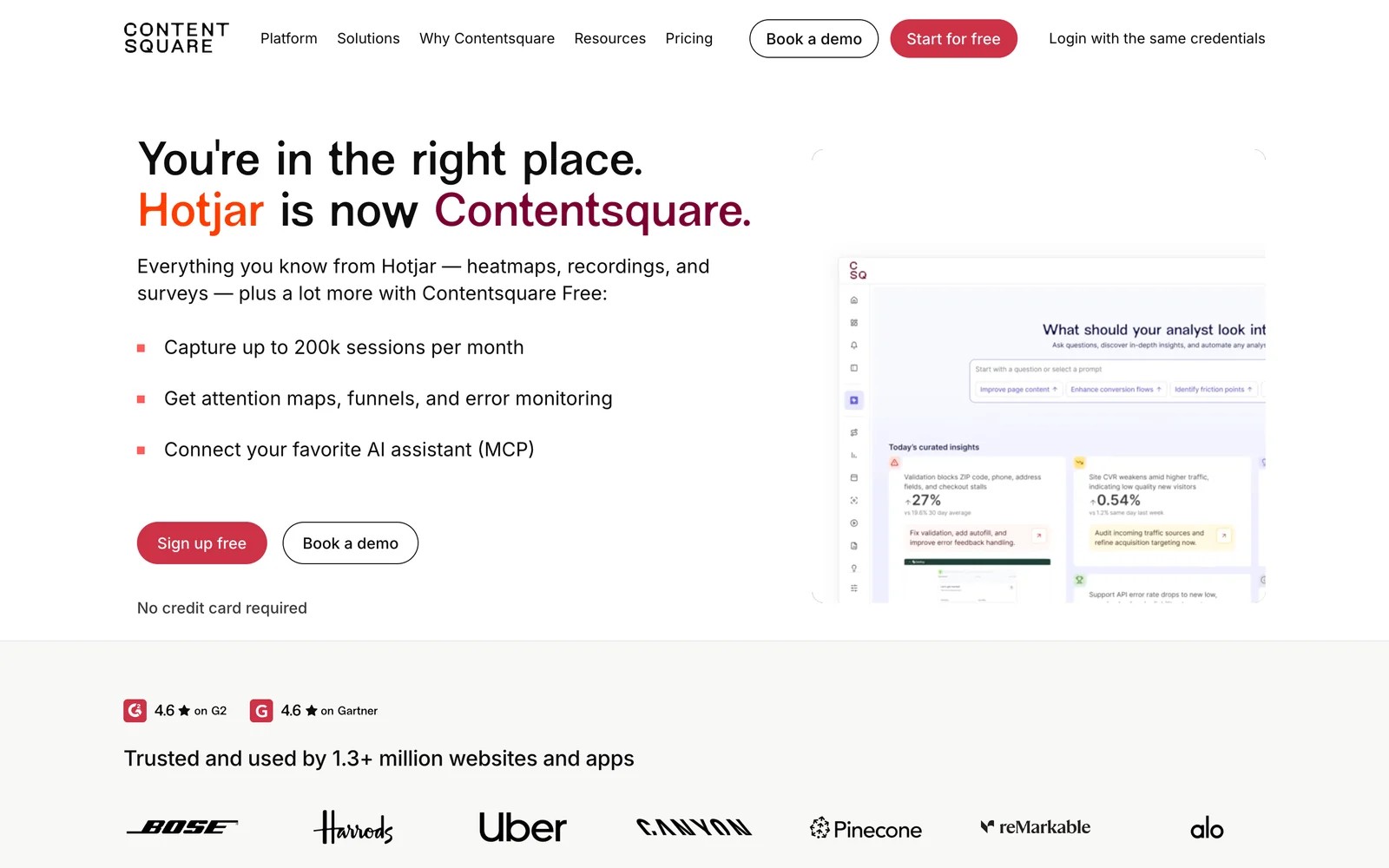
Hotjar is now part of Contentsquare, and its plans live on the Contentsquare pricing page. The free plan captures up to 200,000 sessions a month, with heatmaps, funnels and replays.
Where it beats Clarity is feedback. On-page surveys and feedback widgets sit next to the recordings, which helps when a replay shows people leaving and you want to ask them why.
Paid plans also keep data for 13 months, against one month on the free plan, so you can compare this quarter with last year's.
On the free plan, Hotjar felt more polished than Clarity, and the survey widget was quick to launch. The catch showed up fast: only a share of sessions get recorded, so a specific visit you want to watch may not be there.
Key features
- Heatmaps and session replays show how visitors click, scroll and move through a page, which helps explain why a page underperforms.
- On-page surveys and feedback widgets let you ask visitors directly why they're leaving, something recordings alone can never tell you.
- Funnels highlight the step where most visitors drop off, so you know which page deserves attention before you watch any replays.
- Paid plans keep data for 13 months, making it possible to compare this quarter's behavior with the same period last year.
Where it falls short
- Cheaper plans don't record every session: free replays capture 5% of sessions up to 10,000, and Growth captures 15%.
- The free plan allows 100 survey responses a month, and larger survey volumes need a separate plan starting at $79/mo.
- Like Clarity, it explains on-page behavior but can't attribute leads or revenue to the channels that brought visitors in.
- Plans changed in the move to Contentsquare, so check exactly what's included before committing, especially if you used Hotjar before.
What users say
"Hotjar has provided us with such incredible insights about how prospects and customers actually interact with our website, which enable us to tailor our approach to them." (Source)
"The biggest drawback is that reviewing a large volume of session recordings can be time-consuming, especially when I’m trying to spot patterns across many users." (Source)
"The freemium runs out pretty quickly, and I don't know how accurate the data is (it's hard to verify qualitative data)" (Source)
Pricing
Free plan, then Growth at $39/mo billed yearly ($49 monthly). Pro and Enterprise are quoted.
5. Plausible
Best for: simple traffic stats without cookies.
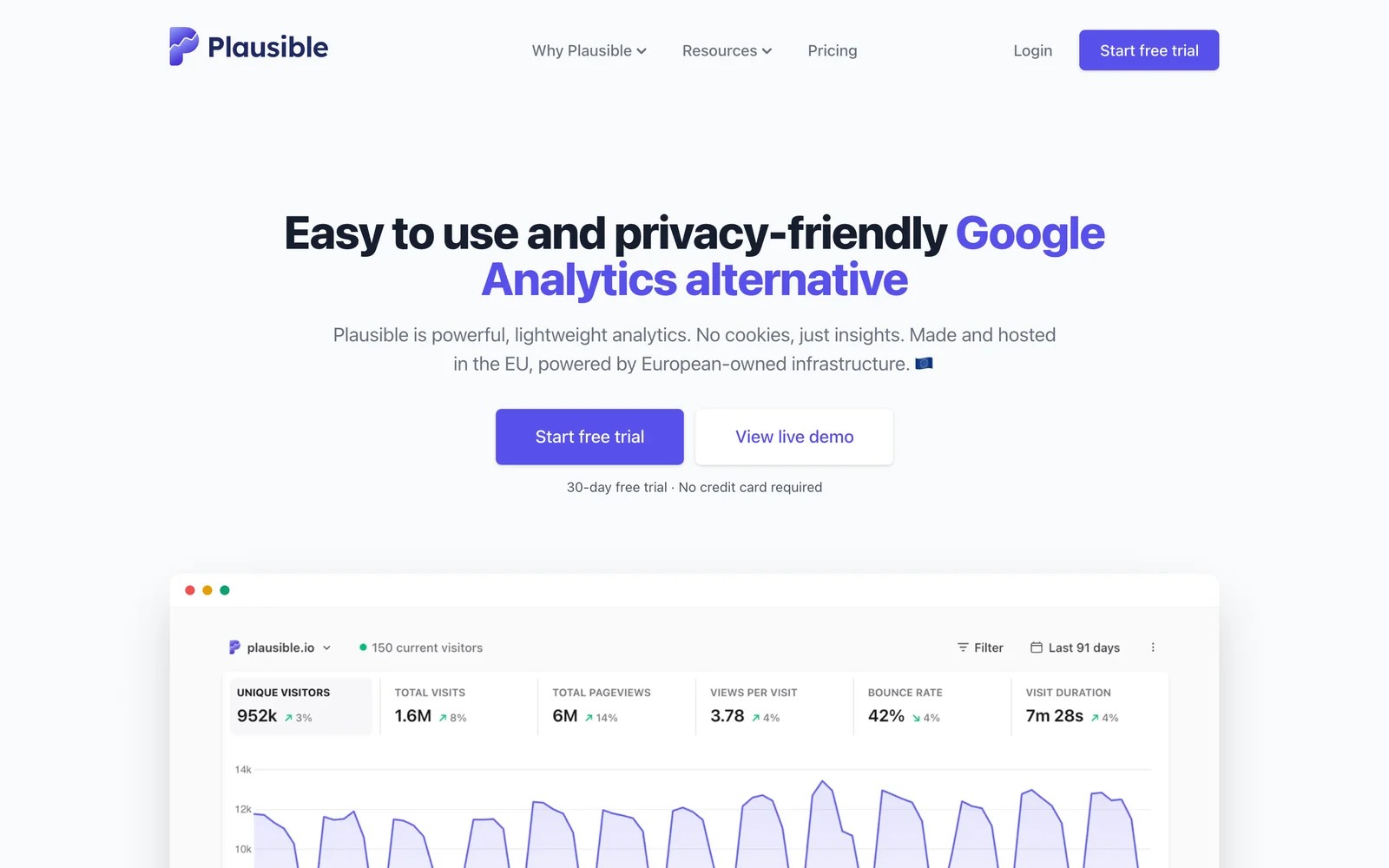
Plausible is a lightweight alternative to GA4. One dashboard shows sources, pages, countries, devices, UTM campaigns and goals, and it updates in real time.
It uses no cookies and no persistent identifiers, so most sites don't need a consent banner for it. Data is hosted in the EU, and you can import your old Google Analytics data when you switch.
The script is small, so it barely touches page speed. Our roundup of cookieless tracking tools compares it with similar options.
We used the 30-day trial and the dashboard took about a minute to understand, which is the point. What we missed was any way to see what an individual lead did before converting.
Key features
- A single real-time dashboard shows sources, pages, countries, devices, UTM campaigns and goals, readable at a glance by anyone on the team.
- No cookies or persistent identifiers are used, so most sites can run it without a consent banner and keep complete traffic numbers.
- Historical Google Analytics data can be imported when you switch, so you don't lose years of trend lines on day one.
- The tracking script is small enough to barely affect page speed, which matters for content sites that compete on load times.
Where it falls short
- Without identifiers it can't follow a visitor over time, so journeys and connections between a visit and a later lead are impossible.
- There are no heatmaps or session recordings, so you'll need another tool to understand what people do on a page.
- Funnels and revenue tracking start on the Business plan, which means the entry plan covers traffic stats only.
- There's no free plan, just a 30-day trial, so it isn't the right pick for hobby sites wanting free analytics forever.
What users say
"Plausible is a fast, lightweight, privacy-first and GDPR-compliant analytics platform that is better than GA4." (Source)
"I wish there was a unified dashboard for all sites/a way to group them." (Source)
"the cost while low is still higher than the free site tools by the tech giants in the space" (Source)
Pricing
Starter is $9/mo for one site and 10,000 monthly page views. Business ($19/mo) adds funnels, revenue attribution and the Stats API. Every plan starts with a 30-day trial.
6. Matomo
Best for: owning your analytics data.
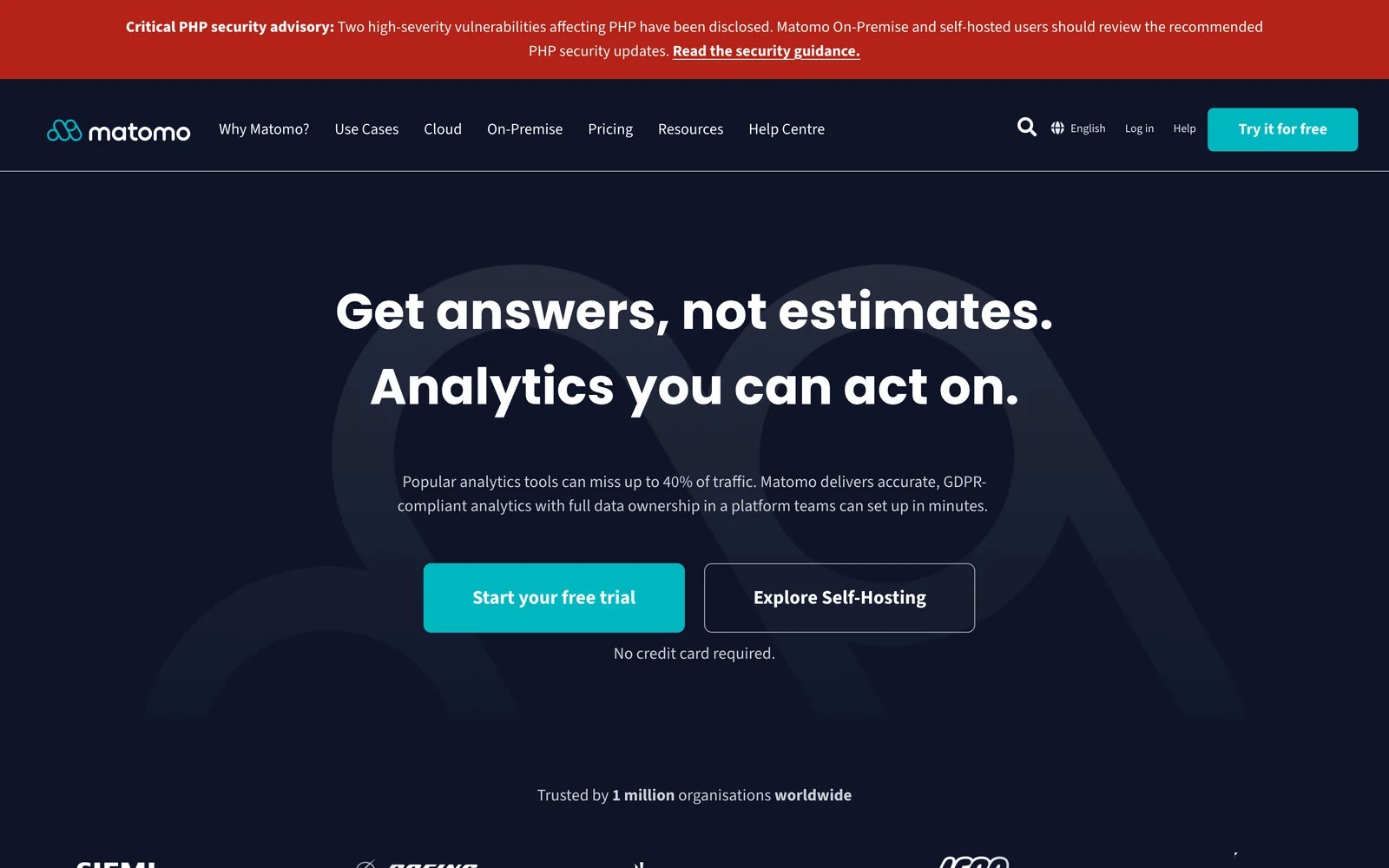
Matomo is the open-source option. The self-hosted Community edition is free with no hit limits, and your data never leaves your servers.
It covers most of what GA4 does, plus ecommerce reports and goals, without sampling. If you'd rather not run servers, Matomo Cloud hosts it for you in Frankfurt.
It's popular with public sector, healthcare and EU companies that need full control over where analytics data lives.
We tried Matomo Cloud's trial. The reports will feel familiar to anyone who used Universal Analytics, which some teams will love. Self-hosting is a different commitment, and you need someone to own it.
Key features
- The self-hosted edition is free with no hit limits, and your analytics data stays on your own servers, which suits strict compliance teams.
- Reports cover traffic, goals and ecommerce without sampling, so numbers stay accurate even on high-traffic sites with complex segments.
- Matomo Cloud hosts everything in Frankfurt for teams that want the same product without maintaining servers or updates themselves.
- Heatmaps, session recordings and A/B tests are available as premium add-ons, letting you expand beyond traffic reporting when needed.
Where it falls short
- Self-hosting means your team handles updates, security patches and server load, which needs someone technical to own it long term.
- Heatmaps, recordings and A/B tests are premium add-ons in the paid bundles, so the full feature set costs more than it first appears.
- Matomo Cloud keeps raw data for 24 months, while aggregated reports are kept indefinitely, which limits deep historical analysis.
- Like GA4, it reports traffic and goals, so connecting visits to CRM pipeline or revenue by lead needs another tool.
What users say
"One of the benefits of Matomo is that it can be self-hosted, which gives us more control over their data and how it is collected and stored." (Source)
"The biggest downside for us has been the pricing structure on the cloud version." (Source)
"It's not quite as smooth to set up as Google Analytics." (Source)
Pricing
Self-hosted is free. Matomo Cloud starts at €29/mo for 50,000 hits, with a free trial.
7. Leadfeeder
Best for: seeing which companies visit your site.
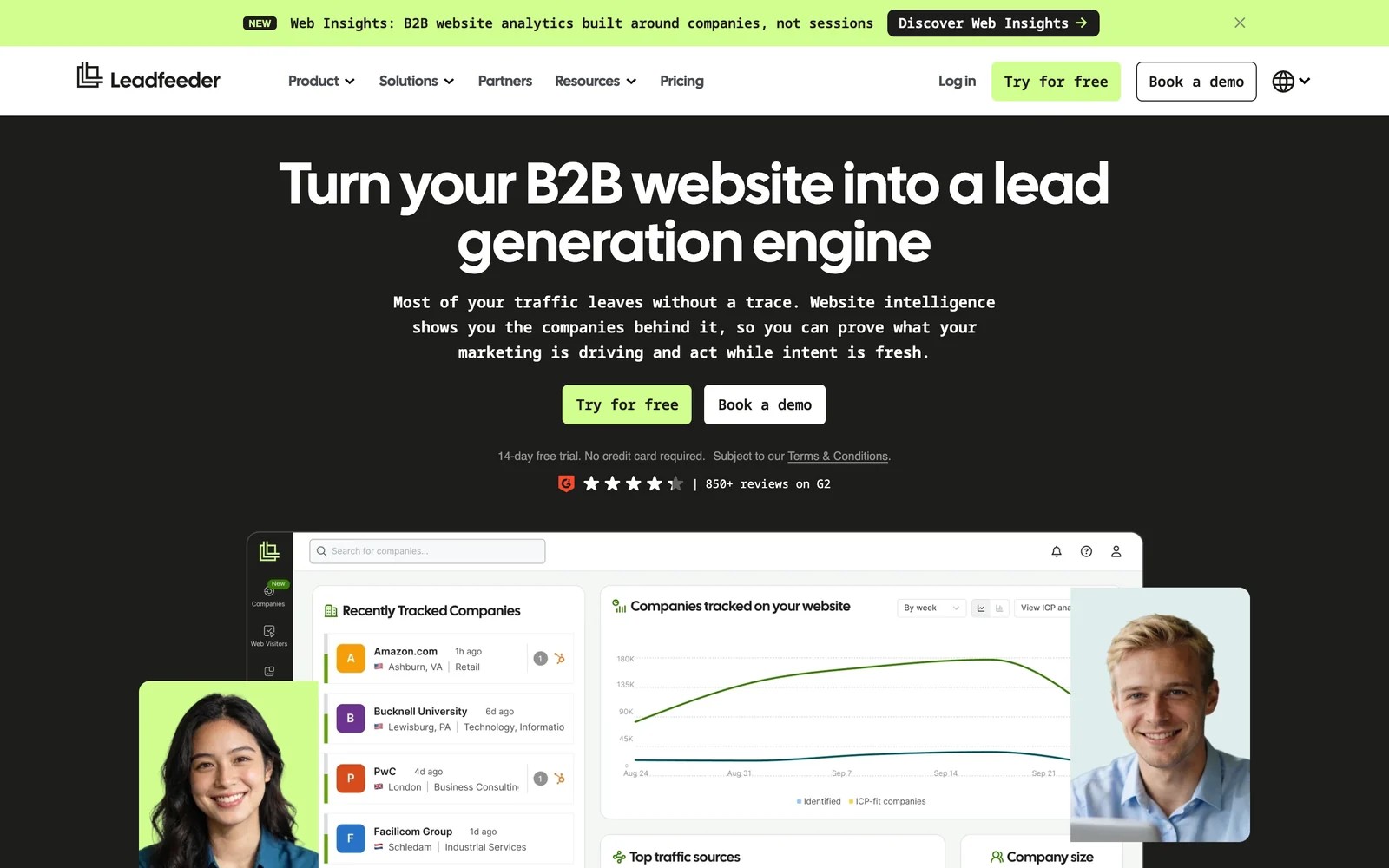
Leadfeeder, part of Dealfront, matches visitor IP addresses to company records. Sales teams use it to spot accounts that read the pricing page and never filled in a form.
For each company you see the pages they viewed, how they arrived and how often they come back. Paid plans sync companies two ways with HubSpot, Salesforce and Pipedrive and can alert reps in real time.
Identifying companies doesn't use credits. Enriching them with verified contacts does.
On the free Lite plan, Leadfeeder named a handful of companies within a day, mostly larger firms on office networks. Smaller visitors and people on mobile rarely showed up, which matches what users report.
Key features
- Visitor IP addresses are matched to company records, showing which businesses visited and the exact pages each one viewed.
- Each company's profile shows how it arrived and how often it returns, helping sales decide which accounts to contact first.
- Paid plans sync companies two ways with HubSpot, Salesforce and Pipedrive, so account activity shows up where reps already work.
- Real-time alerts tell reps when a target account lands on the site, which suits outbound teams that act on intent quickly.
Where it falls short
- It names the company, not the person, and contact details only come from enrichment credits on higher plans.
- IP matching misses many remote workers, mobile visitors and home connections, so smaller companies often go unidentified.
- The free Lite plan only shows the last 7 days of visitors, which makes it hard to spot accounts that return over weeks.
- Pricing climbs with the number of companies identified each month and with credit use, so costs grow with your traffic.
What users say
"We can now proactively reach out to potential leads that would have otherwise gone unnoticed." (Source)
"Sometimes it can’t identify the correct domain or company, which may be related to using a corporate VPN." (Source)
"Additionally, pricing may be a consideration for smaller businesses as its pretty pricey" (Source)
Pricing
The free Lite plan shows the last 100 identified companies a month. Discover starts at €79/mo billed yearly. Verified emails, phones and CRM automations start on Activate at €369/mo.
8. RB2B
Best for: person-level visitor identification in the US.
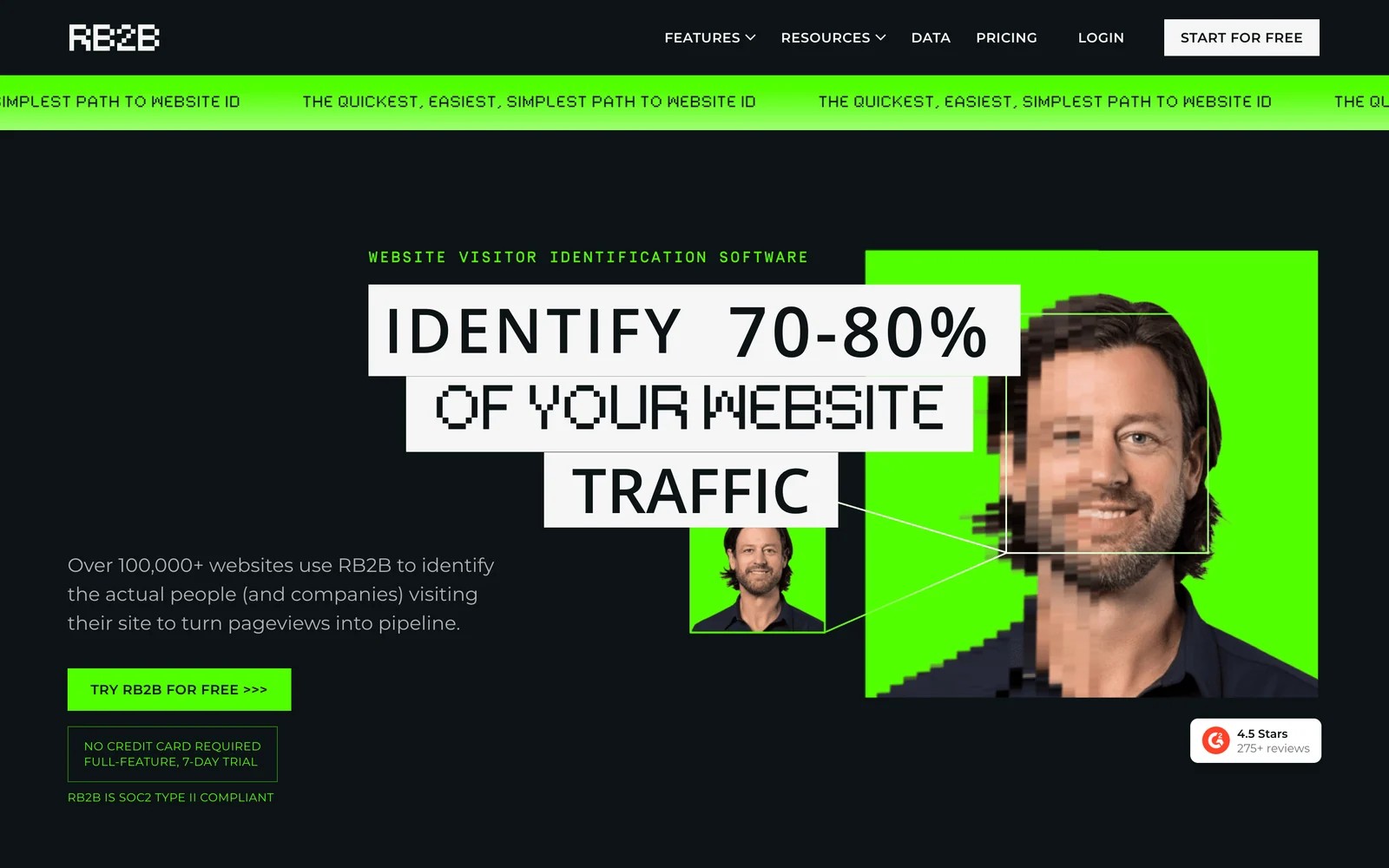
RB2B goes a step further than company matching. On paid plans it identifies individual US visitors and pushes their LinkedIn profile, and on Pro their business email, into Slack, your CRM or a webhook.
The free plan covers company-level matches anywhere in the world. According to its own pricing page, person-level matches are US only.
It's built for outbound teams who want to message a visitor the same day they looked at pricing.
We set up the free plan and the Slack alerts started within the hour. Company matches were plentiful. Person-level matches need a paid plan and only cover US visitors, so for a site with international traffic most visits stay unnamed.
Key features
- Individual US visitors can be matched to a LinkedIn profile on paid plans, going a step beyond the company-level matching most tools offer.
- Matches are pushed to Slack, your CRM or a webhook as they happen, so outbound reps can follow up the same day.
- The Pro plan adds business email addresses and more integrations, aimed at teams that want to message visitors directly.
- Pro+ claims higher match rates through extra identity data, though person-level matching still only covers visitors in the US.
Where it falls short
- Person-level identification only works for visitors in the US, so teams selling elsewhere get company-level matches at best.
- Its own pricing page puts coverage at about 15 to 20% on standard plans and 35 to 45% on Pro+, so most visitors stay anonymous.
- The Starter plan only delivers LinkedIn profiles to Slack or Teams, so emails and CRM syncing require a higher plan.
- Identifying people who never shared their details raises consent questions, so check the rules for your market before relying on it.
What users say
"It reliably extracts the info of our website visitors, which in B2B amounts to a quality lead for sales teams." (Source)
"The percentage identified is low, however, I do not believe this is a RB2B specific issue given the privacy standards in the US" (Source)
"The paid versions are expensive for a solo founder." (Source)
Pricing
Free for 150 company-level matches a month. Starter is $79/mo for 300 person-level matches. Pro starts at $149/mo with emails and integrations, and Pro+ at $199/mo.
9. Mixpanel
Best for: event and product analytics.
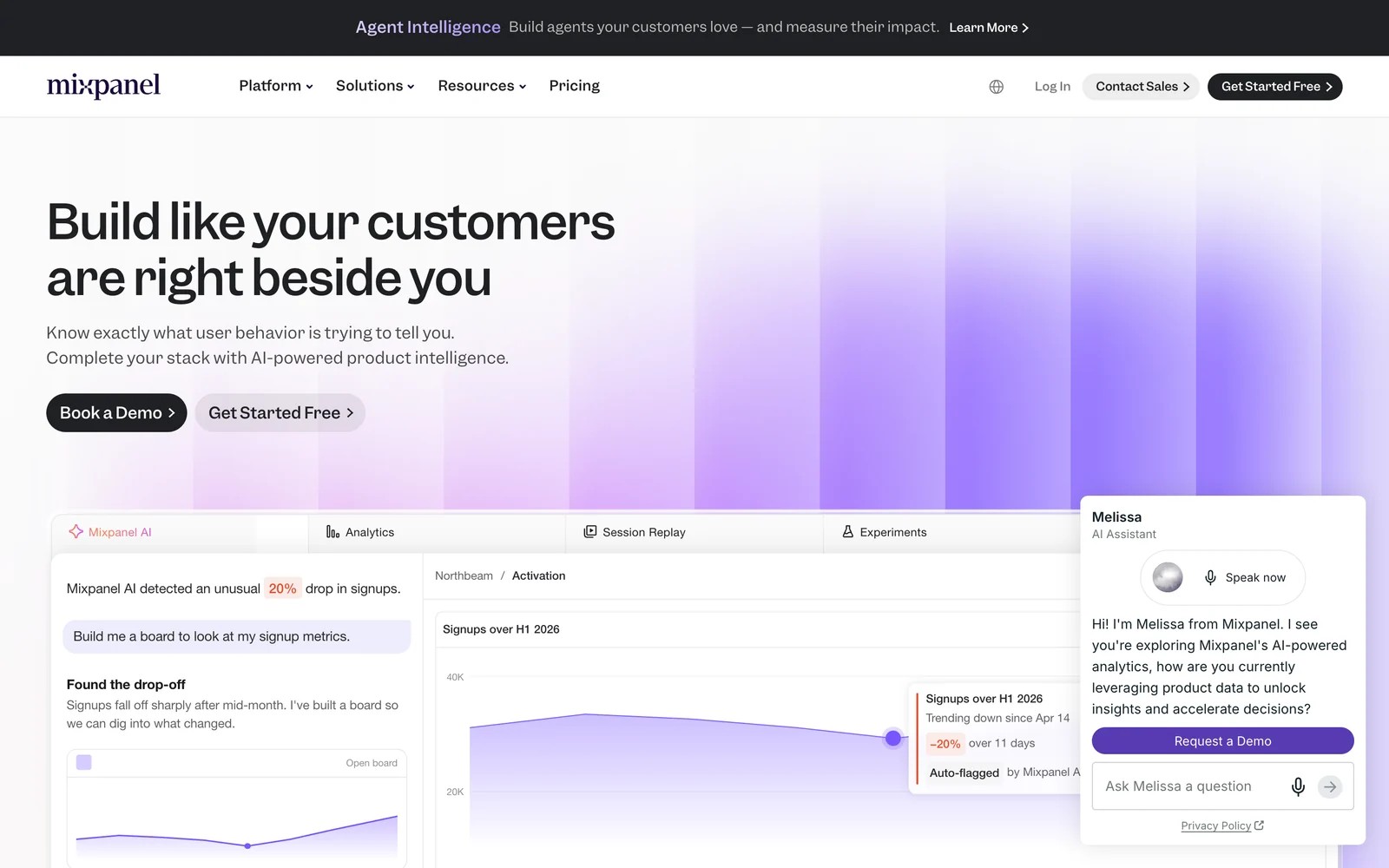
Mixpanel is built around events such as sign-ups, clicks and feature use. It's strongest inside a product: sign-up funnels, feature adoption, retention cohorts and experiments.
The free plan is generous. It includes 1 million events a month, 10,000 session replays, heatmaps, funnels and retention analysis, with two years of data.
For SaaS teams, that makes it a good fit for what happens after sign-up. For marketing sites it works too, but you'll be defining and maintaining your own event plan.
We set up Mixpanel's free plan for a small app, and the funnels were excellent once events were flowing. Getting there meant writing a tracking plan first, and that's work most marketing teams don't budget for.
Key features
- Events like sign-ups, clicks and feature use power funnels, retention and cohort reports, which is where SaaS teams get the most value.
- The free plan includes 1 million events a month, session replays and heatmaps, generous enough for many small products to run on.
- Experiments and feature flags tie product changes directly to outcomes, so you can see whether a release actually moved retention.
- Warehouse connectors on paid plans bring in data from other systems, letting product and marketing data live in one place.
Where it falls short
- You decide which events and properties to send, so someone has to design and maintain a clean tracking plan or reports degrade.
- Ad spend and CRM revenue aren't attributed out of the box, and warehouse connectors to bring them in start on Growth.
- Session replays are kept for 30 days on the Free and Growth plans, which limits how far back you can review behavior.
- Pricing scales with events, so heavy tracking gets expensive. Compare it with other customer journey analytics tools if journeys are your main need.
What users say
"The Flows and Funnels reports are great for checking if user journeys are working as expected." (Source)
"The setup was a little cumbersome. It took us quite a while to make sure that we were getting data from all aspects of our platform." (Source)
"Data management can also get complicated when you have too many events and properties" (Source)
Pricing
Free up to 1M events a month. Growth is usage-based after that, for example $100/mo for 1.5M events billed yearly.
How to choose
Start from the question you need answered:
- "Where does our traffic come from?" GA4 if free matters, Plausible if privacy matters, Matomo if data ownership matters.
- "Why do people leave this page?" Microsoft Clarity, or Hotjar if you also want surveys.
- "Which companies are looking at us?" Leadfeeder, or RB2B for US person-level matches.
- "Which visits turn into customers?" SourceLoop. It's the one built to follow a visit through to the lead, the deal and the payment, which is also how you track lead source properly.
Two tools usually cover it. A common pairing is SourceLoop for attribution plus Clarity for behavior, both installed in a few minutes.
Frequently asked questions
-
What is website visitor tracking software?
It's software that records visits to your website: where each visitor came from, which pages they viewed and what they did. Some tools stop at traffic counts, others add heatmaps, company identification, or links between visits and the leads and revenue they produced.
-
Can I see who visited my website?
Partly. Tools like Leadfeeder match IP addresses to companies, and RB2B can match some US visitors to individual profiles. Attribution tools like SourceLoop identify a person once they fill in a form, chat, call or book a meeting, then attach their earlier visits to that contact.
-
Is there free website visitor tracking software?
Yes. Google Analytics 4 and Microsoft Clarity are both free, and Matomo is free if you host it yourself. Free tools cover traffic and behavior well, but they don't connect visits to leads or revenue in your CRM.
-
Is visitor tracking legal under GDPR?
It can be, if you collect consent where it's required and limit what you store. Cookie-free tools like Plausible usually don't need a banner. Identifying individuals who haven't shared their details is the riskiest category, so check your local rules first. Our guide to GDPR-compliant conversion tracking goes deeper.
-
What's the difference between visitor tracking and attribution?
Visitor tracking records what happens on your site. Attribution takes those visits and works out which channels and campaigns deserve credit for a lead or sale. You need the first to do the second, but most visitor tracking tools stop before attribution.




 Paid Social


