
8 Best B2B Marketing Analytics Tools for 2026
Eight B2B marketing analytics tools sorted by the job they do, from pipeline attribution to intent data and reporting, with real reviews.
Table of contents
Ask a B2B marketer what their analytics stack is and you'll often get a long pause, then a list of five tools that don't talk to each other.
That's not a failure of discipline. B2B buying is messy, and no single tool sees all of it.
In this guide, I'll sort eight tools by the job they do in a B2B stack, so you can see which gap each one fills and which ones you can skip.
How this list was built
B2B tools are hard to judge from a feature page, so we leaned on use. Dreamdata, Factors.ai, Supermetrics, Mixpanel and HubSpot all let you start free or on a trial, and we did. HockeyStack and 6sense only sell through demos, which we sat through, then checked against their documentation.
A lot of the brands and agencies we work with sell to other businesses, with sales cycles of weeks or months, and their questions shaped the criteria. Every quote below is copied from a public review on G2 or Capterra. We asked four things of each tool:
- Can it connect a campaign to an opportunity and a closed deal?
- Does it work at the person level, the account level, or both?
- Who on your team will need to run it?
- Is the price published, and how does it grow?
We build SourceLoop, so it's fair to say that upfront. It was judged against the same four questions as the rest, and we've been plain about where it falls short.
Last checked November 2026. Confirm current pricing with each vendor.
Why B2B marketing is harder to measure
Three things break the tools built for ecommerce.
- More than one buyer: a B2B purchase is usually decided by a group, from the person researching to the one approving the budget. The person who clicked your ad is rarely the one who signs.
- Long gaps: weeks pass between first visit, demo and contract, longer than most ad platform windows.
- Revenue lives elsewhere: the deal closes in a CRM, not on your website, so web analytics never sees it.
Most teams solve this with layers. Here's how the eight tools on this list map to them.
B2B marketing analytics tools compared
Here's how the 8 B2B marketing analytics tools compare by layer, level and pricing, as of November 2026.
| Tool | Layer | Answers | Works on | Pricing | Free plan or trial |
|---|---|---|---|---|---|
 SourceLoop SourceLoop | Pipeline attribution | Which campaigns created pipeline and revenue | People, rolled up to companies | From $49/mo | Yes |
 Dreamdata Dreamdata | Pipeline attribution | How accounts moved through the funnel | Accounts | Free plan, paid quoted | Yes |
 HockeyStack HockeyStack | Pipeline attribution | Which touches influenced deals across all data | Accounts and people | Quote, annual | No |
 Factors.ai Factors.ai | Account intelligence | Which companies are engaging now | Accounts | From $199/mo | Yes |
 6sense 6sense | Account intelligence | Which accounts are in market | Accounts | Quote | No |
 HubSpot Marketing Hub HubSpot Marketing Hub | CRM-native reporting | How HubSpot campaigns performed | Contacts and deals | Enterprise from $3,600/mo for revenue attribution | Yes |
 Supermetrics Supermetrics | Data pipeline | What every channel spent and delivered, in one report | Channels | From $49/mo | Yes |
 Mixpanel Mixpanel | Product analytics | What users do after signing up | Users and accounts | Free up to 1M events | Yes |
The 8 best B2B marketing analytics tools
The first three tie marketing to pipeline, the next two watch accounts, and the last three handle reporting and product data.
1. SourceLoop
Best for: B2B SaaS teams, B2B service firms and the agencies running their ads that want pipeline and revenue by campaign without a data team.

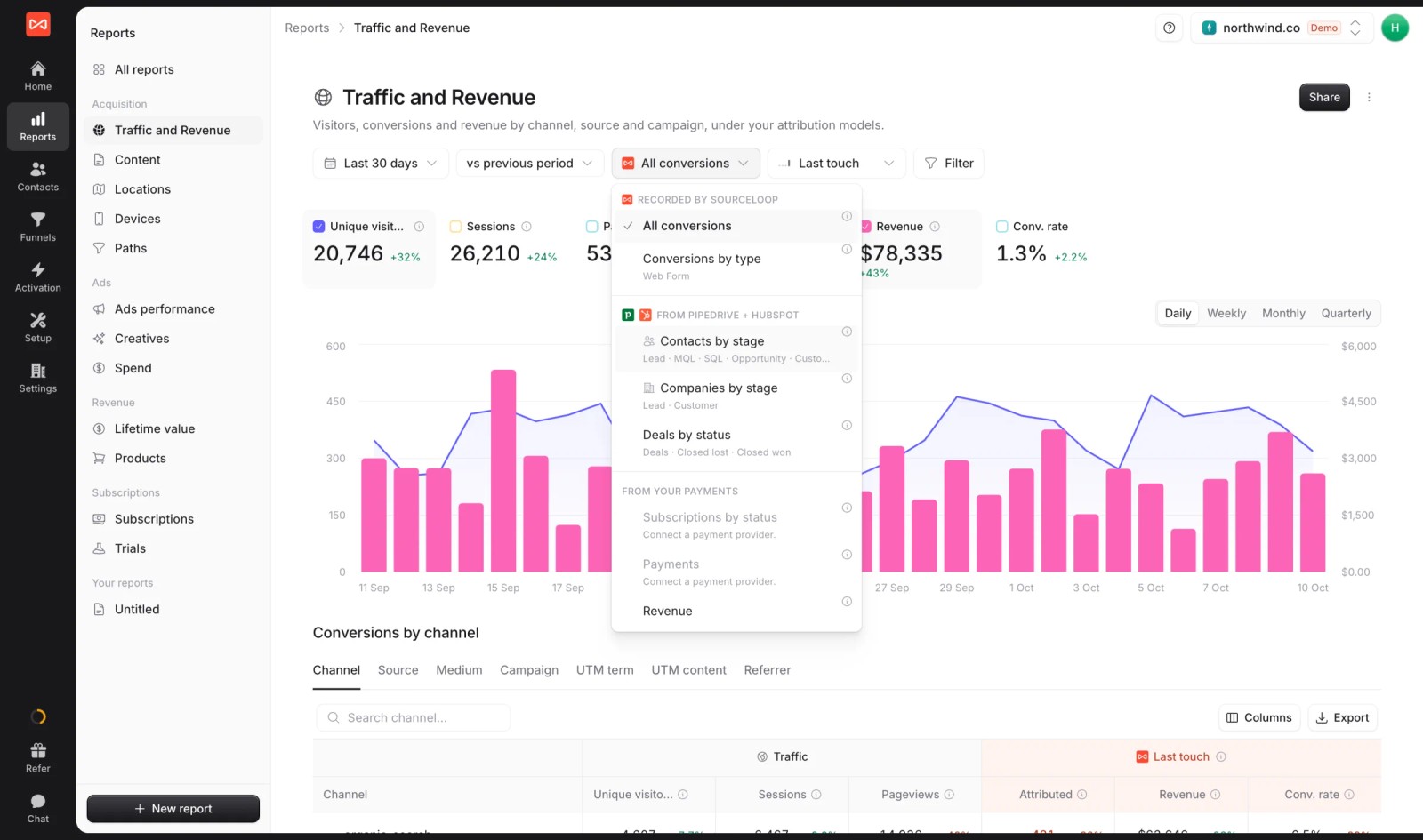
SourceLoop is a marketing attribution and revenue measurement tool. It records every visit, keeps the source on each lead, follows them into your CRM, and reports which campaigns produced opportunities and closed deals.
The B2B detail is in how it treats companies. Turn on crediting visits from everyone at the buyer's company, and the colleague who found you on search counts alongside the manager who booked the demo. Companies are built from email domains and CRM data, not IP lookups.
Key features
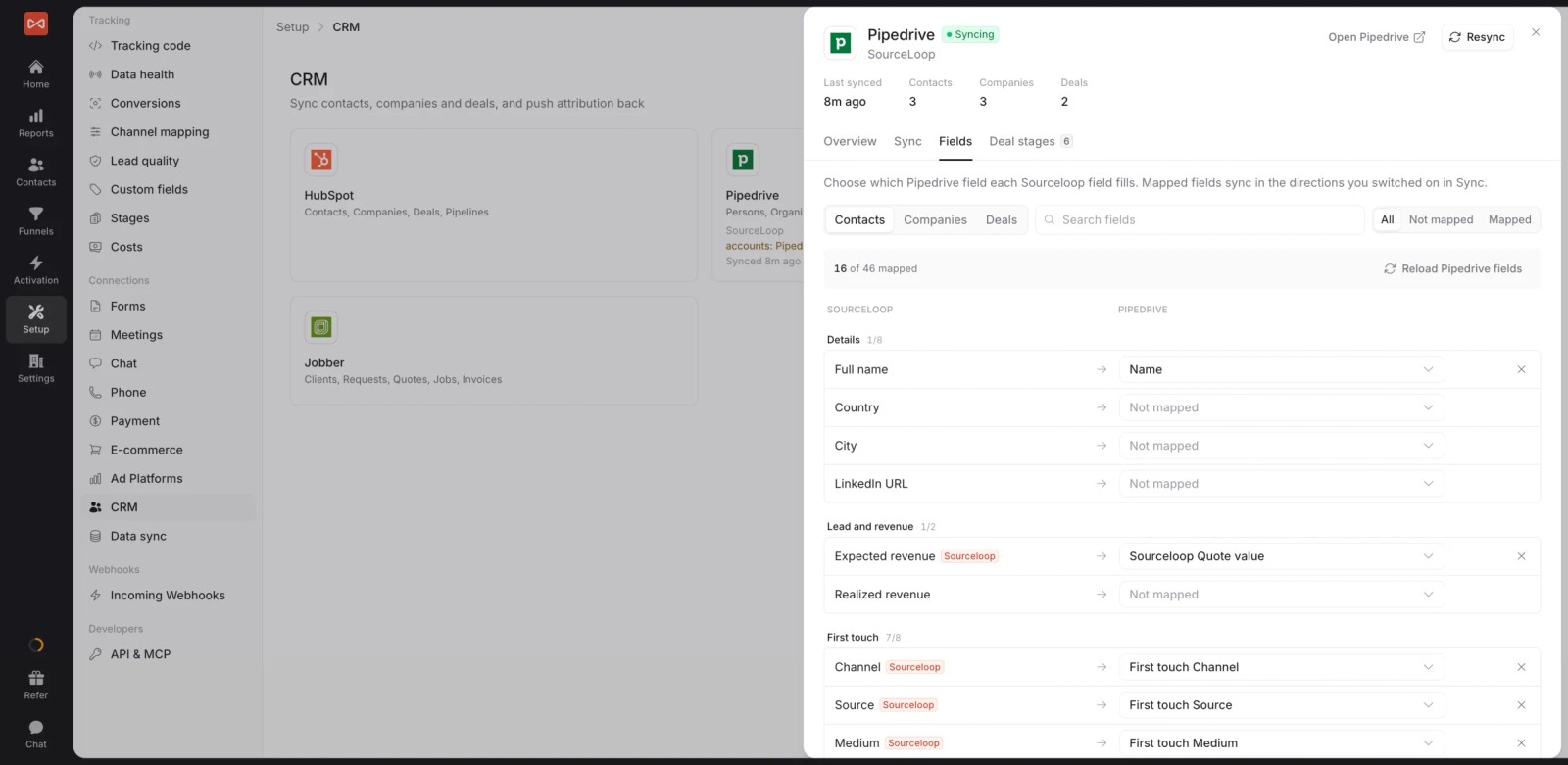
- Deals and stages from the CRM: two-way sync with HubSpot, Salesforce and Pipedrive reads lifecycle stages and won deals, and writes attribution fields onto each record.
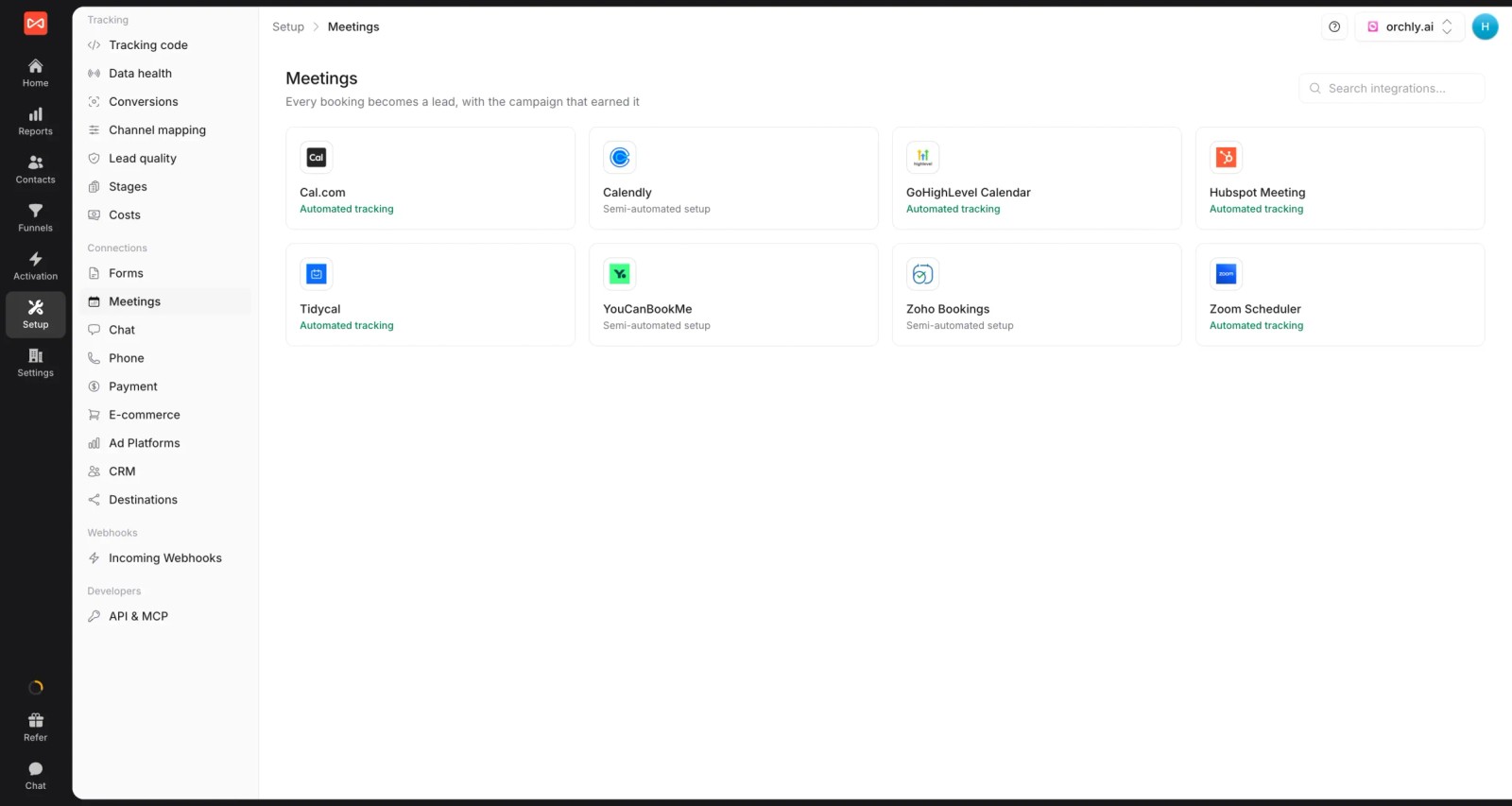
- Demo bookings with a source: meetings from Calendly, Cal.com, HubSpot Meetings and other schedulers are tied to the visit that produced them.
- A journey on every contact: every visit, ad click and landing page before the demo request, in order.

- Seven attribution models: first and last touch, first and last non-direct, linear, U-shaped and time decay, on leads, stages, deals or revenue.
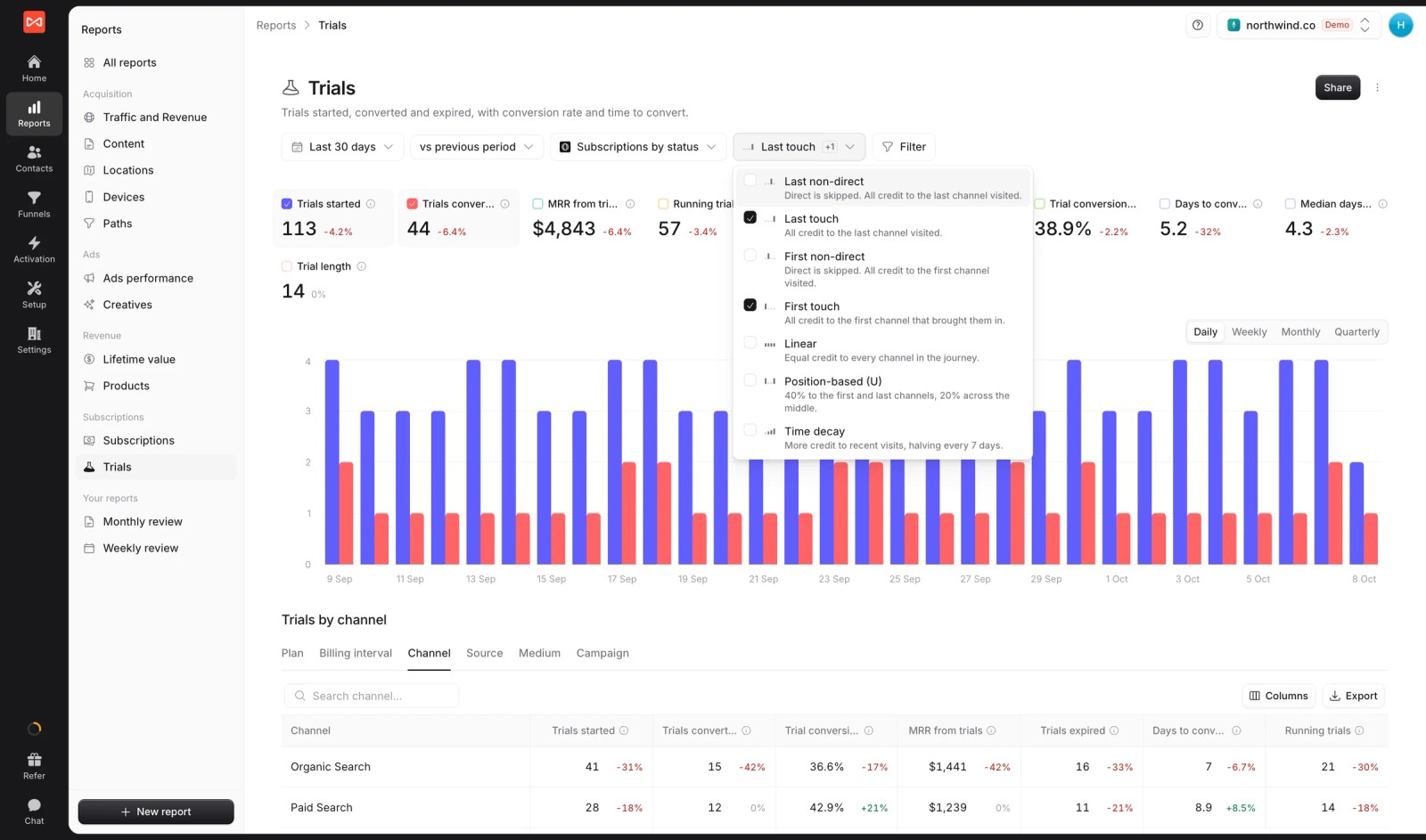
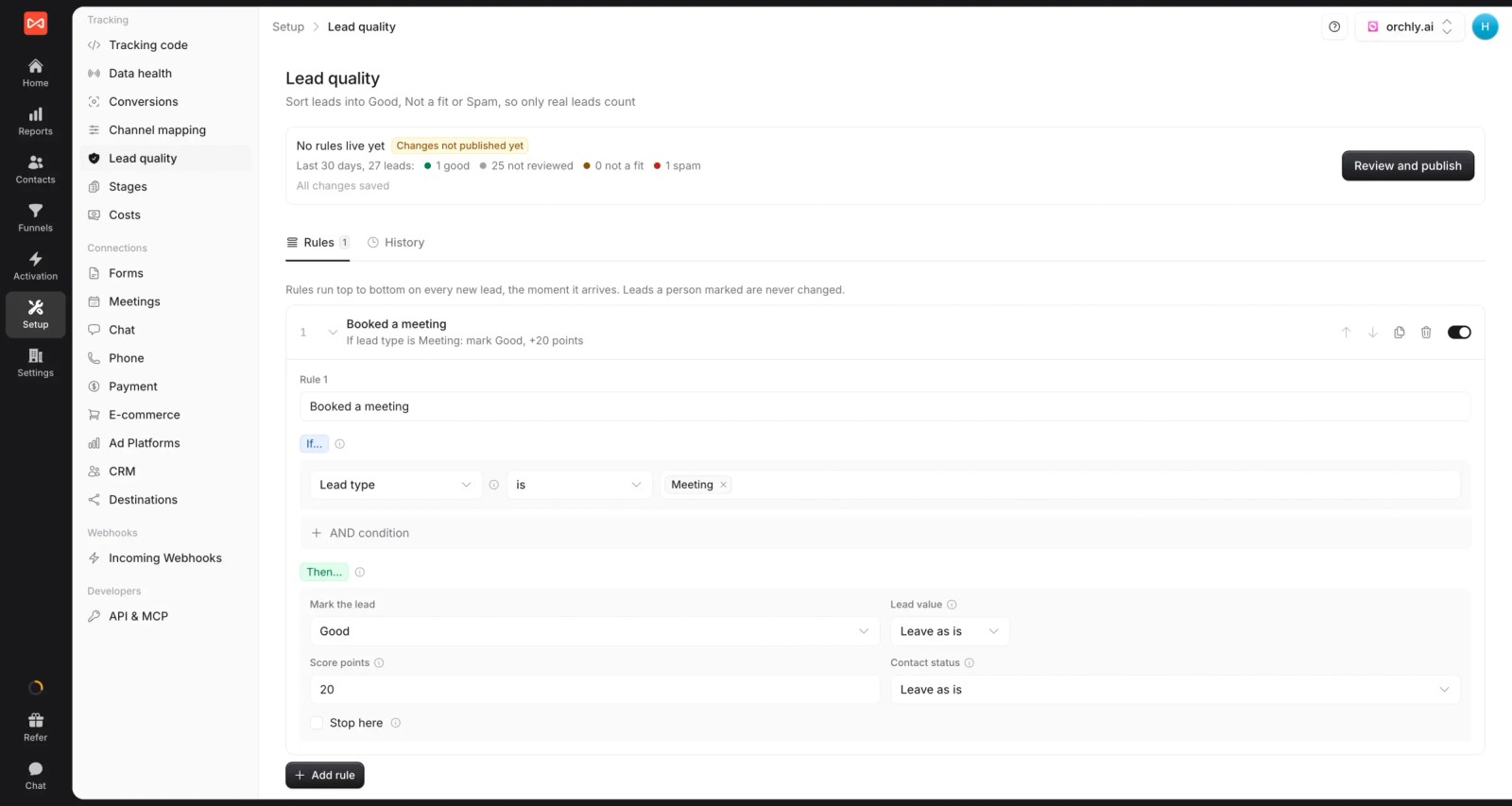
- Lead quality rules: mark leads Good, Not a fit or Spam from job title answers, email domain or company size, so pipeline reports skip students and competitors.
- Pipeline back to the ad platforms: qualified leads and won deals go to Google Ads, Meta, Microsoft Ads and ChatGPT Ads with their value.

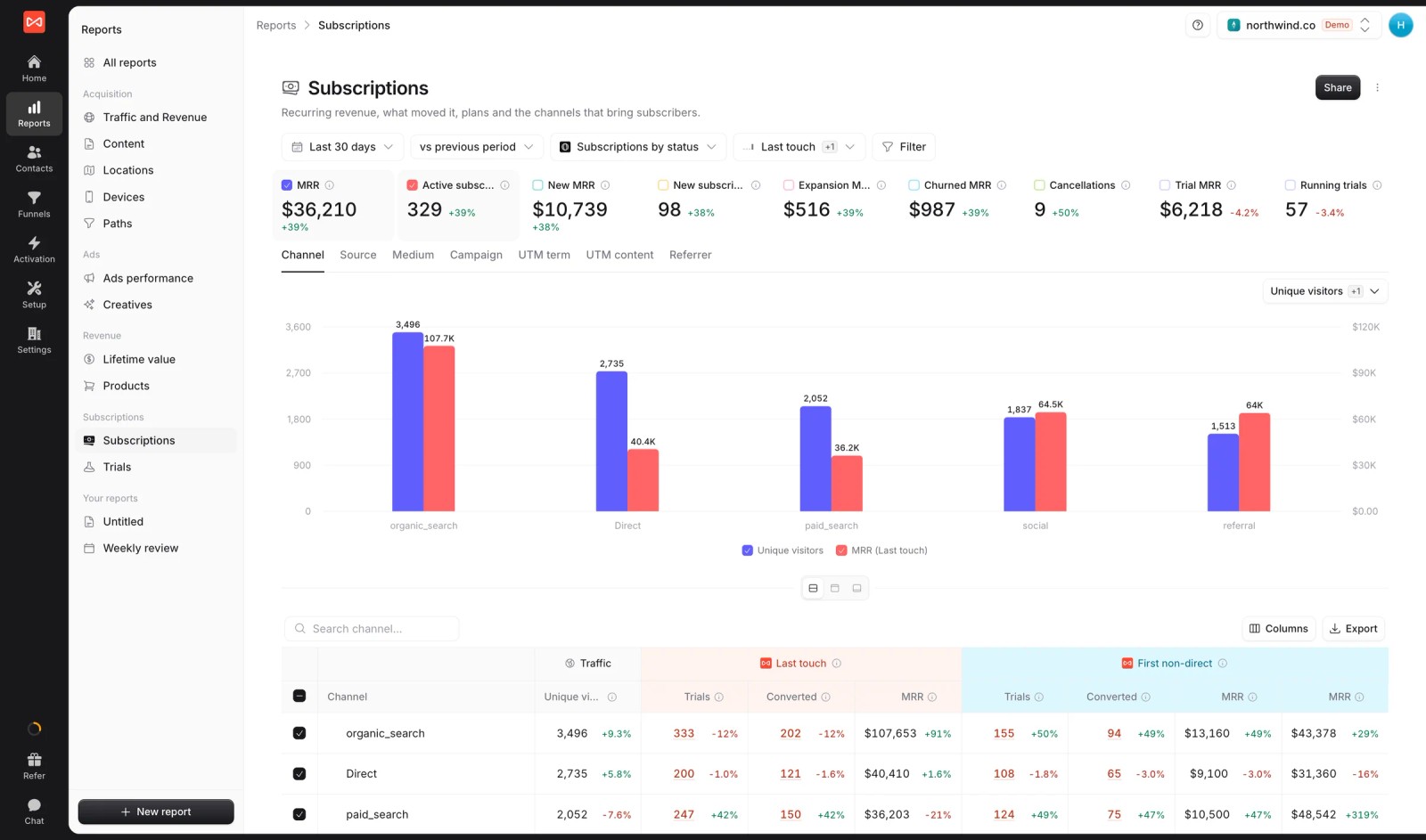
- Subscription revenue: Stripe, Paddle and other billing tools add MRR and trials for SaaS teams.
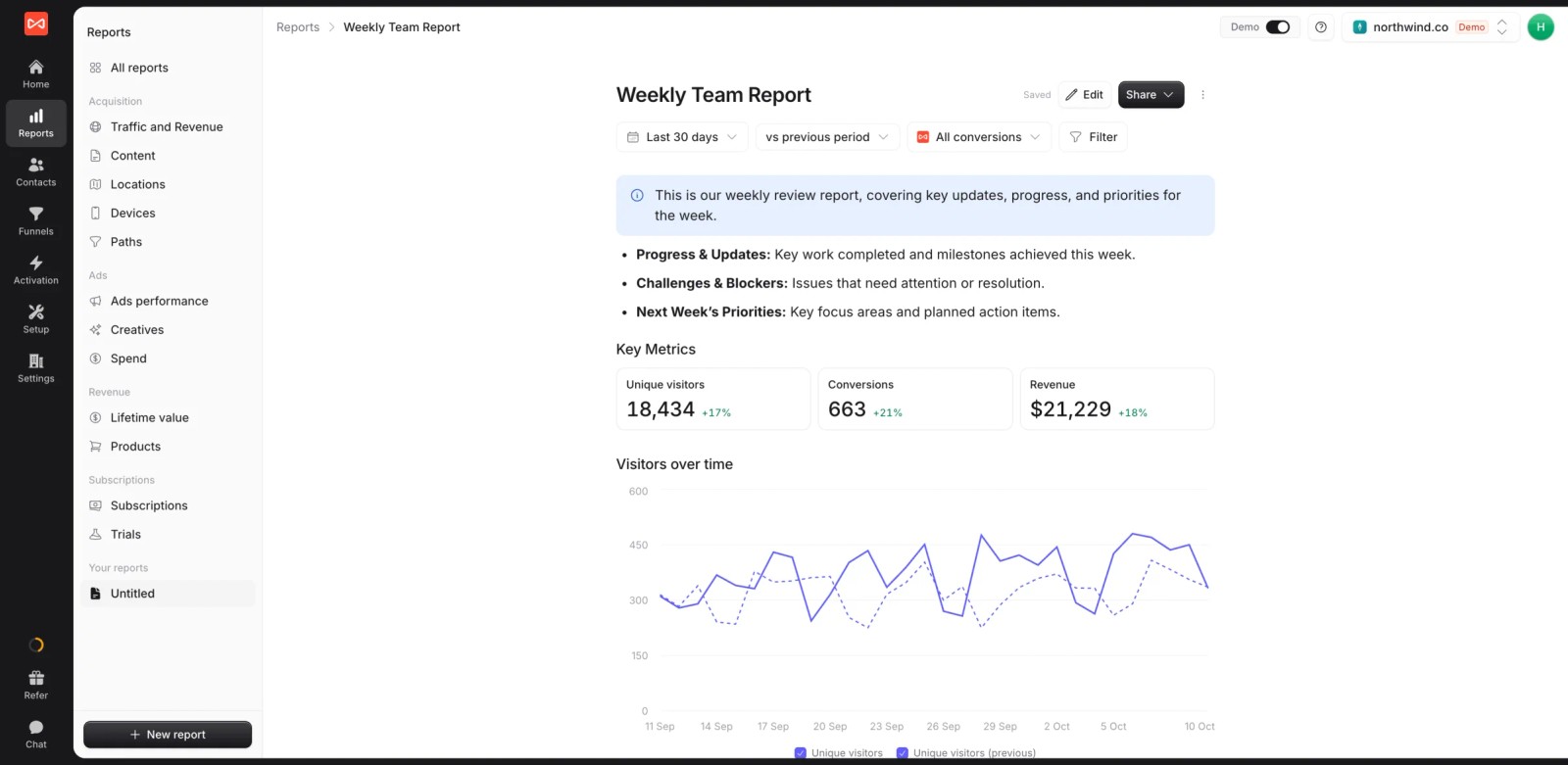
- Custom reports and alerts: build a board report with live numbers, and post new opportunities or weekly pipeline to Slack or email.
- API and MCP server (Professional and up): let an AI assistant answer pipeline questions, or feed attribution into your own BI.
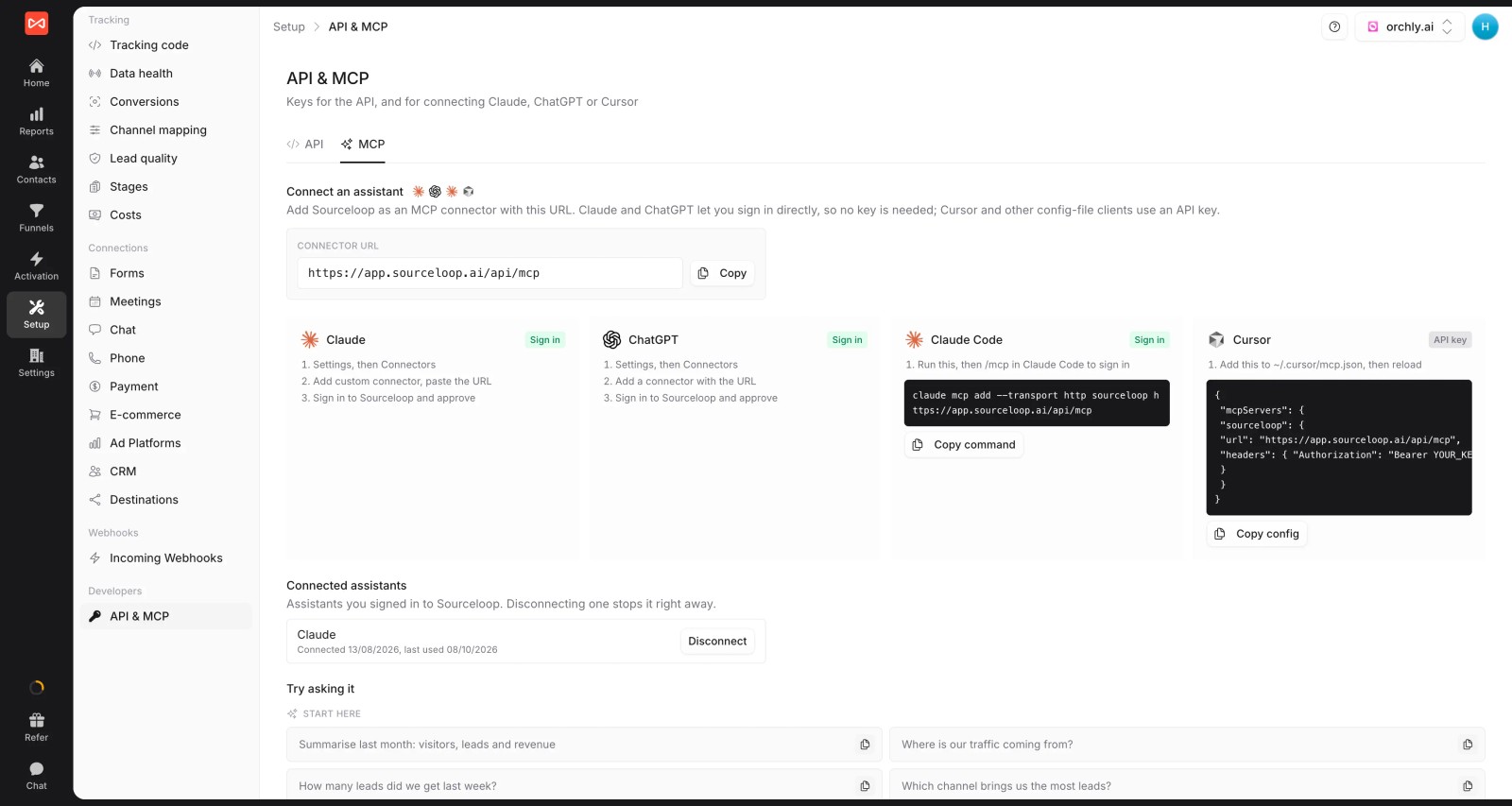
Where it falls short
- No IP-based company reveal or intent data. If you need to see anonymous accounts researching you, pair it with Factors.ai or 6sense.
- LinkedIn conversion sync is coming soon, not live yet. That matters for B2B teams spending heavily on LinkedIn.
Pricing
- Essential: $49/mo for one site and 30,000 page views, with tracking, attribution reports, lead quality rules and alerts
- Professional: $99/mo for 100,000 page views and unlimited users, adding CRM sync, conversion sync to the ad platforms, the API and MCP
- Agency: $249/mo for three sites and 1.5 million page views, adding white label reporting
- Unlimited conversions and a 7-day trial. Most pipeline tools here are quoted on annual contracts.
Verdict: the quickest way for a B2B team to answer "which campaigns made pipeline". Add an intent tool if your strategy is account-based.
2. Dreamdata
Best for: B2B SaaS companies running account-based marketing with long, multi-person deals.
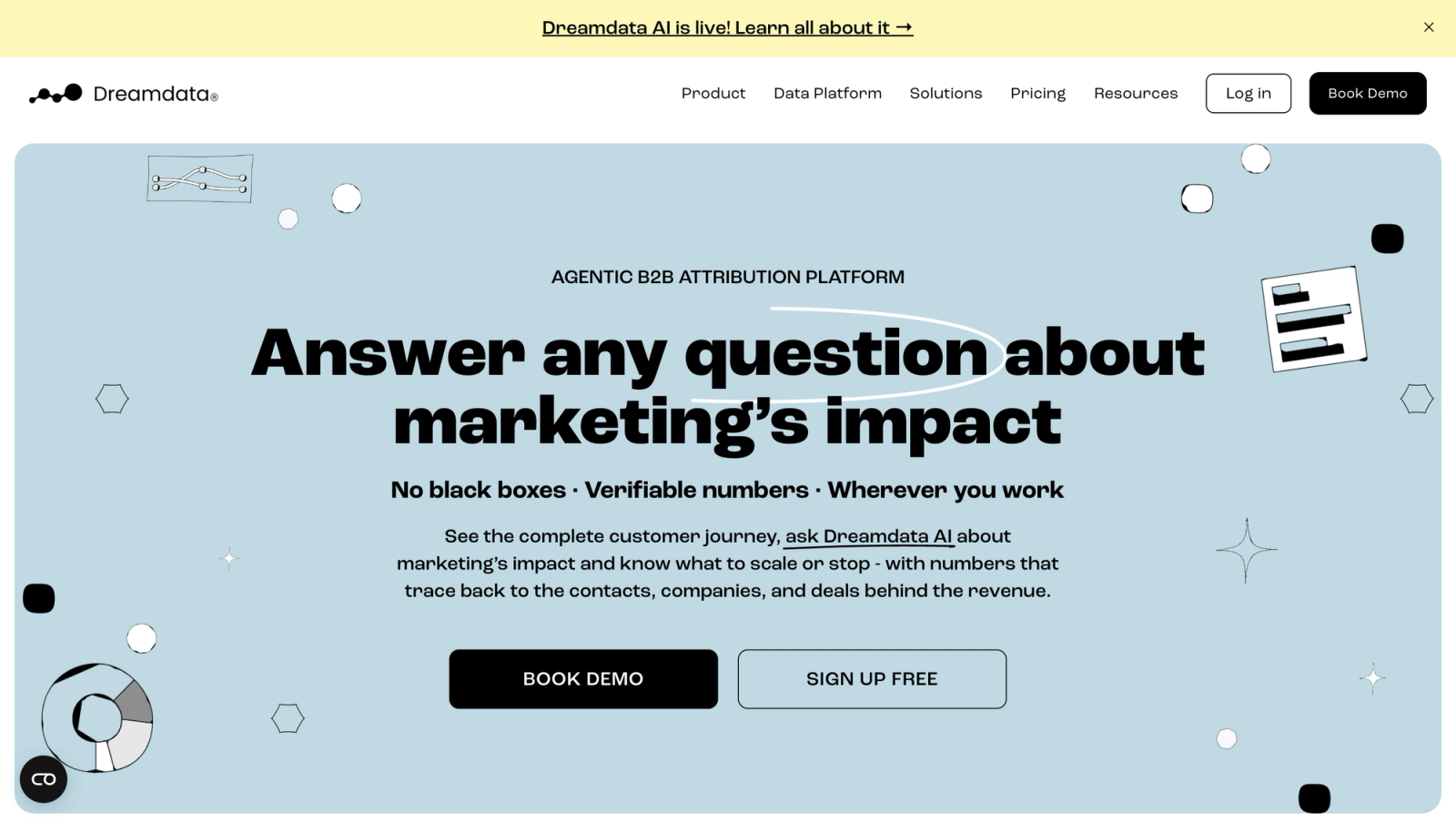
Dreamdata builds a timeline for every company, joining each contact's visits, ad views, emails and meetings, then attributes CRM stages and revenue to the channels involved.
We've used it, and the account timeline is the thing B2B marketers fall for. Seeing five people at one company, months of touches and the closed deal on one screen settles a lot of arguments.
It's also a tool you grow into. Our first few weeks were spent learning where things live, which lines up with what reviewers say.
Key features
- Every contact's visits, ad views, emails and meetings are joined into one account journey, so you see how a whole buying group moved toward a deal.
- Revenue is attributed across CRM stages from MQL to closed-won, which lets marketing report on pipeline created rather than form fills.
- Anonymous visits are matched to companies, so the early research that happens before anyone identifies themselves still shows up in the journey.
- Paid plans send audiences and conversions back to the ad platforms, helping LinkedIn and Google campaigns optimize toward accounts that progress.
Where it falls short
- Calls and offline leads aren't tracked well, so B2B companies with phone-heavy sales will see incomplete journeys.
- Paid plans aren't published, which makes it hard to budget for attribution beyond the free tier without talking to sales.
- Expect a learning period before the team finds its way around, since the same data can be viewed many ways.
What users say
"Dreamdata helps me to justify where marketing budget is placed as it is directly tied back to my CRM across MQLs, SQLs, Opps, and Closed Won." (Source)
"Learning curve is rather steep in the first 1-2 months." (Source)
"Some of the data visualization is not the best" (Source)
Pricing
- Free: $0/mo with 2 months of history
- Attribution and Activation: custom pricing
3. HockeyStack
Best for: mid-market and enterprise B2B teams that want every GTM data source in one model.
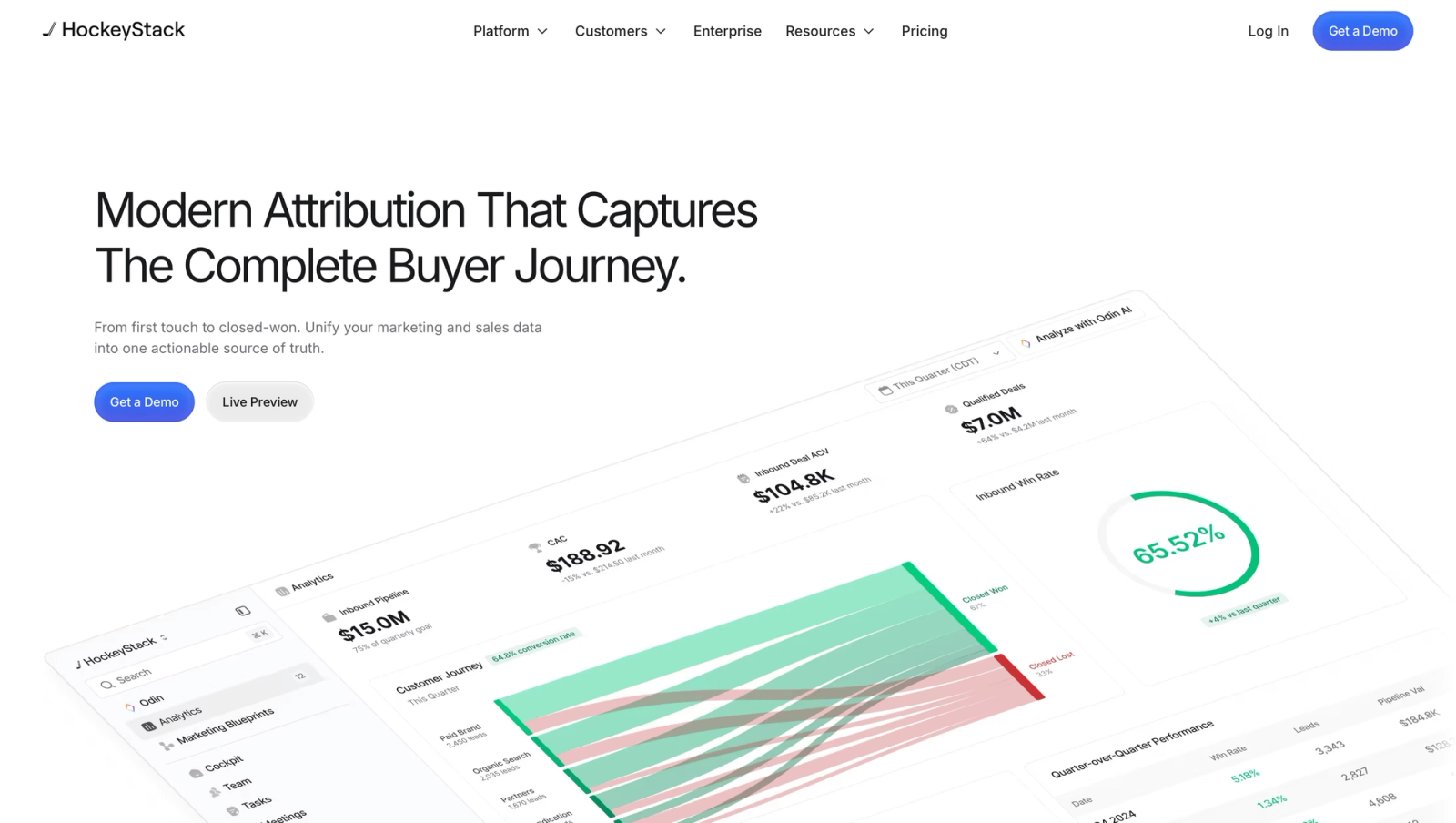
HockeyStack pulls CRM, ads, marketing automation, website and product data together, then layers AI agents on top for analysis and prospecting.
In the demo, switching models on the same pipeline report was smooth, and the journey views are genuinely rich. The reviews are more divided. Some teams describe exactly that experience; others describe onboarding that never got their data connected.
Key features
- CRM, ad, automation and product usage data are unified into one model, aimed at teams tired of reconciling numbers between separate tools.
- First touch, linear and last touch can be compared side by side on the same pipeline report, which helps settle debates about channel credit.
- Journeys run from the first anonymous visit to closed-won, giving revenue teams one view of long, multi-person deals.
- AI agents handle analysis and sales prospecting on top of the unified data, for teams that want answers without building dashboards.
Where it falls short
- There's no trial, so you commit before seeing how it handles your own CRM and ad data.
- It needs clean CRM data and a dedicated owner, and reviewers describe onboarding stalling when either was missing.
- Pricing is aimed at mid-market and enterprise teams, which puts it out of reach for most smaller B2B companies.
What users say
"HockeyStack allows us to follow journeys in a more complex way than our previous method, which is especially valuable with paid ads to see how they influence our funnel." (Source)
"The onboarding process became a sunk cost." (Source)
"Data was constantly incorrect in HockeyStack compared to our Salesforce instance and the sync/load times were incredibly slow." (Source)
Pricing
- Quoted, on annual contracts. See our HockeyStack alternatives.
4. Factors.ai
Best for: B2B teams that want to see which companies are engaging before anyone fills in a form.
Factors.ai identifies visiting companies, scores them on engagement, and shows every touch at each account on a timeline. It connects that to HubSpot or Salesforce deals and to LinkedIn and Google Ads.
On the trial, the account timeline was the highlight, and the funnel builder was quicker than doing the same in GA4. Smaller companies often went unmatched, which reviewers mention too.
Key features
- Visiting companies are identified from their IP address before anyone fills in a form, giving sales a list of accounts already showing interest.
- Each account gets a timeline of every person and touch, which makes it easy to see how engagement built up over weeks.
- Account-level attribution ties that engagement to HubSpot or Salesforce deals, so ABM programs can be judged on pipeline.
- LinkedIn and Google Ads audiences can be built from engaged accounts, letting you spend more on companies that are already warming up.
Where it falls short
- Smaller companies often go unidentified, which weakens the account view for businesses selling to small firms.
- Phone calls aren't tracked, so deals that start with a call won't show their source in the account timeline.
- Costs grow as identified accounts and usage grow, so a successful program can become noticeably more expensive.
What users say
"It makes life very easy to build website funnels - much easier to build and visualize as compared to any other tool such as Google analytics" (Source)
"Some website visitors don't get matched to a company, especially smaller companies. Pricing can also go up as usage grows." (Source)
"The UI takes longer to learn than it should." (Source)
Pricing
- Lite: $199/mo
- Basic and Growth: $6,000 and $20,000/yr
- Enterprise: from $30,000/yr, with a free trial
5. 6sense
Best for: enterprise ABM programs that run on intent data and predictive account scoring.
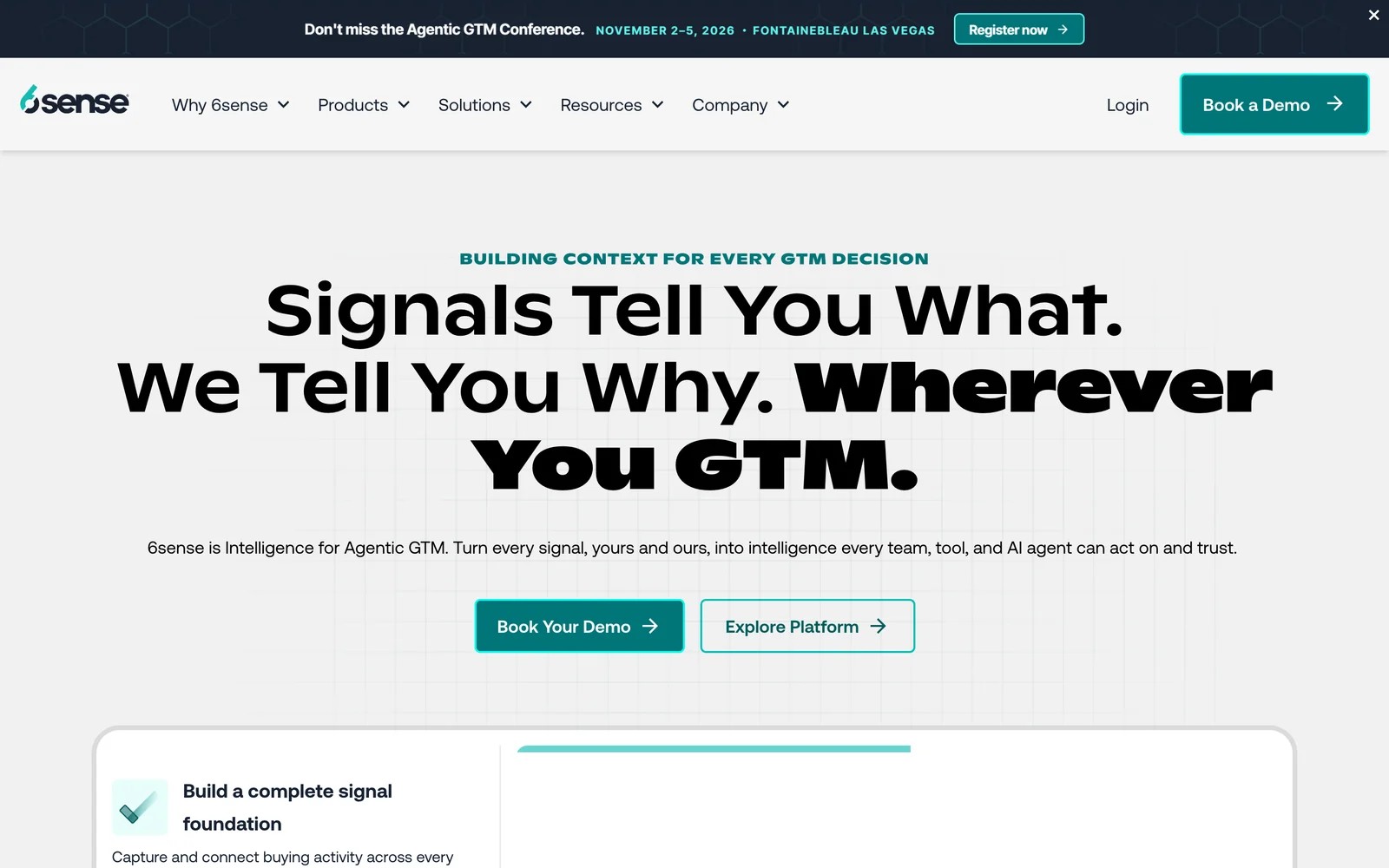
6sense predicts which accounts are in market from intent signals, firmographics and your own engagement data, then helps marketing and sales act on them with segments, ads and alerts.
It's an account intelligence platform more than an analytics tool. In the demo, the segmentation was the standout. The question users keep raising is trust: how long it takes before the intent scores feel reliable, and how hard reporting is to get out.
Teams we know who run it say the first months go into tuning segments and teaching sales which signals to trust. Once that settles, the weekly list of in-market accounts becomes the part people rely on.
Key features
- Intent signals and predictive scores flag accounts that are actively researching your category, so sales and marketing know where to focus first.
- Account tiers combine fit, intent and buying stage into ABM segments, which gives large programs a consistent way to prioritize thousands of accounts.
- Sales intelligence adds contacts, buying groups and alerts, helping reps reach the right people at an account once it heats up.
- Integrations push segments into ad platforms and the CRM, so the same priority list drives advertising and outreach.
Where it falls short
- Prices aren't published, and contracts are sized for enterprise programs, so smaller teams struggle to justify it.
- It doesn't attribute revenue at the lead level the way a pipeline attribution tool does, which leaves gaps in campaign reporting.
- It's built for enterprise ABM, so small teams without dedicated operations people often can't get full value from it.
What users say
"Knowing which accounts are actively researching before they fill out a form changes how you prioritize budget." (Source)
"The data takes time to trust. Early on you second-guess the intent scores because you don't know if the signal is real or noise." (Source)
"Reporting is clunky." (Source)
Pricing
- Quoted after a demo, on annual contracts.
6. HubSpot Marketing Hub
Best for: B2B teams already running their CRM and marketing in HubSpot.
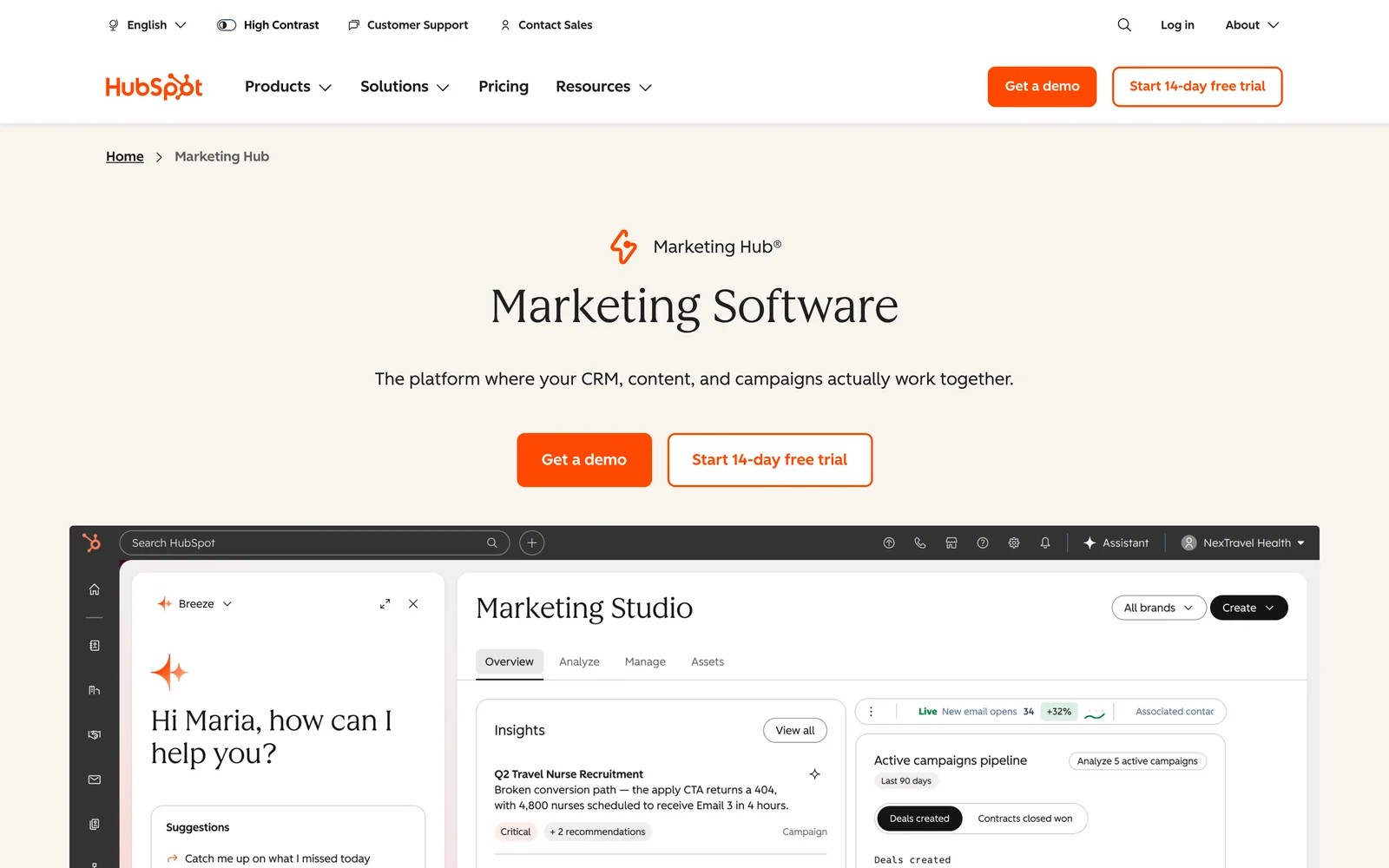
HubSpot reports on campaigns, emails, pages and ads natively, and its attribution reports credit contacts and deals to the touches along the way.
We use HubSpot's free tools alongside other systems. Everything connecting out of the box is the appeal. The limit is the tier: HubSpot's documentation puts deal and revenue attribution on Enterprise only.
Key features
- Contact attribution reports on Professional show which channels and touches created new contacts, a useful starting point for most B2B teams.
- Deal and revenue attribution, which credit pipeline and closed revenue to marketing, are reserved for Enterprise, so check your tier before planning around them.
- Email, social, landing pages and ads are tracked natively, which means less setup if HubSpot already runs your marketing.
- Ad conversion events can be sent to Google, Meta and LinkedIn, letting campaigns optimize on lifecycle stages from the CRM.
Where it falls short
- Revenue and deal attribution are locked to Enterprise, so teams on Starter or Professional can't credit closed revenue to campaigns.
- Calls and third-party forms often arrive without a reliable source, which leaves holes in attribution for businesses using other tools.
- It has no account-level intent data, so ABM teams usually pair it with a separate intent or identification tool.
Our list of HubSpot attribution alternatives covers add-ons for lower tiers.
What users say
"HubSpot Marketing Hub connects directly with our CRM, making it really easy to track how our client accounts interact with marketing campaigns, emails, and content." (Source)
"The reporting and template customization options feel unnecessarily locked down in the basic plans, forcing you to upgrade to incredibly expensive premium tiers just for flexible reporting." (Source)
"the attribution is the worst. we dont know which channel provides what" (Source)
Pricing
- Enterprise: from $3,600/mo, needed for deal and revenue attribution
- Professional: contact attribution only
7. Supermetrics
Best for: B2B marketers who need ad, analytics and CRM data in one report or spreadsheet.
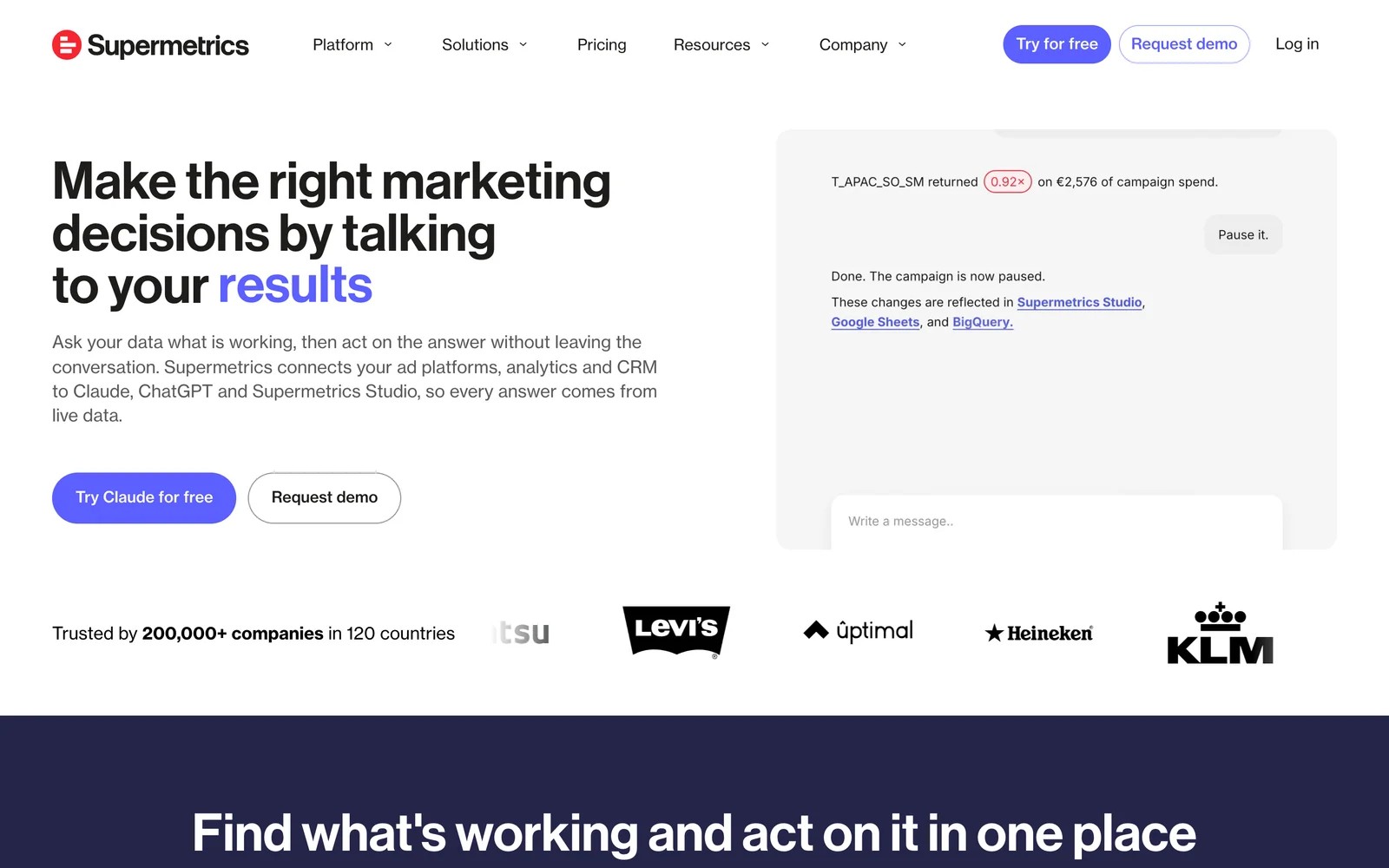
Supermetrics moves data from ad platforms, analytics and CRMs into Looker Studio, Google Sheets, Power BI, data warehouses and now AI assistants like Claude and ChatGPT.
We used the 14-day trial to pull LinkedIn Ads, Google Ads and GA4 into one Looker Studio report, and it worked without code. It doesn't attribute anything itself. You get spend and platform-reported results side by side, and the logic is yours.
Key features
- Connectors pull data from ad platforms, analytics tools and CRMs without building API integrations, which saves analysts days of maintenance.
- Data lands in Looker Studio, Sheets, Excel, Power BI or a warehouse, so it fits whatever reporting setup your team already uses.
- AI destinations let you ask questions of the combined data in Claude, ChatGPT or Copilot, handy for quick checks without opening a dashboard.
- Scheduled refreshes keep reports current automatically, so weekly B2B reporting doesn't start with a manual export.
Where it falls short
- It moves platform data but doesn't connect leads to deals, so pipeline attribution still has to be built by someone.
- It doesn't track visitors itself, which means the numbers depend entirely on what each platform reports.
- Each destination counts toward your plan, so feeding several reporting tools can push the price up quickly.
What users say
"No need to develop your own API connections and monitor API documentation and changes of different platforms." (Source)
"The tool has data discrepancies and this demands extra validation" (Source)
"The way they handle contracts is the reason for this review." (Source)
Pricing
- Starter: $49/mo ($39 billed yearly) for 2 sources and 1 destination
- Growth: $199/mo ($159 yearly) for 7 sources
- Enterprise: quoted, with warehouse destinations. 14-day trial.
8. Mixpanel
Best for: B2B SaaS teams that need to see what accounts do inside the product after they sign up.
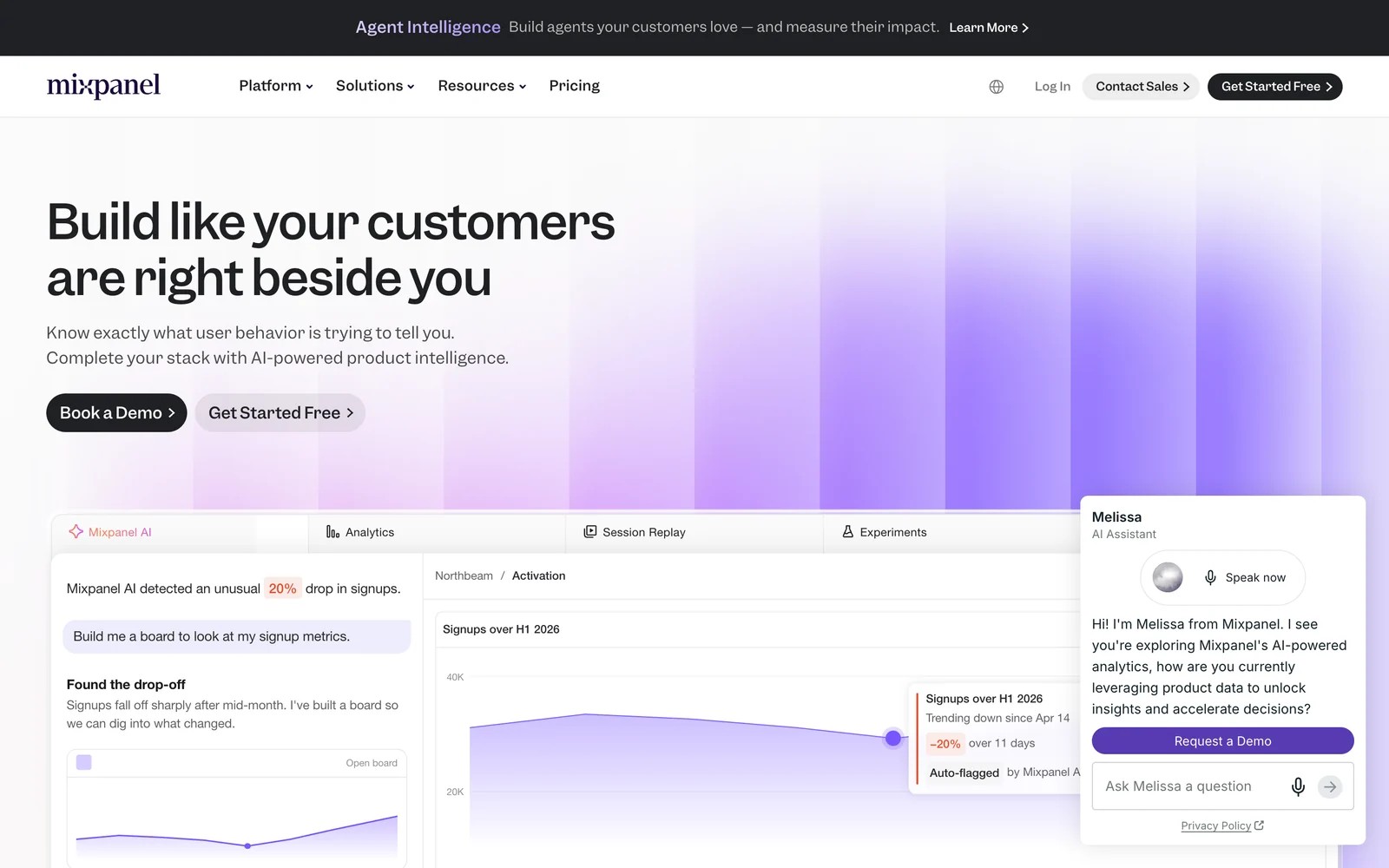
Mixpanel is product analytics: sign-up funnels, feature adoption, retention and experiments. For product-led B2B companies, that's where much of the buying signal lives.
On the free plan, the funnels were excellent once events were flowing. It's not a marketing attribution tool, though. Ad spend and CRM deals need extra setup, and someone has to own the event plan.
Group analytics is where B2B teams usually end up. Once every event carries a company ID, you can see which accounts are activating, but that's a paid add-on and the ID has to be sent consistently.
Key features
- Funnels, retention and cohorts show how users and accounts adopt the product, which is where much of the buying signal lives for product-led companies.
- Group analytics, a paid add-on, rolls individual behavior up to the company level so you can see which accounts are really using the product.
- Session replays and heatmaps are included on the free plan, letting teams watch where new users get stuck during onboarding.
- Experiments connect product changes to outcomes, helping growth teams prove which changes actually lift activation or conversion.
Where it falls short
- Ad spend and CRM revenue aren't attributed out of the box, so marketing teams need extra setup to report on channels.
- Nothing useful happens without a tracking plan, and someone has to own event naming as the product changes.
- Anonymous marketing journeys before signup aren't tracked as well as in a dedicated attribution tool.
What users say
"The ability to investigate user behaviour at a more detailed level is what I find most useful." (Source)
"Sometimes due to technical issues, multiple users get created despite identity merge being enabled." (Source)
Pricing
- Free: up to 1M events a month
- Growth: usage-based, for example $100/mo for 1.5M events billed yearly
How to choose
Pick one tool per layer you're missing, not one per vendor demo.
1. Can you connect campaigns to pipeline today?
- No: start here. SourceLoop for self-serve setup and published pricing, Dreamdata or HockeyStack for deep account journeys.
2. Do you sell to a defined list of target accounts?
- Yes: add Factors.ai for engagement-based account tracking, or 6sense for enterprise intent data.
3. Where do reports get built?
- In HubSpot: use its native reports, and add a pipeline tool if you're below Enterprise.
- In Looker Studio or a warehouse: Supermetrics.
4. Is your product the main sales channel?
- Add Mixpanel for product usage, alongside a marketing attribution tool.
If you're working out which model fits a long sales cycle, our guide to B2B attribution models compares them.
Frequently asked questions
-
What are B2B marketing analytics tools?
They're tools that measure how marketing creates pipeline and revenue for companies selling to other businesses. They usually cover one layer: tying campaigns to deals, tracking account engagement, or moving channel data into reports.
-
What's the difference between B2B and B2C marketing analytics?
B2B deals involve several buyers, take weeks or months, and close in a CRM. So B2B analytics needs CRM integration, longer lookback windows and often an account view. B2C analytics focuses on individual purchases on the website.
-
Do I need intent data?
Only if you run account-based marketing against a defined target list. For most teams, knowing which campaigns produced pipeline comes first, and intent data adds value once that's in place.
-
Can I use HubSpot for B2B marketing analytics?
Yes, if you're on Enterprise, which includes deal and revenue attribution. On Professional, HubSpot attributes contacts but not deals, so many teams add a pipeline attribution tool.
-
How much do B2B marketing analytics tools cost?
From free plans (Dreamdata, Mixpanel) and $49 a month (SourceLoop, Supermetrics) up to five- and six-figure annual contracts for enterprise platforms like 6sense and HockeyStack.
-
How long does setup take?
Self-serve tools like SourceLoop and Supermetrics can run the same day. Account platforms usually take weeks, mostly spent cleaning and connecting CRM data.




 Paid Social


