
7 Best Usermaven Alternatives for Analytics in 2026
Seven Usermaven alternatives, sorted by what you need more of: lead attribution, product analytics or simple private web stats. With real reviews.
Table of contents
Usermaven is easy to like. You paste one script, events are captured without tagging, it runs without relying on cookies, and you get website stats, product usage and attribution in one place.
That breadth is also why people look around. Teams outgrow one part of it: they need deeper product analytics, or attribution that reaches the CRM, or just want a simpler dashboard with published pricing. Usermaven now sells its Business and Enterprise plans through a demo.
In this guide, I'll sort seven alternatives by which of those directions you're heading.
How I tested the alternatives
Almost every tool here can be tried without a sales call, so I used them directly: PostHog, Mixpanel, Amplitude and Heap on their free plans, Plausible on its trial and Matomo both on Cloud and self-hosted. Usermaven itself I know from its walkthrough and documentation, since it's now demo-led.
The brands and agencies we work with run a mix of SaaS products and marketing sites, which is why the list covers both product and marketing analytics. Quotes come from G2 and Capterra reviews. I looked at:
- Whether it works without cookies or a consent banner
- How much it tells you before and after signup
- Whether attribution reaches the CRM and ad platforms
- What it costs at your traffic, and whether that's published
SourceLoop is our product. It was measured against the same points as the others, and I've noted where Usermaven or a product analytics tool does more.
Last checked November 2026. Confirm current pricing with each vendor.
What Usermaven covers, and the common complaints

Usermaven auto-captures events, tracks without relying on browser cookies, adds server-side collection and a custom domain, and runs multi-touch attribution with windows up to 365 days. Maven AI answers questions about your data, and an MCP server connects your own assistant.
Users like how quickly it works:
"The installation was also insanely easy and the custom domain was a breeze to do." (Source)
The gaps they mention are documentation, depth and bot traffic:
"Not many tutorials on how to set it up for different use cases compared to the behemoth that is Google Analytics." (Source)
"I am missing features like the ones in hotjar, where you could access deeper journeys and videos, to understand what some users are doing on a case to case basis" (Source)
"A few times I've seen spikes of traffic and suspect it to be bots." (Source)
Usermaven alternatives by what they're best at
Here's how the 7 Usermaven alternatives compare on focus, privacy and pricing, as of November 2026.
| Tool | Main focus | Works without cookies | Attribution to CRM and ads | Free plan or trial | Starting price |
|---|---|---|---|---|---|
 SourceLoop SourceLoop | Lead attribution | Optional mode | Yes | Trial | $49/mo |
 PostHog PostHog | Product analytics suite | Configurable | No | Free tier | Usage-based |
 Mixpanel Mixpanel | Product analytics | Configurable | No | Free tier | Usage-based |
 Amplitude Amplitude | Product and growth analytics | Configurable | No | Free tier | Usage-based |
 Heap Heap | Autocapture product analytics | Configurable | No | Free tier | Custom |
 Plausible Plausible | Simple private web stats | Yes | No | 30-day trial | $9/mo |
 Matomo Matomo | GA-style analytics you own | Optional | No | Free self-hosted | €29/mo Cloud |
The 7 best Usermaven alternatives
The list moves from attribution, to product analytics, to simple web analytics. Jump to the group that matches what you're missing.
1. SourceLoop
Best for: SaaS teams, lead generation businesses and agencies that want attribution to reach the CRM and the ad platforms.

SourceLoop is a first-party marketing attribution and measurement tool. It overlaps with Usermaven on tracking and attribution, then goes further after the conversion: into lead quality, CRM stages, deals and subscription revenue, and back out to the ad platforms.
It doesn't try to be a product analytics tool. There are no in-app funnels or feature usage reports, so pair it with PostHog or Mixpanel if that's your main need.
Key features
- First-party tracking with an optional cookieless mode: follows Google Consent Mode, and the script can run from your own domain.
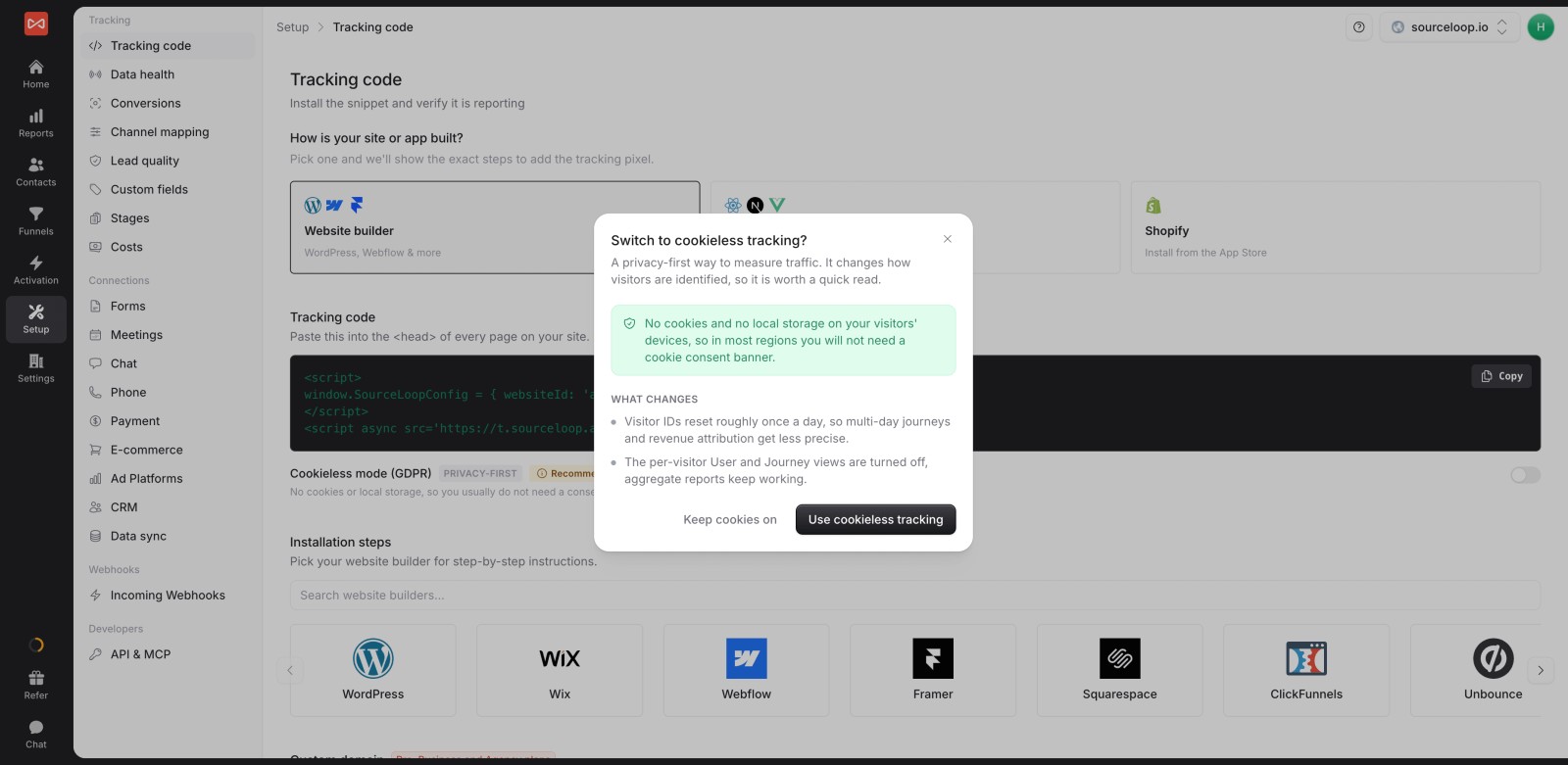
- The journey behind every lead: each visit, ad click and landing page before a form, call, chat, booking or signup.

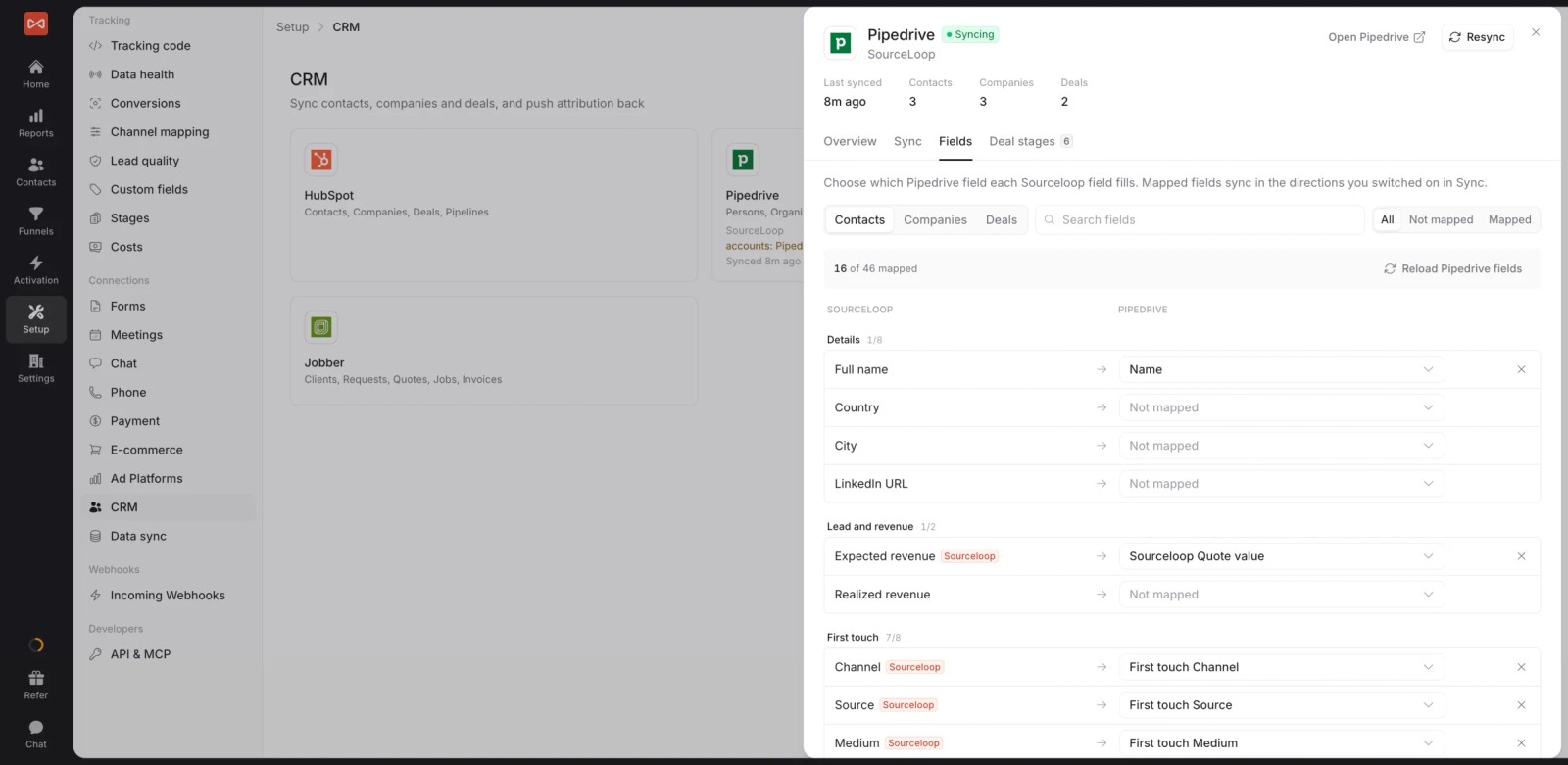
- Two-way CRM sync: HubSpot, Salesforce, Pipedrive and Jobber, with attribution written to the record and deals read back.
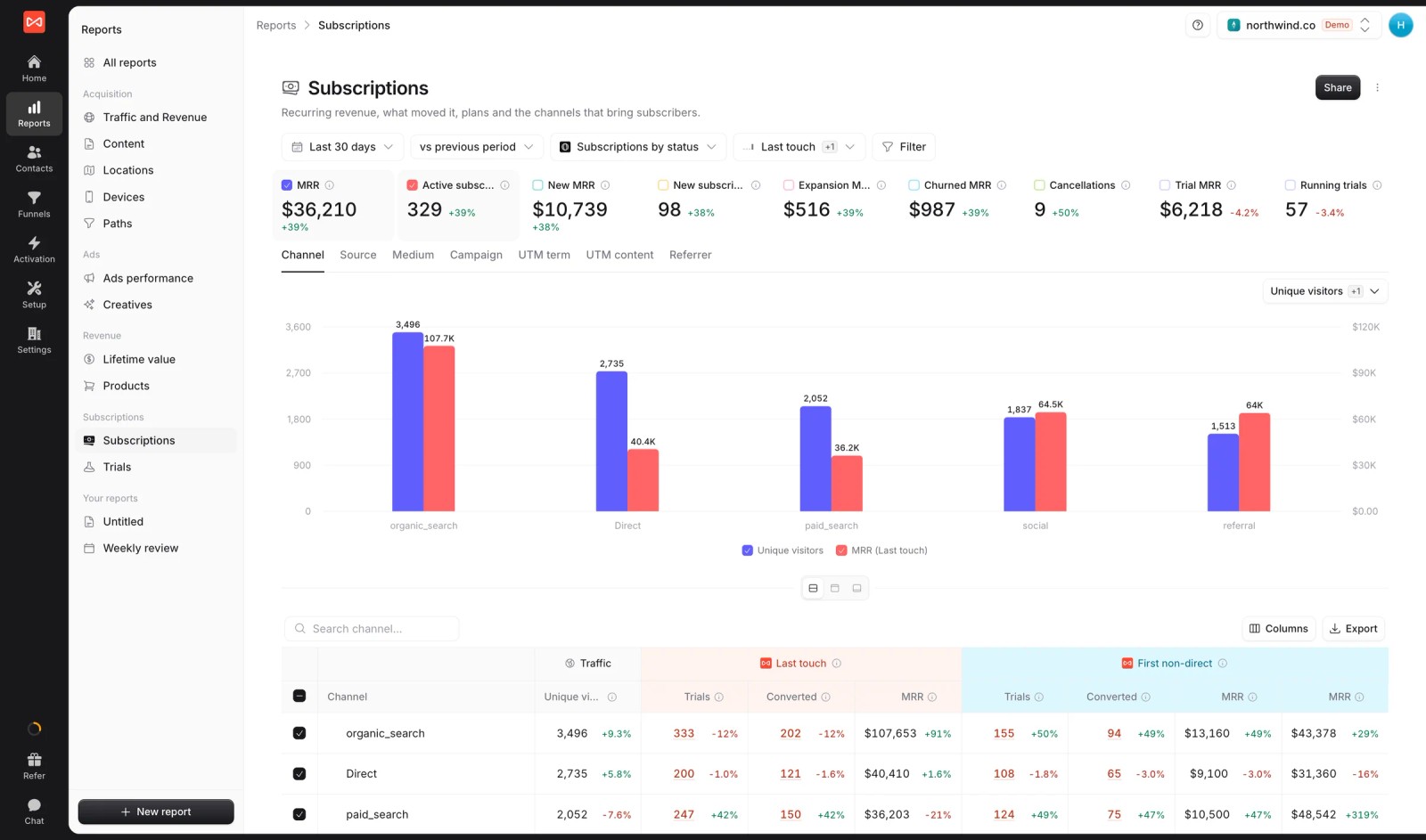
- Subscriptions and LTV by channel: Stripe, Paddle, Polar, Lemon Squeezy and Dodo feed trials, MRR, churn and lifetime value.
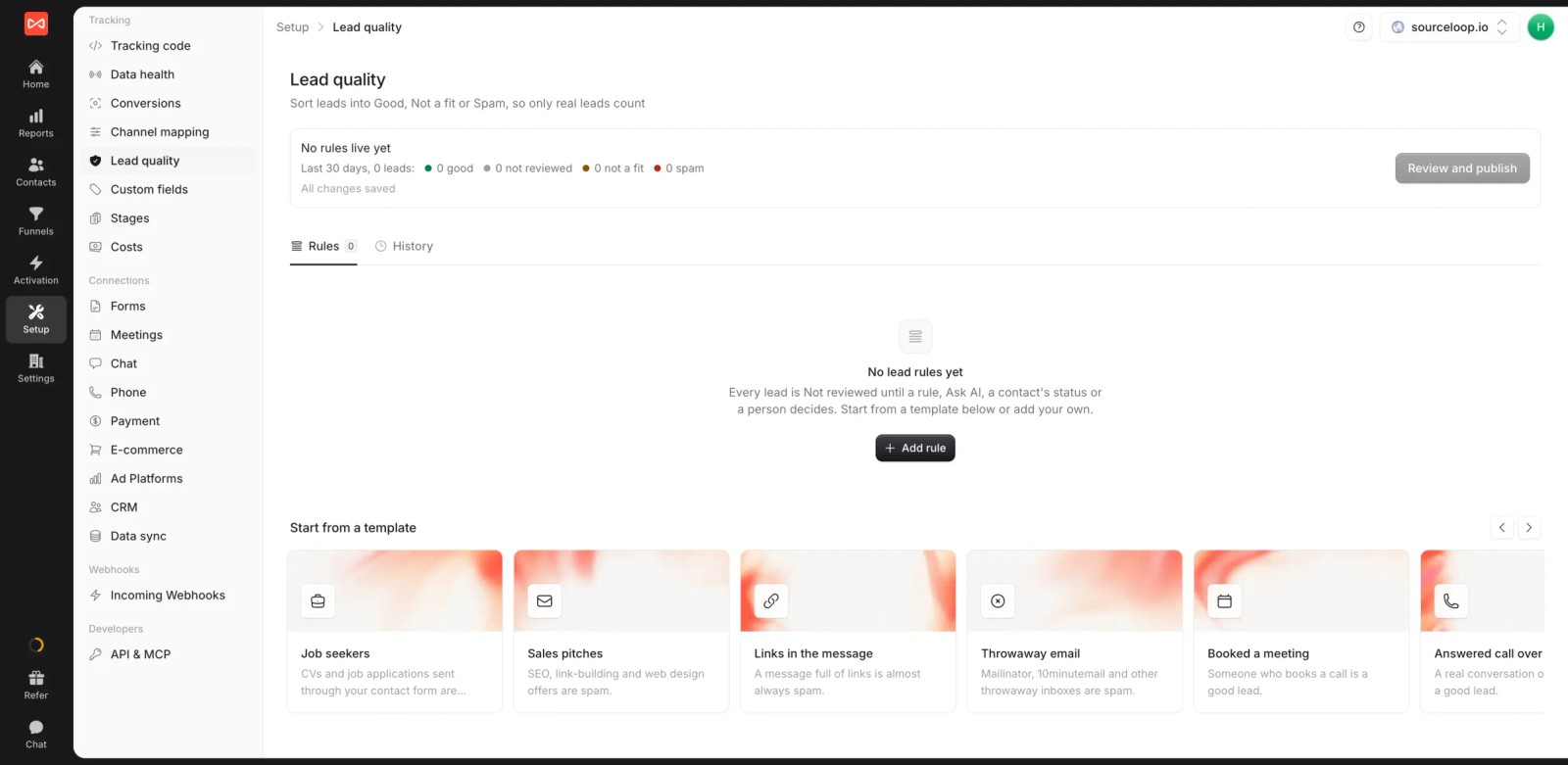
- Lead quality rules: mark leads Good, Not a fit or Spam, so reports and bidding skip junk.
- Conversion sync: good leads, won deals or payments go to Google Ads, Meta, Microsoft Ads and ChatGPT Ads with their value.

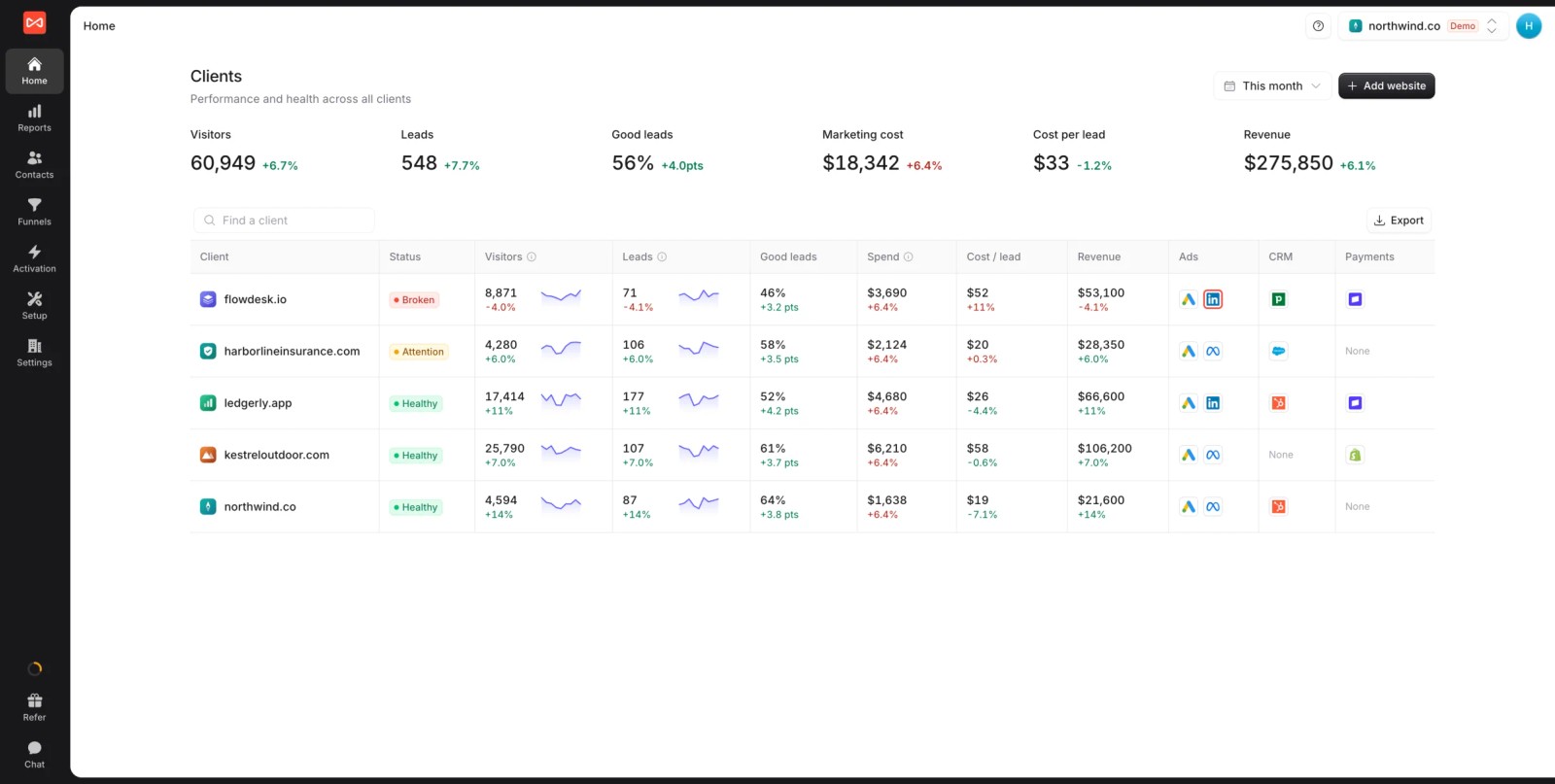
- Multiple websites and white label: several sites under one login, with your branding on reports and exports. If you're an agency, each client gets a workspace.
- Seven attribution models, custom reports and alerts: switch models on any report, build live reports for the team, and post new signups or deals to Slack.
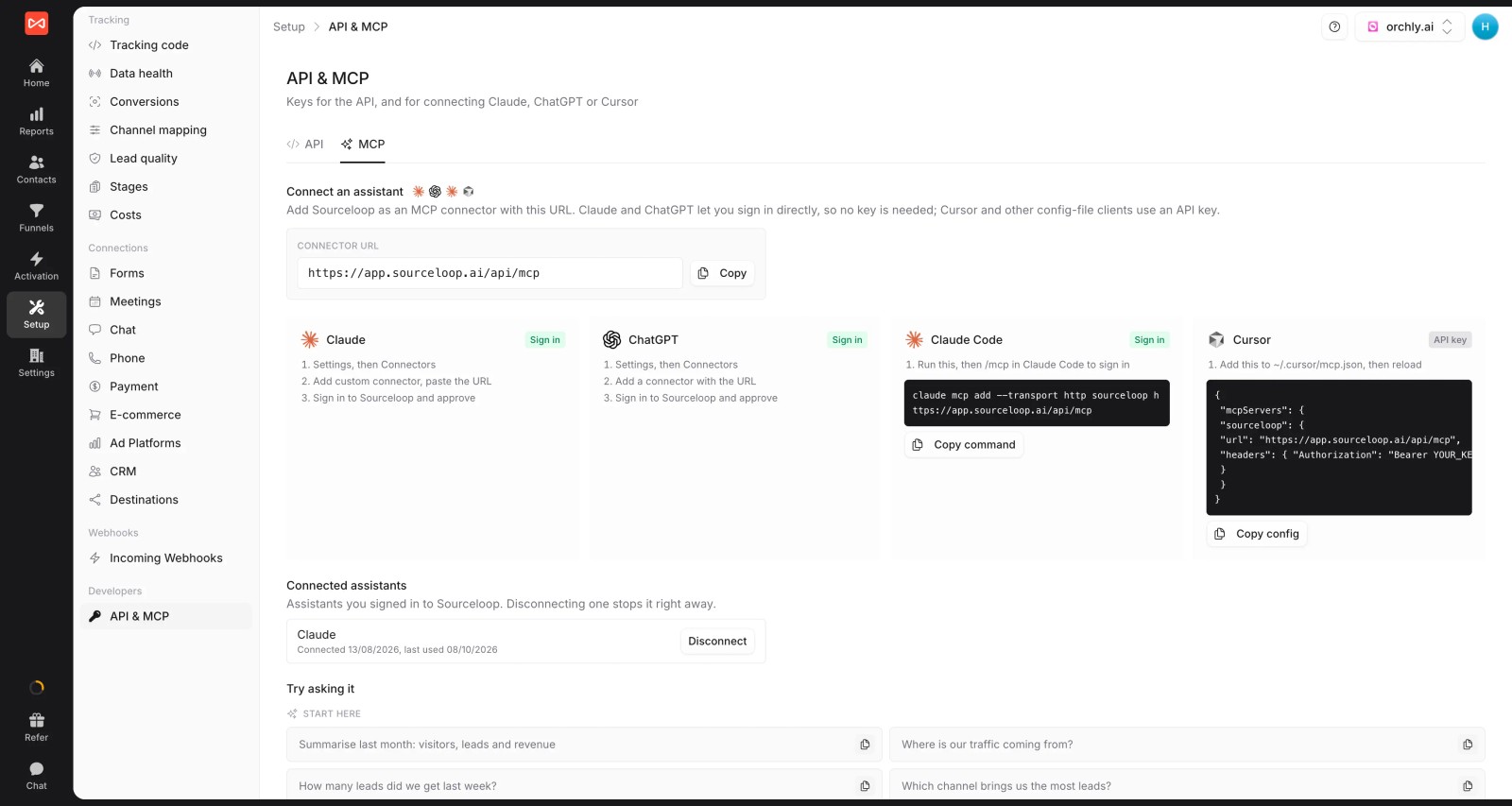
- API and MCP server (Professional and up): the closest match to Maven AI, letting Claude or another assistant answer questions about your attribution data.
Where it falls short
- No in-app product analytics, retention curves or feature usage. Usermaven and the product tools below cover that.
- No heatmaps or session recordings.
Pricing
- Essential: $49/mo for one site and 30,000 page views, with tracking, attribution reports, lead quality rules and alerts
- Professional: $99/mo for 100,000 page views and unlimited users, adding CRM sync, conversion sync to the ad platforms, the API and MCP
- Agency: $249/mo for three sites and 1.5 million page views, adding white label reporting
- Unlimited conversions on every plan, a 7-day trial and published prices, which Usermaven no longer shows.
Verdict: the right switch if the attribution side of Usermaven is what you use most and you want it connected to your CRM and ad spend. Look elsewhere if product analytics is the priority.
2. PostHog
Best for: product and engineering teams that want analytics, session replay, feature flags and experiments in one tool.
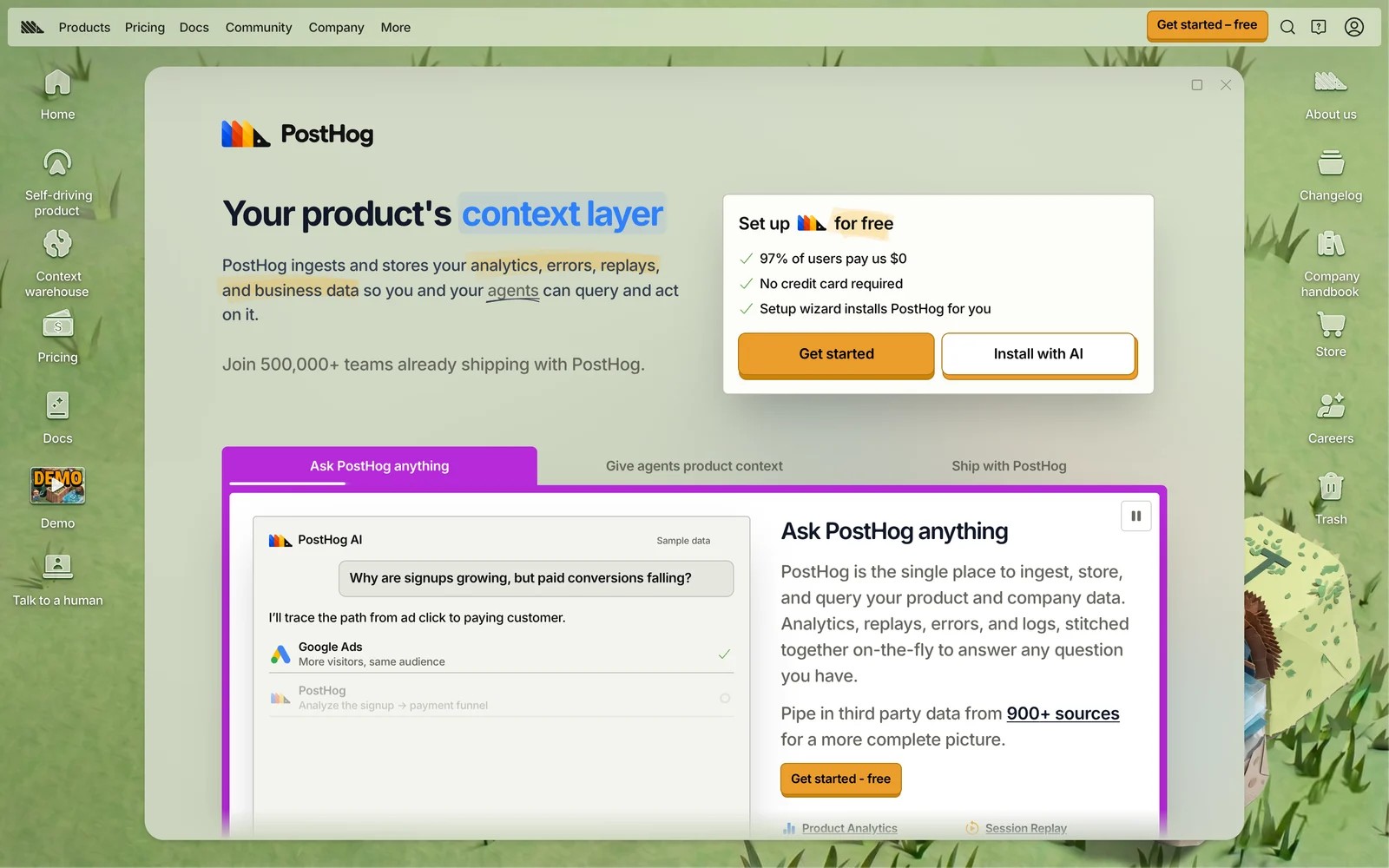
PostHog is an open-source product platform that bundles analytics, web analytics, session replay, feature flags, experiments and surveys. Its homepage now leans into AI agents that can query your product data.
When I set it up through a snippet, autocapture started recording clicks and pageviews straight away, and the first funnel took minutes. Seeing a replay of the exact session behind a drop-off is the kind of thing Usermaven users say they miss.
The breadth cuts both ways. The navigation filled up fast as I switched on more products, and autocapture can't tell identical buttons apart, so I still had to name key events myself.
Pricing is usage-based with a large free allowance every month. PostHog says most of its users pay nothing, which makes it the easiest tool here to try properly.
Key features
- Product analytics, session replay, feature flags, experiments and surveys share one dataset, so a funnel drop links straight to the sessions behind it.
- Autocapture records clicks and pageviews from install, and anonymous visits join the user profile once someone signs in.
- Web analytics covers traffic and sources alongside product data, which reduces the need for a separate marketing dashboard.
- An open-source core and self-hosting option suit teams that want control over where their data lives.
Where it falls short
- Marketing attribution is basic, with no multi-touch models or CRM deal revenue, so it won't replace Usermaven's attribution side.
- You need to be fairly technical to get the most from it, and non-technical marketers may find it overwhelming.
- Costs grow with event and replay volume, so high-traffic sites need to watch usage once past the free tier.
What users say
"I really like that analytics, funnels, session recordings, feature flags, experiments, surveys, and dashboards are all connected in one place, rather than being split across several different tools." (Source)
"Autocapture records clicks, but it can't tell identical buttons apart." (Source)
"One downside is that parts of the UI and navigation can start to feel overwhelming as you adopt more PostHog features over time." (Source)
Pricing
- Free monthly allowance for each product, then usage-based billing. No credit card to start.
3. Mixpanel
Best for: SaaS product teams that want deep funnels, flows and retention without building their own reports.
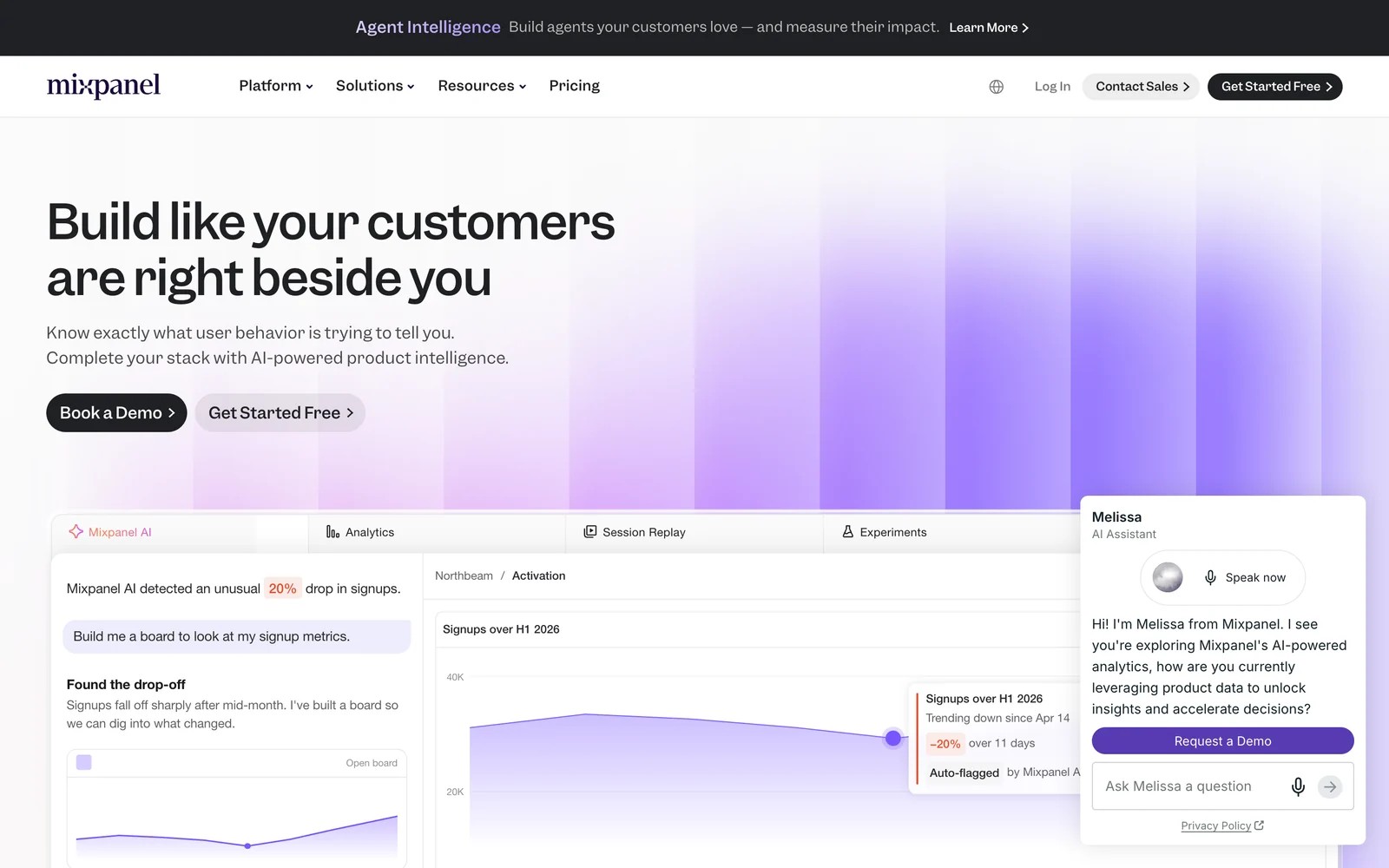
Mixpanel is event-based product analytics with funnels, flows, retention and cohorts. It's the tool many teams graduate to when they want more depth on in-app behavior than Usermaven offers.
On the free plan, building a signup-to-activation funnel and slicing it by plan or source felt quick once the events were in. Flows were the report I used most, because they show the paths people take after a step instead of only the drop.
Getting clean events in took more care. Mixpanel doesn't autocapture everything by default the way Usermaven does, so you plan an event schema, and reviewers say identity merge can occasionally create duplicate users.
Key features
- Funnels, flows and retention reports show where users drop and which paths lead to activation, without SQL.
- Cohorts can be built from behavior and synced to other tools, so marketing and product can act on the same groups.
- Session replay and web analytics have been added, putting traffic and product behavior in one place.
- The free plan covers up to 1 million events a month, enough for many early-stage SaaS products.
Where it falls short
- Marketing attribution is limited, and it doesn't follow leads into a CRM or send conversions to ad platforms.
- You need a clear event plan, since tracking quality depends on how carefully events are named and sent.
- Event-based pricing rises with traffic, which can surprise teams that track every interaction.
What users say
"The Flows and Funnels reports are great for checking if user journeys are working as expected." (Source)
"The setup was a little cumbersome. It took us quite a while to make sure that we were getting data from all aspects of our platform." (Source)
"Sometimes due to technical issues, multiple users get created despite identity merge being enabled." (Source)
Pricing
- Free: up to 1M events a month
- Growth: usage-based, for example $100/mo for 1.5M events billed yearly
- Enterprise: custom
4. Amplitude
Best for: growth and product teams at scaling SaaS companies that want self-serve analysis and experimentation.
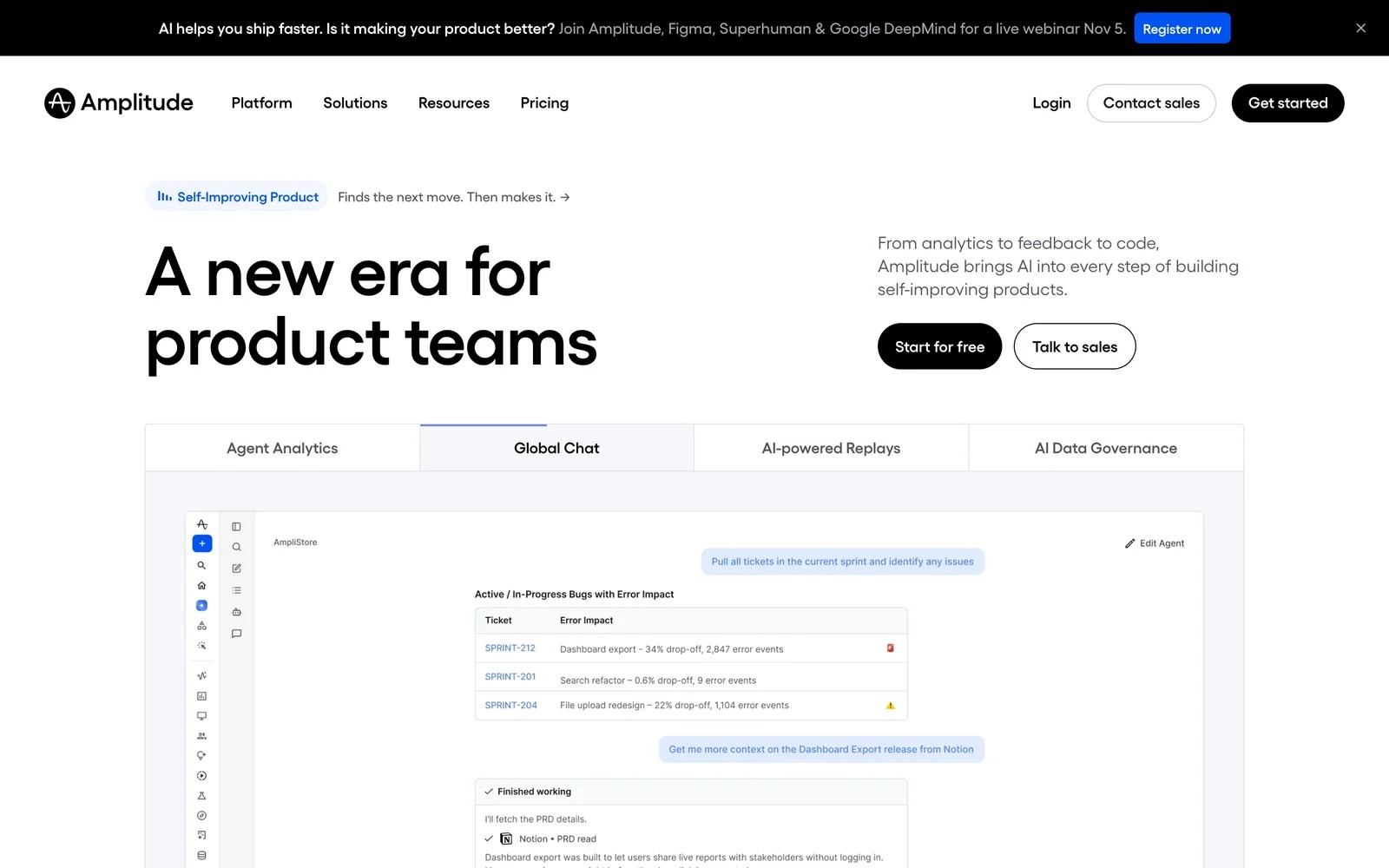
Amplitude covers product analytics, web analytics, session replay, experiments and AI agents. Its free plan includes 2 million events a month with no time limit.
What I noticed on the free plan was how fast it goes from question to chart. Product managers can build their own funnels and retention curves, and the AI prompt for reports is genuinely handy for quick answers.
The teams I know who run it at scale say the same two things: event naming has to be policed from day one or the dropdowns get messy, and the jump in cost after the free tier is steep.
Key features
- Funnels, retention and behavioral cohorts are self-serve, so product managers answer their own questions without waiting on analysts.
- Experiments and feature management run on the same data as analytics, which shortens the loop from idea to result.
- AI prompts generate reports and pull data in plain language, cutting the time to a first chart.
- The free plan includes 2 million events a month, session replays and a year of data access.
Where it falls short
- It isn't built for lead attribution, so CRM deals and offline conversions need another tool.
- The learning curve is real, and new team members can find the interface overwhelming at first.
- Pricing climbs quickly past the free tier, which pushes teams to ration what they track.
What users say
"The thing I appreciate most is how quickly I can get from a question to an actual answer." (Source)
"Setting up events you want to track can be tough. The overall tool learning curve can take a lot of time." (Source)
"Once you crossed the free tier's event limit the jump is so steep and because its tied to event volume you end up second guessing whether a particular event is worth tracking." (Source)
Pricing
- Free: 2M events a month
- Plus: usage-based after the free events
- Growth and Enterprise: custom
5. Heap
Best for: teams that want automatic event capture and retroactive analysis without planning a tracking schema.
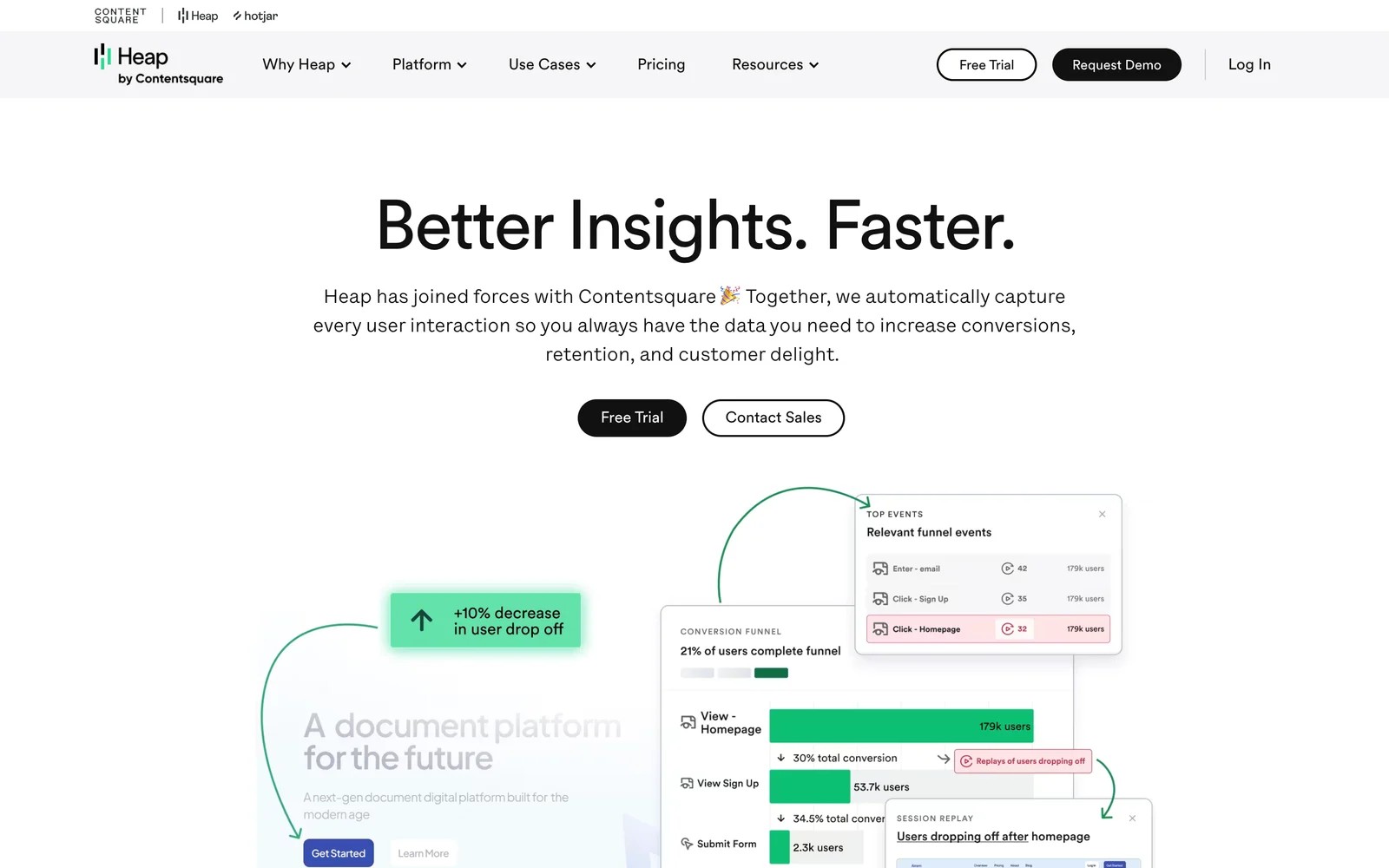
Heap, now part of Contentsquare, captures every click, page view and form change automatically, so you can define events after the fact and analyze them retroactively.
That's the closest match to Usermaven's no-tagging approach. On the free plan, I could ask a question about a button nobody had tagged and still get historical data, which is the feature people stay for.
The cost of capturing everything is noise. Reviewers describe a lot of events to sift through, slow session tools at times, and pricing that rises quickly for smaller businesses.
Key features
- Every click, page view and form change is captured automatically, so you can analyze interactions nobody planned to track.
- Events can be defined retroactively, which means new questions don't have to wait for a release to collect data.
- Session replay and Contentsquare's experience analytics add context on why users behave the way they do.
- The free plan covers up to 10,000 sessions a month with six months of history.
Where it falls short
- Attribution is limited, and one reviewer specifically mentions missing the ability to show it.
- Capturing everything creates a lot of events to organize, which takes ongoing data hygiene.
- Paid plans aren't priced publicly, and users describe them as expensive for smaller teams.
What users say
"Heap’s automatic event tracking is its strongest feature." (Source)
"The way we set up Heap with auto capture results in a lot of overhead to sift through many events." (Source)
"The cost of the tool can be a lot higher for small businesses" (Source)
Pricing
- Free: up to 10k sessions a month, 6 months of history
- Growth, Pro and Premier: custom pricing
6. Plausible
Best for: marketers and founders who want simple, private website stats on one page.

Plausible is lightweight, cookie-free web analytics hosted in the EU. Everything fits on one dashboard: visitors, sources, pages, locations and goals.
I had it running within minutes on the trial. The dashboard is the opposite of Usermaven's breadth, and that's the point. Nobody on a team needs training to read it.
What you give up is anything tied to a person. With no identifiers, there are no user journeys, and funnels and revenue goals start on the Business plan.
Key features
- Cookie-free tracking hosted in the EU often removes the need for a consent banner for analytics.
- A single dashboard shows visitors, sources, pages, locations and goals, so anyone on the team can read it.
- The script is tiny, so it barely affects page speed.
- Business plan adds funnels, revenue goals and a Stats API for teams that want a little more depth.
Where it falls short
- With no identifiers, it can't build visitor journeys or connect a visit to a later lead or customer.
- Funnels and revenue goals aren't on the entry plan, so you'll need Business for anything beyond traffic.
- There's no product analytics, so SaaS teams still need another tool for in-app behavior.
What users say
"It is cookie free and EU based, so my sites don't necessarily need a cookie wall." (Source)
"I do miss path tracking in my analysis, although I assume that requires cookies." (Source)
"I wish there was a unified dashboard for all sites/a way to group them." (Source)
Pricing
- Starter: $9/mo for one site and 10,000 monthly page views
- Business: $19/mo, adding funnels and revenue goals. 30-day trial.
7. Matomo
Best for: teams that want Google Analytics-style depth with full control of their data.
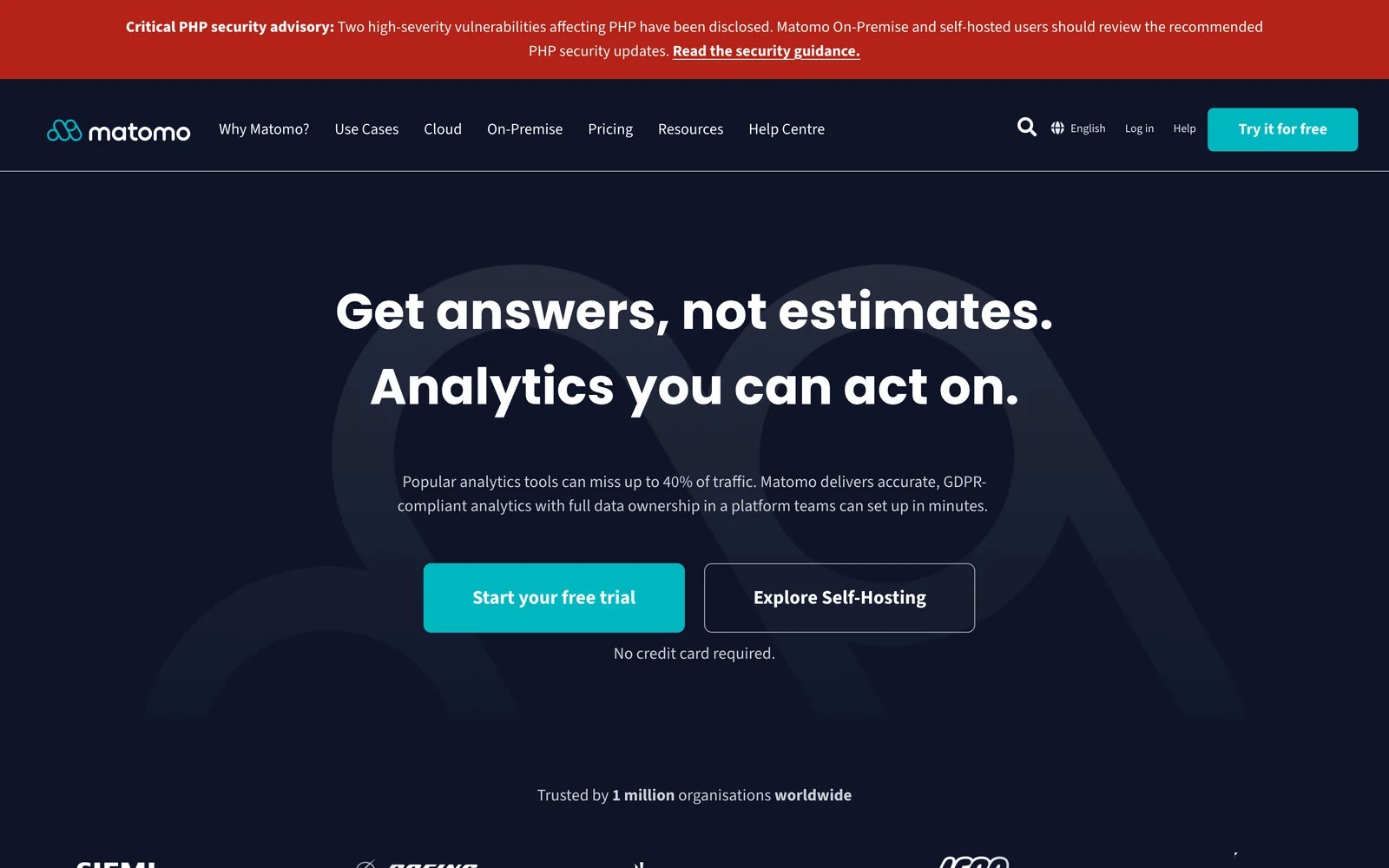
Matomo is open-source analytics you can self-host for free or run on Matomo Cloud. It covers traffic, goals, funnels, ecommerce and, with plugins, heatmaps and session recordings.
I've run it both ways. Self-hosting gave full control, but updates and server care landed on me. Cloud removed that work, and the interface will feel familiar to anyone who used Universal Analytics.
Users praise the data ownership. They're less keen on the premium plugin costs and on configuration that's not as smooth as Google Analytics.
Key features
- Self-hosting keeps every bit of data on your own servers, which suits strict privacy and compliance requirements.
- Reports cover traffic, goals, funnels and ecommerce in a layout familiar to former Universal Analytics users.
- Cookieless tracking can be switched on, trading some returning-visitor accuracy for fewer consent requirements.
- Premium plugins add heatmaps, session recordings, A/B tests and more for teams that need them.
Where it falls short
- Self-hosting puts updates, backups and security on your team, which adds up without a developer.
- Heatmaps and recordings are paid add-ons, so the full feature set costs more than the base price.
- Attribution stays within the website, with no CRM deal revenue or conversion sync to ad platforms.
What users say
"It is definitely one of the best tools for anyone who cares about data ownership and privacy." (Source)
"There are a lot of premium features that are pretty expensive." (Source)
"Matomo can be more complex to configure and maintain, especially when self-hosting, and some advanced features are paid or less intuitive than those of Google Analytics." (Source)
Pricing
- On-premise: free, with paid plugins
- Cloud: from €29/mo for 50,000 hits, with a free trial
How to choose
Decide which part of Usermaven you actually use, then go deeper on that.
1. Is it the attribution?
- SourceLoop, if you want leads tied to CRM deals or subscriptions and good conversions sent back to Google Ads, Meta and Microsoft Ads. It suits SaaS teams, lead generation businesses and agencies.
2. Is it the product analytics?
- PostHog for an all-in-one product toolkit, Mixpanel or Amplitude for deeper funnels and retention, Heap for retroactive autocapture.
3. Is it the simple, private web stats?
- Plausible for a one-page dashboard, Matomo for Google Analytics-style depth you own.
Many SaaS teams end up pairing two: a product analytics tool for in-app behavior and an attribution tool for acquisition. Our roundup of customer journey analytics tools covers how those fit together.
Frequently asked questions
-
What is Usermaven?
Usermaven is a privacy-friendly analytics tool that combines website analytics, product analytics and marketing attribution. It auto-captures events, can track without cookies, and includes Maven AI and an MCP server.
-
How much does Usermaven cost?
Usermaven sells Business and Enterprise plans through a demo, and prices aren't published on its site as of November 2026.
-
What is the best free alternative to Usermaven?
PostHog, Mixpanel, Amplitude and Heap all have free tiers for product analytics, and Matomo is free to self-host for web analytics.
-
Which Usermaven alternative is best for marketing attribution?
SourceLoop. It tracks the source of every lead, follows it into the CRM or billing system, and sends good leads or payments back to Google Ads, Meta and Microsoft Ads, from $49 a month.
-
Is there a cookieless alternative to Usermaven?
Plausible is cookie-free by design. Matomo and SourceLoop offer optional cookieless modes, and PostHog, Mixpanel and Amplitude can be configured to reduce cookie use.
-
Can I use Usermaven alongside another tool?
Yes. Many teams keep a product analytics tool for in-app behavior and add a separate attribution tool for acquisition and CRM revenue.




 Paid Social


