
8 Best Conversion Tracking Tools in 2026, by Use Case
Eight conversion tracking tools grouped by the gap they fix: capturing forms and calls, keeping the source, and sending results back to ads.
Table of contents
- Where conversion tracking breaks
- You already have two tracking tools
- Conversion tracking tools compared
- The 8 best conversion tracking tools
- 1. SourceLoop
- 2. Google Tag Manager
- 3. Google Analytics 4
- 4. CallRail
- 5. WhatConverts
- 6. Attributer
- 7. Triple Whale
- 8. Matomo
- How to choose, by the conversion you care about
Here's a pattern I see every week. Google Ads reports 40 conversions, the CRM shows 22 new leads, and nobody can say which number is right.
Usually neither is wrong. They're counting different things at different points, and something between the click and the sale isn't being recorded.
So I've grouped the tools below by the gap they close, not by brand size. If you know where your tracking leaks, you'll know which one to look at first.
What we actually checked
Every other tool here has a free plan or trial, and we installed each one on a test site with a form, a booking link and a tracked phone number. We then compared what each tool recorded against what really happened, conversion by conversion.
Our picks also reflect what the brands and agencies we work with run into, from local service companies living on phone calls to SaaS teams chasing trial signups. Public reviews on G2 and Capterra rounded out the long-term view.
SourceLoop is ours, and it's listed first. Where a free tool does the job, we've said so.
Last checked November 2026. Prices change, so check each vendor before you buy.
Where conversion tracking breaks
A conversion has to survive four steps before it's useful. Each tool on this list is strongest at one or two of them.
- Capture: the form, call, chat or booking is recorded at all. Embedded widgets, third-party forms and phone calls are the usual blind spots.
- Identity: the conversion is tied to a person, so a second visit or a later sale can be joined to it.
- Source: the original ad click, campaign and landing page stay attached, even when the lead converts days later.
- Outcome: you learn whether the lead became a customer, and the ad platform hears about it.
Browsers make the middle two harder every year. Safari's tracking prevention caps script-set cookies at seven days, and some cookies at 24 hours when a visitor arrives from a tracked link.
You already have two tracking tools
Before buying anything, check what the ad platforms give you for free.
Meta's Conversions API and Google's enhanced conversions both accept conversions from your server, matched with hashed email or phone. Set up properly, they recover a good share of what the browser pixel misses.
What they can't do is decide which conversions matter. They'll count a spam form fill exactly like a signed customer, unless something upstream tells them the difference. That's where the tools below come in.
For a walkthrough of the Meta side, see how to set up conversion tracking for Facebook ads.
Conversion tracking tools compared
Here's how the 8 conversion tracking tools compare on the gap they fix, what they capture and price, as of November 2026.
| Tool | Main gap it fixes | Captures calls | Lead quality or revenue | Sends conversions to ad platforms | Starting price |
|---|---|---|---|---|---|
 SourceLoop SourceLoop | All four, for leads | Via call tracking tools | Yes | Google, Meta, Microsoft, ChatGPT | $49/mo |
 Google Tag Manager Google Tag Manager | Capture | No | No | Via tags you set up | Free |
 Google Analytics 4 Google Analytics 4 | Source, on-site | No | No | Google Ads only | Free |
 CallRail CallRail | Capture, for calls | Yes | Call tags | Google Ads and others | $50/mo |
 WhatConverts WhatConverts | Capture and source | Yes | Manual values | Google Ads | $30/mo |
 Attributer Attributer | Source, into the CRM | No | In your CRM | No | $29/mo |
 Triple Whale Triple Whale | Outcome, for Shopify | No | Store revenue | Yes | Free tier |
 Matomo Matomo | Capture, privacy-first | No | Ecommerce goals | No | Free self-hosted |
The 8 best conversion tracking tools
I've ordered these from the most complete to the most specialized.
1. SourceLoop
Best for: lead generation businesses, agencies and SaaS teams whose conversions are forms, calls, chats and bookings that turn into revenue later.

SourceLoop is a marketing attribution and lead source tracking tool. It handles all four steps for leads: it captures the conversion wherever it happens, ties it to a person, keeps the original source, and reports the outcome back to the ad platforms.
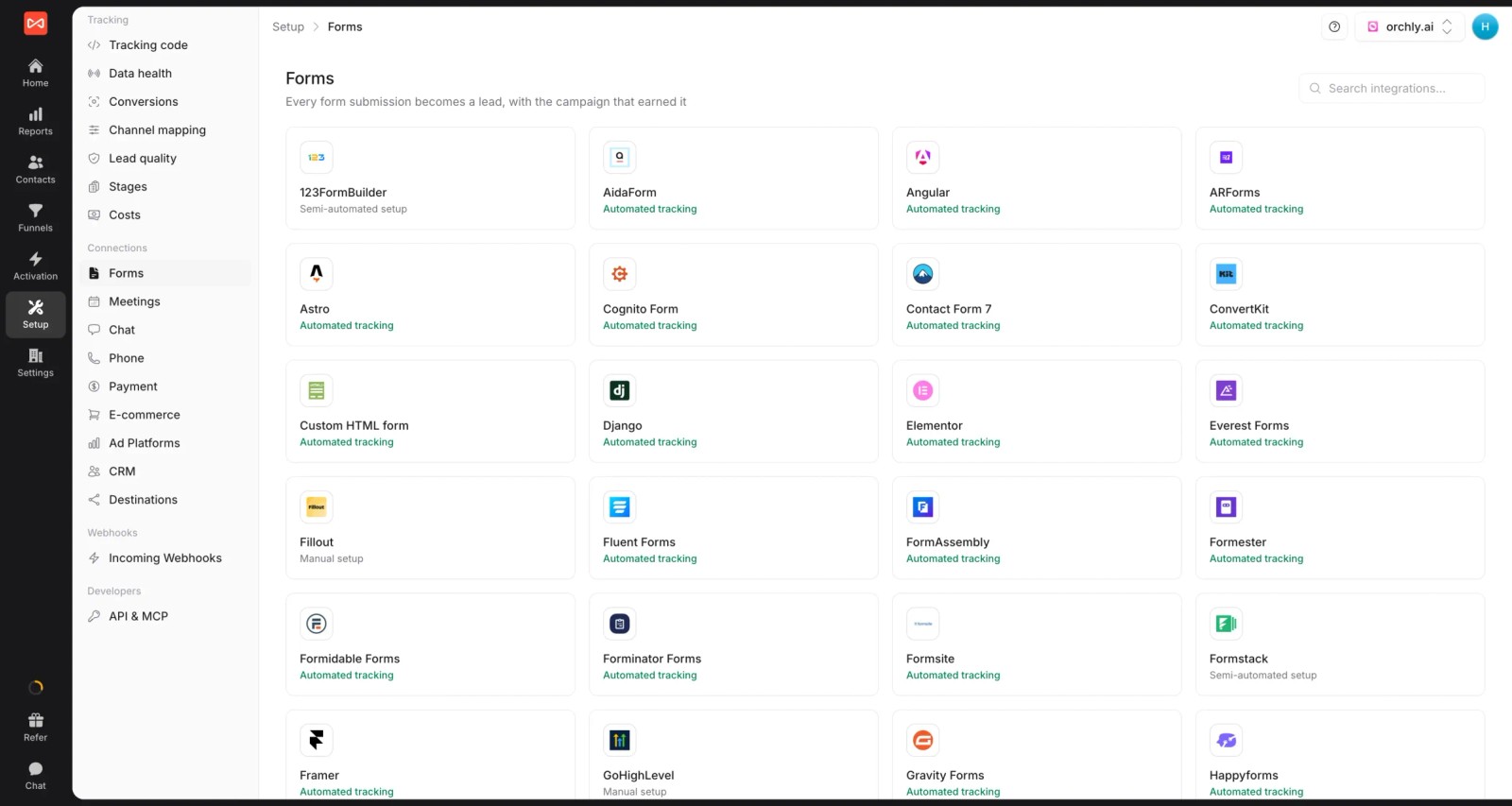
Capture is where it does the most work. A Calendly booking, a Typeform embed and a HubSpot form all arrive as conversions with their source, with no tag per form.
Key features
- Capture across around 70 tools: web forms, embedded form builders, chat widgets, booking tools, and calls from CallRail, CallTrackingMetrics, Invoca or Mediahawk.
- Source kept on every lead: first and last touch, ad click IDs and landing page stay on the contact, with the full visit history.

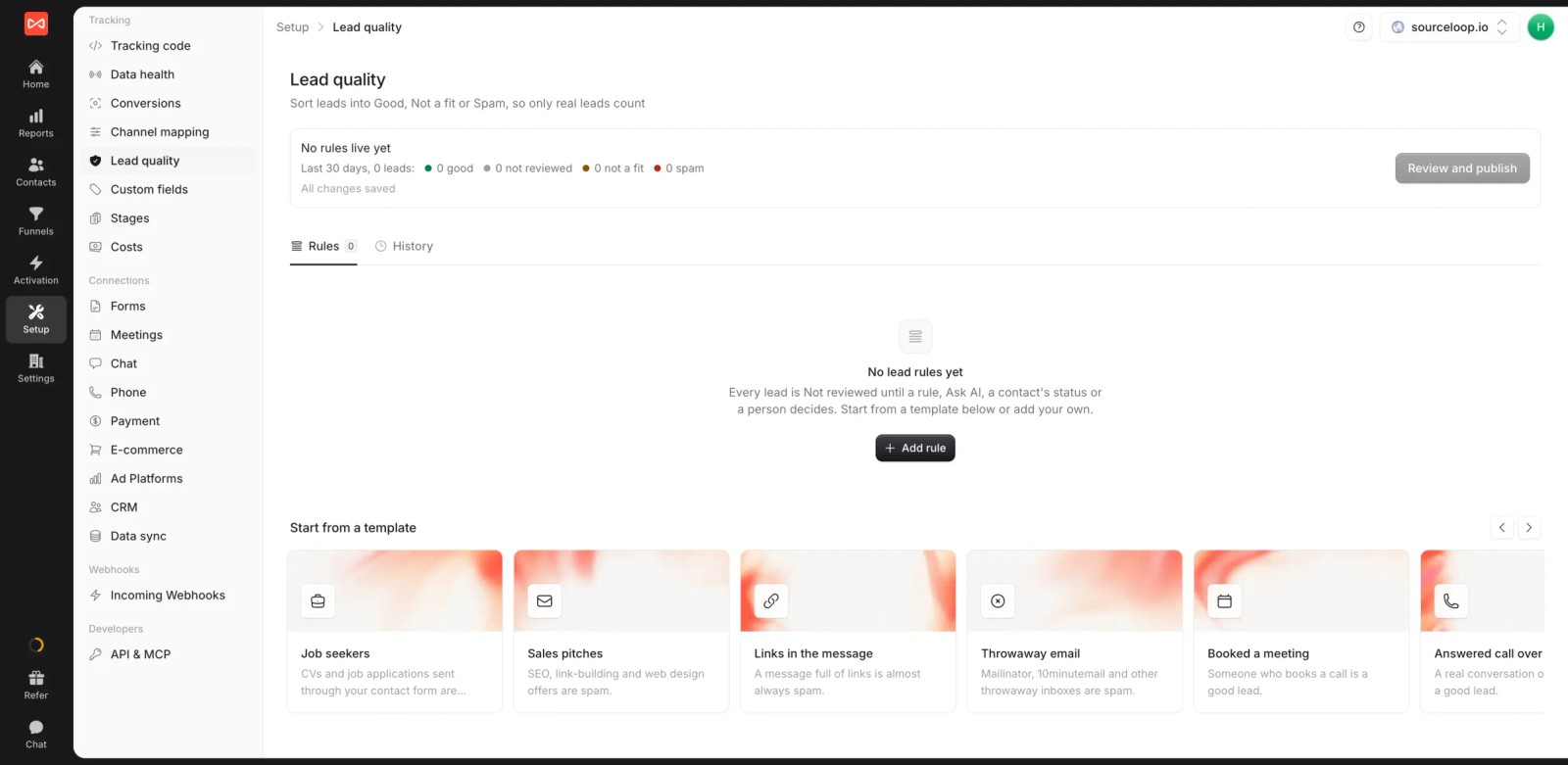
- Lead quality rules: mark leads Good, Not a fit or Spam from form answers, email domain or call length, so a spam fill never counts as a win.
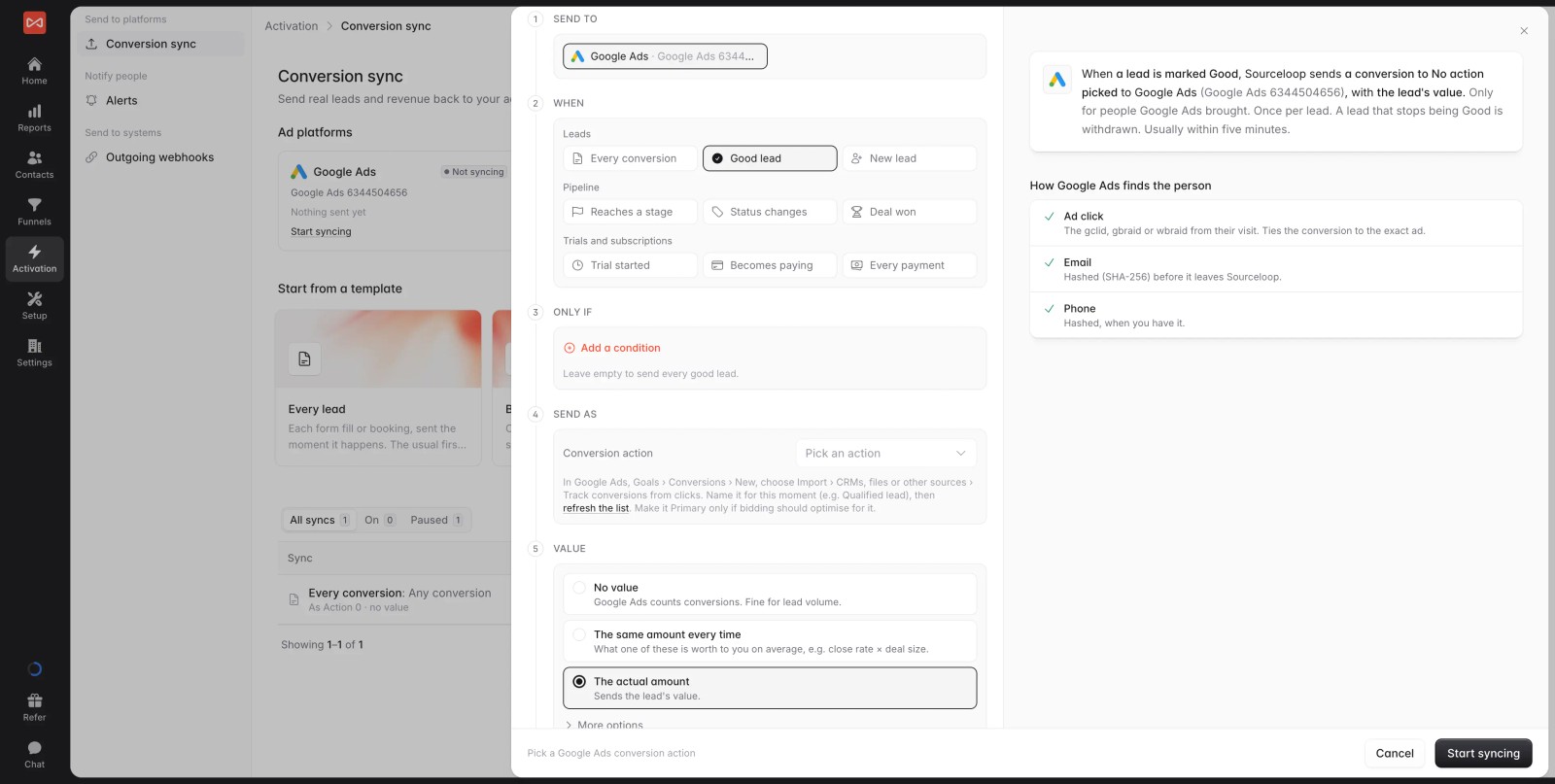
- Conversion sync on the outcome you pick: send every lead, good leads, booked meetings, CRM stages, won deals or payments to Google Ads, Meta, Microsoft Ads and ChatGPT Ads, each with a value.
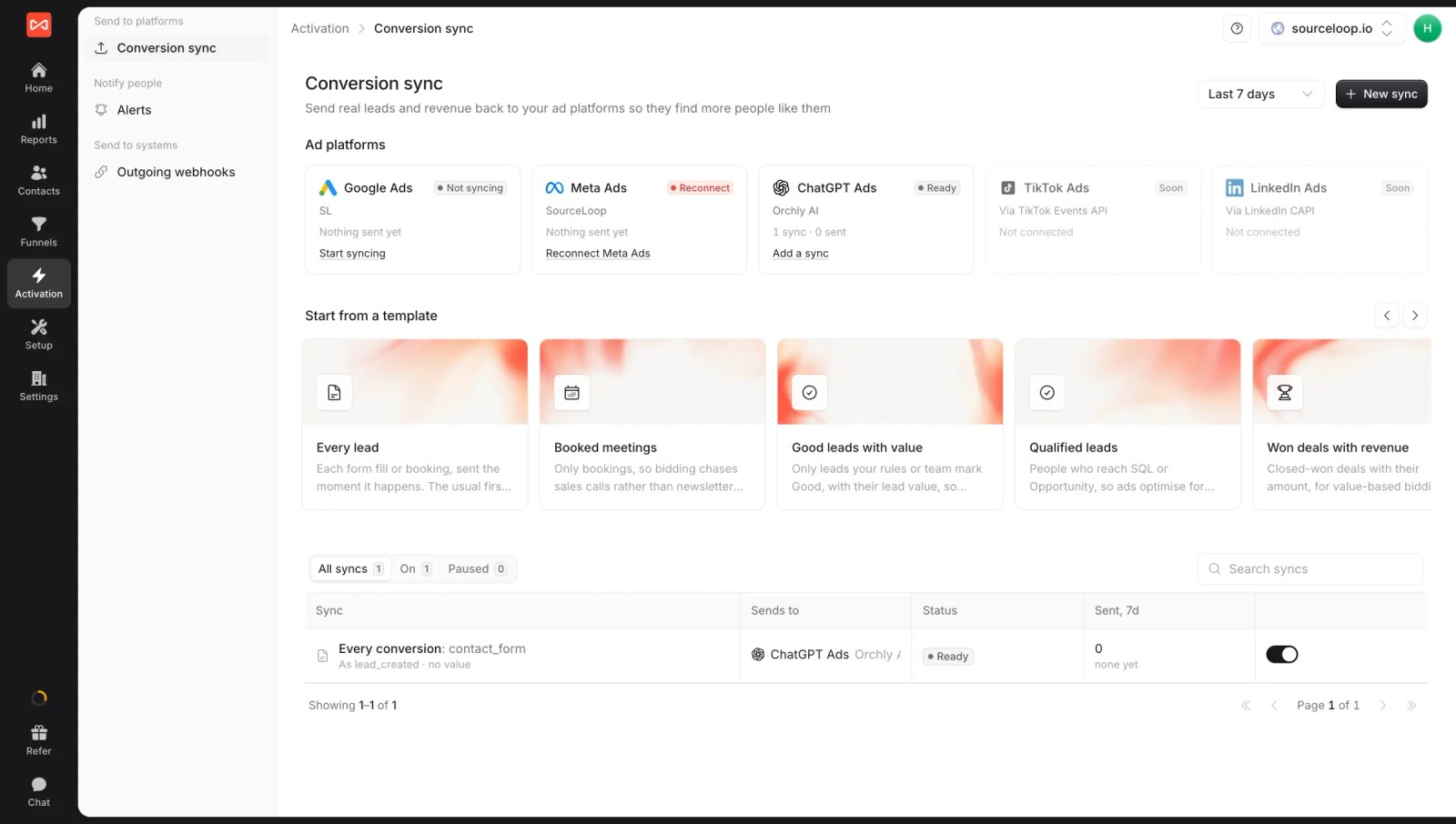
- Strong matching: every synced conversion carries the click ID plus hashed email and phone. See how server-side conversion sync works.
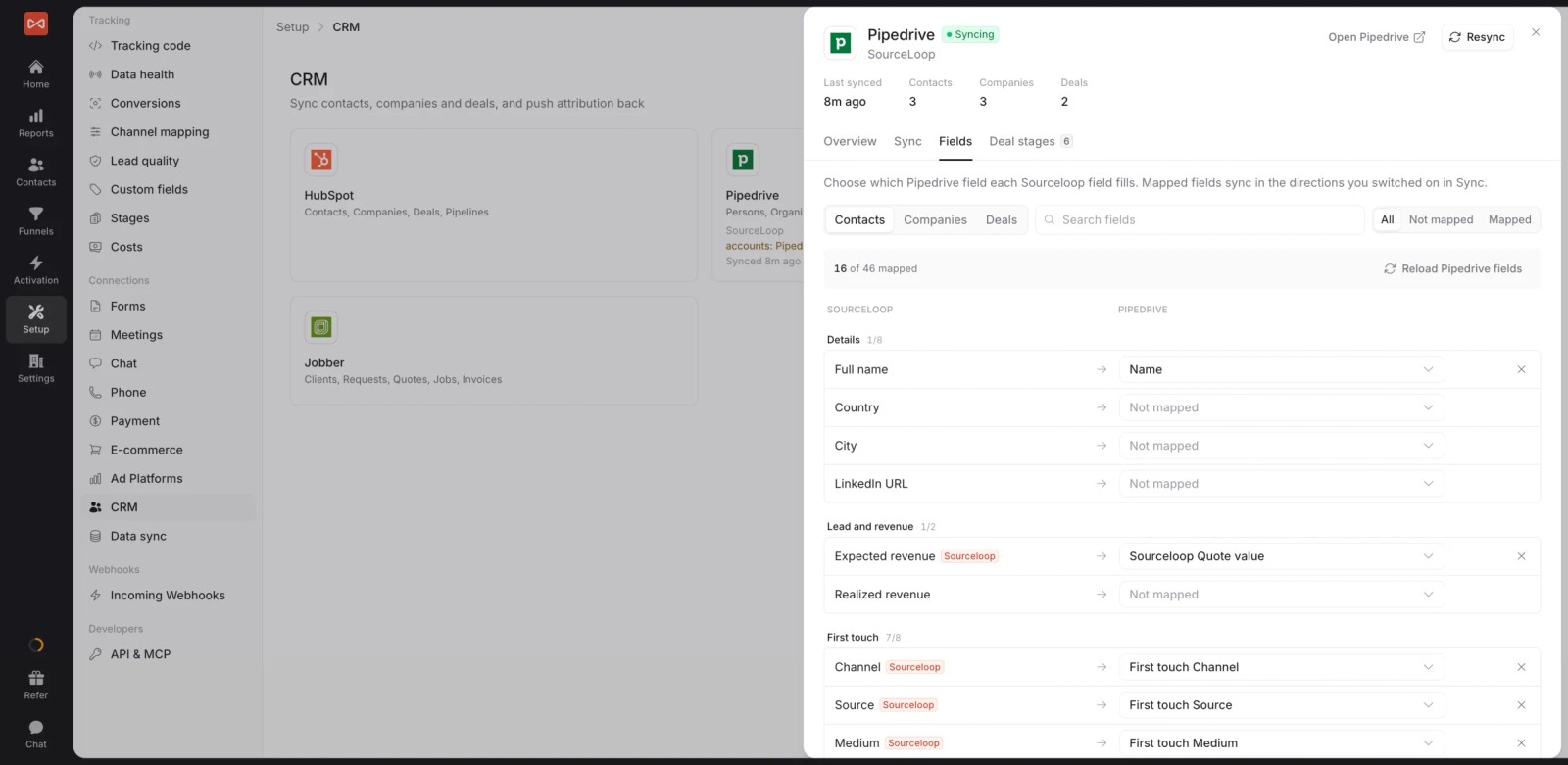
- CRM and payments: two-way sync with HubSpot, Salesforce, Pipedrive and Jobber, plus Stripe, Paddle and other billing tools for SaaS.
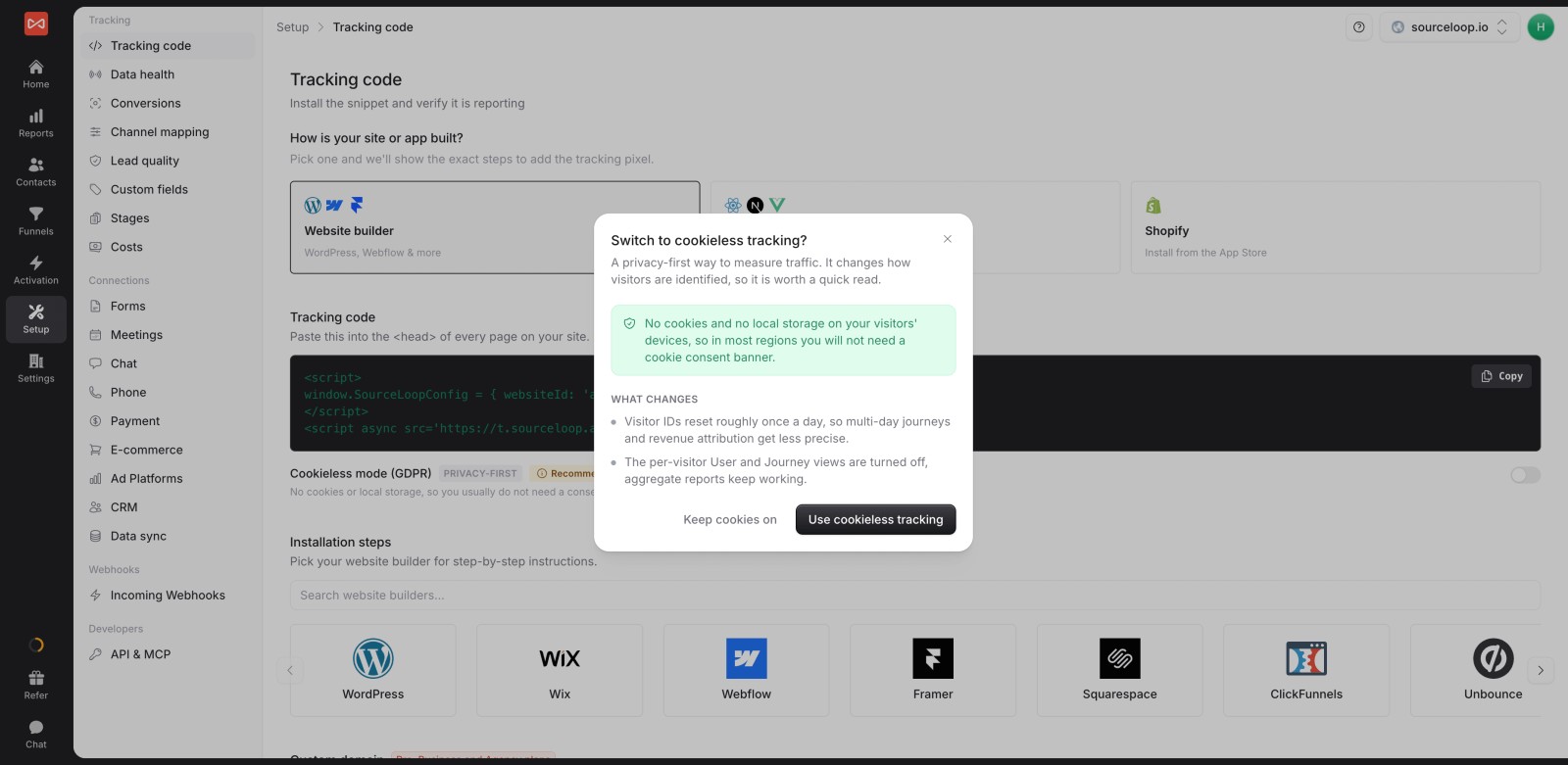
- Privacy options: Google Consent Mode support and an optional cookieless mode.
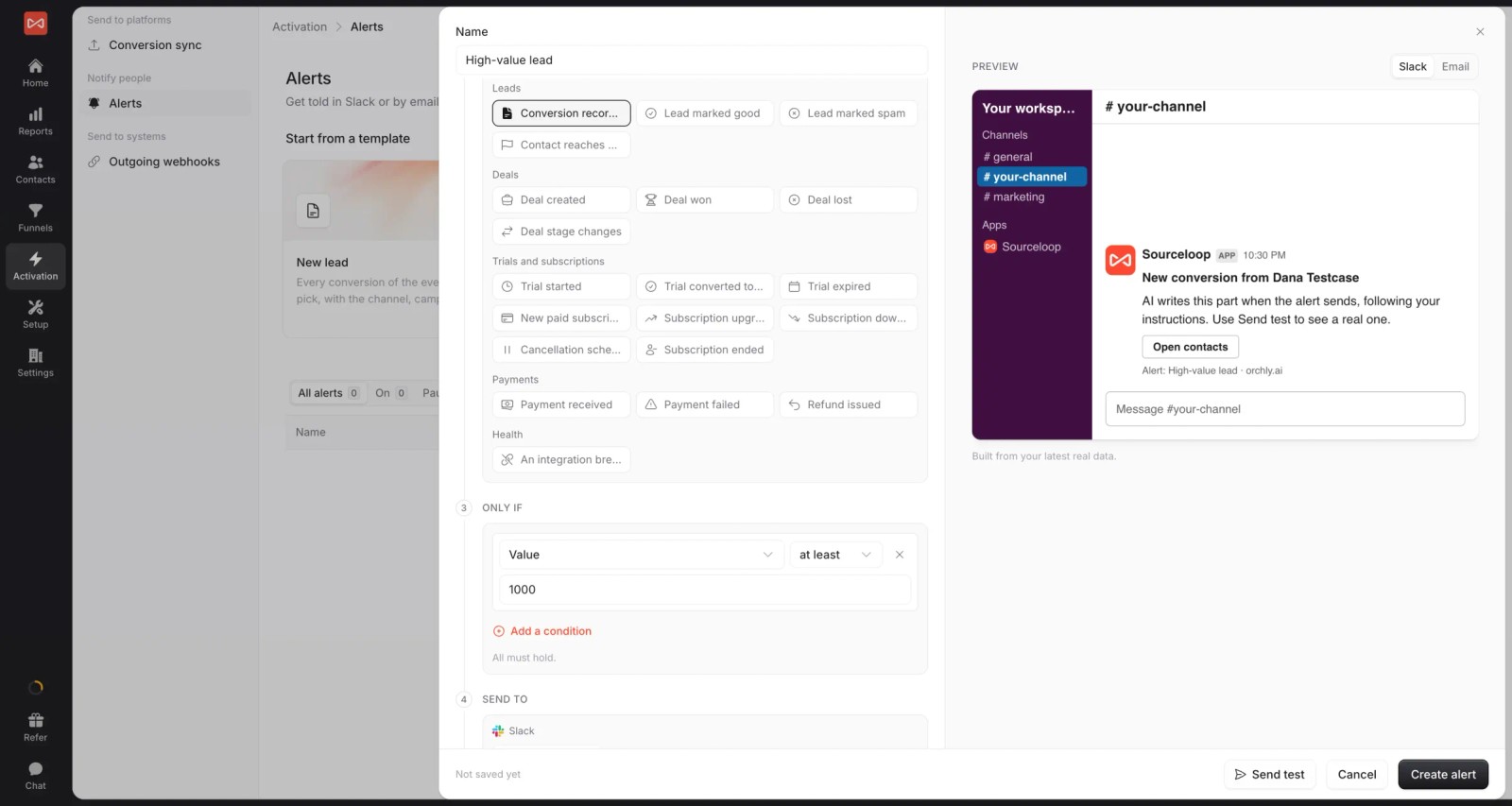
- Reports and alerts: seven attribution models, custom reports, and Slack or email alerts on new or high-value leads.
- Multiple websites and white label: run several sites from one login under your own brand. If you're an agency, each client gets a branded workspace.
Where it falls short
- It doesn't replace a tag manager for non-conversion tags, like heatmaps or chat scripts.
- LinkedIn and TikTok conversion sync are coming soon, not live.
Pricing
- Essential: $49/mo for one site and 30,000 page views, with tracking, attribution reports, lead quality rules and alerts
- Professional: $99/mo for 100,000 page views and unlimited users, adding CRM sync, conversion sync to the ad platforms, the API and MCP
- Agency: $249/mo for three sites and 1.5 million page views, adding white label reporting
- Conversions are unlimited on every plan, with a 7-day trial.
Verdict: the most complete option when your conversions are leads. If you sell on Shopify, Triple Whale fits better.
2. Google Tag Manager
Best for: anyone who needs to deploy pixels and conversion tags without waiting on a developer.
Google Tag Manager doesn't track conversions on its own. It's the container that fires everyone else's tags: the Google Ads conversion tag, the Meta pixel, GA4 events and anything else you add.
We set up a form-submit trigger and a thank-you page trigger on our test site. Both worked, and preview mode made it easy to confirm. The embedded booking widget was another story, since it lives in an iframe that GTM can't see into without extra work.
It's free and powerful, and almost every reviewer warns about the same thing: containers get messy without naming rules.
Key features
- Tags for Google Ads, GA4, Meta and hundreds of other tools can be added from templates, so marketers can launch tracking without editing site code.
- Triggers fire tags on page views, clicks, form submissions or custom events, which covers most conversion setups on a standard website.
- Preview and debug mode shows which tags fired and why before anything goes live, saving you from discovering broken tracking a week later.
- Version history lets you roll back a broken change in one click, a real safety net when several people edit the same container.
Where it falls short
- It doesn't report on anything by itself, so you still need GA4, an ad platform or an attribution tool to see results.
- Most embedded iframes and all phone calls are out of its reach without extra work, which leaves booking widgets and calls untracked.
- It can't tell whether a lead was any good, so every form fill counts the same in the tags it fires.
What users say
"The best thing about GTM is that it allows us to minimise the help of developers by giving us the feature of integrating pixel codes of different marketing platforms like Meta & Adroll through their custom HTML Tag option." (Source)
"The main weakness is that it can quickly become a mess if not properly structured: tag names that are too vague, duplicate triggers, a logic that is difficult to follow..." (Source)
"Sometimes it's not so easy to set up on the goals with google ads." (Source)
"Tracking events and triggers can get a bit technical and without knowledge, it can become difficult to implement." (Source)
Pricing
- Free. Tag Manager 360 is sold with Google Marketing Platform enterprise contracts.
3. Google Analytics 4
Best for: a free view of which channels and pages drive on-site conversions.
GA4 records events, lets you mark the important ones as key events, and credits them to channels using data-driven or last-click attribution. Linked to Google Ads, it can import those key events as conversions.
On our test site, GA4 caught the native form and the thank-you page fine. It had no idea who converted, and it couldn't tell us later which of those leads became a customer.
Key features
- Key events turn any tracked action, like a form submit or purchase, into a conversion you can report on by channel, page or campaign.
- Data-driven and last-click attribution credit those conversions to channels and campaigns, giving a free, reasonable view of on-site performance.
- Linking Google Ads imports key events as conversions for bidding, so Smart Bidding can learn from the same actions you report on.
- Explorations let you build funnels and path reports inside GA4, without exporting data to a spreadsheet or another tool.
Where it falls short
- Individual leads aren't visible, because Google doesn't allow personal data, so you can't trace one enquiry to its source.
- Calls and CRM outcomes need custom work, which means GA4 rarely knows which conversions turned into customers.
- It doesn't send conversions to Meta or Microsoft, so those platforms need their own pixels and conversion setup.
What users say
"The integration with Google Ads and Search Console makes it easy to connect" (Source)
"There have been moments when I only wanted to check one specific thing, but I still had to click through multiple reports and metrics" (Source)
"Google Analytics is often blocked by browser/browser extension, whereas self-made solution is usually not detected by tracking blocker" (Source)
Pricing
- Free. Google Analytics 360 is quoted for enterprises.
4. CallRail
Best for: businesses where the phone rings more than forms get filled, like home services, legal and healthcare.
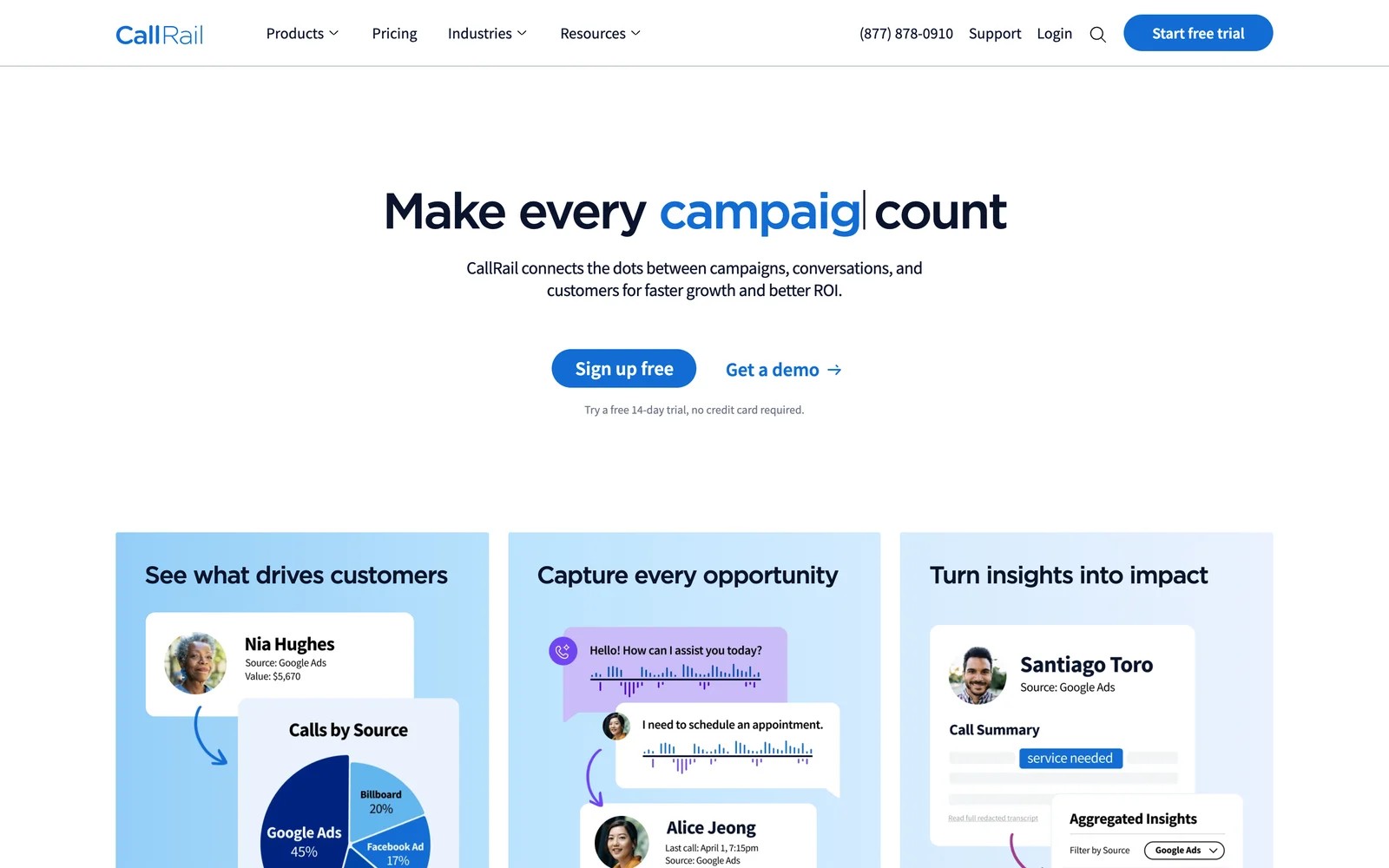
CallRail solves the capture problem for calls. Dynamic numbers swap on your site per visitor, so each call is tied to the ad, keyword or page behind it, and AI summarizes and tags what happened on the call.
In our test, calls showed up with their source within seconds. A call can also be sent to Google Ads as a conversion, ideally only when it runs long enough to be a real enquiry.
Key features
- Dynamic number insertion shows each visitor a unique number, so every call is tied to the campaign, keyword and page that produced it.
- Call recordings, transcripts and AI summaries show what each caller actually wanted, which helps separate real enquiries from sales pitches and spam.
- Calls can be sent to Google Ads and other platforms as conversions, filtered by duration or tag so bidding learns from genuine leads.
- Form tracking on the Complete plans puts calls and form fills in one lead view, useful for businesses that get both.
Where it falls short
- It stops at the call, so you can't see which calls became revenue without another tool. SourceLoop can pick up CallRail calls and tie them to CRM deals.
- Pricing isn't flat, since tracking numbers and minutes add up as call volume grows.
- There's no multi-touch journey, so calls are credited to one source even when several visits came first.
What users say
"I find CallRail very easy to use, and I like that I can add our clients as users to our account." (Source)
"The pricing can increase quickly as call volume, tracking numbers, or AI features grow, which may be challenging for smaller businesses." (Source)
"From a marketing agency perspective, CallRail is a powerful solution for lead attribution for specific channels." (Source)
"It lacks integrations and automations compatible with other platforms, and the variety of Tracking Numbers to purchase is very limited." (Source)
Pricing
- Lead Tracking: $50/mo with 5 numbers and 250 minutes
- Lead Tracking Complete: $95/mo, adding form tracking
- Lead Conversion plans: $150 and $195/mo. Usage is extra, with a 14-day trial.
5. WhatConverts
Best for: small businesses and agencies that want calls, forms and chats in one simple lead log.
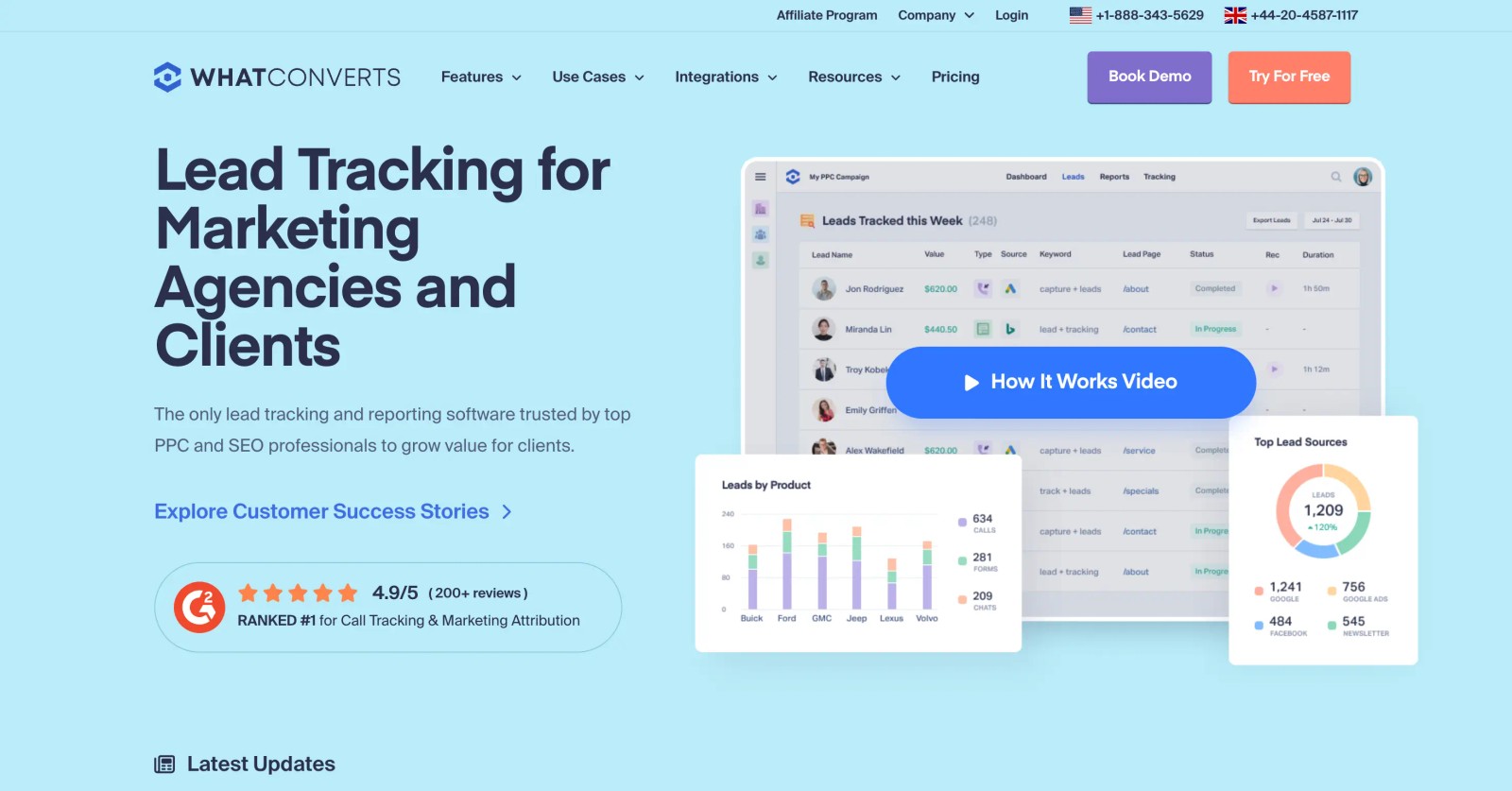
WhatConverts records every lead with its source, whether it came by phone, form or chat, and lets you add a quote or sale value. Those values can go to Google Ads as offline conversions.
The 14-day trial was easy to get running. The lead log is clear enough to hand to a business owner, which is its real strength.
Day to day, most of the work is adding values to leads after the fact. If nobody keeps that up, the revenue side of the reports goes stale quickly.
Key features
- Calls, forms and chats land in one log, each tagged with its source, keyword and landing page, which makes the lead history easy to scan.
- Quote and sale values can be added to each lead, turning a list of enquiries into a basic revenue report by channel.
- Those values feed Google Ads offline conversions, so bidding can favor campaigns that bring in valuable jobs over cheap clicks.
- Agency plans cover unlimited client accounts, which keeps costs predictable for agencies tracking leads for many small businesses.
Where it falls short
- CRM stages aren't read automatically, so lead values are mostly entered by hand or imported.
- It doesn't send conversions to Meta, which limits optimization for businesses that spend heavily on Facebook and Instagram.
- Reporting is built around a single source per lead, so there's no multi-touch view of longer journeys.
What users say
"I thought it was really simple to set up, results and the experience have been great, the team were super helpful and it's cheaper than callrail" (Source)
"We’ve experienced recurring issues with form tracking across several of our Wix websites" (Source)
"The most important thing for us is being able to track calls, form submissions, facebook leads, Leadpage/unbounce submissions, and chats - WhatConverts allows us to do this all." (Source)
Pricing
- Call Tracking: $30/mo for calls and texts
- Plus, Pro and Elite: $60, $100 and $160/mo
- Agency: from $500/mo. 14-day trial.
6. Attributer
Best for: teams that just want the lead source written into the CRM with every form submission.
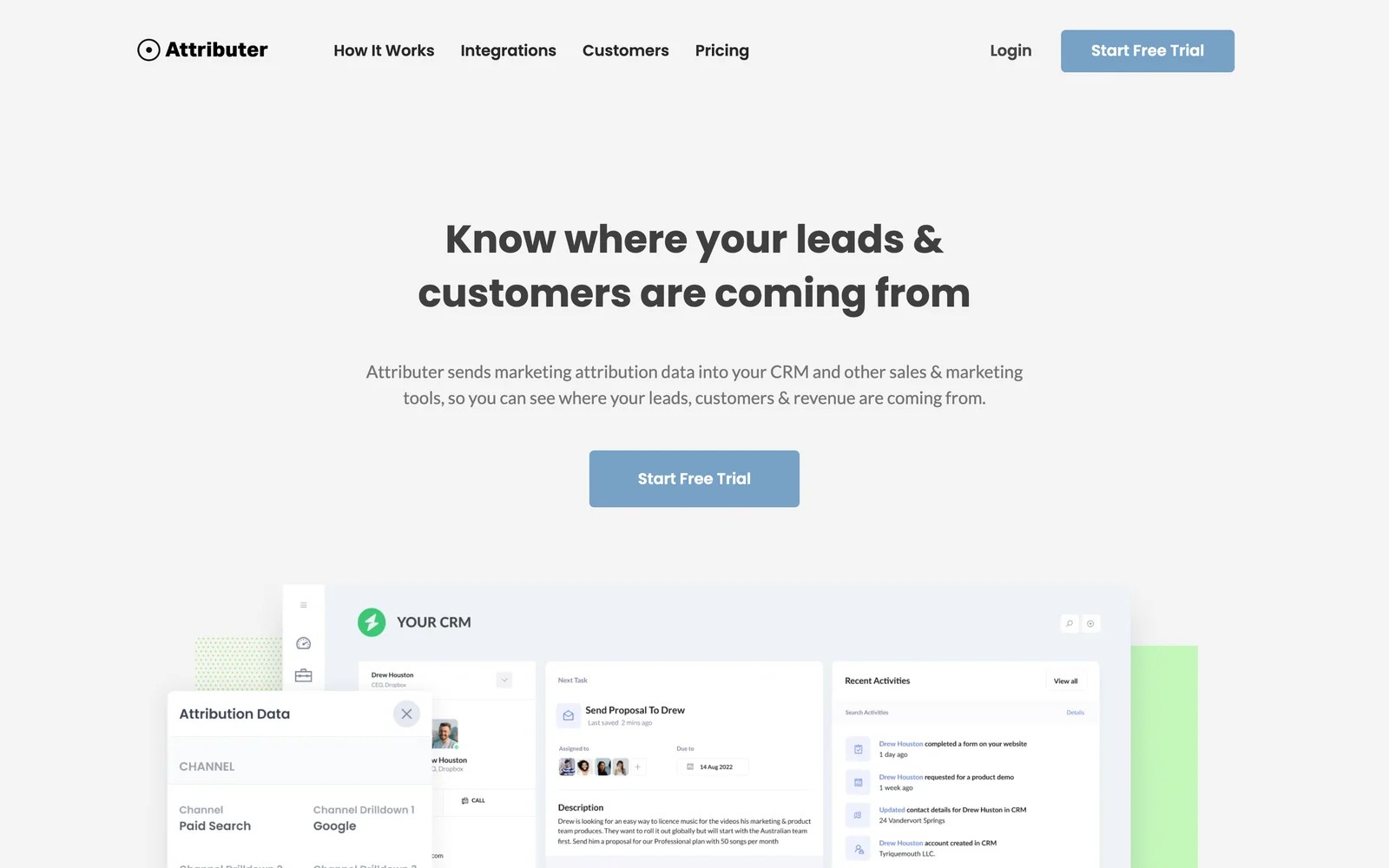
Attributer fixes the source step and nothing else. It reads where a visitor came from and drops the channel, source and campaign into hidden form fields, so the CRM record carries them.
It's the lightest tool here. We had it working on a test form in minutes, and the data appeared in the CRM exactly as promised.
Key features
- Channel, source, medium and campaign are written into hidden fields on every form submission, so the lead arrives in the CRM already labeled.
- It works with most popular form builders and passes the data straight through, which means no new dashboard for your team to learn.
- Both first and last touch are captured, giving you the channel that introduced the lead and the one that finally converted it.
- Multi-site plans keep the cost low when you need source data across many websites, such as several brands or client sites.
Where it falls short
- Calls, chats and bookings aren't tracked, so businesses that get leads through those channels will see only part of the picture.
- Conversions aren't sent to ad platforms, which means bidding doesn't benefit from the source data it captures.
- There's no reporting of its own, so you'll build every channel report inside your CRM or spreadsheet.
What users say
"Easy to set up, seems to give accurate data, inexpensive for the value it brings, and the support team is responsive and helpful." (Source)
"Dependence on UTM parameters - if the UTMs are not properly implemented across all the campaigns, attribution capability will be impacted." (Source)
Pricing
- Single site: $29, $49 and $99/mo for up to 100, 500 and 1,000 leads
- Multi-site: from $199/mo for 10 sites. 14-day trial.
7. Triple Whale
Best for: Shopify brands that want orders tracked and sent back to Meta and Google accurately.
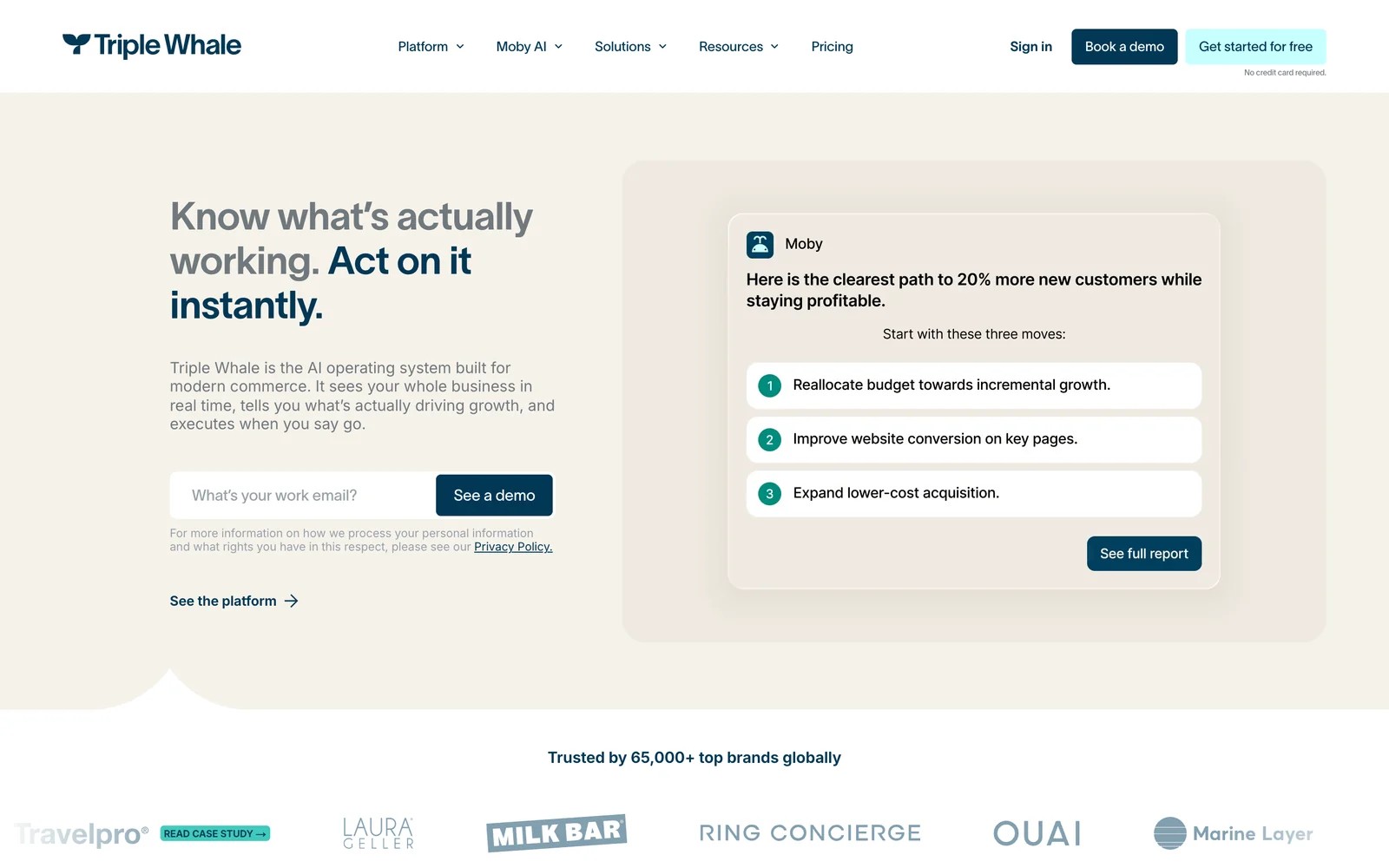
Triple Whale uses its own pixel and Shopify's order data to attribute purchases across ad channels, then sends enriched conversions back to the platforms. For ecommerce, it covers the outcome step that lead tools don't.
We've tested it on a store. Orders matched Shopify, which is the main thing. Channel credit took more interpretation, since its pixel and Meta's numbers rarely agree.
Key features
- Shopify orders are matched to ad clicks with the Triple Pixel, giving ecommerce brands a purchase-level view that doesn't depend on each platform's own reporting.
- Revenue, ROAS and new customer metrics are broken out by channel and campaign, which is what most DTC teams check every morning.
- Enriched conversions go back to Meta and Google, helping their algorithms optimize on orders the pixel might otherwise have missed.
- AI agents answer questions and build reports from the store's data, saving time for small teams without a dedicated analyst.
Where it falls short
- Leads, calls and CRM deals are outside its scope, which rules it out for lead generation and service businesses.
- Stores outside Shopify don't get the same smooth setup, so other platforms need more work to connect.
- Pricing rises with store revenue, so the bill grows as the business does.
What users say
"Triple Whale is our source of truth for marketing data." (Source)
"Also, the attribution of imported marketplace orders is not working." (Source)
"Unfortunately the Enterprise version has all the best toys and is quite pricey for SMEs." (Source)
Pricing
- Priced by GMV, with a free starter tier.
8. Matomo
Best for: teams that want conversion goals tracked on infrastructure they control, often for privacy reasons.
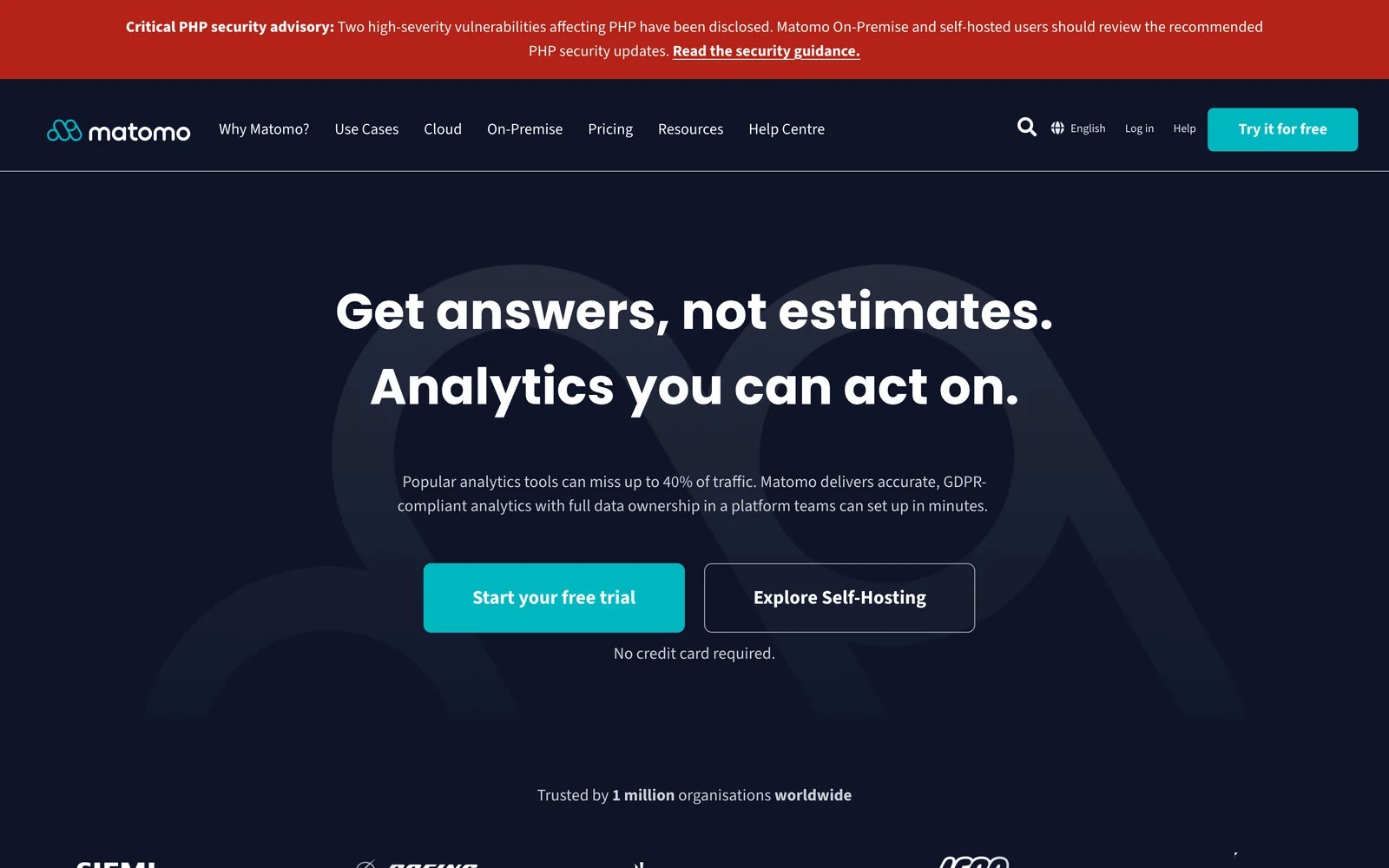
Matomo is an open-source analytics platform with goals, ecommerce tracking and funnels. You can host it yourself for free, or use Matomo Cloud.
It's a solid GA4 replacement for on-site conversions, and owning the data is the main draw. Like GA4, though, it stops at the website.
We ran Matomo Cloud's trial on the test site. Goals for the form and thank-you page took minutes, and the interface feels familiar if you used Universal Analytics. It still couldn't tell us which lead later became a customer.
Key features
- Goals track form submissions, downloads, page visits or custom events as conversions, covering the usual on-site actions most businesses care about.
- Ecommerce tracking records orders, revenue and products, so online stores get a GA4-style revenue view on a platform they control.
- Self-hosting keeps every bit of data on your own servers, which is the main reason privacy-focused organizations choose it.
- Cookieless configurations can reduce consent requirements in some regions, though you should check how that applies to your own legal setup.
Where it falls short
- It doesn't send conversions to ad platforms, so Google and Meta bidding gets no benefit from the goals you track.
- Calls and CRM outcomes aren't tracked, which leaves lead-gen businesses without a view of what happened after the form.
- Self-hosting needs ongoing upkeep, from updates to server capacity, which smaller teams often underestimate.
What users say
"It is definitely one of the best tools for anyone who cares about data ownership and privacy." (Source)
"Matomo can be more complex to configure and maintain, especially when self-hosting, and some advanced features are paid or less intuitive than those of Google Analytics." (Source)
"some ad blocker even blocks running of javascript that can stop from matomo script from loading." (Source)
Pricing
- On-premise: free, with paid plugins
- Cloud: from €29/mo for 50,000 hits, with a free trial
How to choose, by the conversion you care about
Name the one conversion that pays the bills, then pick from there.
- A purchase on Shopify: Triple Whale, plus Meta's Conversions API and Google's enhanced conversions.
- A form fill or booked meeting: SourceLoop, or Attributer if you only need the source in your CRM.
- A phone call: CallRail or WhatConverts to capture it, and SourceLoop to tie it to revenue.
- A qualified lead or won deal: SourceLoop. It's built for lead generation businesses, agencies and SaaS teams that want the ad platforms to learn from real outcomes.
- On-site actions only: GA4 or Matomo, fired through Google Tag Manager.
Whatever you choose, test it the way we did. Submit a form, book a call and ring the number, then check that each one shows up with the right source.
If you're working out what a conversion costs once it's tracked, see our guide to cost per conversion.
Frequently asked questions
-
What is conversion tracking?
Conversion tracking records when a visitor completes an action you care about, like a form fill, call, booking or purchase, and ties it to the ad, campaign or channel that brought them.
-
Why don't my ad platform conversions match my CRM?
Ad platforms count conversions they can match to their own clicks, often within their own attribution windows, and they count every form fill. Your CRM counts real leads. Spam, duplicate submissions, calls and long sales cycles all widen the gap.
-
Do I need server-side conversion tracking?
For ad platforms, yes. Browser pixels miss conversions because of ad blockers and cookie limits. Server-side options like Meta's Conversions API, Google's enhanced conversions or a tool like SourceLoop recover many of them.
-
How do I track phone calls as conversions?
Use a call tracking tool like CallRail or WhatConverts, which swaps phone numbers per visitor so each call carries its source. You can then send qualifying calls to Google Ads as conversions.
-
Is Google Analytics 4 enough for conversion tracking?
For on-site actions, often yes. GA4 can't show individual leads, track calls without extra tools, or tell you which conversions became customers.
-
What is the best conversion tracking tool for lead generation?
SourceLoop, because it captures forms, calls, chats and bookings, keeps the source on every lead, and sends qualified leads or won deals back to Google Ads, Meta and Microsoft Ads. It starts at $49 a month.




 Paid Social


