
6 Best Ad Conversion Tracking Software for 2026
Six tools that send better conversions back to Google, Meta and Microsoft Ads, compared by where the signal comes from, with real user reviews.
Table of contents
Every ad platform is a bidding machine, and it learns from one thing: the conversions you send it.
Send it every form fill, and it gets very good at finding people who fill in forms, including the spam. Send it only the leads that turned into customers, and it starts finding more customers.
In this guide, I'll compare six tools by where they pull that signal from, because that decides which one fits your business.
How we put this together
The test that mattered was simple: does a conversion leave this tool and arrive in Google Ads or Meta with enough detail to be matched to a click? We set up Stape on its free plan, Littledata and CallRail on their trials, and Cometly, which we've used for a while. Hightouch's paid tiers are sold through demos, so that section leans on its documentation, its free tier and teams we know who run it.
The brands and agencies we work with gave us the mix: local service companies living on calls, Shopify stores, and B2B teams whose real conversion happens weeks later in a CRM. Reviews on G2 and Capterra covered the long-term picture. For each tool, we checked:
- Where the conversion signal comes from
- Which ad platforms it can send to
- Which match keys it passes, like click IDs, hashed email and phone
- Whether it can send a value, and change it after the sale
SourceLoop is our product. We held it to the same checklist as the others, and its section says plainly where it falls short.
Last checked November 2026. Confirm current pricing with each vendor.
Why the conversions you send matter more than the ones you count
Google's own guidance on enhanced conversions for leads exists for one reason: a form fill is a weak signal, and the sale that follows is a strong one.
The same idea sits behind Meta's Conversions API. Browser pixels miss events because of ad blockers and privacy settings, and they can't see anything that happens after the visitor leaves your site.
That leaves three problems an ad conversion tracking tool can solve:
- Missing events: conversions the pixel never saw, recovered by sending them server-side.
- Weak events: form fills and add-to-carts reported as if they were sales.
- Late events: calls, deals and renewals that happen days or weeks after the click.
The tools below each solve a different mix of the three.
Ad conversion tracking software compared
Here's how the 6 ad conversion tracking tools compare on signal source, destinations and price, as of November 2026.
| Tool | Signal comes from | Sends to | Sends qualified leads or deals | Pricing | Free plan or trial |
|---|---|---|---|---|---|
 SourceLoop SourceLoop | Site, CRM, payments, calls | Google, Meta, Microsoft, ChatGPT Ads | Yes | From $49/mo | Yes |
 Stape Stape | Website events via server GTM | Most CAPIs, via tags | If you build it | Free plan, from $20/mo | Yes |
 Littledata Littledata | Shopify orders and events | GA4, Meta, Google, Microsoft, TikTok and more | No | From $0.35/order | Yes |
 Hightouch Hightouch | Your data warehouse | Hundreds of destinations | Yes | Free tier, usage-based | Yes |
 CallRail CallRail | Phone calls and forms | Google Ads | Call values | From $50/mo | Yes |
 Cometly Cometly | Pixel plus CRM | Meta, Google and others | Yes | Usage-based | Self-serve start |
The 6 best ad conversion tracking tools
Each one is described by the kind of signal it's best at sending, so you can match it to where your conversions really happen.
1. SourceLoop
Best for: lead generation businesses, agencies and SaaS teams whose real conversion happens after the form: a qualified lead, a booked call, a won deal or a payment.
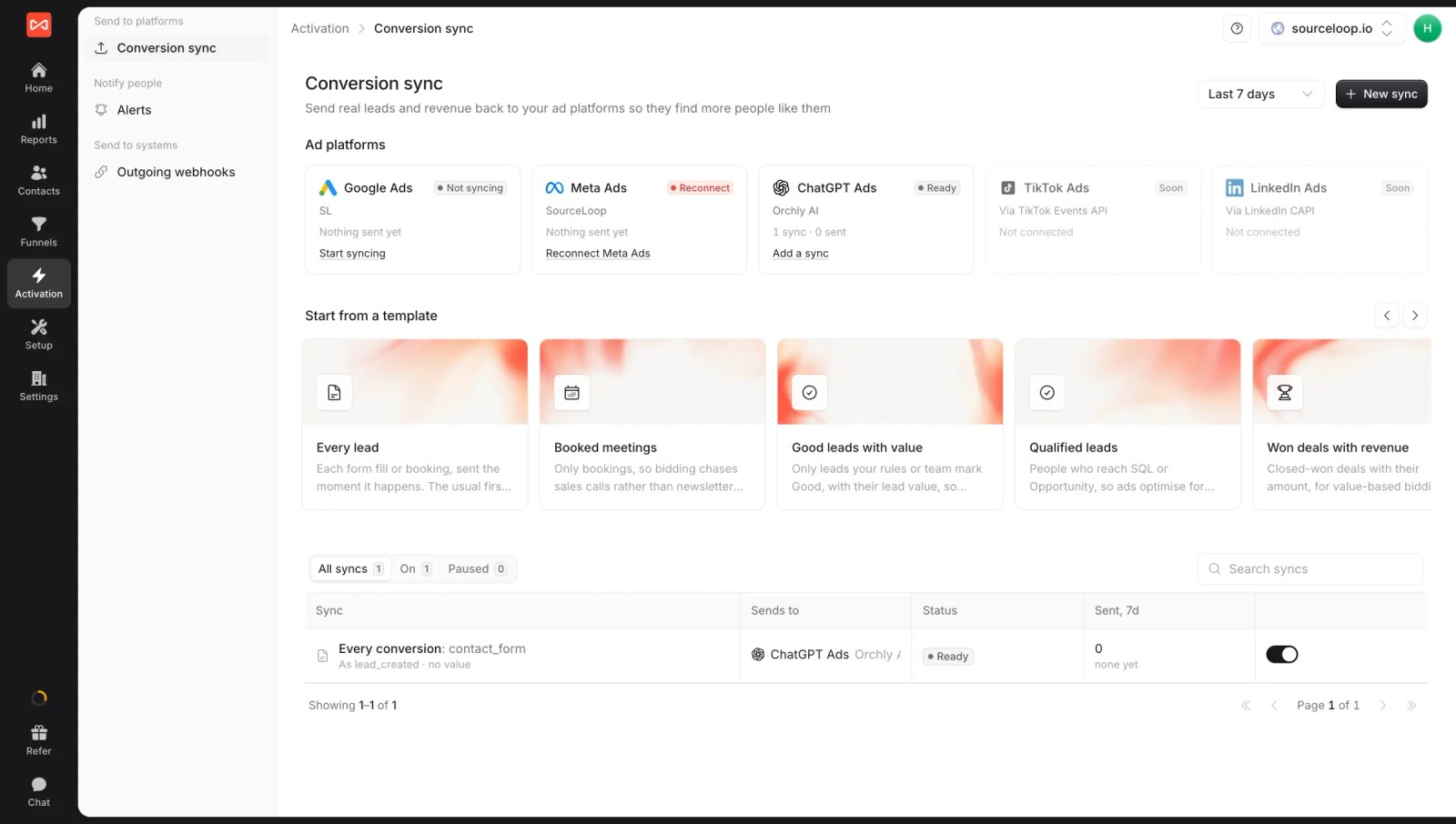
SourceLoop is a conversion tracking and marketing attribution software. It records where every visit came from, captures the lead from forms, calls, chats and bookings, follows it into the CRM or billing system, and sends the outcome you choose back to the ad platforms.
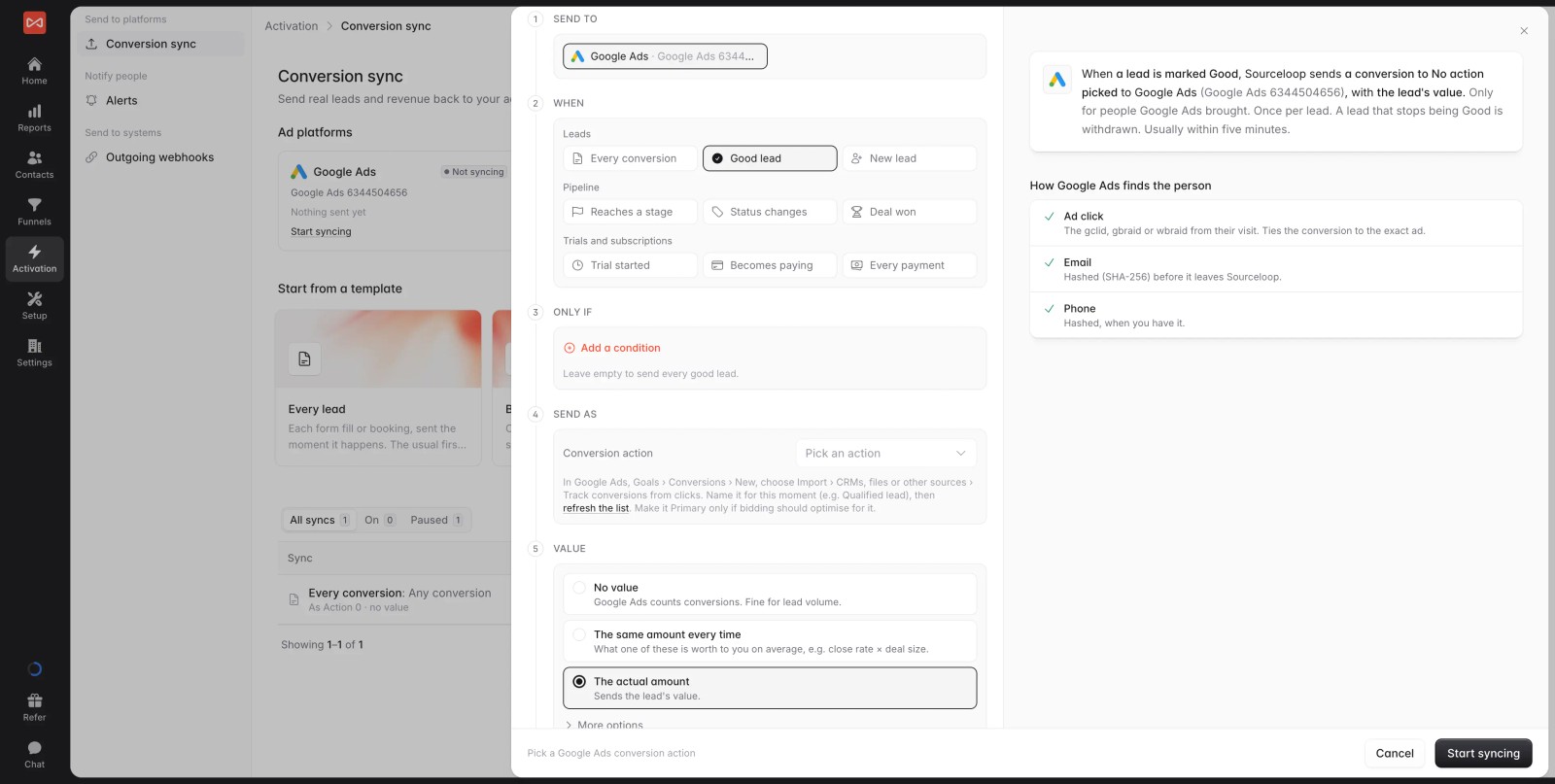
That last part is the whole point for this list. You decide what counts: every lead, only leads marked Good, a CRM stage, a won deal, a trial start or a payment. The value can be fixed or taken from the deal itself.
Key features
- Conversion sync to four ad platforms: Google Ads, Meta, Microsoft Ads and ChatGPT Ads, with ready-made templates like "Good leads with value" and "Won deals with revenue". See how server-side conversion sync works.

- Strong matching: each conversion carries the Google click ID (gclid, gbraid or wbraid) or Meta click data where it exists, plus hashed email and phone, and every sync shows how many sends matched.
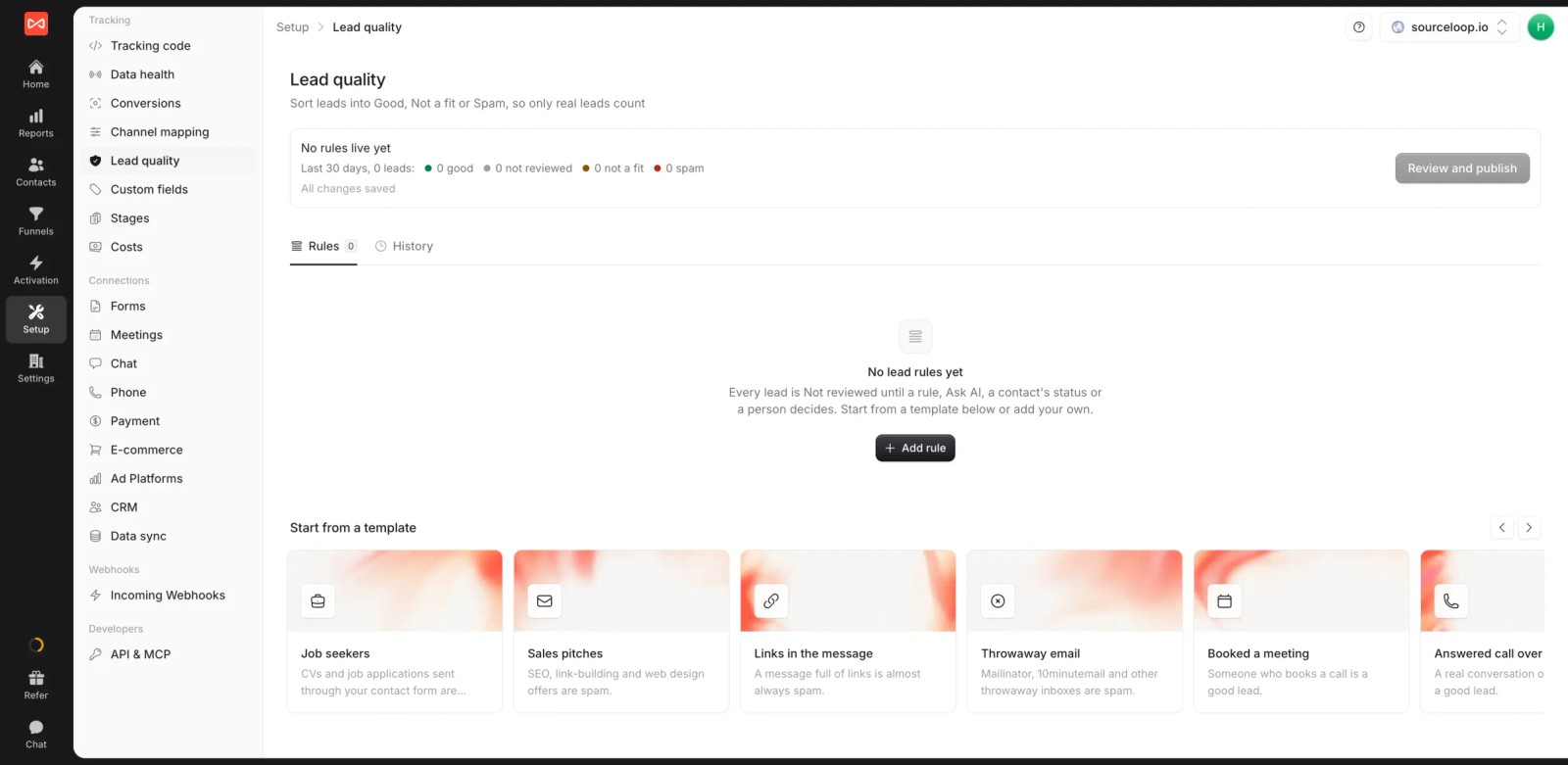
- Lead quality rules: mark leads Good, Not a fit or Spam from form answers, email domain or call length, then send only the good ones so bidding stops chasing junk.
- Outcomes from the CRM and billing: two-way sync with HubSpot, Salesforce, Pipedrive and Jobber, plus Stripe, Paddle and other payment providers.
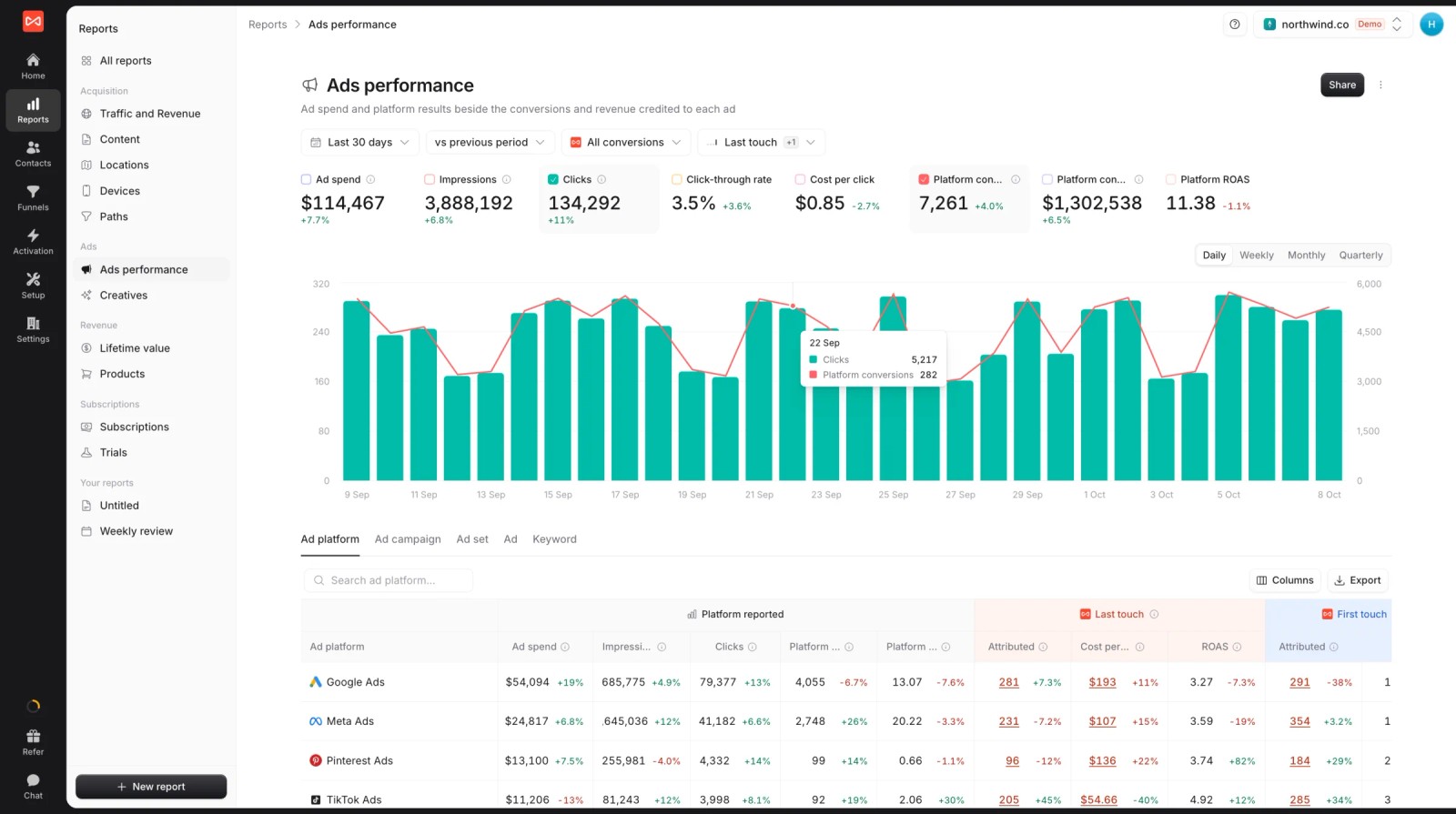
- Ad spend beside credited results: spend, platform-reported conversions and ROAS next to what SourceLoop credits each platform, so you can see how far the platform's own count drifts.
- Attribution and journeys: seven models on every report, and the full visit-by-visit path on each contact.

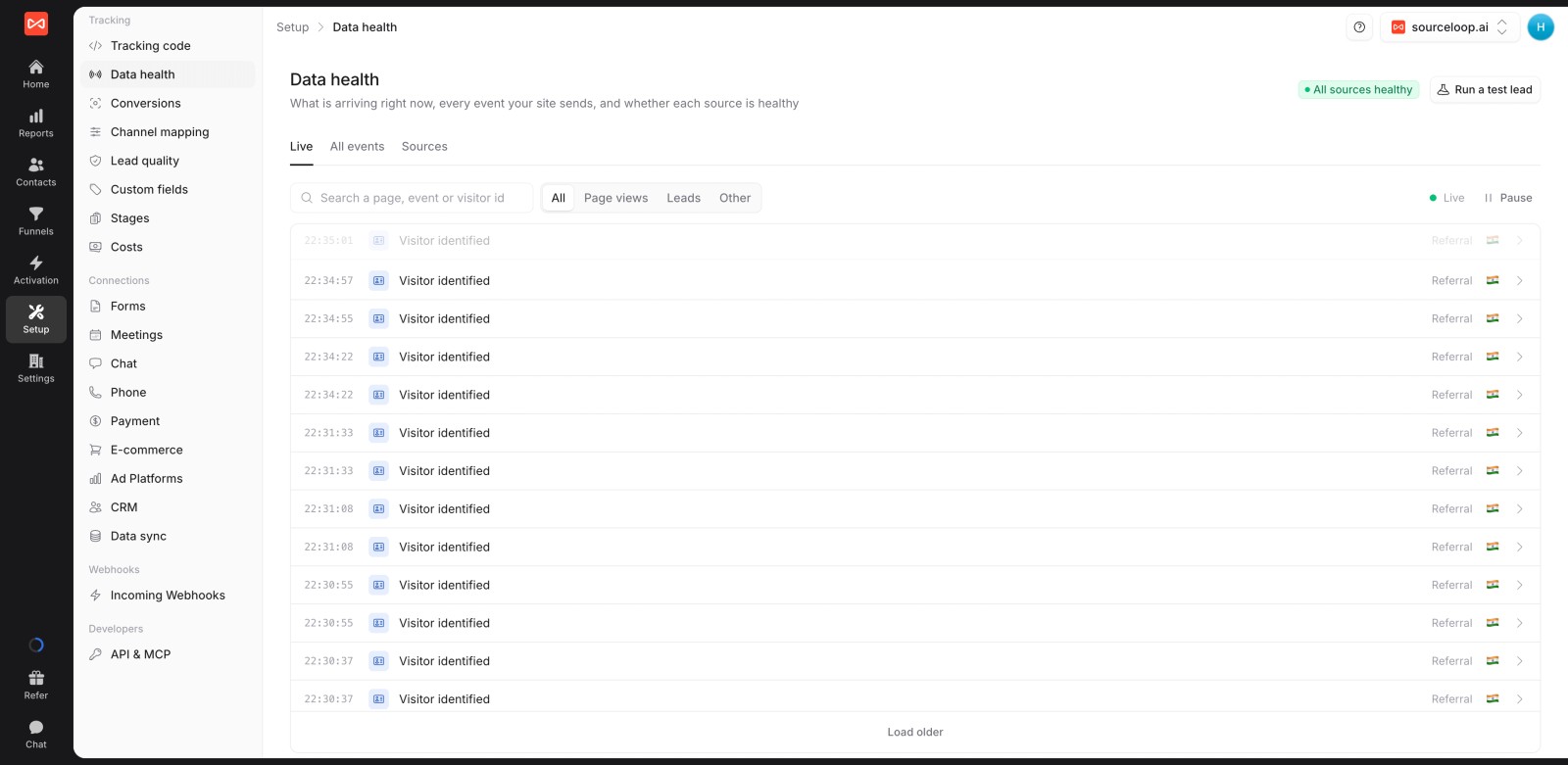
- Data health checks: a live event stream and a "run a test lead" button, so you can confirm tracking before money goes into a campaign.
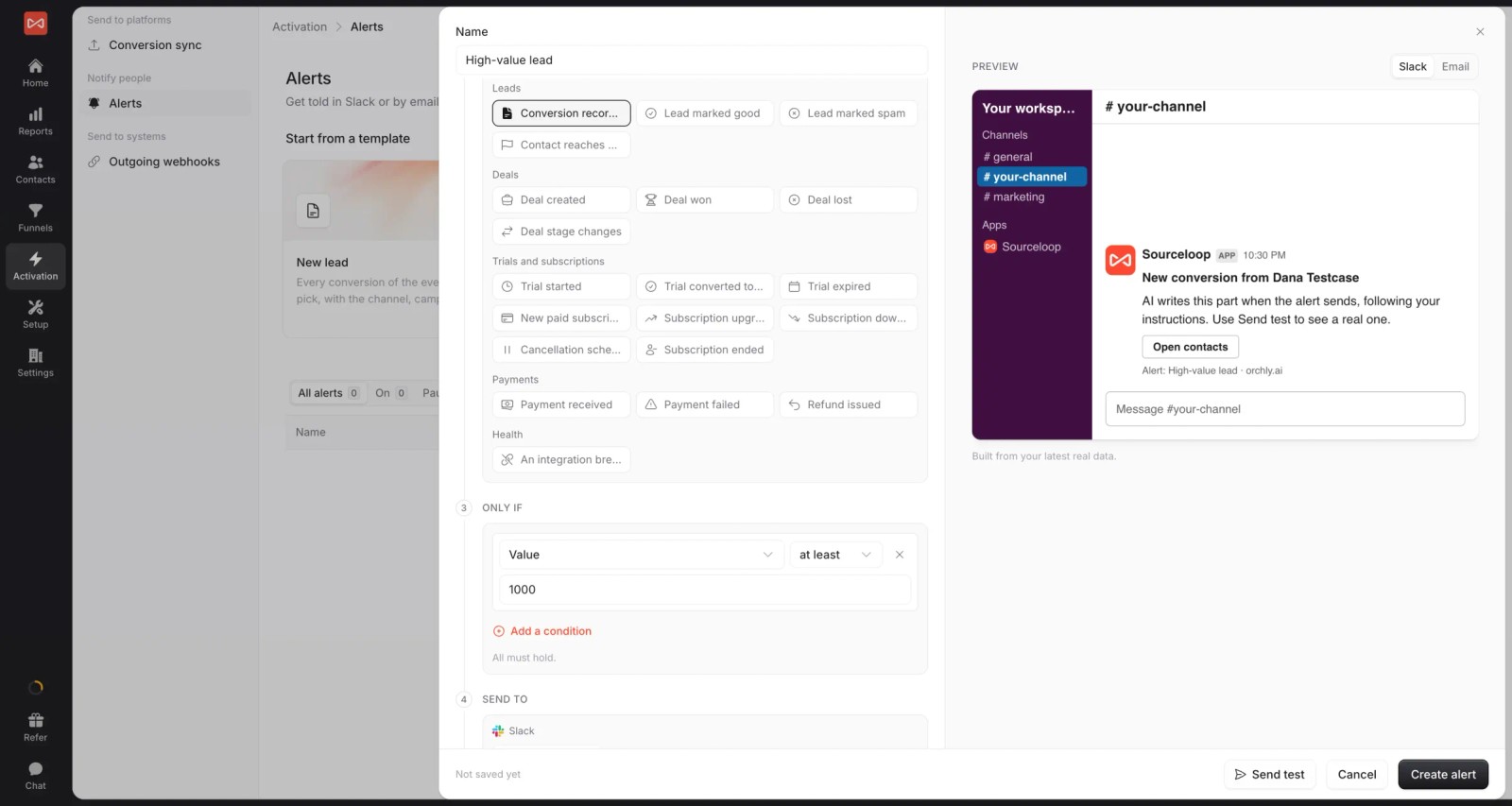
- Alerts: post new good leads or high-value conversions to Slack or email the moment they land, so the team can follow up while the click is fresh.
- Custom reports, white label and MCP: share branded reports, manage several websites from one login, and query results from an AI assistant through the MCP server on Professional and up.
Where it falls short
- LinkedIn and TikTok conversion sync are coming soon, not live yet, so B2B teams leaning on LinkedIn Ads will need another route for now.
- It doesn't track add-to-cart or checkout events for Shopify stores. Ecommerce brands are better served by Littledata or a server-side GTM setup.
Pricing
- Essential: $49/mo for one site and 30,000 page views, with tracking, attribution reports, lead quality rules and alerts
- Professional: $99/mo for 100,000 page views and unlimited users, adding CRM sync, conversion sync to the ad platforms, the API and MCP
- Agency: $249/mo for three sites and 1.5 million page views, adding white label reporting
- Unlimited conversions on every plan, and a 7-day trial. Many conversion tools charge per event or per order instead.
Verdict: the strongest fit when the conversion worth optimizing for happens in a CRM, on a call or in billing. For pure Shopify event tracking, look further down the list.
2. Stape
Best for: marketers and agencies comfortable in Google Tag Manager who want server-side events at a low monthly cost.
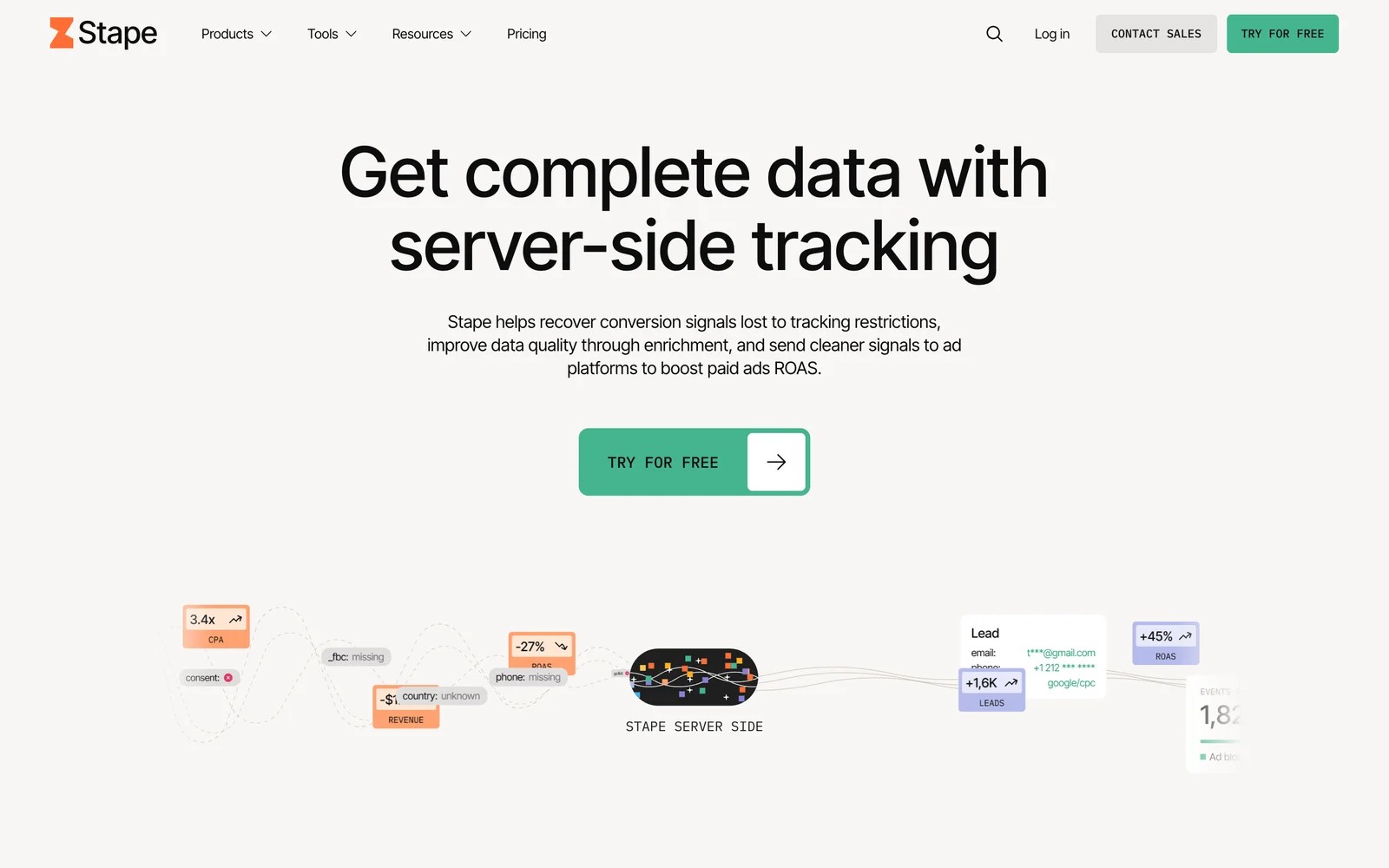
Stape hosts server-side Google Tag Manager containers and adds "power-ups" that recover events blocked in the browser and enrich them before they're sent on. It's infrastructure, not a reporting tool.
I started on the free plan, and the setup wizard got a container running on a custom subdomain faster than I expected. Their documentation and YouTube guides are genuinely good, which matters, because everything after the container is on you.
That's where I'd warn anyone who isn't fluent in GTM. Sending a Meta purchase event server-side means building the tag, mapping the parameters and setting up deduplication with the browser pixel. Stape makes that possible. It doesn't make it automatic.
Where it shines is cost. For a site that only needs better website events, it's hard to beat on price, and agencies like that they can run many client containers from one account.
Key features
- Managed server-side GTM hosting scales automatically, so you never patch or monitor a tracking server yourself.
- Power-ups like a custom loader and the data tag help recover events that ad blockers and browser limits would otherwise drop.
- Ready-made tag templates cover the Meta, Google, TikTok and other conversion APIs, which saves writing requests from scratch.
- A free plan covers 10,000 requests a month, enough to prove the setup works before paying anything.
Where it falls short
- It only knows what happens on your website, so qualified leads and closed deals never reach the ad platforms unless you build that pipeline.
- Without solid GTM skills, most of the value stays locked away, since every tag, trigger and deduplication rule is yours to configure.
- There's no reporting on which conversions matched or which campaigns they credit, so you'll check results inside each ad platform.
What users say
"The biggest benefit for me is the time saving. I'm the only analyst in our agency and time is my biggest constraint." (Source)
"It really is a lot to digest at the beginning. The dashboard is jam-packed with activities, which may seem overwhelming when users first log in." (Source)
"The support could be quicker with responses for agencies." (Source)
Pricing
- Free: 10,000 requests a month
- Pro: $20/mo ($17 billed yearly) for 500,000 requests
- Business and Enterprise: $100 and $200/mo, for 5 and 20 million requests
3. Littledata
Best for: Shopify and Shopify Plus brands that want accurate purchase and subscription events in GA4 and the ad platforms without touching GTM.
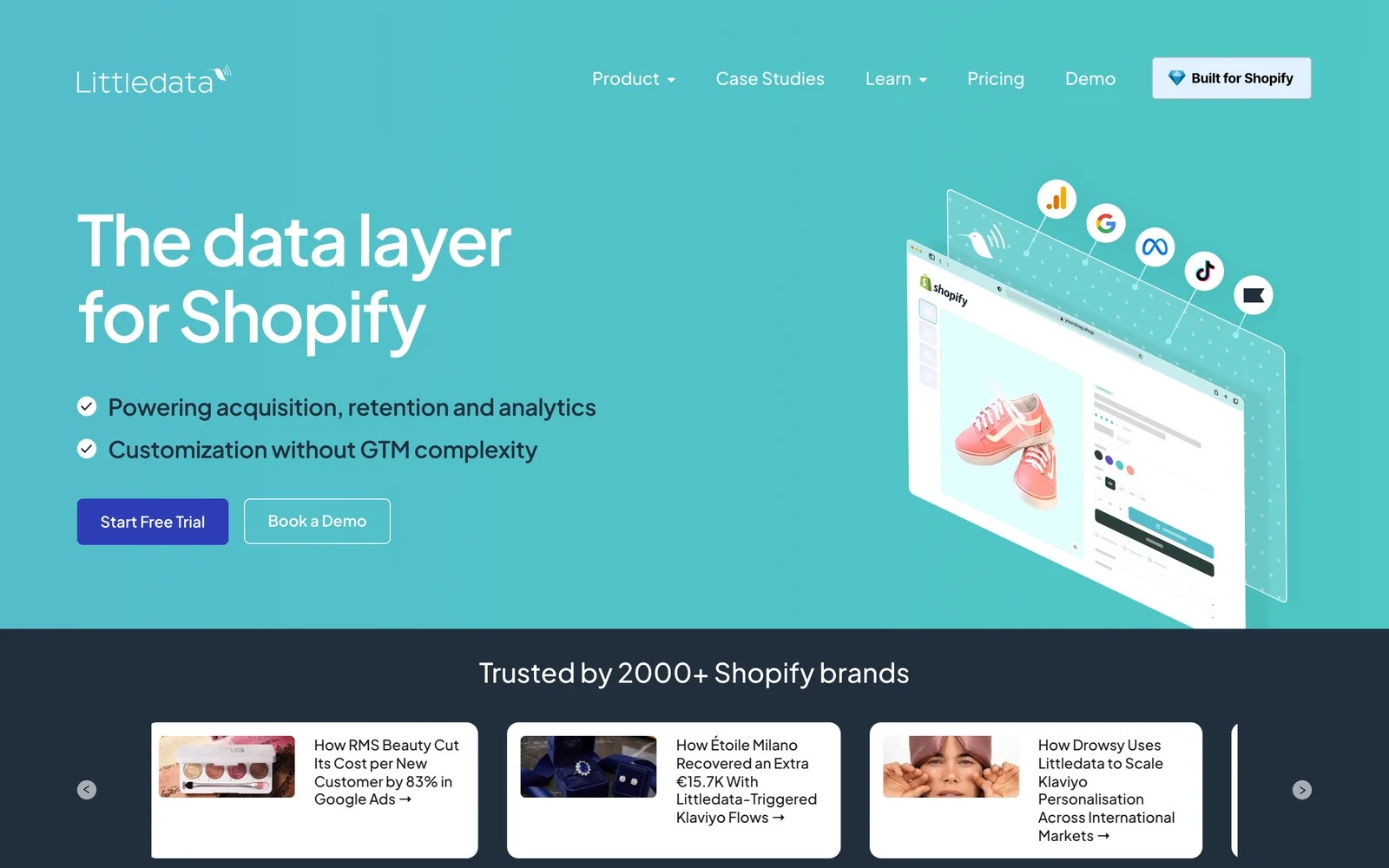
Littledata is a Shopify app that captures storefront and checkout events server-side and sends them to GA4, Meta, Google Ads, Microsoft Ads, TikTok, Pinterest, Klaviyo and more. It also handles Recharge subscription orders.
The onboarding is the part I'd single out. You connect the store, pick destinations, and it walks you through each one with guides that match the current screens. Compared with building the same thing in server-side GTM, it's a very different afternoon.
The pricing model needs a moment of thought, though. It's per order, so it scales with your sales, and smaller stores sometimes find the Scale plan a big step up from pay-as-you-go.
Outside Shopify, there's nothing for it to connect to. That's not a criticism, just the boundary.
Key features
- Server-side tracking of Shopify storefront, checkout and post-purchase events recovers orders that browser pixels miss.
- One connection sends purchases to GA4, Meta, Google Ads, Microsoft Ads, TikTok and Pinterest, so you don't maintain six separate setups.
- Recharge subscription orders are tracked alongside one-off purchases, which matters for brands that grow through renewals.
- Guided setup screens walk through each destination step by step, so a marketer can finish it without a developer.
Where it falls short
- It only works with Shopify, so lead-gen businesses, SaaS companies and stores on other platforms need a different tool.
- Per-order pricing means your tracking bill grows with every sale, which can sting during seasonal peaks.
- It sends store events, not CRM outcomes, so it can't report refunds decided later by sales or lifetime value back to the ad platforms.
What users say
"Littledata's UI walks you through each system setup with easy to follow and up to date guides so there is little room for error in your setup to get up and running." (Source)
"The integration with Recharge is not as reliable as the one with Shopify" (Source)
"Pricing can be a bit high for smaller brands/companies" (Source)
Pricing
- Flex: from $0.35 per order, no monthly minimum
- Scale: from $159/mo with 1,500 orders included
- Plus: from $792/mo with 10,000 orders included. 30-day free trial on every plan.
4. Hightouch
Best for: companies with a well-modeled data warehouse that want to send any conversion, from any system, to the ad platforms.
Hightouch reads from Snowflake, BigQuery, Databricks or Redshift and syncs the results to hundreds of destinations, including the conversion APIs. It has grown into a full composable CDP with AI decisioning on top.
When I set up the free tier, the model of how it works clicked quickly: write a SQL query that returns your conversions, map the columns to the destination's fields, schedule the sync. If your warehouse already knows which leads became customers, that's a clean way to tell Meta and Google.
The catch is in that "if". Hightouch assumes the hard work of joining clicks, leads and revenue is already done in your warehouse. Several reviewers say the same thing, more bluntly.
For a data team, it's one of the most flexible options here. For a marketing team without one, it's the wrong starting point.
Key features
- Reverse ETL syncs any query result from your warehouse to the ad platforms, so the conversion definition can be as precise as your data.
- Conversion API destinations for the major ad networks support hashed identifiers, which helps match rates.
- Match Booster and identity resolution add-ons enrich records before they're sent, for teams chasing higher match rates.
- A free tier with two active syncs and unlimited destinations is enough to prove one conversion pipeline end to end.
Where it falls short
- It doesn't collect clicks or leads itself, so you need tracking and a warehouse model in place before it has anything to send.
- SQL and data engineering skills are assumed throughout, which rules it out for most marketing teams working alone.
- Paid pricing isn't published, and reviewers describe the step up from the free tier as expensive for smaller companies.
What users say
"It lets us set up our Conversion APIs much faster, and we’ve also seen better match rates compared to our previous setups." (Source)
"If an organization doesn’t already have a highly mature, well-modeled, and clean data warehouse, the software is essentially unusable." (Source)
"It is also a very costly tool if you are not on the free plan" (Source)
Pricing
- Basic Reverse ETL: free, with up to 2 active syncs
- Composable CDP and Agentic Marketing Platform: usage-based, quoted after a demo
5. CallRail
Best for: local and service businesses where the phone call is the conversion, and Google Ads is the main channel.
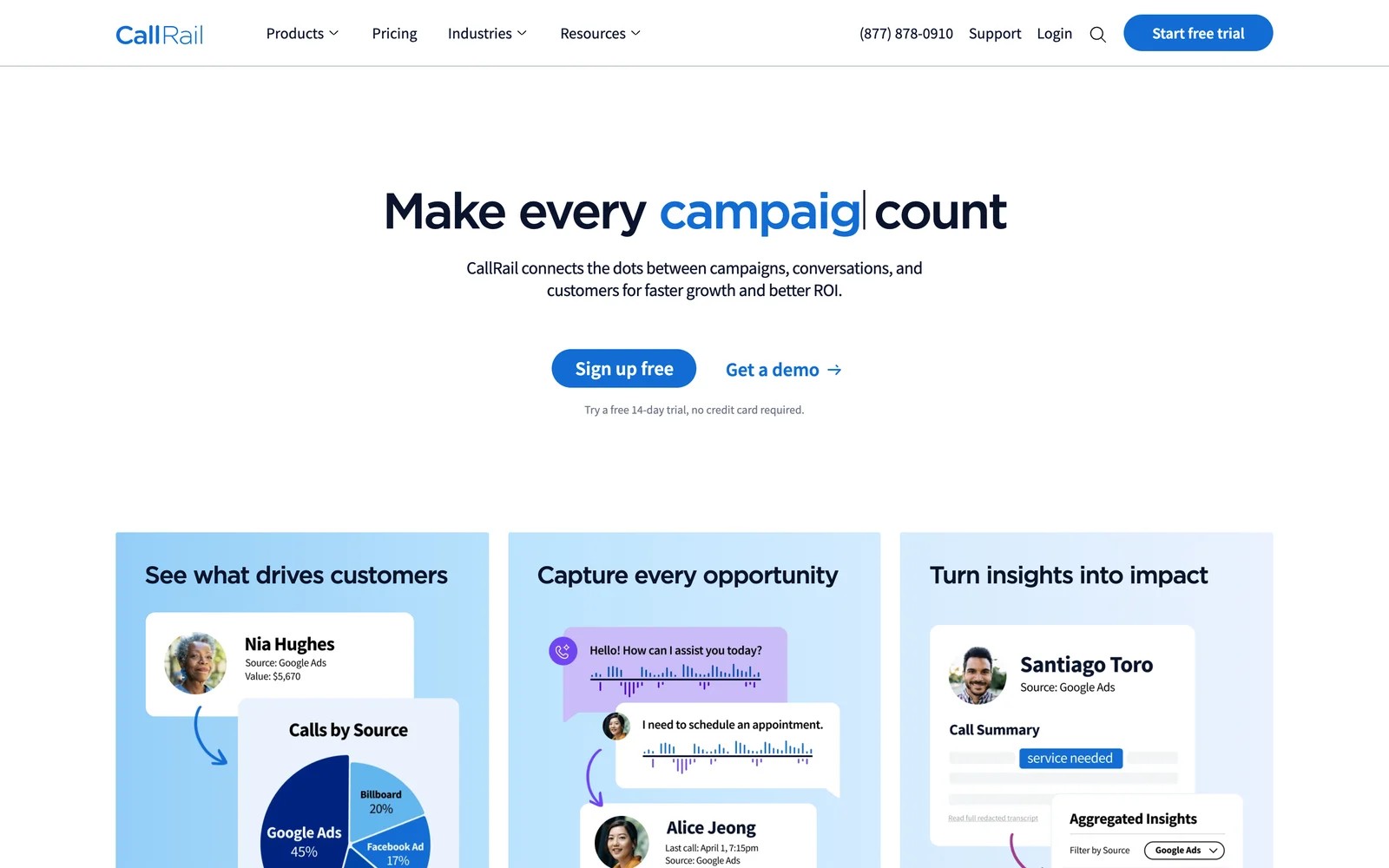
CallRail swaps phone numbers per campaign and per visitor, ties each call to the click behind it, and sends call conversions to Google Ads. Values can be set by hand or pulled from a connected CRM.
On the trial, the Google Ads connection was the quickest of any tool here. Once calls flowed, Google could see which keywords produced calls longer than a set duration, which is a far better signal than a click on a phone number.
Where I had to think harder was call quality. A two-minute call from a supplier looks the same as a two-minute call from a customer unless you tag it, and CallRail's AI tagging helps but isn't perfect.
It also stays focused on Google. The integration page doesn't mention Meta or Microsoft Ads, so social campaigns need another route for their call conversions.
Key features
- Dynamic number insertion gives each visitor or campaign its own number, so every call is tied to the ad and keyword behind it.
- Call conversions go to Google Ads with call time, location and caller details, helping bidding favor keywords that produce real calls.
- Conversion values can be set manually or pulled from a connected CRM, so a booked job can count for more than a quick inquiry.
- AI transcription and tagging label calls automatically, which helps separate real leads from spam and existing customers.
Where it falls short
- Its ad integration centers on Google Ads, so call conversions from Meta or Microsoft campaigns need a separate setup.
- Call quality depends on tagging, and unqualified calls can still be reported as conversions unless you filter them carefully.
- Usage-based billing on numbers and minutes makes monthly cost harder to predict, especially for agencies passing it on to clients.
What users say
"From a marketing agency perspective, CallRail is a powerful solution for lead attribution for specific channels." (Source)
"If you have a complicated marketing system, CallRail can get overwhelmed with the dynamic number insertion and may provide contradictory information between \"Sources\" and \"Numbers\"." (Source)
"I need a way to filter out and block automated robocalls and calls from non-human sources so my clients aren’t wasting time answering or calling them back." (Source)
Pricing
- Lead Tracking: $50/mo with 5 numbers and 250 minutes
- Lead Tracking Complete: $95/mo, adding form tracking
- Lead Conversion plans: $150 and $195/mo, adding AI call tools. Usage billed on top, 14-day trial.
6. Cometly
Best for: B2B SaaS teams running paid acquisition that want ad-level revenue and offline conversions sent back to Meta and Google.
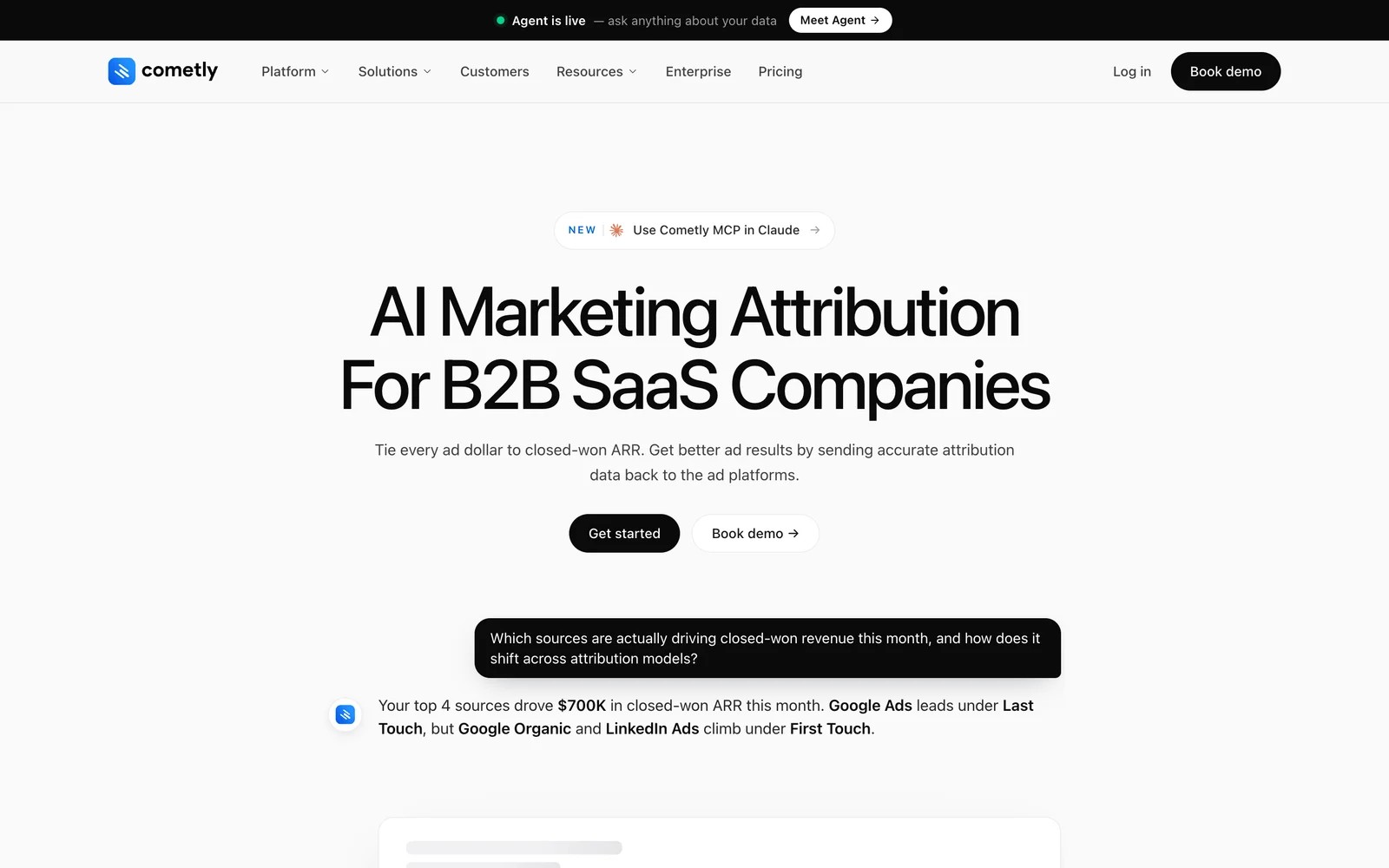
Cometly combines a first-party pixel with CRM data, attributes pipeline and closed-won revenue to ads, and sends conversions back through each platform's conversion API. It now positions itself squarely for B2B SaaS.
I've used it for a while, and the moment it earns its keep is when you put its revenue numbers next to Ads Manager. Seeing which ad sets produced closed-won revenue, not just leads, changes how you read Meta's dashboard.
The setup asks more of you than the homepage suggests. Getting pipeline stages mapped correctly and making sure the pixel and CRM agree on identity took real care, and reviewers with complex stacks say the same.
It's also become less general-purpose. Teams running local lead gen or ecommerce will notice the product and its new features are aimed at SaaS pipelines.
Key features
- A first-party pixel and server-side tracking capture ad clicks that browser-based tracking would miss after privacy changes.
- Offline sales and CRM stages go back to Meta and Google through their conversion APIs, so bidding learns from revenue.
- Multi-touch attribution follows each lead from the first ad click through to pipeline and closed-won revenue.
- An AI agent and an MCP server let you ask questions about ad performance in plain English.
Where it falls short
- Prices aren't published, which makes it hard to compare against tools with fixed monthly plans before talking to sales.
- There's no call tracking, so phone-led businesses won't see their most valuable conversions without adding another tool.
- Its focus on B2B SaaS means local lead-gen and ecommerce teams may find the reports and templates a poor fit.
What users say
"Cometly marries sales and marketing data into one platform and feeds it back to your ad channels for optimization so you can make data driven decision right from your Ad Accounts." (Source)
"Sometimes it takes a bit too long to set it up if you have complex Tech Stack." (Source)
"It's just another UI for the same tools that you have with advertisers" (Source)
Pricing
- Usage-based Core plan and a quoted Enterprise plan. Dollar amounts aren't shown on the pricing page.
How to choose
Start from the moment a conversion becomes real in your business.
1. Where does the real conversion happen?
- On the website, and you're comfortable in GTM: Stape.
- In a Shopify checkout: Littledata.
- On a phone call from Google Ads: CallRail.
- In a CRM or billing system: SourceLoop or Cometly. SourceLoop suits lead-gen businesses, agencies and SaaS teams, and can send only qualified leads or won deals with their value.
- Already modeled in your warehouse: Hightouch.
2. Who will maintain it?
- A data engineer: Hightouch or Stape.
- A marketer without a developer: SourceLoop, Littledata or CallRail.
3. Which platforms matter?
- Check the destinations list before anything else. SourceLoop covers Google, Meta, Microsoft and ChatGPT Ads today, with LinkedIn and TikTok coming soon.
For the mechanics behind all of this, our explainer on server-side tracking is a good next read.
Frequently asked questions
-
What is ad conversion tracking software?
It's software that records conversions and sends them to ad platforms like Google Ads, Meta and Microsoft Ads, usually server-side, so the platforms can attribute them to clicks and optimize bidding.
-
What's the difference between a pixel and a conversions API?
A pixel runs in the visitor's browser and can be blocked or limited by privacy settings. A conversions API sends the event from a server, which is more reliable and can include events that happen off the website, like a closed deal.
-
Should I send every lead to Google Ads?
Usually not. Sending every form fill teaches bidding to find more form fills, including spam. Sending only qualified leads or won deals, with their value, trains it to find customers.
-
What is enhanced conversions for leads?
It's Google Ads' way of matching offline conversions, like a qualified lead in your CRM, to the original ad click using hashed email or phone captured on your form.
-
Do I need server-side tracking for Meta ads?
Meta recommends using the Conversions API alongside the pixel. It recovers events the pixel misses and lets you send offline outcomes, which generally improves matching and optimization.
-
Which tool is best for phone call conversions?
CallRail if Google Ads is your main channel and calls are the conversion. SourceLoop can attribute those calls alongside forms and CRM deals, and send the qualified ones to several ad platforms.




 Paid Social


