
How to Track UTM Parameters in Pipedrive CRM
Pipedrive UTM tracking made easy: 4 simple steps to discover what’s driving your pipeline.
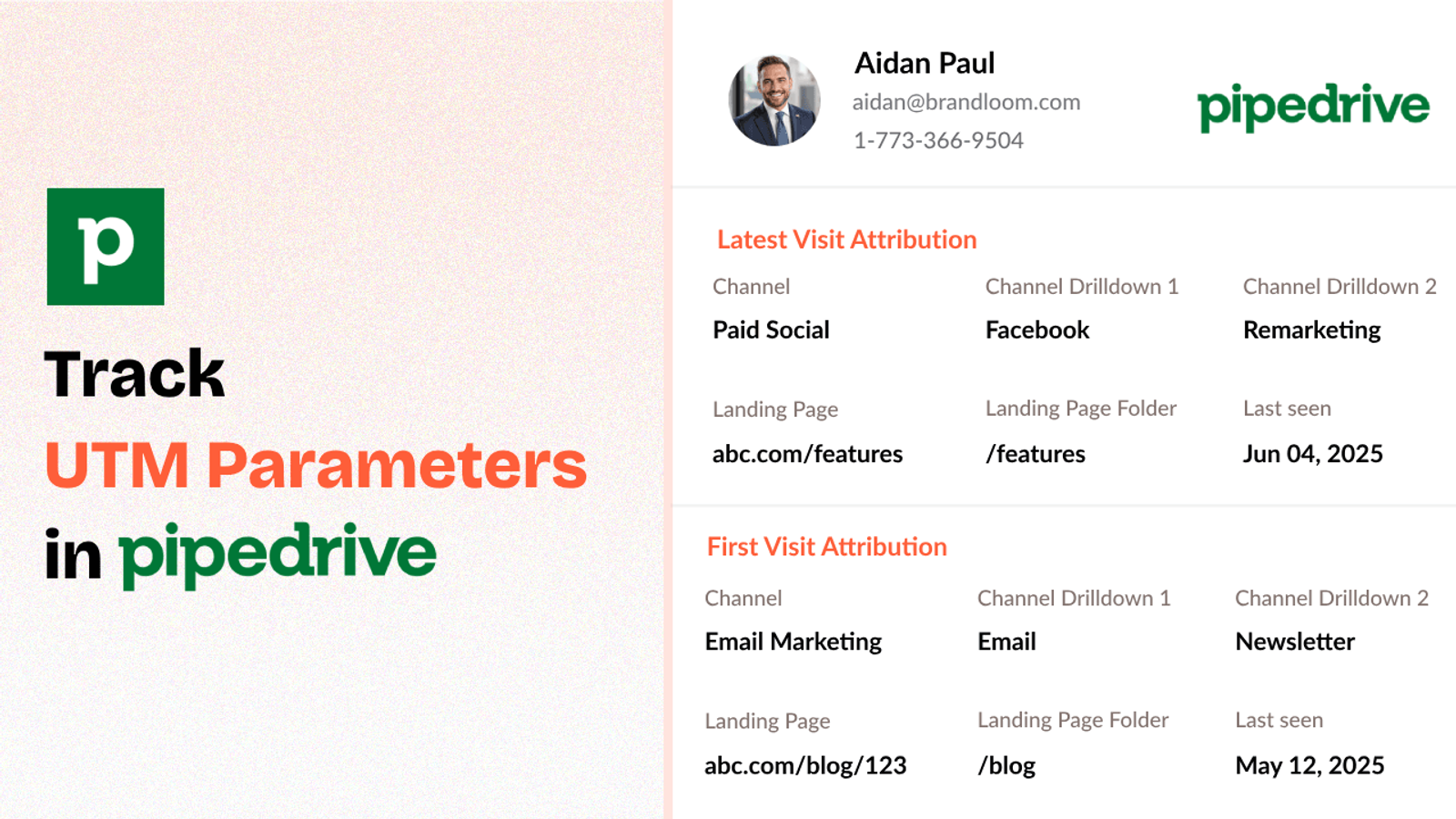
Table of contents
While Pipedrive CRM is great for managing your customer relationships, it doesn’t automatically capture UTM data for every inbound leads & customers.
That’s where SourceLoop.ai comes in.
It tracks UTM parameters from your website visitors and syncs them directly into your Pipedrive CRM.
In this post, we’ll show you how to track UTM parameters in Pipedrive CRM without writing a single line of code.
Let’s dive in!
4 Easy Steps to Track UTM Parameters in Pipedrive CRM
Here are 4 simple steps to capture UTM parameters in Pipedrive CRM:
1. Add SourceLoop.ai on Your Website

Pipedrive can’t capture the UTM parameters of all leads on its own, so a third-party plug-and-play tool like SourceLoop.ai makes sure that every inbound lead in your CRM carries the UTM parameters.
Here’s how:
- Sign up for a free account at SourceLoop.ai.
- Copy your unique tracking script.
- Paste it into your website’s global header.
Once added, SourceLoop.ai automatically captures UTM tags from any URLs that bring visitors to your website.
No matter if someone finds your website through a Facebook ads, organic Google search or a LinkedIn post, their UTM values are captured by SourceLoop.ai with full accuracy.
Example of how SourceLoop capture & organizes UTM data:
Let’s say Spotify is running a Google Ads campaign to promote its new premium family plan.
When a user clicks on the ad and lands on the Spotify website, SourceLoop captures and structures the UTM data like this:
- Last Seen: April 27, 2025
- Channel: Paid Search
- Channel Drilldown 1: Google Ads
- Channel Drilldown 2: Family Plan Promo
- Channel Drilldown 3: Responsive Search Ad
- Landing Page: www.spotify.com/family
- Landing Page Folder: family
2. Add UTM Parameters to Your Links

If you want SourceLoop and Freshsales CRM to correctly identify where your leads are coming from, links used by user to visit your site must include UTM parameters.
Every link you share online —whether in ads, newsletters, or social posts—should have UTMs attached.
Here’s what a properly tagged URL might look like for a Facebook ad campaign:
https://yourwebsite.com?utm_source=facebook&utm_medium=paid_social&utm_campaign=brand_campaign
And it is not just about paid ads.
You should add UTM parameters to every link you share — whether it’s a blog post, a partner website, or even an organic social media post — to ensure you always have complete information about how a lead discovered your website.
Resources: How to Create & Use UTM Tracking URLs
3. Add Hidden Fields to Your Lead Form
To track UTM data when someone becomes a lead, your website forms (like Contact Us, Request a Quote, or Book a Demo) need to be set up to capture it.
The easiest way to do that?
Add hidden fields to your forms.
These fields are invisible to users but silently collect all the important tracking info in the background.
Here are the standard hidden fields you should include:
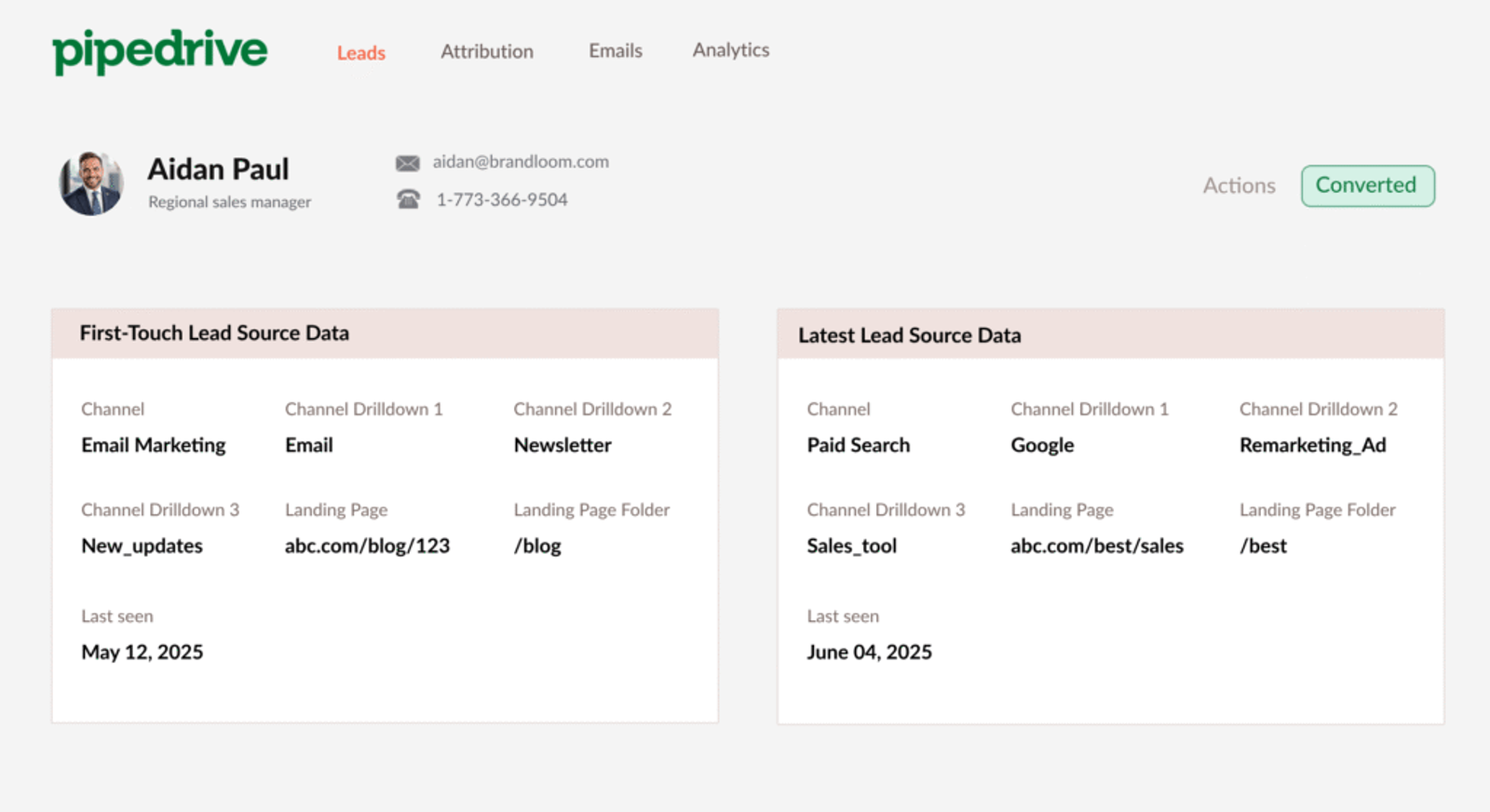
channelchanneldrilldown1channeldrilldown2channeldrilldown3landingpagelandingpagefolderlastseen
Most modern form and scheduling tools (such as Contact Form 7, Wix Forms, Cal.com, Typeform, and Jotform) let you add hidden fields within a click.
Optional: Want First-Touch Attribution Data Too?
A user may visit your website multiple times through different marketing campaigns before they submit a lead form or book a meeting.
For example, a user might first discover your website through a Meta ad, then return later by clicking a link in your email newsletter, and only then fill out the lead form.
The hidden fields recommended above are designed to capture information about the user’s latest visit (in this case, the visit through the email).
However, if you also want to know how they discovered your website for the first time, you can add seven additional hidden fields to capture attribution data from the user’s initial visit to your site.
first_channelfirst_channeldrilldown1first_channeldrilldown2first_channeldrilldown3first_landingpagefirst_landingpagefolderfirstseen
4. Sync UTM Data with Pipedrive CRM in Real-Time
That’s it!
Once a visitor submits the form or books a meeting, SourceLoop.ai automatically sends the captured UTM data into the form fields.
From there, you can easily map that information to the contact record inside Pipedrive CRM.
What Can You Do with UTM Data in Your CRM?
1. Personalize Lead Nurture and Follow-Up
UTM tracking lets you move beyond generic follow-up emails.
Instead of sending same generic email to engage with an inbound lead, you can tailor your messaging based on exactly how they found you.
For example;
- If someone downloaded an ebook after clicking a LinkedIn ad, you could send a follow-up email like, “Thanks for grabbing our guide! Here’s one quick action step you can take today.”
- If a lead registered for a webinar through a blog post, you might follow up with an invite to book a demo, knowing they’re already engaged with your product.
2. Optimize Your Marketing Budget
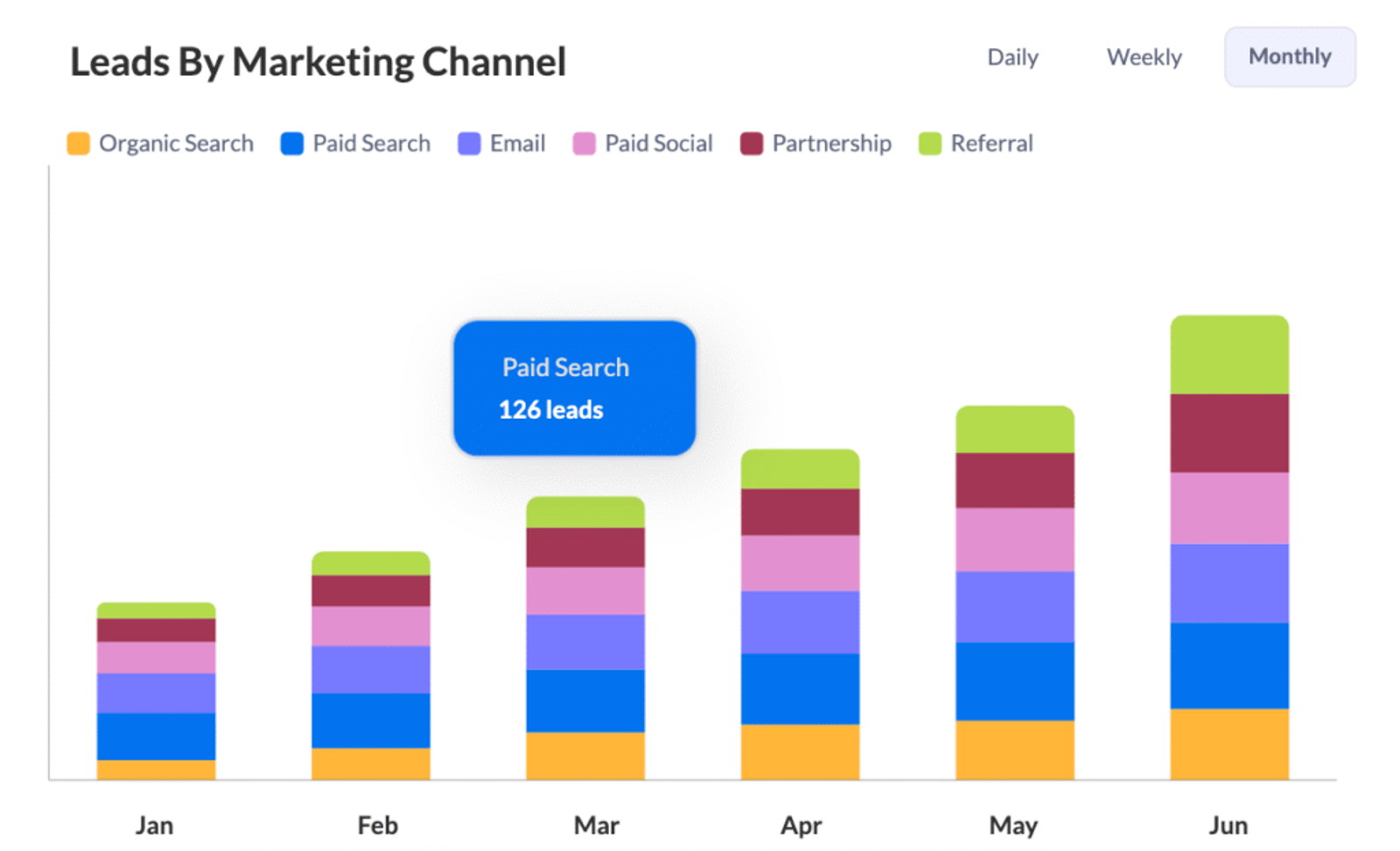
Having UTM data inside your CRM lets you clearly see which channels and campaigns are actually driving qualified leads and customers.
For example:
- Let’s say Facebook Ads generate 100 leads at $10 each, but only 5% convert into paying customers.
- Meanwhile, YouTube Ads bring in leads at $15 each, but 12% of them close.
Even though YouTube leads cost more upfront, they deliver a much better conversion rate — meaning a much better return on your ad spend.
With UTM data, you can make smart, data-backed decisions about where to invest more and where to cut back.
3. Build Custom Dashboards & Reports
With UTM data flowing into your CRM for every new contact, you can create powerful custom dashboards that show exactly what’s working.
For example:
You could build a report that follows the journey from Lead Source ➔ Conversion Rate ➔ Average Deal Size — giving you a full view of campaign performance at a glance.
Instead of exporting spreadsheets and digging through data manually, your team can instantly see which marketing efforts are paying off and which ones need fine-tuning.




 Paid Social


