
How to Track UTM Parameters in GoHighLevel
Here are 4 simple steps to capture UTM parameters in GoHighLevel
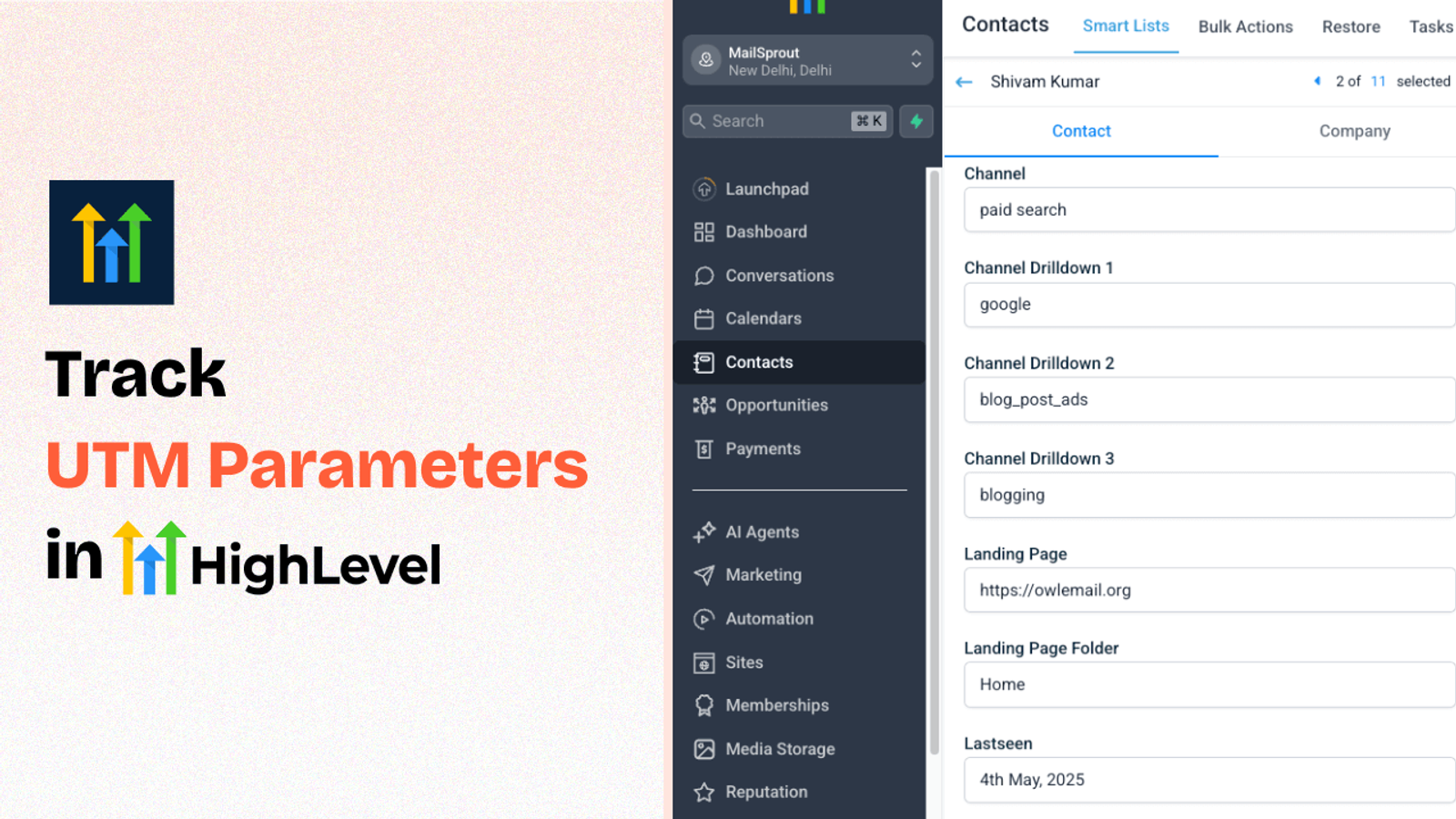
Table of contents
Want to know exactly where your leads are coming from in GoHighLevel?
UTM parameters make it easy to track the source of your traffic, but connecting that data to your CRM can be tricky.
If you don’t, you’re likely not tracking UTM parameters in your Zoho Forms.
In this guide, we’ll show you how to use SourceLoop.ai to automatically track UTM parameters in GoHighLevel form and sync it with CRM contact.
Let’s dive in.
4 Easy Steps to Track UTM Parameters in GoHighLevel Forms
Here are four simple steps to capture UTM parameters in GoHighLevel:
1. Install SourceLoop.ai on Your Website

First things first, you need to add SourceLoop.ai to your website so it can start tracking traffic sources.
Here’s how to do it:
- Create a free account on SourceLoop.ai
- Once you’re inside the dashboard, you’ll see a script that looks similar to a Google Analytics snippet.
- Copy the tracking script.
- Paste it into the section of your website — either manually or using a tool like Google Tag Manager.
🔍 Tip: If you’re using a funnel in GoHighLevel, you can paste the script in the Settings tab under “Tracking Code.”
That’s it!
Once the script is installed, SourceLoop will begin tracking UTM parameters and storing the data.
Example:
Let’s say Airbnb is using SourceLoop.ai, and a user clicks on one of their Facebook ads.
SourceLoop.ai will capture and organize the user’s visit information like this:
- Channel = Paid Social
- Channel Drilldown 1 = Facebook
- Channel Drilldown 2 = Infleuncer Campaign
- Channel Drilldown 3 = Hotels in London
- Landing Page = www.airbnb.com/hotels/london
- Landing Page Folder = hotels
- Last Seen = March 19, 2025
2. Add UTM Parameters to Your Links

Now that SourceLoop is listening for traffic, it’s time to make sure you’re sending UTM-tagged links.
If you’re running Meta ads, Google Ads, sending emails, or posting on social, UTM parameters help you identify which campaign brought in the user to your site.
Here’s what a link with UTM parameters looks like:
https://yourdomain.com?utm_source=facebook&utm_medium=ad&utm_campaign=spring_sale
3. Configure Hidden Fields in Your Lead Form
Now, you’ll need to create hidden fields on your lead form to hold the UTM values.
If you’re using GoHighLevel forms or funnels:
1. Open your form in the GoHighLevel builder.
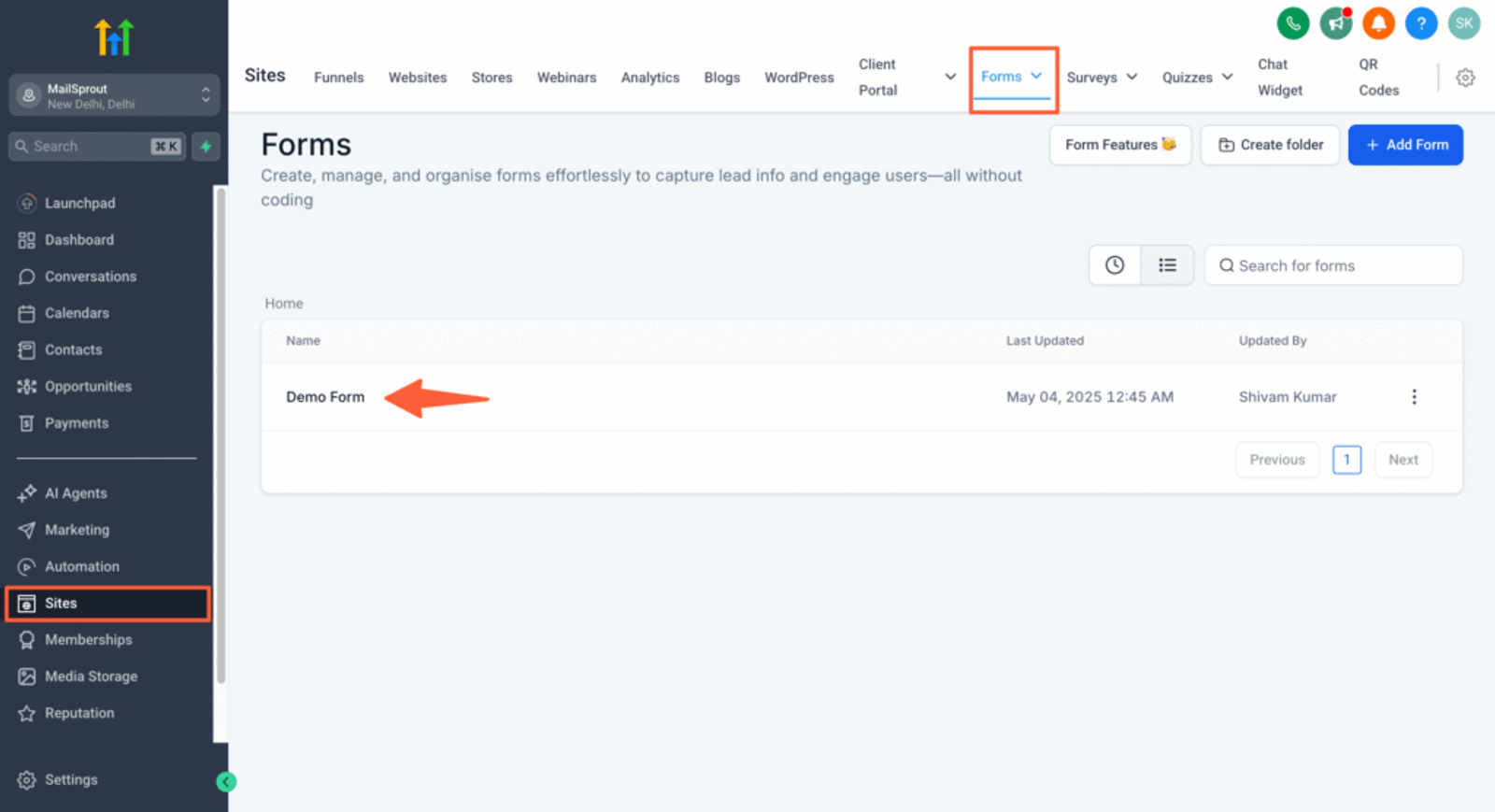
2. Click Add Form Field and select “Custom Field.”
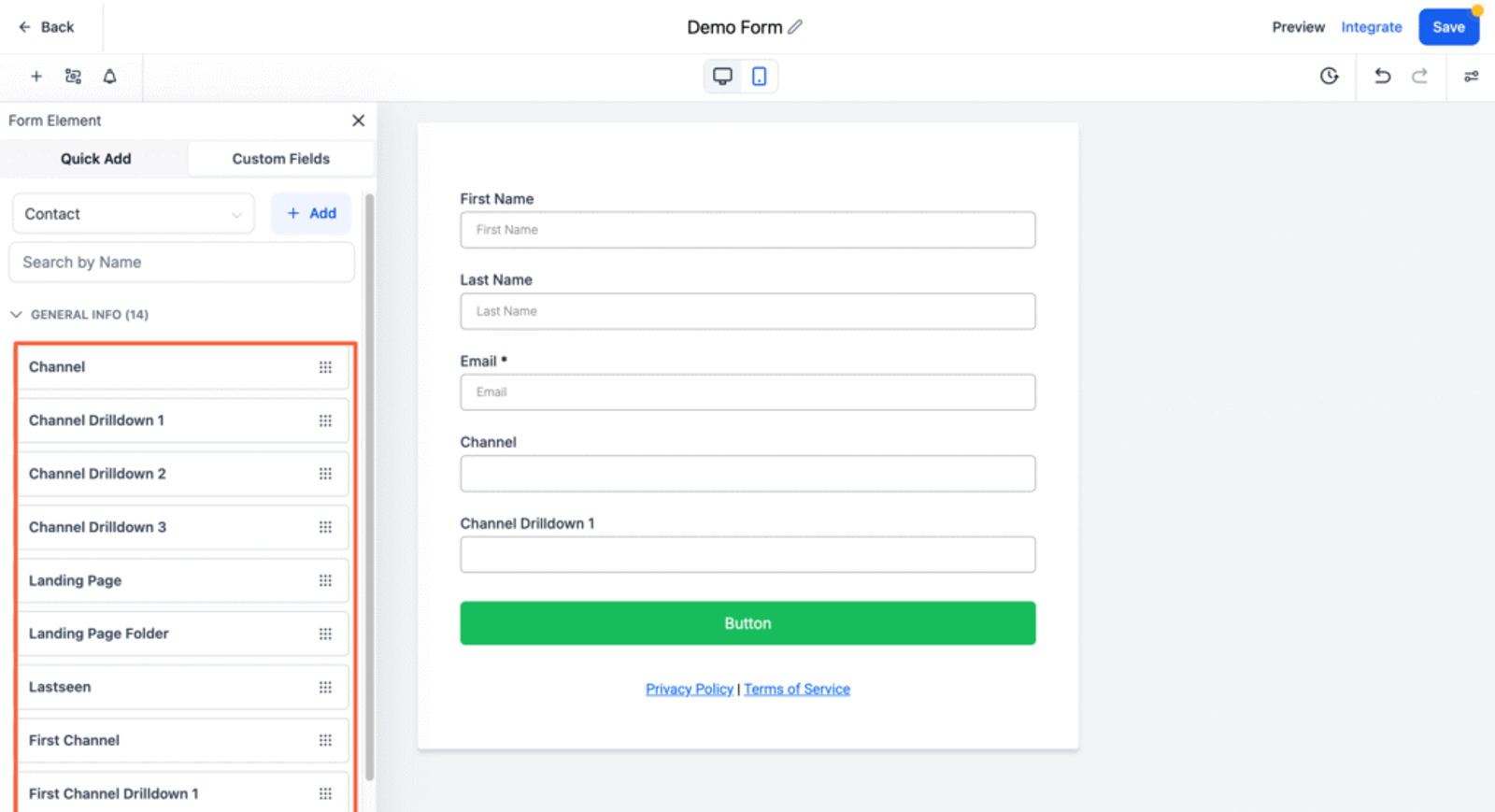
3. Create fields for each UTM parameter you want to track with the supported query key.
Here are the list of supported query key for tracking latest touchpoint UTM data:
channelchanneldrilldown1channeldrilldown2channeldrilldown3landingpagelandingpagefolderlastseen
Mark each of these fields as hidden in the form settings. This way, users don’t see them — but the data still gets captured.
You can also add fields to capture first visit data for users who visit your site multiple times:
firstseenfirst_channelfirst_channeldrilldown1first_channeldrilldown2first_channeldrilldown3first_landingpagefirst_landingpagefolder
4. Automatically Capture UTM Parameters in GoHighLevel
That’s it.
When someone visits your website from a UTM-tagged link, SourceLoop stores that data.
Then, when the user submits a form, SourceLoop automatically injects the UTM values into the hidden fields of form.
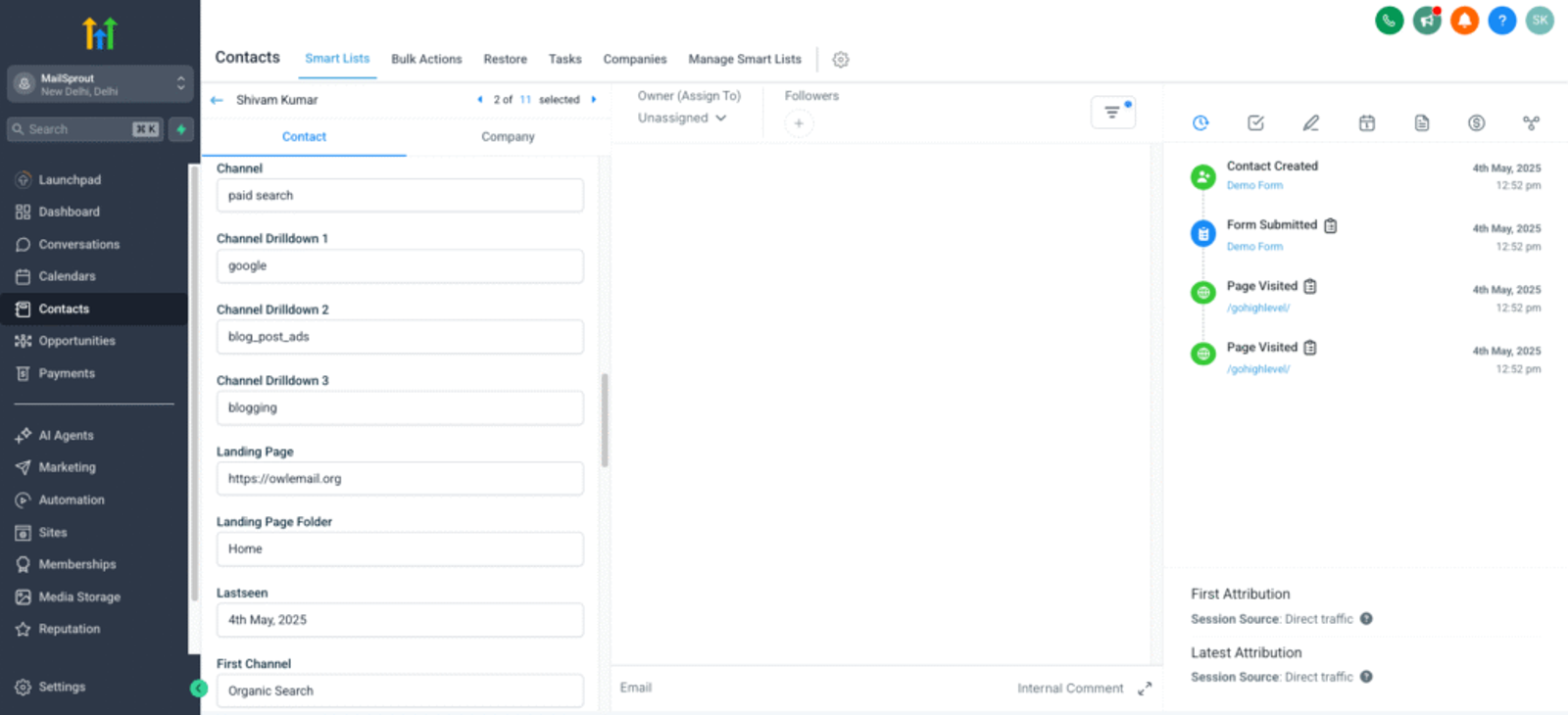
Note: As you can see in the example above (bottom right), GoHighLevel also provides first-touch and latest-touch attribution data of lead.
However, this data is often limited and less detailed compared to what SourceLoop.ai captures and syncs.
Once UTM data is captured in your CRM, like GoHighLevel, it unlocks a range of powerful marketing, sales, and reporting opportunities.
Here’s what you can do with that data:
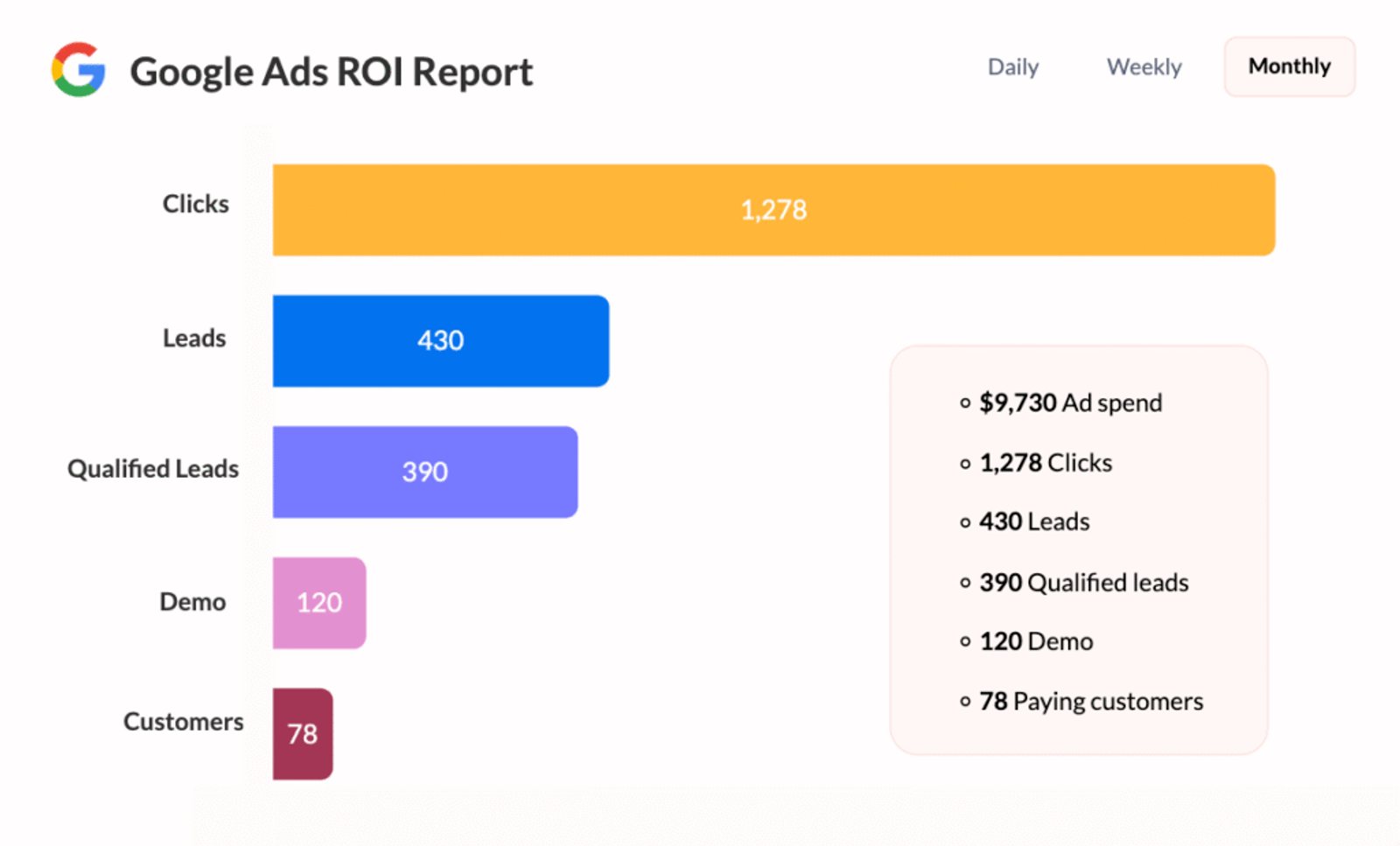
1. Track Marketing Performance
You can analyze which channels, campaigns, or ads are driving the most leads and conversions.
- See which UTM sources (e.g., Facebook, Google, Instagram) are generating the best ROI.
- Identify high-performing UTM campaigns (e.g., “spring_sale”) so you can double down.
- Compare UTM mediums (e.g., “email”, “cpc”, “organic”) to optimize marketing spend.
2. Personalize Sales Conversations
Give your sales team context about the lead’s journey — so they can tailor their pitch accordingly.
Example: A rep can see that a lead came from a Google search ad for “real estate coaching,” and open the call with relevant questions.
3. Automate Workflows Based on Source
Trigger automations, workflows, or tags in GoHighLevel based on UTM values.
Example: Automatically tag all leads from channel=facebook and enroll them in a Facebook-specific follow-up funnel.
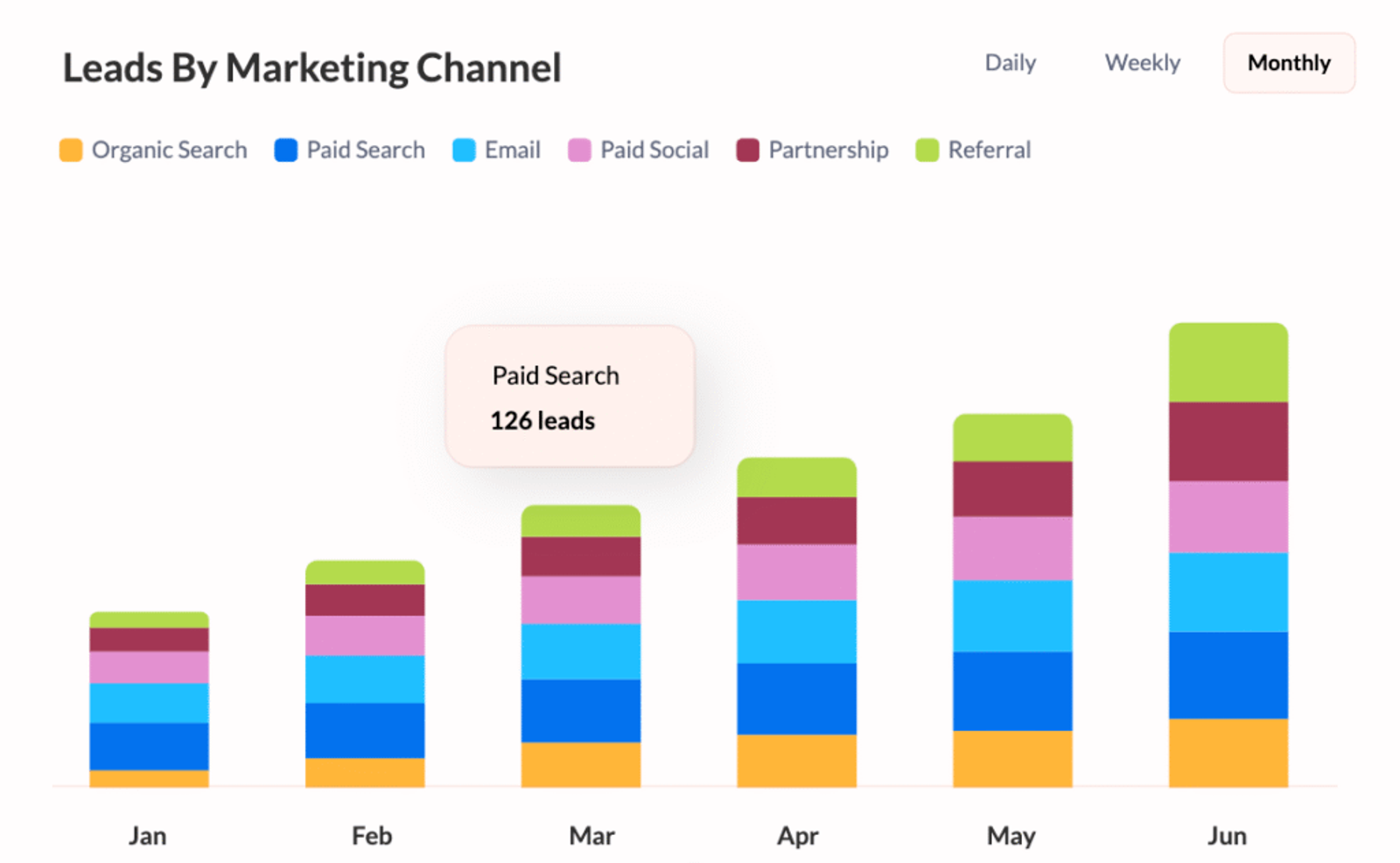
4. Measure Return on Ad Spend (ROAS)
By connecting UTM data to closed deals or purchases in your CRM, you can calculate the exact return from each campaign or channel.
- Attribute revenue to specific ads or campaigns.
- Know exactly which campaign is generating the highest-value customers.
5. Prove Marketing Impact
If you’re working with clients or reporting to stakeholders, UTM data gives you concrete proof of what’s working.
- Generate clear attribution reports.
- Show exactly which campaigns contributed to lead generation and sales.
Once UTM data is in your CRM, it turns vague “traffic” into actionable insights



 Paid Social


