
How to Track UTM Parameters in Forminator Forms
Follow these 5 easy steps to capture UTM parameters in Forminator Forms and track where each lead and customer comes from.
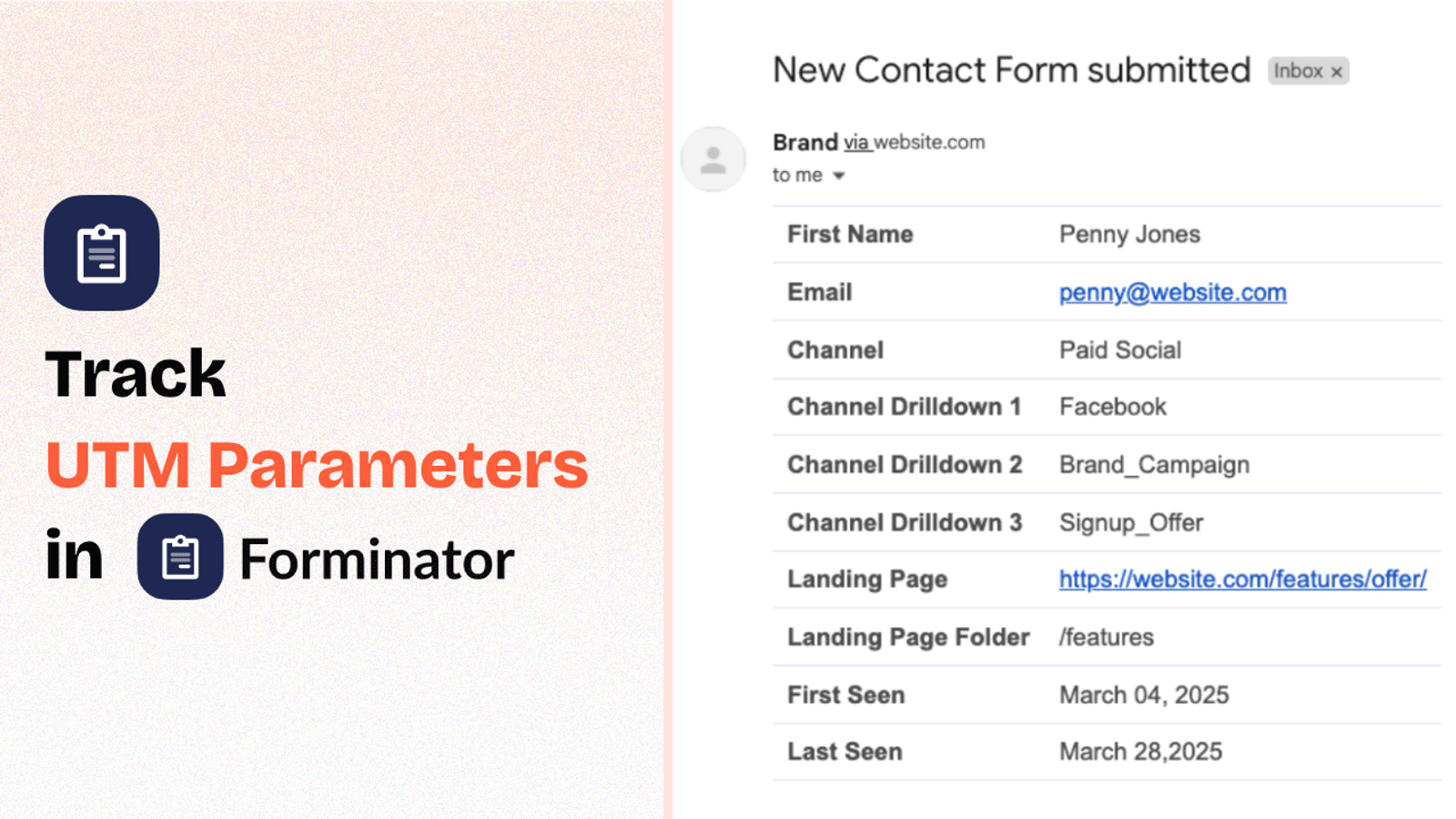
Table of contents
Do you send visitors to your website with UTM parameters, but they are not being captured in your lead form?
Unfortunately, Forminator Forms can’t directly capture UTM parameters.
However, in this blog, we’ll learn how to use a simple tool called SourceLoop.ai to track UTM parameters in Forminator Forms.
This will allow you to keep track of which marketing channels are bringing you more leads, where to allocate more budget, and more.
Let’s get started…
5 Easy Steps to Track UTM Parameters in Forminator Forms
Here are five simple steps to capture UTM parameters in Forminator Forms on WordPress and beyond.
1. Add UTM Parameters to Your Links

Start by adding UTM parameters to the links pointing to your website.
These could be links on performance marketing channels like Google Ads, Facebook Ads, LinkedIn Ads, etc., or organic & owned channels like email newsletters or social media posts.
The more links pointing to your website have the right UTM parameters, the more information you can collect about each lead.
Here’s what a link with UTM parameters looks like:
https://website.com?utm_source=paid_social&utm_medium=LinkedIn&utm_campaign=signup_discount
Resources:
2. Install SourceLoop on Your Website

Next, sign up for SourceLoop.ai and install a small tracking code in the <head> section of your website.
Use a plugin like “WPCode” or “Code Snippets” to add the SourceLoop.ai tracking code to your website within a few clicks.
Once installed, SourceLoop.ai will capture the UTM parameters from each visitor’s URL, organize them into easy-to-understand marketing attributes, and pass them into the Forminator form fields for easy tracking.
3. SourceLoop.ai Automatically Captures UTM Data
Now, whenever a user visits your website, SourceLoop.ai will capture the UTM parameters from the webpage URL, organize them into the correct marketing attributes, and securely store them so they are never lost—no matter how many pages the user visits before submitting the lead form.
Here’s an example of how it organizes the UTM data:
Let’s say Airbnb is using SourceLoop.ai, and a user searches for “Hotels in Las Vegas” and clicks on an Airbnb Google Ad.
SourceLoop.ai will capture and organize the user’s visit information like this:
- Channel = Paid Search
- Channel Drilldown 1 = Google
- Channel Drilldown 2 = Hotel Campaign
- Channel Drilldown 3 = Hotels in Las Vegas
- Landing Page = www.airbnb.com/hotels/las-vegas
- Landing Page Folder = hotels
- Last Seen = Aug 29, 2025
If a user visits Airbnb multiple times within a year, SourceLoop.ai will store each visit’s UTM and page visit data.
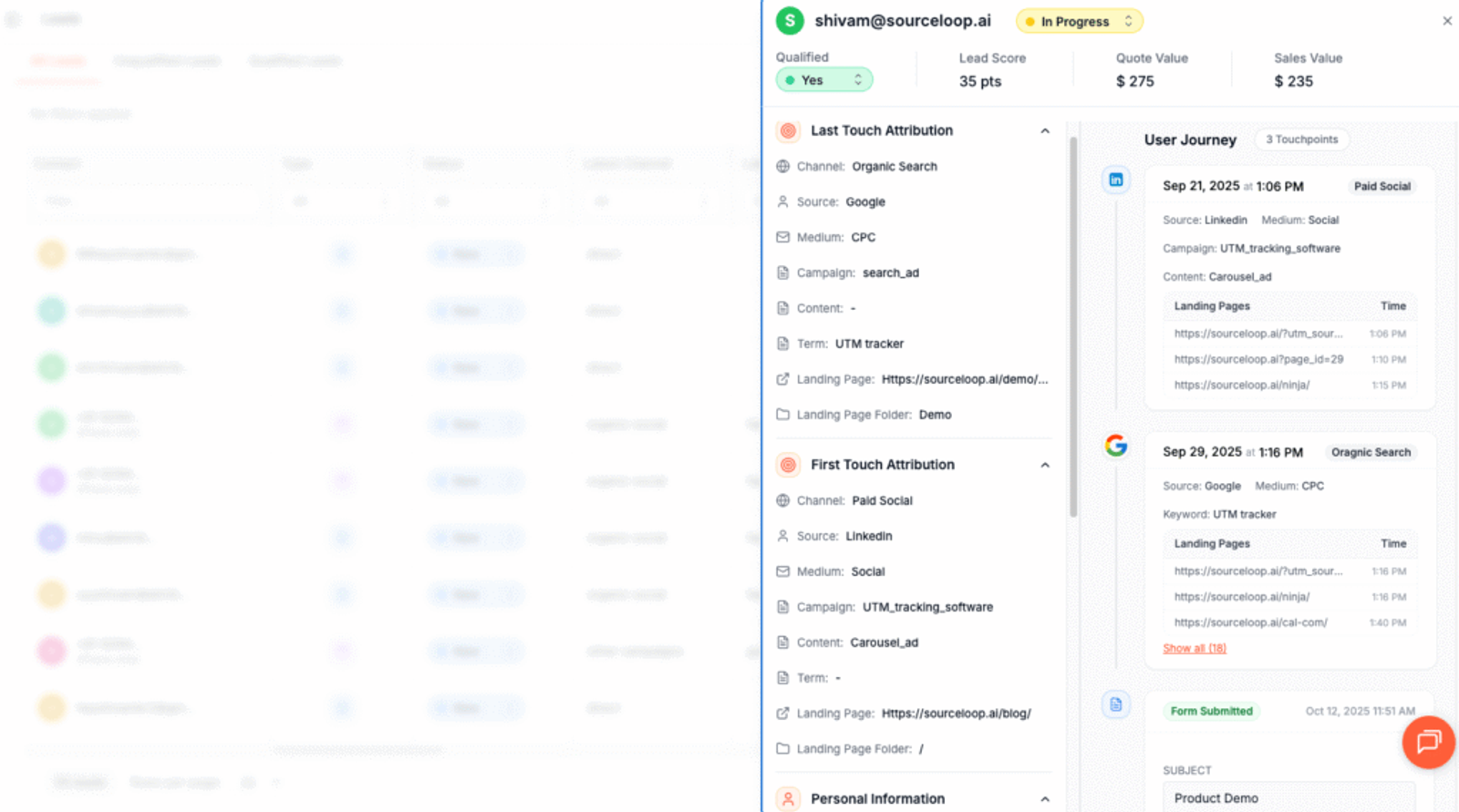
As soon as they submit the form, it will cpature and display the user’s attribution data on the Lead Manager page.
More Resources:
- How to Track UTM Parameters in Contact Form 7
- How to Track UTM Parameters in WPForms
- How to Track UTM Parameters in Formidable Forms (2025)
4. Add Hidden Fields to Your Forms (Optional)
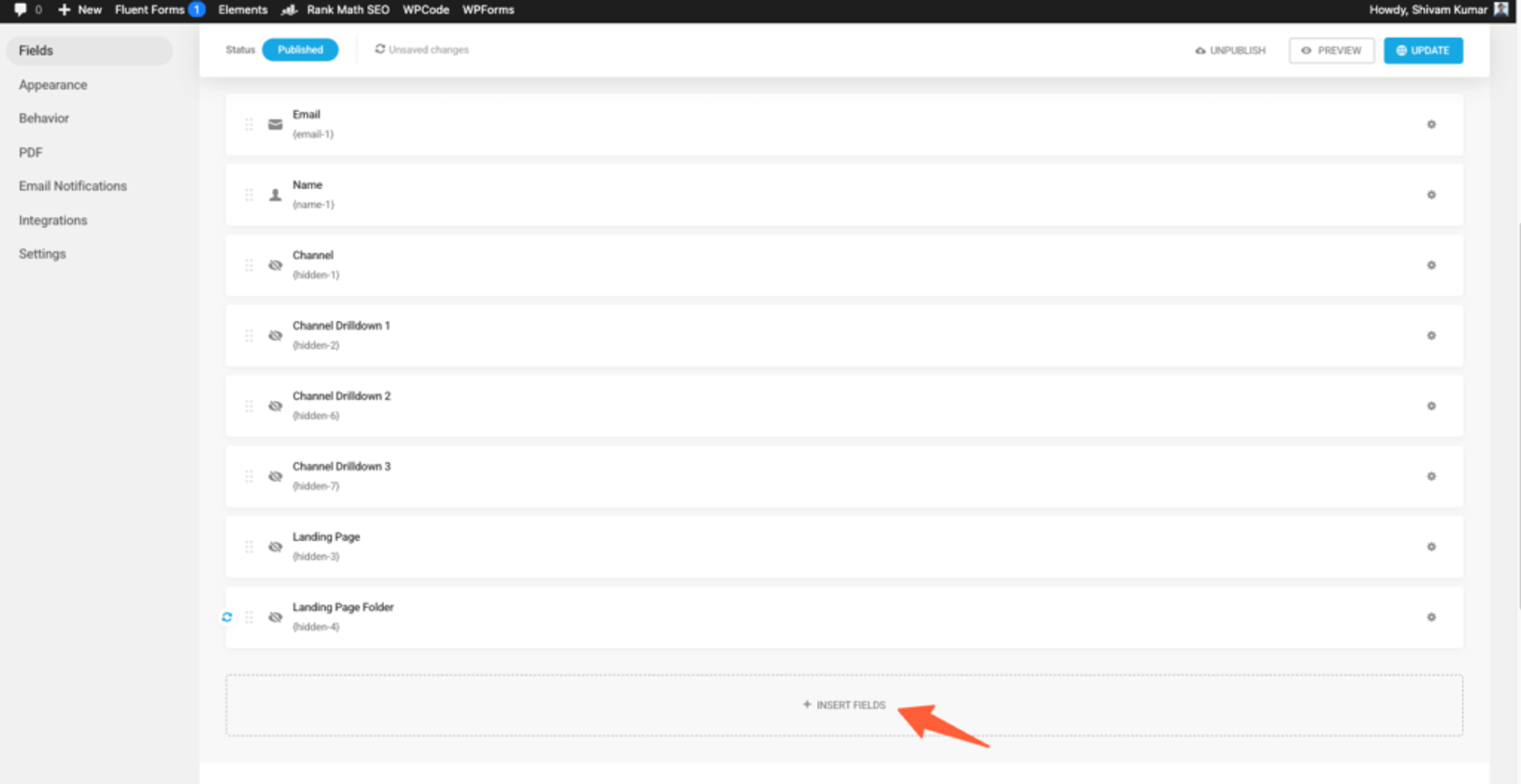
Now, add a few hidden fields to your Forminator Forms.
Simply open your form and click on the “Insert Field” option.
Choose the “Hidden Fields” block and click “Insert Fields.”
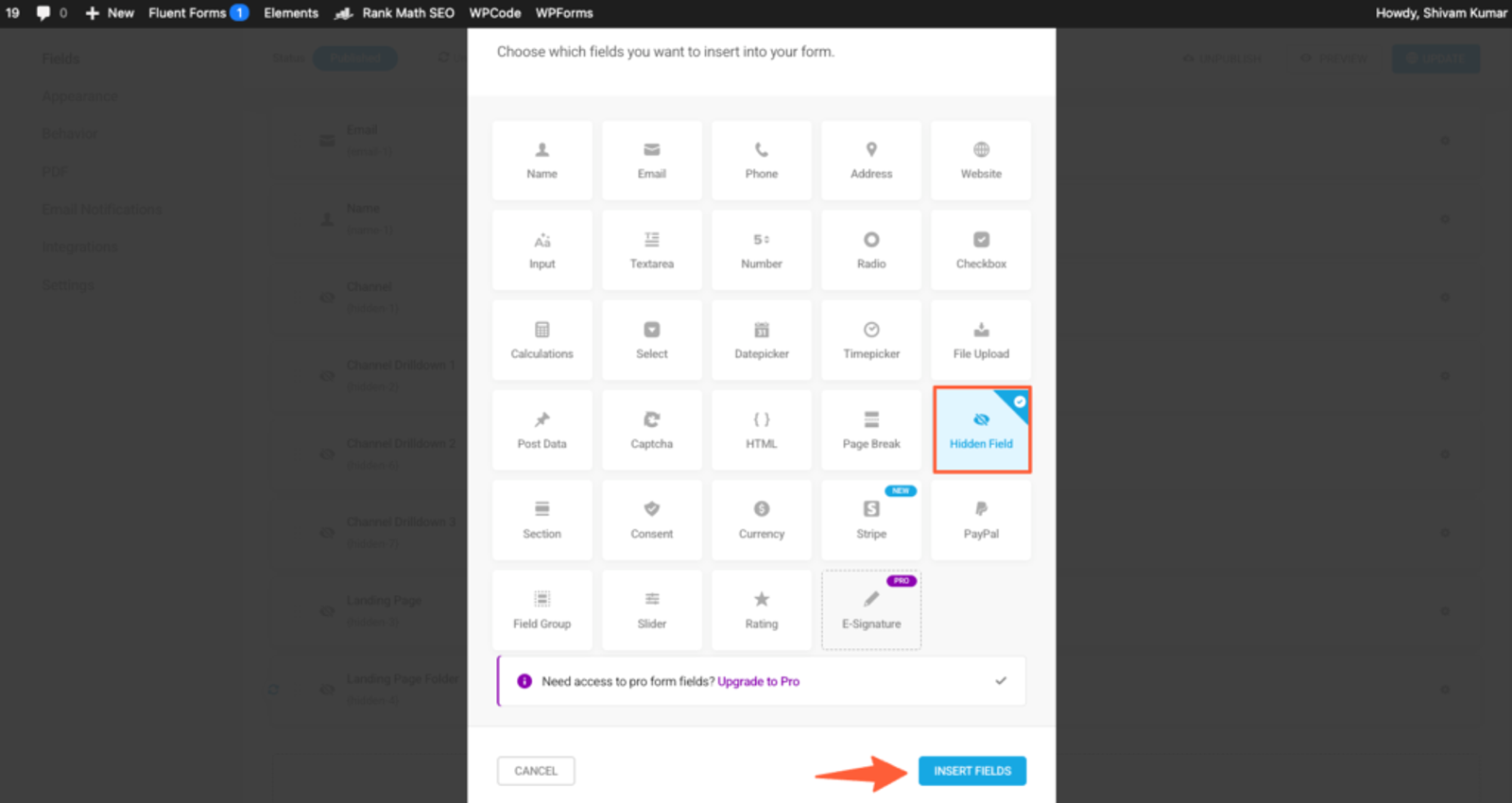
These hidden fields are not visible to website visitors, but tools like SourceLoop.ai can identify them and pass UTM information for each form submission.
SourceLoop.ai requires you to add seven hidden fields with the following default values so it can pass the organized UTM data into these fields:
channelattribution_sourceattribution_attribution_attribution_termlandingpagelandingpagefolderlastseen
If your lead conversion cycle is long and users often visit your site multiple times before submitting the lead form, you can add the following extra seven hidden fields to track the same information about their first visit.
Yes, SourceLoop.ai keeps track of both the first and last visit to your website so you can attribute leads to the correct marketing channel.
first_channelfirst_sourcefirst_mediumfirst_campaignfirst_termfirst_landingpagefirst_landingpagefolder- firstseen
5. UTM Parameters Are Passed for Each Forminator Forms Submission
Now, after browsing through your website, if a user visits a page with a Forminator Form embedded in it, SourceLoop.ai will identify the hidden fields you added in the previous step and pass the stored UTM data into those fields.
Once the user submits the form, you’ll see their lead source data in the “Submissions” section of Forminator.
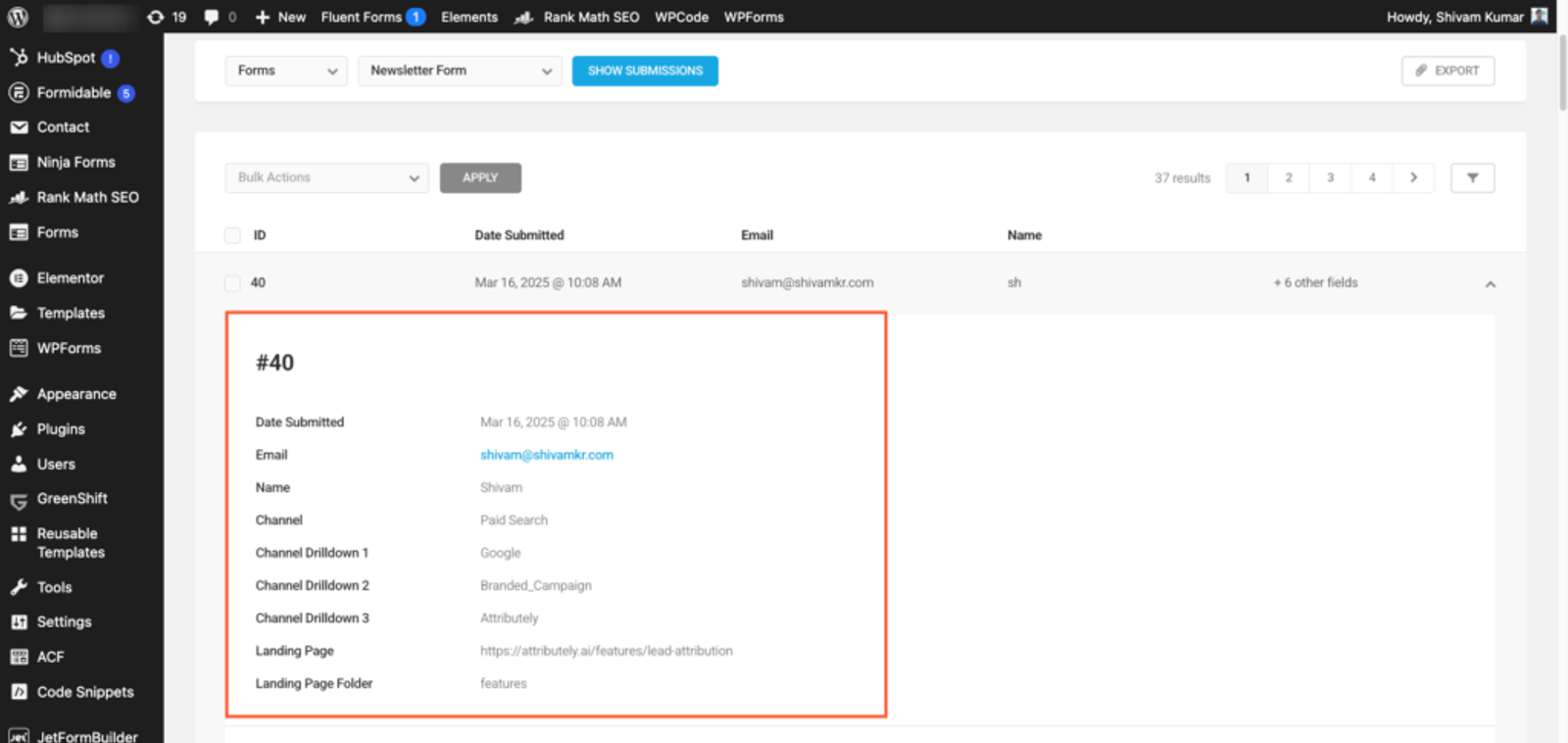
Forminator Forms has direct integration with HubSpot, Mailchimp, Mailjet, Trello, MailerLite, Slack, etc., so if you’ve already integrated any of these platforms, you should see the lead source data there as well.
Forminator Forms also offers a webhook, which means you can receive this data anywhere you want by setting up a webhook.
More Resources:




 Paid Social


