
How to Track UTM Parameters in Capsule CRM
Follow these 4 easy steps to capture UTM parameters in Capsule CRM.
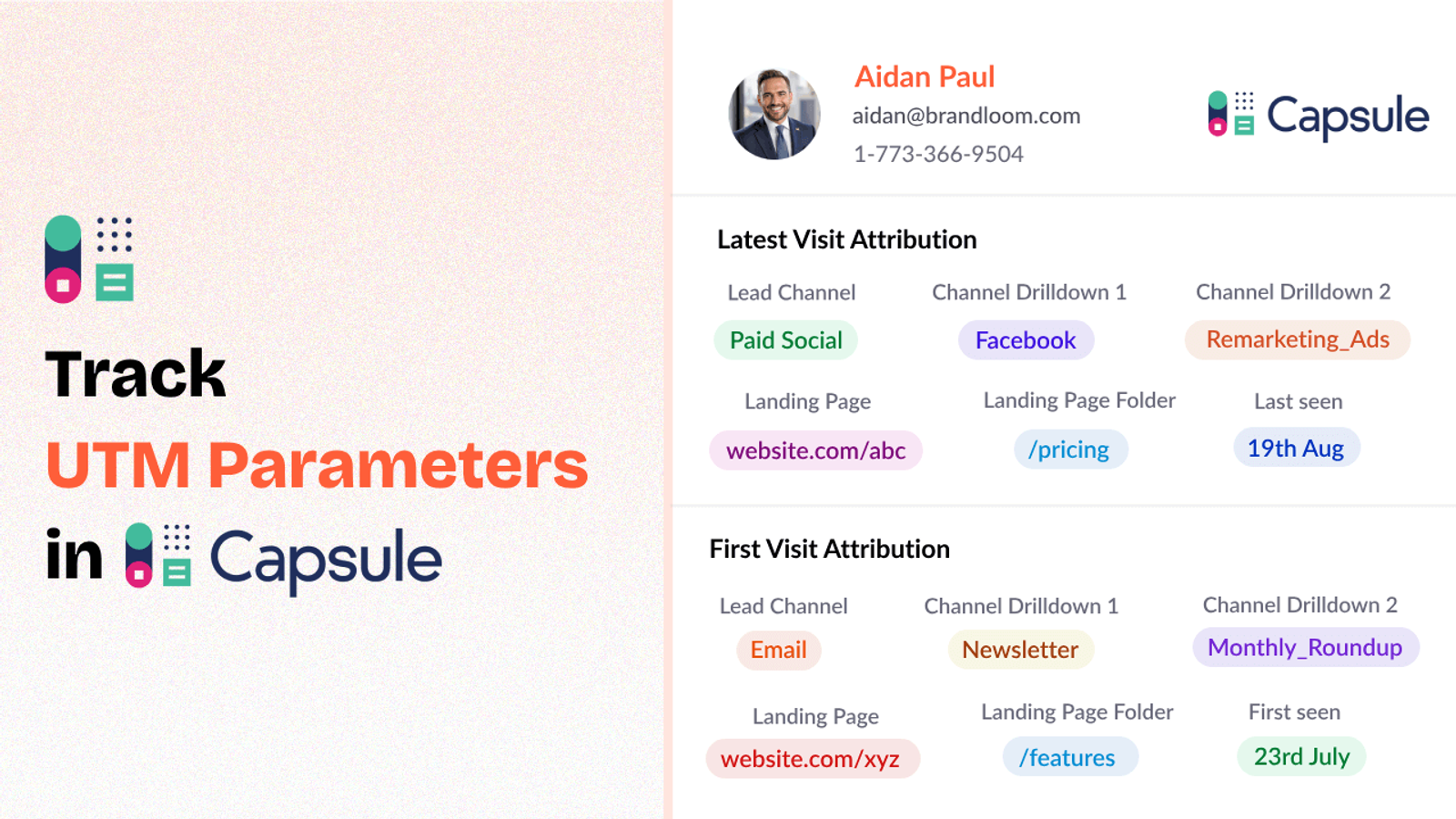
Table of contents
If you are running marketing campaigns across social media, email, search ads, or beyond, chances are you’re already using UTM parameters.
But can you actually link those UTM tags to your customers and leads within Capsule CRM?
If not, you’re missing out on important attribution information that can reveal where your high-quality leads are coming from.
In this blog post, we will discuss how you can use SourceLoop.ai to track UTM parameters in Capsule CRM.
Let’s get started.
4 Easy Steps to Track UTM Parameters in Capsule CRM
Here are 4 simple steps to capture UTM parameters in Capsule CRM:
1. Add SourceLoop on Your Website

First of all, sign up for SourceLoop.ai.
Once you’re signed in, get your unique tracking code and paste it into the header of your website.
This tracking script allows SourceLoop to monitor how a user is visiting your website based on their UTM parameters and then securely store the data in the user’s browser cookies.
On top of that, rather than storing the raw UTM strings, SourceLoop structures everything into tidy, readable marketing attributes.
Example:
Let’s say Airbnb is using SourceLoop.ai, and a user clicks on one of their Google Search ads while looking for vacation rentals in Italy.
SourceLoop.ai will capture and organize the user’s visit information like this:
- Channel = Paid Search
- Channel Drilldown 1 = Google
- Channel Drilldown 2 = Search Ad
- Channel Drilldown 3 = Italy Summer Rentals
- Landing Page = www.airbnb.com/s/italy
- Landing Page Folder = search
- Last Seen = Apr 14, 2025
2. Add UTM Parameters to Your Links

Now that SourceLoop is tracking visitors, it’s time to ensure that users visiting your website through a link have proper UTM tags in it.
So go ahead and open your Google Ads, Meta Ads, TikTok Ads, social media posts & email newsletters and append UTM tags to each of your links pointing to your website.
Example of a link with UTM parameters:
https://yoursite.com/quiz?utm_source=facebook&utm_medium=paid&utm_campaign=summer_sale
Resources:
- How to add UTM parameters in Google Ads
- How to add URL parameters to Meta ads
- How to setup UTM Codes for LinkedIn Ads
- How to add UTMs to your TikTok ads
3. Add Hidden Fields to Your Lead Form
Next, add a few hidden fields to the forms you are using on your website to collect leads and signups.
These fields won’t be visible to your visitors, but SourceLoop will use them to insert the UTM data when the form is submitted.
The fields you’ll need:
- channel
- channeldrilldown1
- channeldrilldown2
- channeldrilldown3
- landingpage
- landingpagefolder
- lastseen
Most popular form builders such as Contact Form 7, Gravity Forms, Typeform, Calendly, etc. allow you to add hidden fields with a few clicks.
Optional: Capture First-Touch Attribution Too (Highly Recommended for B2B)
If you’re marketing B2B products or services where a user may visit your site several times before converting, it’s also wise to record first-touch attribution.
Here are 7 other hidden fields that you can configure to receive the attribution data for the user’s first visit to your website:
- first_channel
- first_channeldrilldown1
- first_channeldrilldown2
- first_channeldrilldown3
- first_landingpage
- first_landingpagefolder
- firstseen
4. Watch UTM Data Flow Seamlessly Into Capsule CRM
Once everything is set up, SourceLoop.ai starts working.
Each time a person submits a form or schedules a meeting, Attribibly will auto-fill the fields that are not visible with all the attribution information.
Then, when a fresh lead is inserted into Capsule CRM, every bit of that lead source information—channel, campaign, landing page—will be right up there with their contact information.
With lead source data inside Capsule CRM, you can:
1. Help Your Sales Team Reach Out Smarter and Close Faster
When your sales team get visibility into where a lead has originated from—your webinar, a Google Ads campaign, or perhaps via an email campaign—they will be in a position to customize their follow-up and sales outreach depending on the precise context of that lead.
2. Segment Leads by Acquisition Source for Better Nurturing
Being aware of where a lead has originated from enables you to bucket them into intelligent segments.
For example, you could directly assign paid search leads to your sales reps immediately and place blog post leads into a content drip series to nurture.
3. Optimize Your Marketing Spend Based on What’s Actually Converting
Now that you know the real source of each contact within your CRM, you gain unambiguous insights into lead acquisition strategy ROI:
You’ll get insight into which marketing campaigns, keywords, and landing pages are actually driving more Sales Qualified Leads.
This will enable you to double-down on what works and eliminate marketing spend with poor ROI.
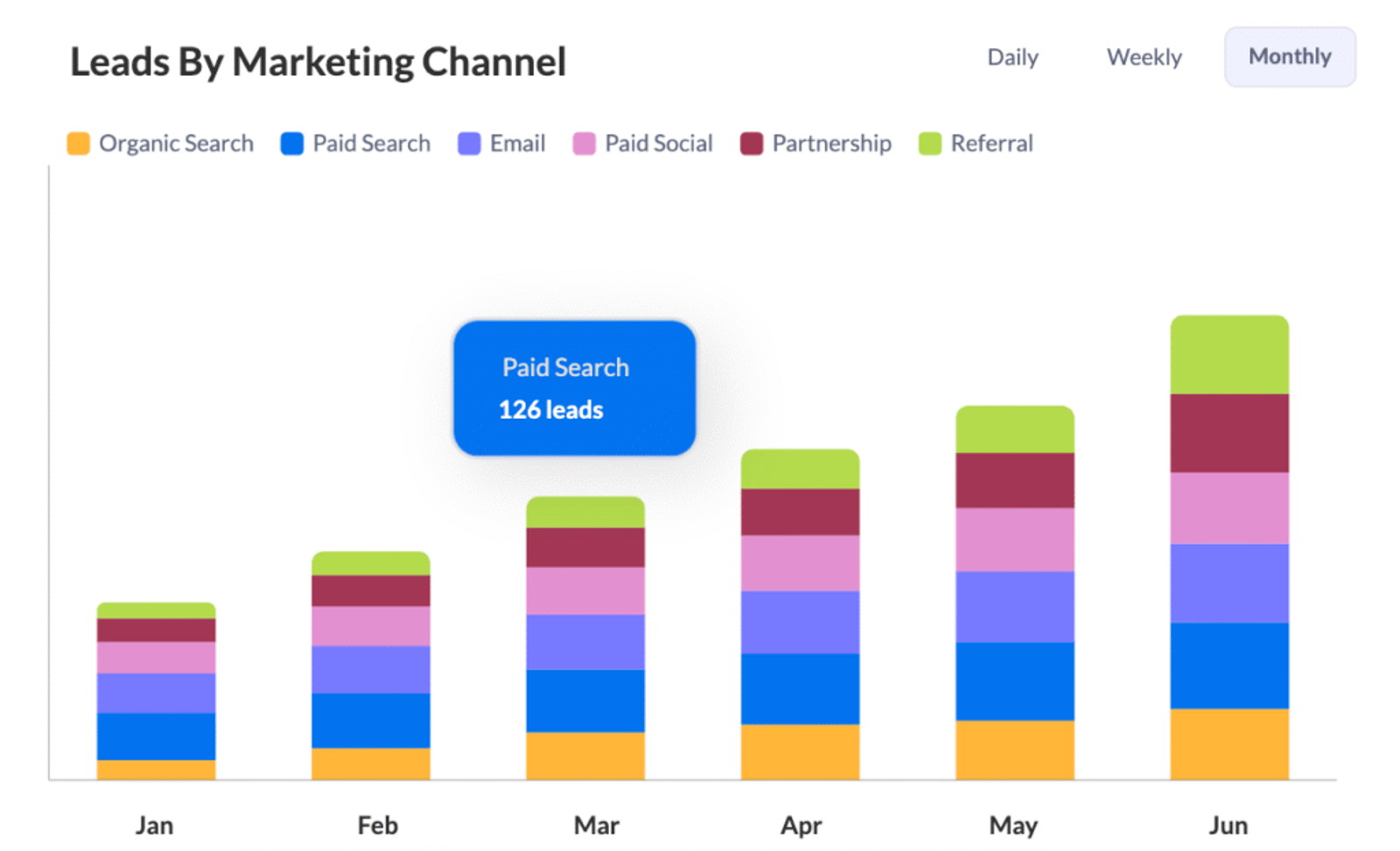
4. Prove (and Improve) Your Marketing ROI With Real Numbers
Suppose you can tell your boss, investor, or client:
“This marketing campaign generated 1,210 clicks, 198 leads, and 35 closed deals — worth $71,000 in revenue.”
With full lead attribution inside Capsule CRM, you no longer have to wonder which marketing efforts are achieving actual bottom-line results.



 Paid Social


