
How to Track UTM Parameters in Agile CRM
UTM Tracking in Agile CRM Made easy. 4 simple steps to uncover which channels drive your leads, deals, and customers.
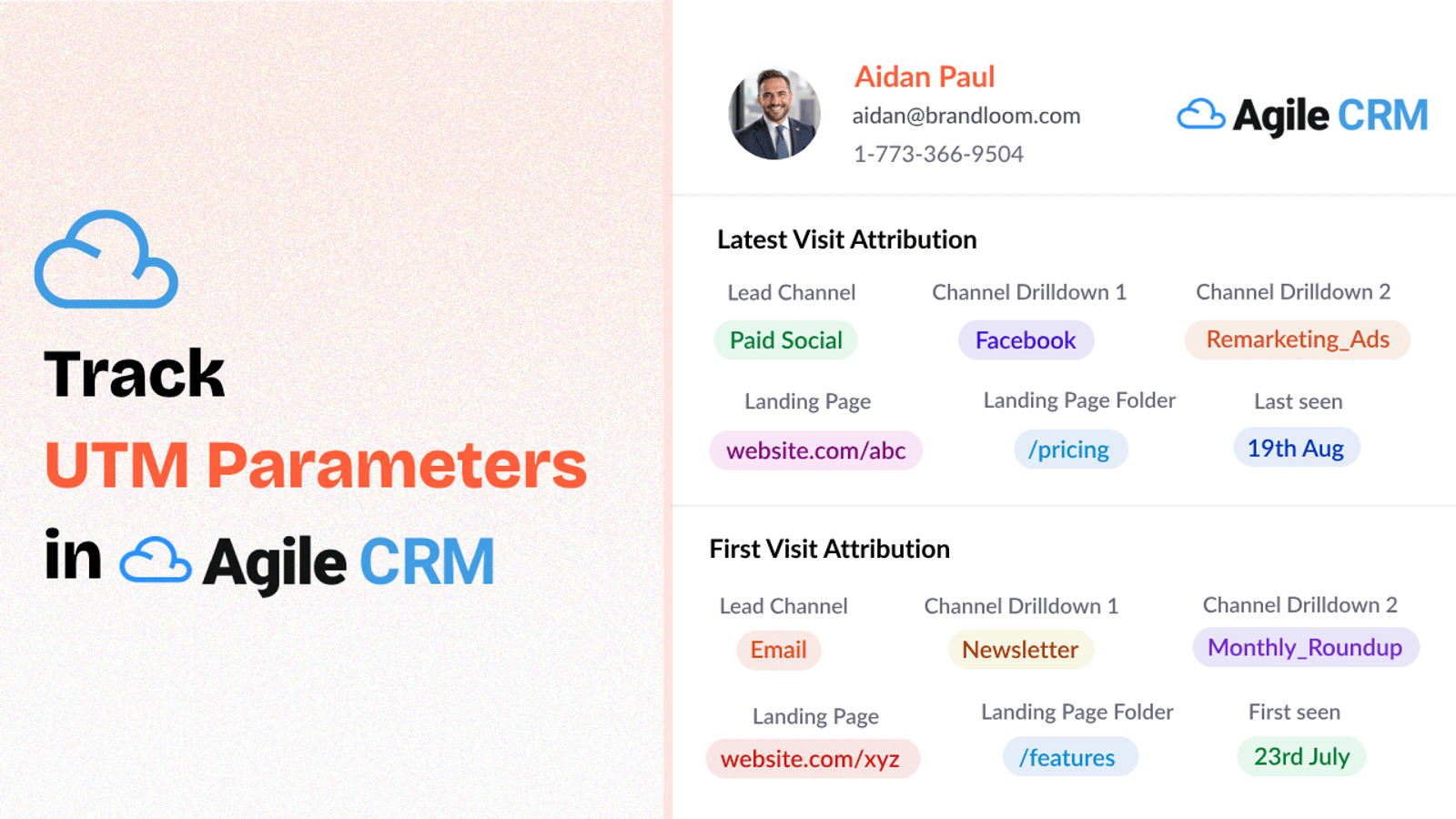
Table of contents
While Agile CRM does a great job of managing customer records, it doesn’t automatically capture UTM data of all your inbound leads.
That’s where SourceLoop.ai helps.
It captures UTM parameters and syncs them directly to your CRM.
In this post, we’ll show you how to track UTM parameters in Agile CRM without writing a single line of code.
Let’s dive in!
4 Easy Steps to Track UTM Parameters in Agile CRM
Here are 4 simple steps to capture UTM parameters in Agile CRM:
1. Add SourceLoop.ai on Your Website

First, you’ll want to add SourceLoop.ai to your site.
Here’s how:
- Sign up for a free account at SourceLoop.ai.
- Copy your unique tracking script.
- Paste it into your website’s global header.
Once installed, SourceLoop.ai starts automatically picking up UTM tags embedded in any URL that visitors use to find your site.
Whether someone comes from an Instagram ad, a Google search, or a partner’s blog post, their journey is recorded with complete accuracy.
Example of how SourceLoop organizes UTM data:
Imagine Nike is running a Google Ads campaign to promote their new running shoes.
When a user clicks on the ad and visits the Nike website, SourceLoop organizes and stores the data like this:
- Channel: Paid Search
- Channel Drilldown 1: Google Ads
- Channel Drilldown 2: Running Shoes Launch
- Channel Drilldown 3: Text Ad
- Landing Page: www.nike.com/running-shoes
- Landing Page Folder: running-shoes
- Last Seen: April 27, 2025
2. Add UTM Parameters to Your Links

For SourceLoop (and Agile CRM) to track source of lead effectively, your campaign links need to have UTM parameters.
So, every time you share a link in an ad, email, or social post, make sure it’s UTM-tagged.
For example, if you’re running a social media campaign, a link to your landing page might look like this:
https://yourwebsite.com/signup?utm_source=tiktok&utm_medium=paid&utm_campaign=brand_campaign
Keep in mind, UTM parameters aren’t just for performance marketing campaigns.
You can add them to any link you share online, so every website visitor arrives on your site with maximum context.
Resources: How to Create UTM Tracking URLs
3. Add Hidden Fields to Your Lead Form
Next, make sure your lead forms can catch that UTM data when a visitor becomes a lead.
So, add a few hidden fields to your forms for each UTM attribute you want to track.
Standard hidden fields you’ll need:
- channel
- channeldrilldown1
- channeldrilldown2
- channeldrilldown3
- landingpage
- landingpagefolder
- lastseen
Optional: Capture First-Touch Attribution & Find Where a Lead First Found You
Want to know not just the last click, but the very first place someone discovered your website?
That’s called first-touch attribution, and it can be surprisingly insightful—especially if people hop around between ads, search results, and emails before submitting your lead form.
Here are 7 other.hidden fields you can add to receive the attribution data of a user’s first visit to your site.
- first_channel
- first_channeldrilldown1
- first_channeldrilldown2
- first_channeldrilldown3
- first_landingpage
- first_landingpagefolder
- firstseen
4. Sync UTM Data with Agile CRM in Real-Time
Once the hidden fields are set, it’s magic from here.
When a visitor submits the form, SourceLoop.ai automatically pass the UTM data to lead capture form which you can later map inside Agile CRM for the contact.
What Can You Do with UTM Data in Your CRM?
1. Personalize Lead Nurture and Follow-Up
Rather than sending generic email to all incoming leads, personalize your sales engagement email based on the precise ad or post that brought them in.
For example;
You might send “Glad you downloaded our guide – here’s a quick tip to get started” to a propspect who downloaded your ebook and someone who attended a product webinar views might engage soon if you ask for a demo.
2. Spend Your Marketing Dollars Effectively
When you have UTM data, it’s a lot easier to look at which channels and campaigns are fueling your pipeline and actual customers.
Example;
If Facebook Ads deliver 100 leads at $10 each but only 5% close, while YouTube Ads cost $15 per lead with a 12% close rate, you can shift spend toward YouTube for better ROI.
3. Build Custom Dashboards & Reports
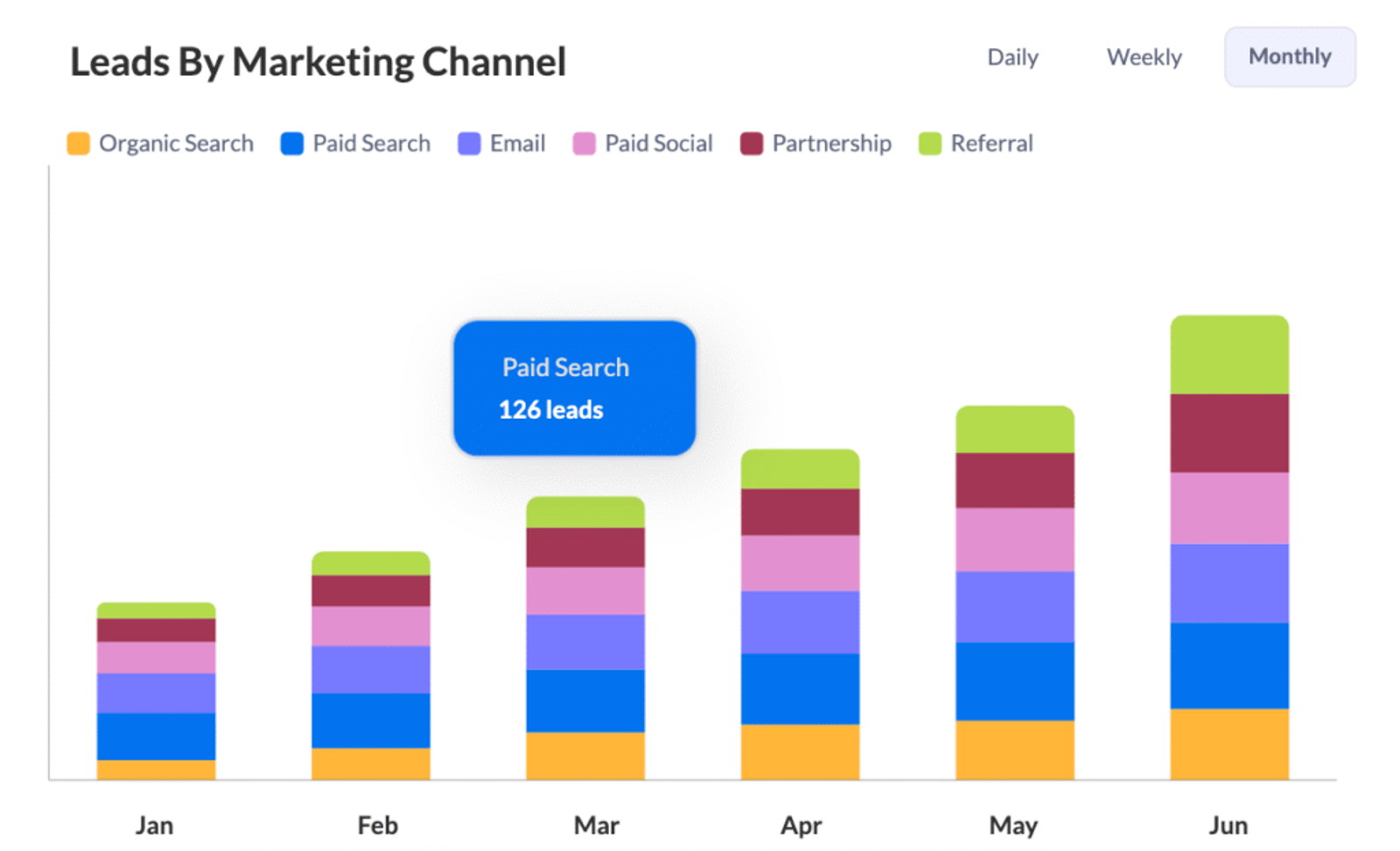
With UTM data coming into your CRM for every incoming contact, you can build custom dashboards.
Example;
A dashboard displaying “Leads by Source ➔ Conversion Rate ➔ Average Deal Size.”.
So, Instead of shipping CSVs, your team sees immediately which campaigns are most lucrative—and which ones need tweaking.



 Paid Social


