
10 Best UTM Parameter Tracking Tools: Compared in 2026
A practical comparison of 10 UTM tracking tools, who they're built for, and what you'll actually pay.
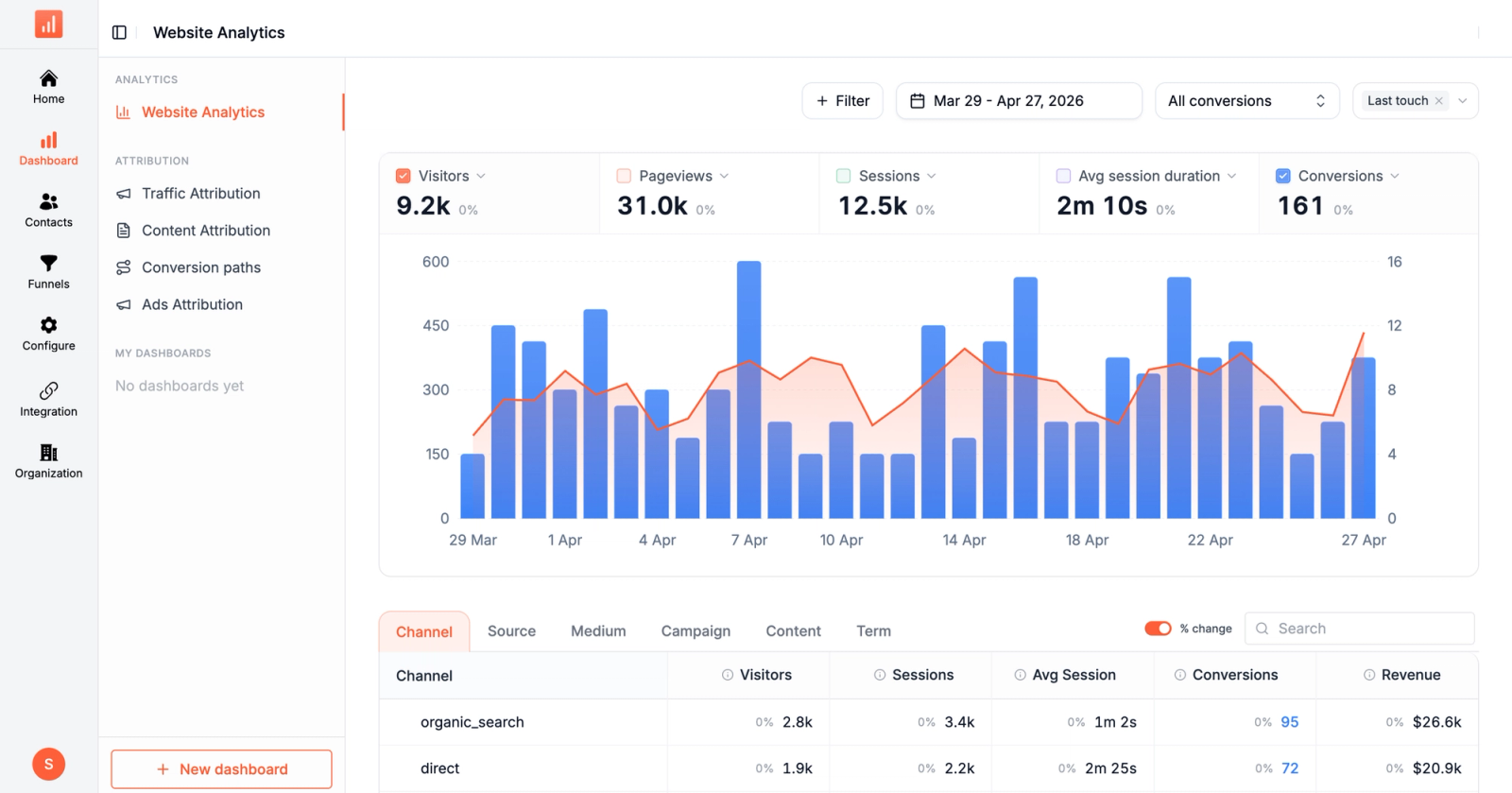
Table of contents
Most marketing teams use UTMs, but very few manage them well. Links get messy, naming breaks, and suddenly your data is hard to trust.
What should be simple tracking turns into confusion.
That is where UTM tracking tools come in. They help you standardize links, keep your data clean, and actually understand what is driving results.
Here are the best UTM tracking software to consider.
Quick comparison of UTM Tracking Tools
| Tool | Best for | Starts at | What it does |
|---|---|---|---|
 Sourceloop Sourceloop |
UTM capture + analytics + attribution | $49/mo | Both |
 Google URL Builder + GA4 Google URL Builder + GA4 |
Free starting point for every team | Free | Both |
 UTM.io UTM.io |
Team naming governance | Free / paid | Link builder |
 TerminusApp TerminusApp |
Enterprise governance and audit trails | Paid | Link builder |
 CampaignTrackly CampaignTrackly |
Bulk UTM generation across spreadsheets | Paid | Link builder |
 Bitly Bitly |
Link shortening + UTM analytics | $8/mo | Link builder |
 HubSpot Tracking URL Builder HubSpot Tracking URL Builder |
UTM tied to HubSpot CRM contacts | Free / paid | Both |
 Cometly Cometly |
UTM-to-revenue with AI optimization | Custom | Analytics |
 Improvado Improvado |
Enterprise UTM normalization at data layer | Custom | Analytics |
 Triple Whale Triple Whale |
UTM tracking for Shopify DTC | $179/mo | Analytics |
1. Sourceloop
Best for: Teams that want UTM capture, link governance, web analytics, and revenue attribution in one tool
Sourceloop isn't a UTM link builder.
It's a one-script analytics platform that captures every UTM and click ID automatically, stitches them across redirects and cross-domain hops, and connects them to revenue events from Stripe, Polar, and LemonSqueezy.
For most teams, this replaces a stack of three tools: a separate UTM builder (UTM.io / CampaignTrackly), GA4 for reporting, and an attribution layer for revenue. The link-building piece is still on you, but everything that happens after the click is handled.
Why Sourceloop works well for UTM tracking
1. Captures every UTM and click ID automatically
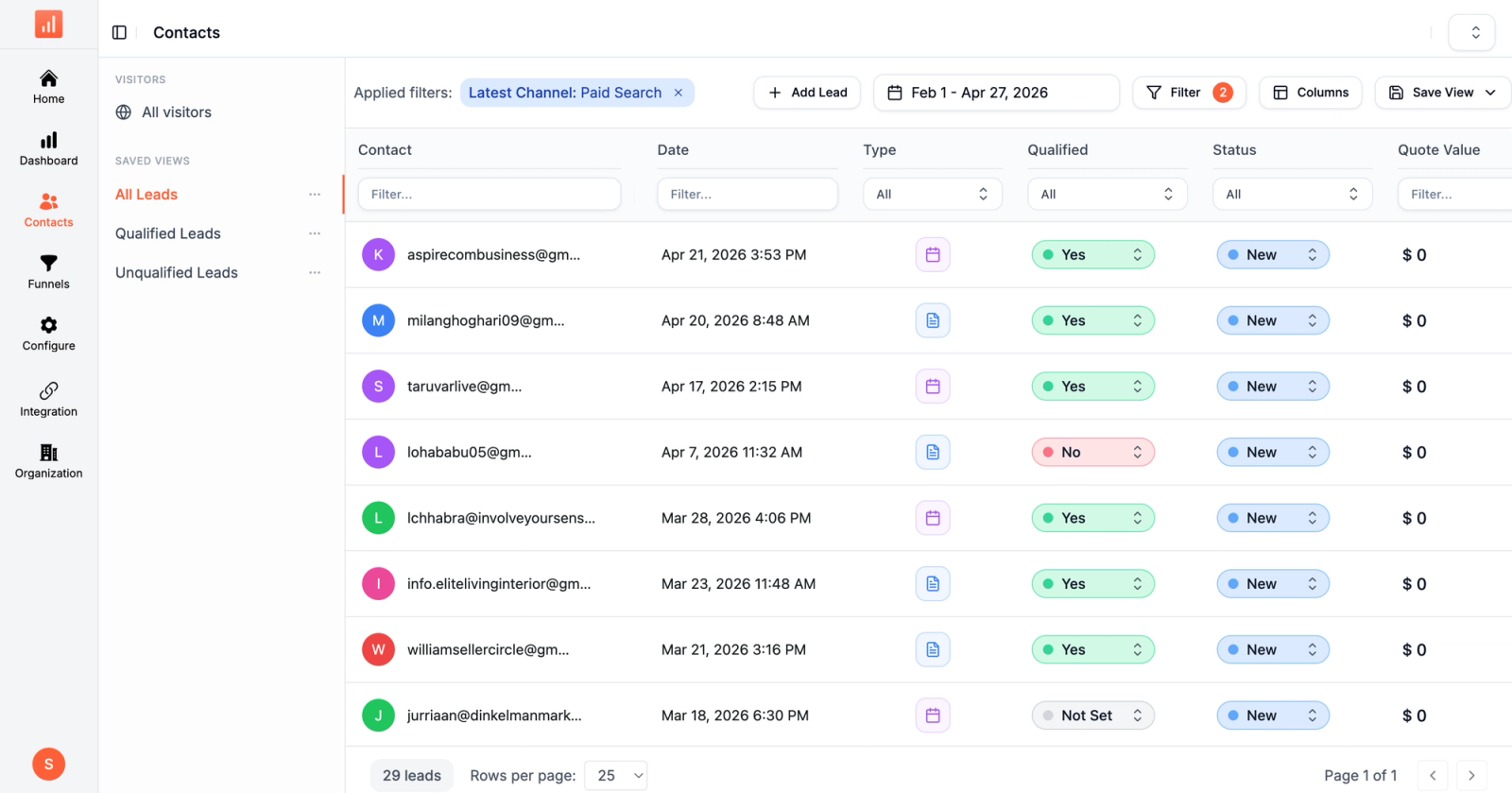
The standard five UTMs (source, medium, campaign, term, content) are captured on every page view, no setup required. Beyond UTMs, Sourceloop also captures gclid, fbclid, msclkid, ttclid, li_fat_id, gbraid, wbraid, dclid, and twclid. Click IDs matter because Google and Meta auto-tagging often overrides UTMs, and ignoring them is one of the most common reasons paid clicks show up as "direct."
2. Stitches click IDs across cross-domain hops
This is the silent failure that breaks most UTM tracking setups. A user clicks an ad with ?utm_source=meta&fbclid=..., lands on your marketing site, clicks through to checkout on a different subdomain or processor, and the UTM gets stripped. Sourceloop persists those parameters across the redirect chain so the conversion still attributes to Meta.
3. AI Referrals as a dedicated channel
Most analytics tools bucket ChatGPT, Claude, and Perplexity traffic as "direct" because there's no UTM and no clean referrer. Sourceloop classifies them as their own AI Referrals channel, so even untagged traffic from AI tools gets attributed correctly.
4. 18-channel auto-classification
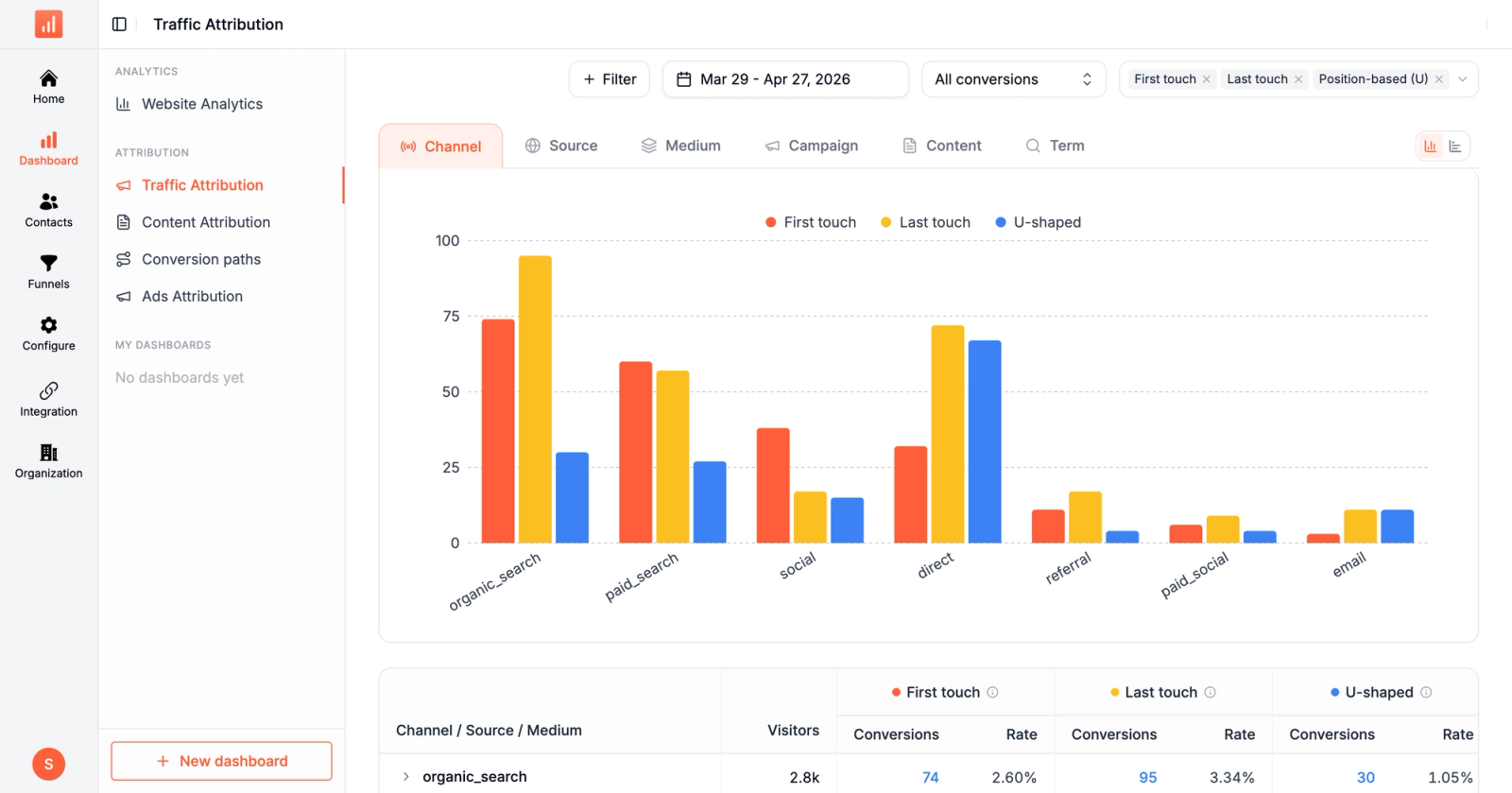
Even when UTMs are missing or inconsistent (which research shows happens on 30% of campaigns), Sourceloop's 18-channel taxonomy uses referrer, ad platform fingerprints, and click IDs to bucket traffic accurately.
This is the safety net for the campaigns where someone forgot to tag the link.
5. Stripe, Polar, LemonSqueezy webhook stitching
The hardest UTM problem isn't capturing the click. It's connecting the UTM on the click to the purchase that happens days later on a different device.
Sourceloop matches every payment webhook back to the original UTM-tagged click, even when checkout uses a different domain or browser session.
6. Auto-detection for booking and form tools
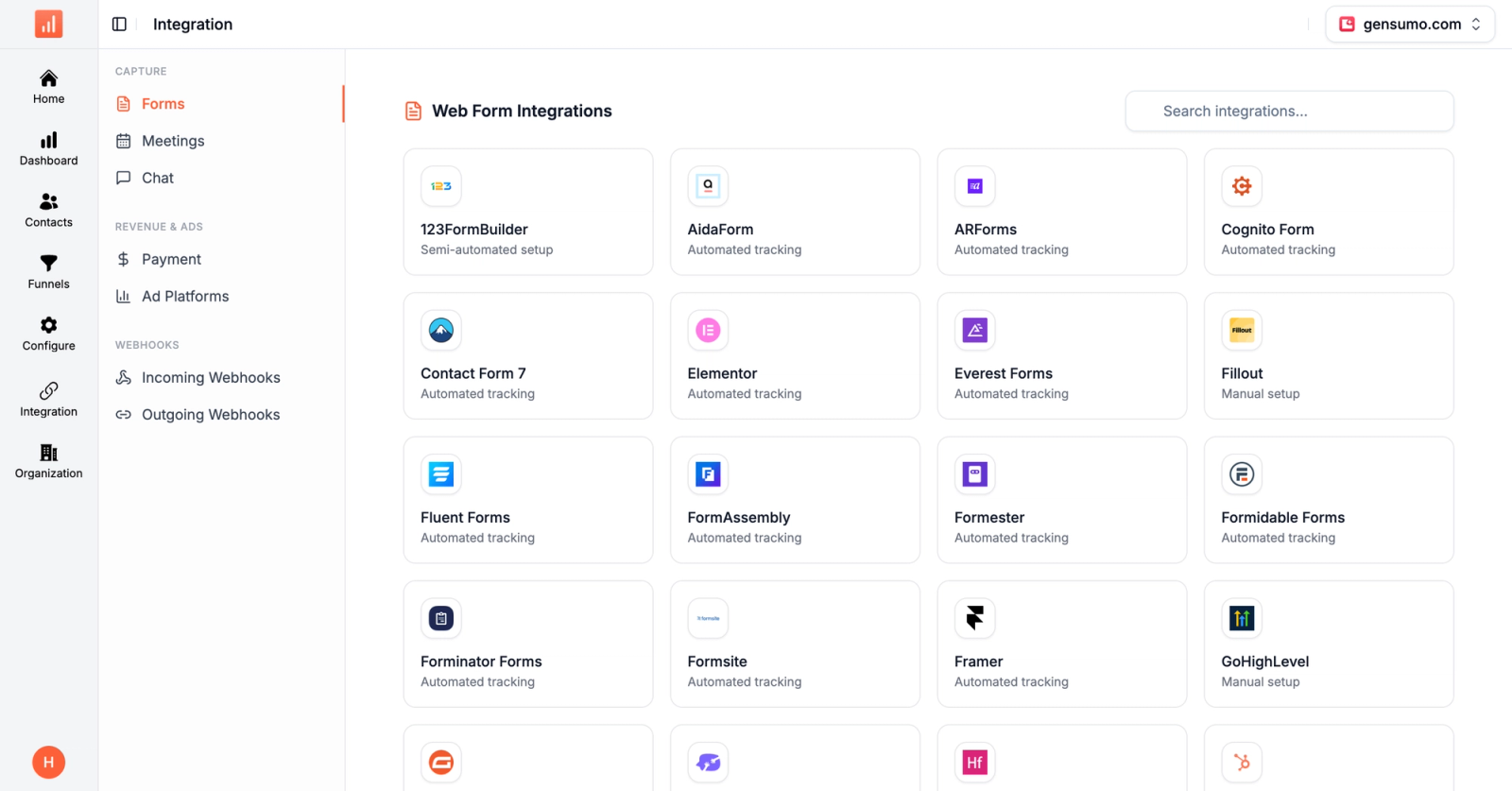
Calendly, Cal.com, HubSpot Meetings, Typeform, Jotform, and 123FormBuilder are auto-detected. The UTM travels through the booking flow and lands in the meeting record, so you can see which campaign drove which sales call.
7. Public API for warehouse export
For teams that already have a data warehouse, Sourceloop's public API and outgoing webhooks export the cleaned, attributed UTM data into BigQuery, Snowflake, or any other destination.
You don't have to choose between operational reporting and warehouse ETL.
Pros:
- Captures all UTMs plus 9 click ID parameters automatically
- Stitches UTMs across cross-domain redirects and payment processors
- AI Referrals channel for ChatGPT, Claude, Perplexity
- 18-channel auto-classification covers untagged traffic
- Stripe, Polar, LemonSqueezy webhook revenue stitching
- 365-day data retention on every plan
Cons:
- Doesn't replace a UTM link builder with naming convention enforcement
- Newer to market than GA4 or Bitly
Pricing: Starts at $49/mo with full UTM and click ID capture, server-side CAPI, and 365-day retention included. Professional unlocks unlimited websites. Business adds white-label. Enterprise adds the DPA.
2. Google's Campaign URL Builder + GA4
Best for: The free baseline every team should run, especially for low-volume link building
Google's Campaign URL Builder is the free, no-account-required tool for creating one-off UTM-tagged URLs. Pair it with GA4, which natively recognizes UTM parameters and reports on them in the Acquisition reports under Session source/medium and Session campaign.
For solo founders, side projects, or low-volume campaigns (5-20 links a month), this combo handles the basic job.
The catch is governance: there's nothing stopping you or a teammate from typing Facebook one day and facebook the next, and GA4 will treat them as separate sources. As soon as you're collaborating with anyone, you outgrow this setup.
Pros:
- Free, with no account or signup
- GA4 natively parses all five standard UTMs
- Trusted by everyone, no vendor lock-in
Cons:
- No saved history, no team collaboration
- No naming convention enforcement
- GA4 reports are powerful but unfriendly for non-analysts
Pricing: Free. GA4 360 enterprise from $50,000+/year.
3. UTM.io
Best for: Marketing teams that need naming convention enforcement across multiple contributors
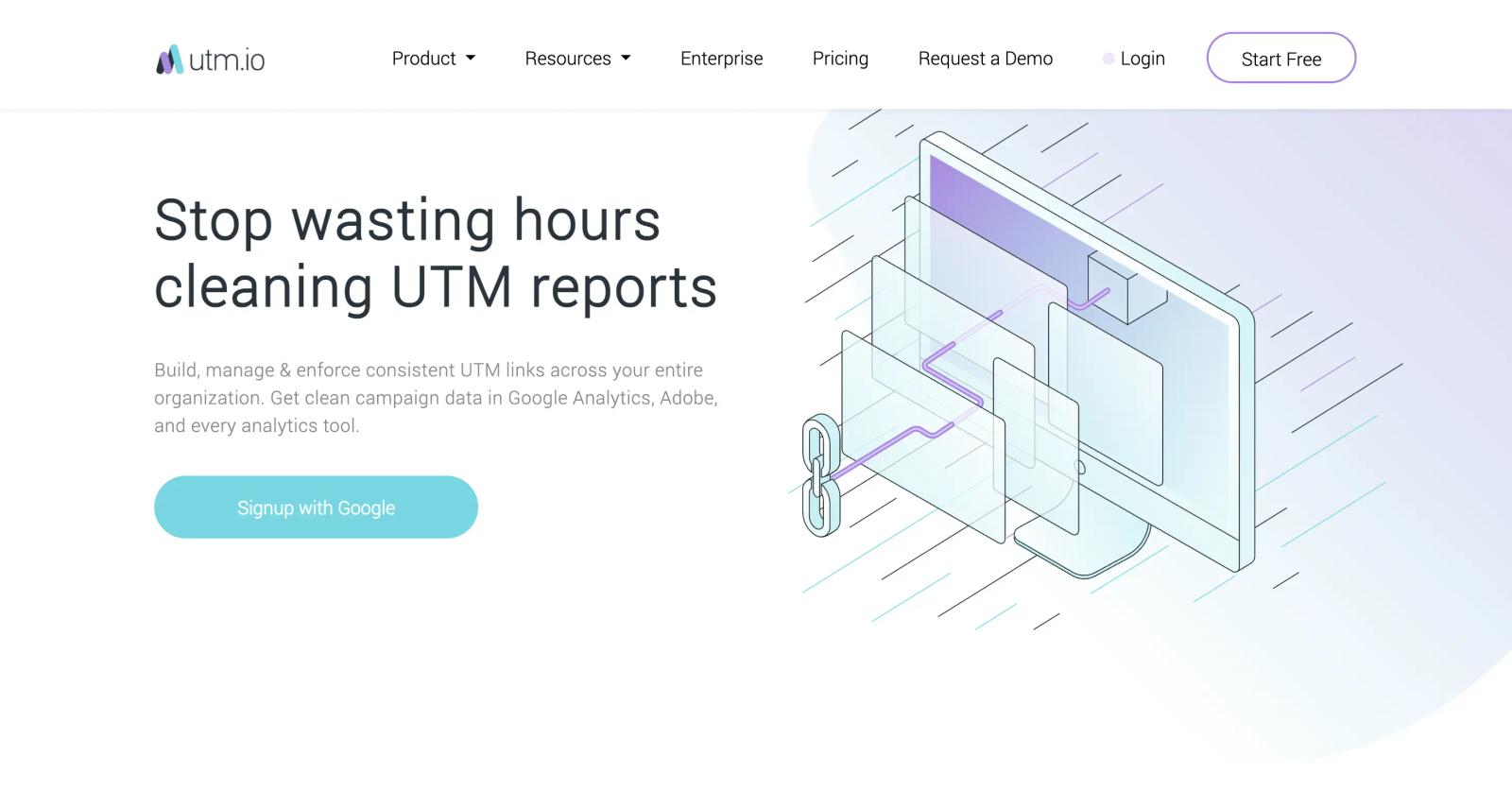
UTM.io is a dedicated link management platform built around the problem of inconsistent UTM naming. The platform enforces conventions through templates, dropdowns, and validation rules that prevent the Facebook vs facebook vs fb chaos that fragments analytics data.
The Chrome extension lets team members create tagged links from anywhere without breaking workflow.
UTM.io has a usable free tier with unlimited links, clicks, and users. Paid plans add team collaboration, branded short domains, role-based permissions, and API access. The most-mentioned weakness in G2 reviews is that the subscription cost climbs faster than expected as teams grow.
Pros:
- Strong naming convention enforcement and templates
- Free forever tier with the basics
- Chrome extension for fast in-context link creation
Cons:
- Paid plans get expensive at higher seat counts
- No revenue attribution, just link tracking
- Some users report Chrome extension bugs
Pricing: Free forever for basic use. Startup, Premium, and Enterprise tiers add governance, permissions, and API access. Pricing on request.
4. TerminusApp
Best for: Enterprise teams with strict governance, audit trail, and compliance requirements
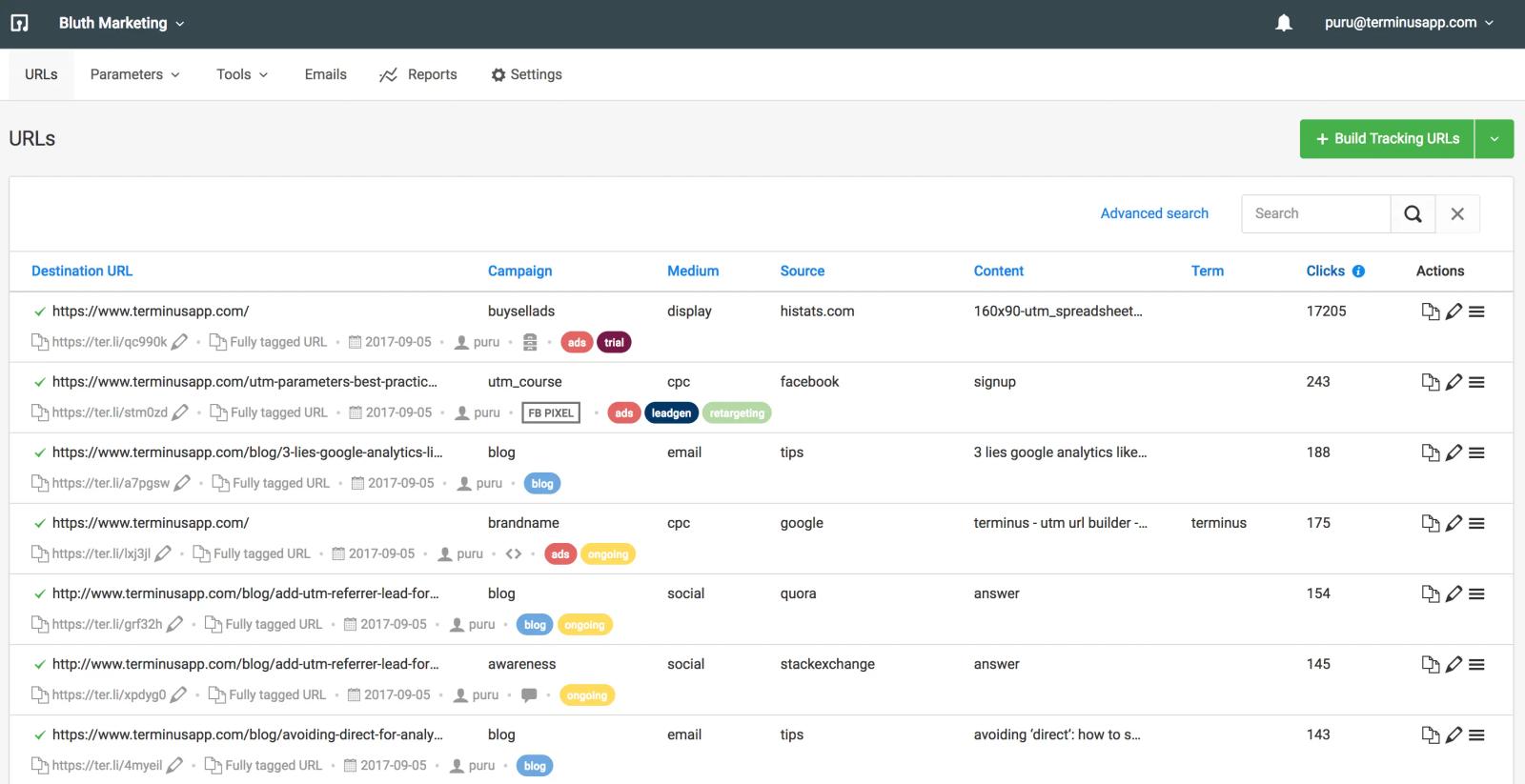
TerminusApp treats UTM management as a data governance challenge. Dropdown presets restrict parameter values to approved options, audit trails track every link creation and modification, and approval workflows route links through review before deployment.
For organizations in regulated industries or with strict tracking accuracy requirements, that level of control is the differentiator.
TerminusApp also handles dynamic UTM IDs (utm_id/cid) that ad platforms like Google and Adobe Analytics use, plus retargeting pixels embedded into short links.
The bulk UTM builder generates URLs for entire campaigns in two clicks, which is useful for paid search teams managing hundreds of ad groups.
Pros:
- Enterprise-grade governance with audit trails and approvals
- Dynamic UTM ID generation for Google and Adobe Analytics
- Retargeting pixels on short links
Cons:
- Overkill for small teams
- Pricing not publicly listed
- Less polished UI than UTM.io or Bitly
Pricing: Custom pricing based on team size and feature requirements.
5. CampaignTrackly
Best for: Marketing teams generating bulk tracking links across spreadsheets and ad platforms
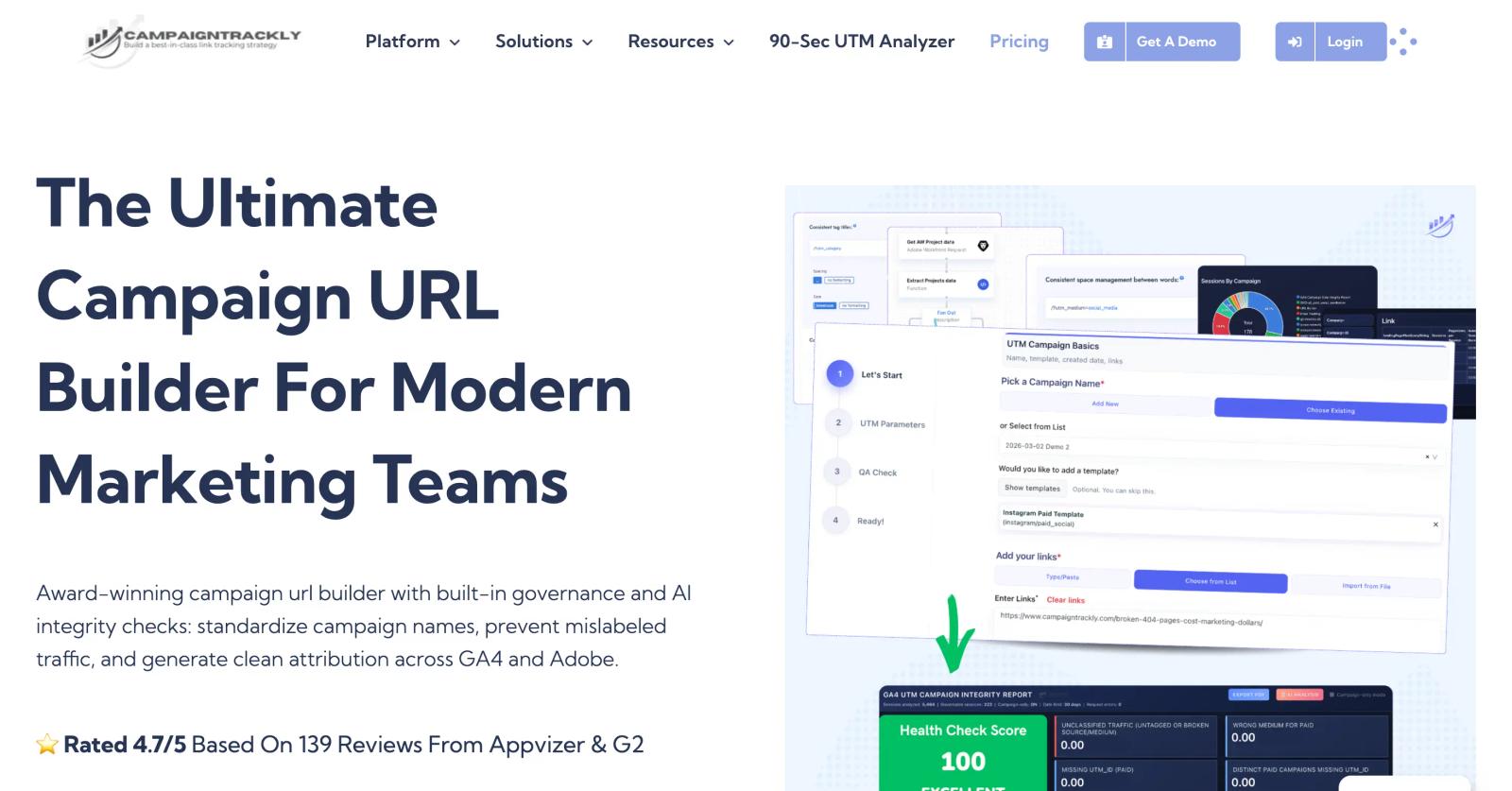
CampaignTrackly is built for the bulk-link generation use case. The platform automates campaign metadata and tracking link creation through cross-platform workflows for Excel, Google Sheets, Salesforce, and WorkFront.
For paid search teams managing hundreds of ad groups or email teams pushing dozens of campaigns a week, the bulk builder is the differentiator.
The tool integrates with Google Analytics, Adobe Analytics, and Bitly, generates QR codes, and supports custom domain short links. Capterra reviewers praise the customer support and request-implementation responsiveness, though some note the UI takes time to learn.
Pros:
- Strong bulk UTM creation with spreadsheet workflows
- Adobe Analytics support, not just Google
- QR codes and short links built in
Cons:
- Steeper learning curve than UTM.io
- Reporting is shallower than full analytics platforms
- Pricing varies, not publicly listed
Pricing: Tiered paid plans starting around $79/month. Custom Enterprise pricing.
6. Bitly
Best for: Social media managers who need fast link shortening with UTM analytics
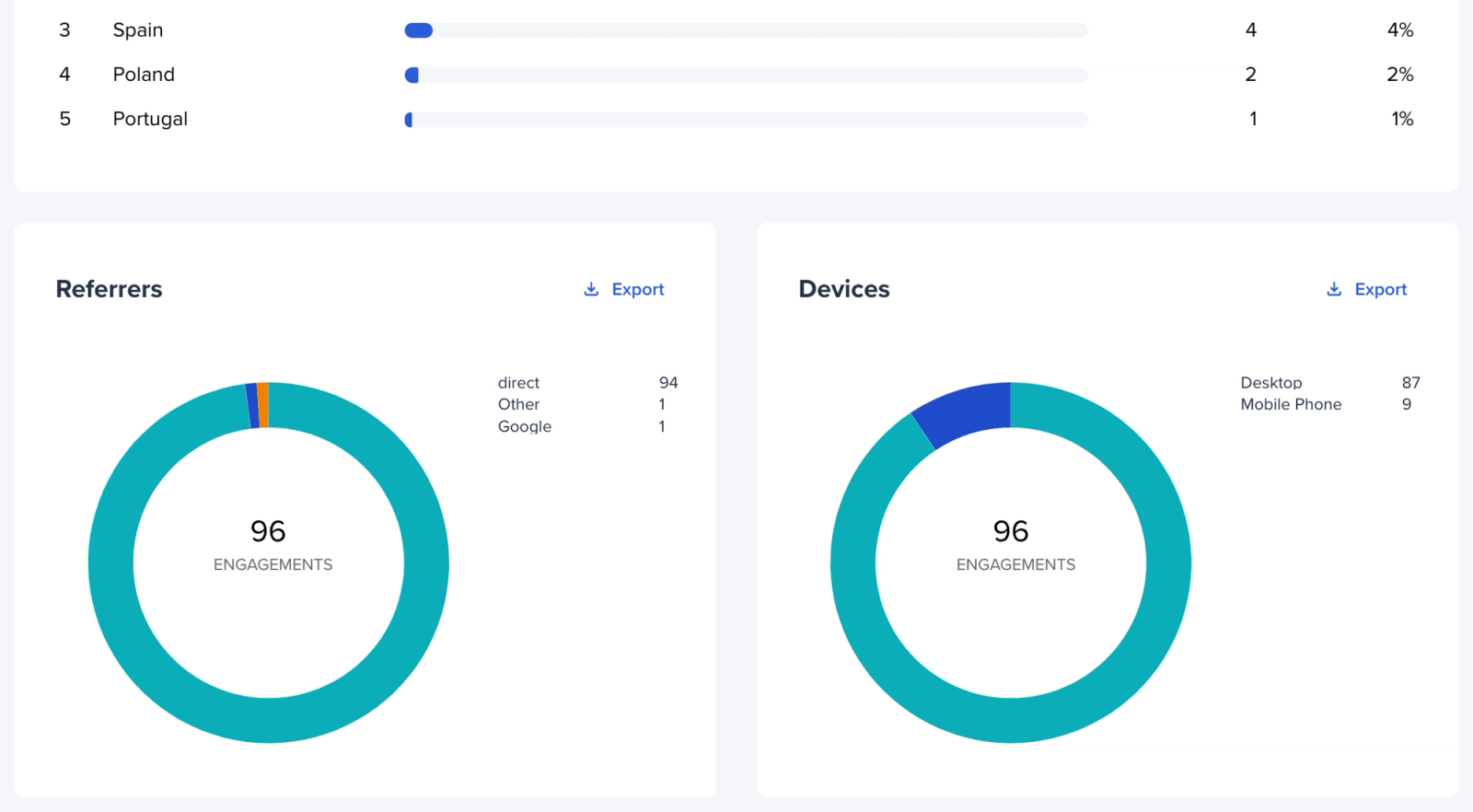
Bitly is the original link shortener and remains the default for social teams that need to publish dozens of branded short links a day. The Bitly link builder appends UTM parameters to any URL, and the analytics dashboard shows clicks by source, medium, campaign, geography, device, and referrer. Branded domains let bit.ly/abc123 become yourbrand.com/spring, which lifts CTR on social posts.
Bitly is fast and well-known, but it's a link tool, not an attribution tool. It tells you that someone clicked. It doesn't tell you whether they bought.
Pros:
- Fast, intuitive link creation
- Branded domains and QR codes
- Strong free tier for individual use
Cons:
- Pricing escalates quickly for unlimited links
- Analytics are click-level, not revenue-level
- Free plan is limited compared to UTM.io's free tier
Pricing: Free plan with limited links per month. Core at $8/month. Growth at $35/month. Premium at $199/month.
7. HubSpot Tracking URL Builder
Best for: HubSpot CRM customers who want UTM data tied directly to contact records
The HubSpot Tracking URL Builder is included in every HubSpot Marketing Hub tier. It generates UTM-tagged URLs and ties them directly to the HubSpot CRM, so you can see which contacts came from which campaign, segment leads by source, and trigger automated workflows based on UTM parameters.
The advantage is integration depth. The disadvantage is that it only makes sense if you're already on HubSpot. For non-HubSpot users, it's not worth migrating to access the URL builder. The free tier in HubSpot includes the basic builder, but contact-level attribution and reporting depth scale with your subscription.
Pros:
- Native CRM integration, no data joining
- Trigger workflows based on UTM values
- Included with HubSpot Marketing Hub
Cons:
- Only valuable if you're already a HubSpot customer
- Channel attribution less granular than dedicated tools
- Multi-touch attribution is gated to Enterprise
Pricing: Basic builder free with HubSpot account. Full attribution features start at Marketing Hub Professional ($890/month) and Enterprise ($3,600/month).
8. Cometly
Best for: Paid media teams that want UTM data turned into AI optimization recommendations
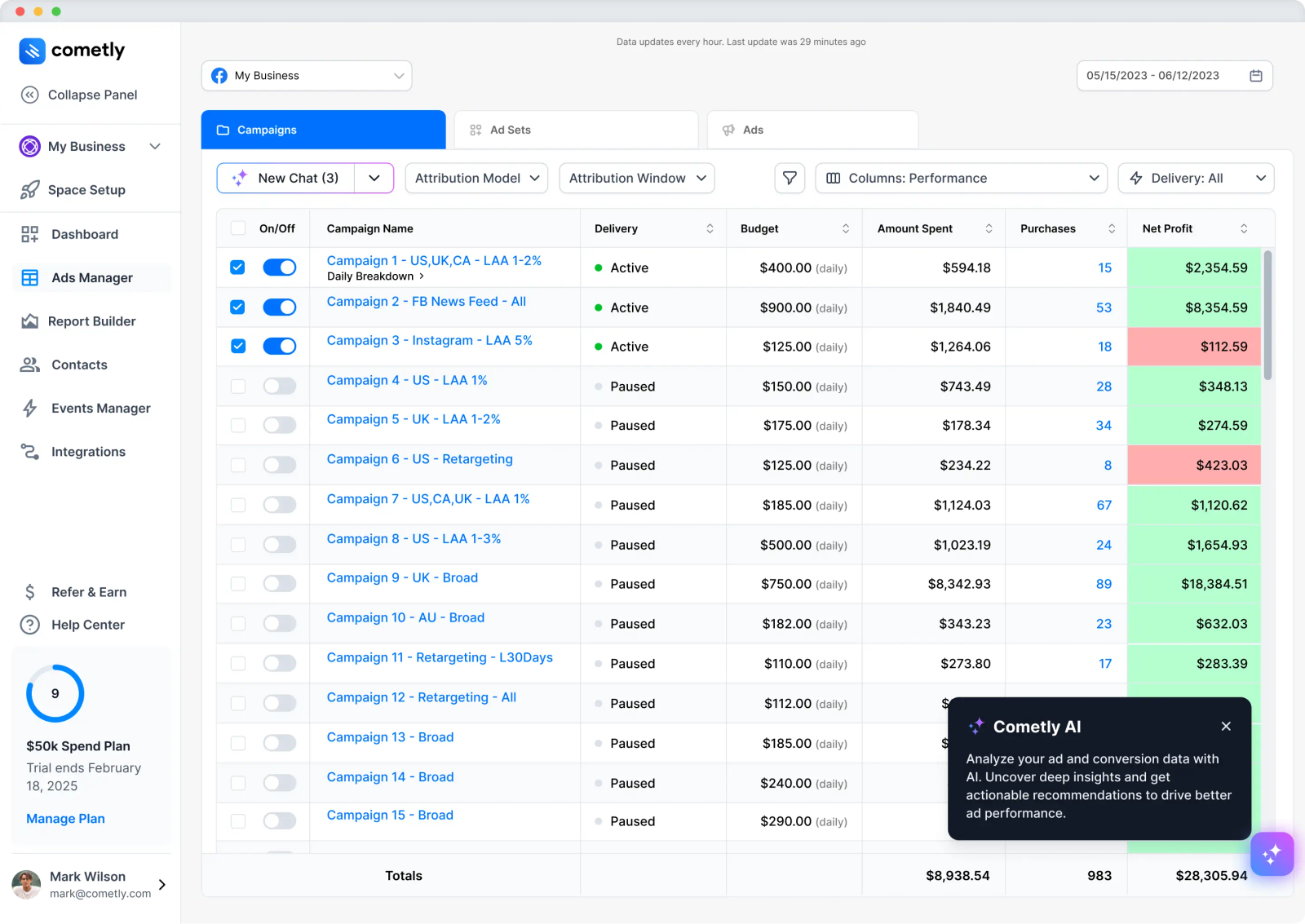
Cometly reads UTM data and connects every tagged click to actual revenue across Meta, Google, TikTok, and other platforms. Server-side tracking captures the UTM even when client-side pixels fail.
The "AI Ad Manager" then recommends which UTM-tagged campaigns and ad sets to scale or pause based on real conversion data.
Cometly is strongest for teams running paid media at scale and trying to make budget decisions, not just track clicks. It's not a UTM link builder, so you'll still pair it with UTM.io or a similar tool for the link creation side.
Pros:
- Server-side UTM capture survives iOS and ad blockers
- AI optimization recommendations from UTM data
- Strong fit for multi-platform paid media
Cons:
- No public pricing, demo-required
- Not a link builder
- Documentation has been called less complete than expected
Pricing: Custom, ad-spend-tiered. Professional and Enterprise plans.
9. Improvado
Best for: Enterprise marketing data teams that need UTM normalization at the warehouse layer
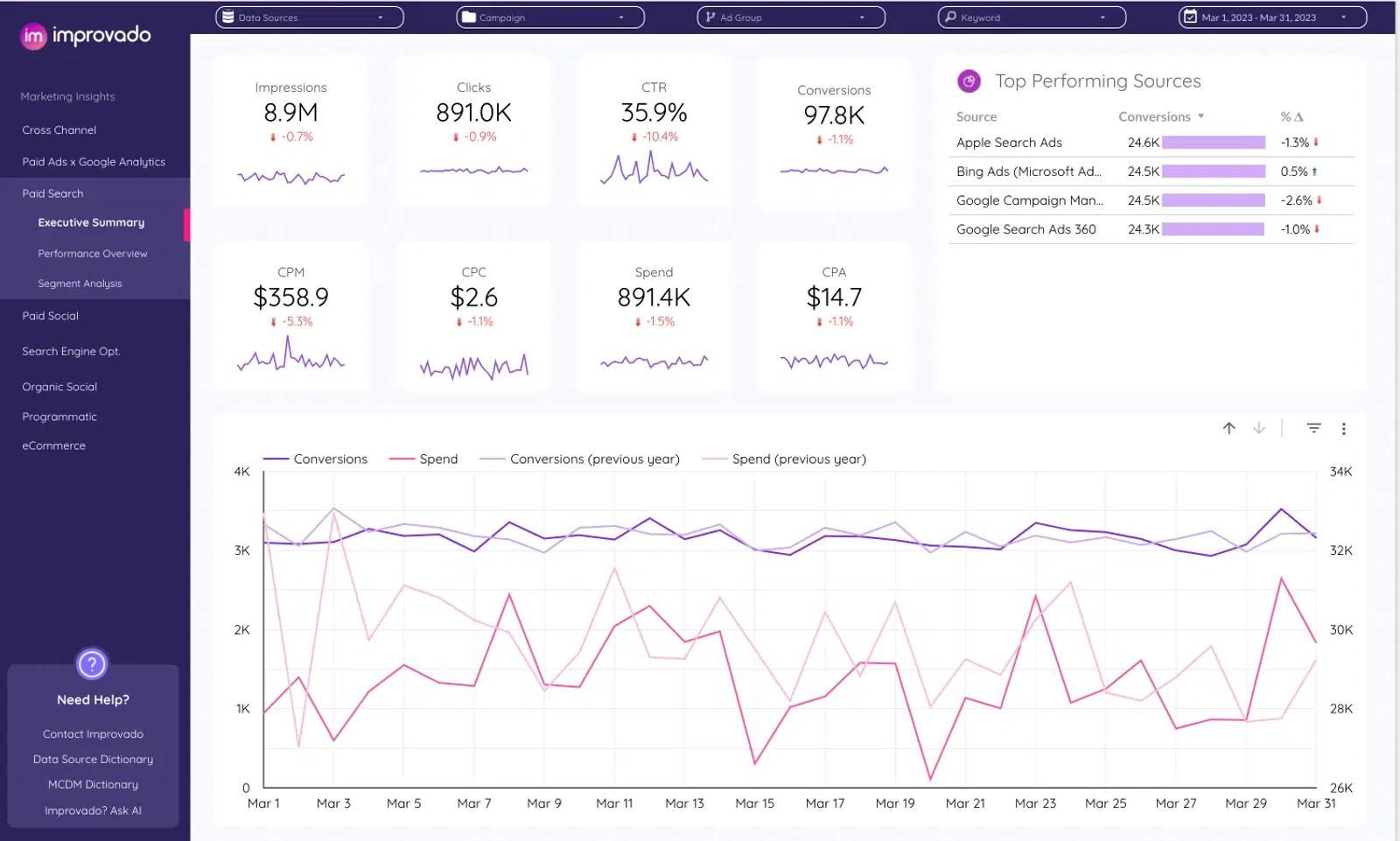
Improvado operates at the data layer, not the dashboard layer. It pulls UTM-tagged data from 500+ marketing sources (ad platforms, CRMs, analytics tools), normalizes inconsistent UTM naming through automated mapping rules, and pushes the cleaned data into BigQuery, Snowflake, Redshift, or BI tools like Tableau and Looker.
This is the right tool for organizations where the UTM problem is "we have 47 ad accounts and 12 different naming conventions, and finance can't reconcile spend to revenue." For smaller teams, Improvado is overkill.
Pros:
- Normalizes inconsistent UTMs across hundreds of sources
- Pushes clean data to data warehouses and BI tools
- Custom transformation rules for enterprise data governance
Cons:
- Enterprise pricing, not viable for small teams
- Implementation typically takes 4-12 weeks
- Steep learning curve for the data transformation engine
Pricing: Custom enterprise pricing. Multiple sources put annual cost at $30,000-$100,000+ depending on data volume and connectors.
10. Triple Whale
Best for: Shopify DTC brands that want UTM-tagged campaigns connected to actual store revenue
Triple Whale is the analytics OS for Shopify, and its first-party Triple Pixel captures UTM parameters and ties every click to the resulting Shopify order.
The dashboards show UTM-tagged ad spend, blended ROAS, and contribution margin at the campaign and creative level.
Triple Whale isn't a UTM builder, but for Shopify brands it's the most popular tool for actually using UTM data. Sonar Send extends UTM-driven attribution into Klaviyo email flows, driving an average 14.2% revenue lift in Klaviyo per Triple Whale's own data.
Pros:
- One-click Shopify integration, fast time-to-value
- Triple Pixel captures UTMs server-side
- Profit-level analytics, not just clicks
Cons:
- Shopify-first, not built for non-Shopify ecommerce or B2B
- Above $5M GMV, pricing becomes GMV-based and climbs quickly
- Not a UTM link builder
Pricing: Free Founders Dash. Starter at $179/month (annual). Advanced at $259/month. Above $5M GMV, pricing is GMV-based.
How to choose
For most teams, the question isn't "which UTM tool," it's "how many tools do I want to pay for?"
The lean approach: one tool that does both. If your problem is capturing UTMs, surviving redirects, and connecting them to revenue, Sourceloop covers all of that on one $49/month bill. You still create your links manually or in a free builder like Google's URL Builder, but everything that happens after the click (capture, stitching, attribution, reporting) runs through one script. For founders, SaaS teams, and agencies that don't want to manage a stack of three or four vendors, this is the simplest setup that actually works.
The traditional stack: if you specifically need governance over how teammates create links (preventing the Facebook vs facebook chaos), pair a link builder with an analytics tool. UTM.io for governance, TerminusApp for enterprise compliance, CampaignTrackly for bulk needs. On the analytics side, GA4 is the free baseline, HubSpot if you're already a HubSpot customer, Triple Whale for Shopify DTC, Cometly for paid media optimization, Improvado for warehouse normalization at enterprise scale.
The hard truth: capturing UTMs is the easy part. Getting them to survive across redirects, payment processors, and cross-device journeys is what separates tools that report click counts from tools that prove campaign ROI. Most teams end up paying for the link builder and the analytics tool, then realize neither one stitches the conversion back to the click. Sourceloop's angle is solving that last-mile problem in the same place you do everything else.
Frequently asked questions
-
What are UTM parameters?
UTM parameters are five tags you add to a URL:
utm_source,utm_medium,utm_campaign,utm_term, andutm_content. They tell analytics tools where a click came from, what kind of channel it used, and which campaign or creative drove it. A typical tagged URL looks likeyoursite.com/page?utm_source=meta&utm_medium=cpc&utm_campaign=spring-sale. -
What's the difference between a UTM link builder and a UTM tracking tool?
A UTM link builder (UTM.io, CampaignTrackly, Bitly, Google's URL Builder) helps you create properly tagged URLs with consistent naming. A UTM tracking tool (GA4, Cometly, Sourceloop, Triple Whale) reads the UTMs that arrive on your site and reports on them. Most teams need both: one to build links, one to make sense of the resulting data.
-
Do I need a paid UTM tool if I have GA4?
Not necessarily. GA4 reads UTMs natively and reports on them in the Acquisition reports. The reasons teams add a paid tool are: governance (preventing inconsistent naming across teammates), revenue attribution (tying UTMs to actual sales, not just sessions), and surviving cross-domain or payment-processor redirects that strip UTMs.
-
What's the most common UTM mistake?
Inconsistent naming.
Facebookandfacebookcount as two different sources in GA4, which fragments your data. The fix is enforcing lowercase, hyphens for spaces, and a documented naming convention across the team. Tools like UTM.io and TerminusApp enforce this through templates and dropdowns. -
Should I use UTMs on internal links?
No. Tagging links inside your own site overwrites the original traffic source and creates false sessions. If a user lands from Meta and then clicks an internal link with
utm_source=homepage, GA4 will report them as coming fromhomepageinstead of Meta. Always strip UTMs from internal navigation. -
How do I prevent UTMs from getting stripped by redirects or payment processors?
Test the full click-to-purchase flow on every device. Some payment processors (older Stripe Checkout configurations, certain landing page builders) strip query parameters by default. The fixes are configuring the redirect to preserve query strings, using server-side tracking that captures the UTM before the redirect, or running a tool like Sourceloop that stitches identity across the redirect.
-
How do I tie UTMs to actual revenue, not just sessions?
You need a tool that connects the UTM captured at click time to the conversion event days later. HubSpot does this for B2B. Triple Whale does it for Shopify. Sourceloop does it across both via webhook stitching from Stripe, Polar, and LemonSqueezy. GA4 alone won't do this reliably for ecommerce or B2B SaaS use cases.
-
Are click IDs (gclid, fbclid) the same thing as UTMs?
No, but they're related. Click IDs are auto-appended by ad platforms (Google, Meta, TikTok, LinkedIn) for their own attribution. UTMs are manually added by marketers for analytics. Both should be captured, because Google and Meta auto-tagging often replaces your UTMs, and ignoring click IDs means missing 30-50% of paid traffic attribution. Sourceloop and similar tools capture both automatically.



 Paid Social


