
Best Multi-Touch Attribution Tools: 8 Picks for 2026
Eight multi-touch attribution tools compared by how they split credit, what they track and what they cost, with user reviews from G2 and Capterra.
Table of contents
- One journey, seven different answers
- Three kinds of multi-touch attribution tools
- Multi-touch attribution tools compared
- The 8 best multi-touch attribution tools
- 1. SourceLoop
- 2. Attribution App
- 3. Dreamdata
- 4. HockeyStack
- 5. Cometly
- 6. Ruler Analytics
- 7. Northbeam
- 8. Google Analytics 4
- How to choose
Ask five multi-touch attribution tools who deserves credit for the same sale and you can get five different answers. None of them is lying. They're just splitting the credit differently.
That's the part most comparisons skip. Before features or price, it helps to know whether a tool uses rules you can check by hand, follows whole accounts, or runs a model you'll have to take on trust.
In this guide, I'll show how the common models split one real-looking journey, then walk through eight tools grouped by how they assign credit.
What we looked at, and how
For each tool, we wanted to know one thing first: could we explain where a number came from? We ran the same kind of test journeys through the tools we could use directly, which were Dreamdata, Attribution App, Cometly and GA4. HockeyStack, Ruler and Northbeam are sold through demos, so we leaned on their documentation, walkthroughs and teams we know who use them.
The brands and agencies we work with gave us a good mix of short and long sales cycles to think about. User reviews on G2 and Capterra rounded out the picture. Our checklist:
- Which attribution models you can actually switch between
- Whether credit goes to people, accounts or orders
- How far back the lookback window reaches
- Whether the result can be sent back to the ad platforms
We make SourceLoop, so read our first-place ranking with that in mind. Where another tool fits better, we say so.
Last checked November 2026. Confirm current pricing with each vendor.
One journey, seven different answers
Here's a simple four-touch path for a $1,000 sale. Someone clicks a Google ad, comes back 8 days later from organic search, clicks an email 6 days after that, then types the URL in directly 3 days later and buys.
Here's how each of the standard rule-based models would split that $1,000.
| Model | Google Ads (day 1) | Organic search (day 9) | Email (day 15) | Direct (day 18) |
|---|---|---|---|---|
| First touch | $1,000 | $0 | $0 | $0 |
| Last touch | $0 | $0 | $0 | $1,000 |
| First non-direct | $1,000 | $0 | $0 | $0 |
| Last non-direct | $0 | $0 | $1,000 | $0 |
| Linear | $250 | $250 | $250 | $250 |
| U-shaped (40/20/40) | $400 | $100 | $100 | $400 |
| Time decay (7-day half-life) | $79 | $175 | $318 | $428 |
Same sale, and Google Ads gets anything from $0 to $1,000. That's why the model matters more than the dashboard. Our guide to marketing attribution models explains when each one makes sense.
Data-driven models work differently. They learn the weights from your own conversion data, which can be more accurate, but you can't recreate the split on paper.
Three kinds of multi-touch attribution tools
Most tools fall into one of three groups, and the group tells you more than the feature list.
- Rule-based, person-level: each lead or customer has a journey, and you pick the rule that splits credit. Easy to audit. SourceLoop, Attribution App, Ruler and Cometly sit here.
- Account-based: journeys of everyone at a company are joined together, which suits long B2B deals with several buyers. Dreamdata and HockeyStack lead here.
- Modeled or hybrid: credit comes from a statistical or machine-learning model, often blended with media mix modeling. Northbeam and GA4's data-driven model sit here.
Multi-touch attribution tools compared
Here's how the 8 multi-touch attribution tools compare on credit method, models, tracking unit and price, as of November 2026.
| Tool | Credit method | Models to switch between | Credits | Pricing | Free plan or trial |
|---|---|---|---|---|---|
 SourceLoop SourceLoop | Rule-based | 7 | People and companies | From $49/mo | Yes |
 Attribution App Attribution App | Rule-based, click-level | Several, configurable | People | From $399/mo | Yes |
 Dreamdata Dreamdata | Rule-based and data-driven | Several | Accounts | Free plan, paid quoted | Yes |
 HockeyStack HockeyStack | Rule-based and custom | Several | Accounts | Quote, annual | No |
 Cometly Cometly | Rule-based | Several | People and accounts | Usage-based | Yes |
 Ruler Analytics Ruler Analytics | Rule-based | Several | People, including callers | From £299/mo | No |
 Northbeam Northbeam | Modeled, with clicks and views | Several, plus MMM | Orders | From $1,500/mo | No |
 Google Analytics 4 Google Analytics 4 | Data-driven | 2 | Sessions and events | Free | Yes |
The 8 best multi-touch attribution tools
The list starts with tools you can audit by hand and ends with the modeled ones.
1. SourceLoop
Best for: lead generation businesses, agencies and SaaS teams that want to compare models on real leads and revenue, then feed the result back into their ad accounts.

SourceLoop is a marketing attribution and lead source tracking tool. It stores every visit in each person's journey and applies the model when you run a report, so switching from first touch to time decay recalculates instantly without re-tracking anything.
The rules are published and fixed. U-shaped gives 40% to the first and last touch and splits 20% across the middle. Time decay halves a touch's weight for every 7 days before the conversion. That's exactly how the table above was worked out, so you can check any number against the journey behind it.
Key features
- Seven models on every plan: first and last touch, first and last non-direct, linear, U-shaped and time decay, applied to leads, CRM stages, deals or revenue.
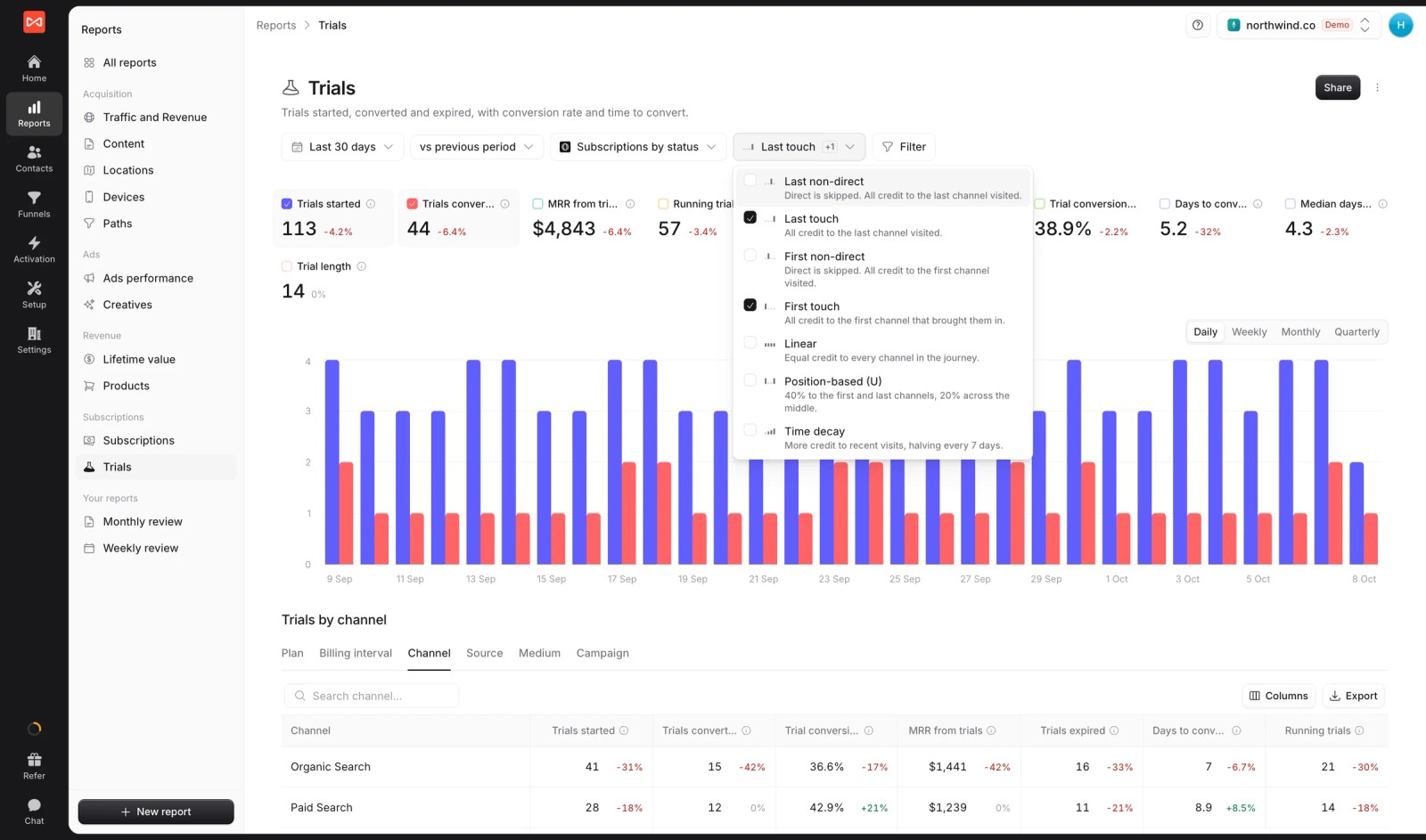
- Journeys you can open: every visit, ad click and landing page before a conversion, shown on the contact.

- Paths report: the most common channel sequences, with touches and days to convert, so you can see how multi-touch your journeys really are.
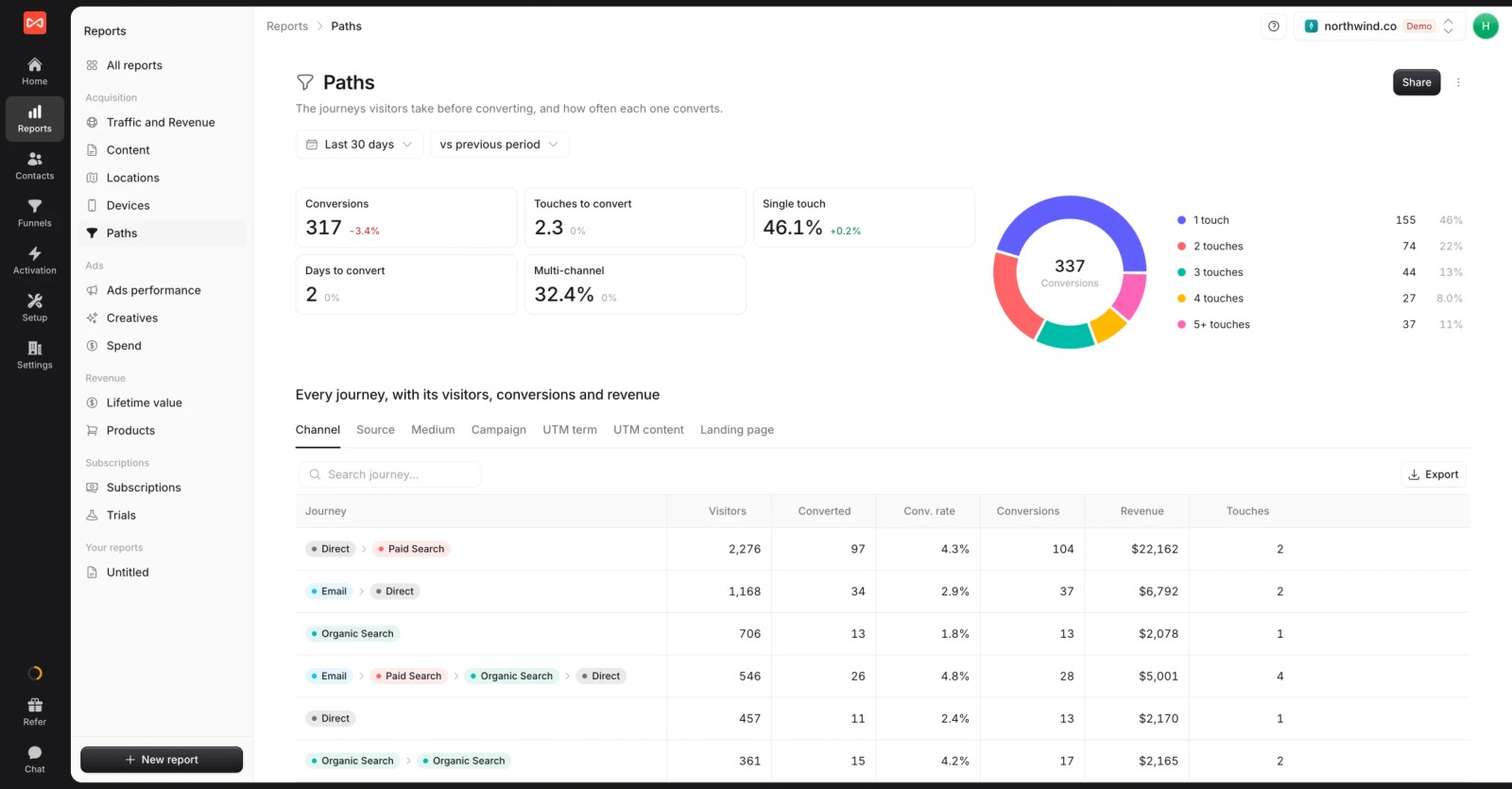
- Adjustable lookback: leads use a window you set from 1 to 365 days, and CRM stages and revenue look back a full year.
- Company journeys: credit a deal to visits from everyone at the buyer's company, which helps B2B and SaaS teams without IP-based tracking.
- Conversion sync: good leads, won deals and payments go back to Google Ads, Meta, Microsoft Ads and ChatGPT Ads with their value. Here's how server-side conversion sync works.

- CRM, payments and calls: two-way sync with HubSpot, Salesforce, Pipedrive and Jobber, billing from Stripe or Paddle, and calls from CallRail or CallTrackingMetrics.
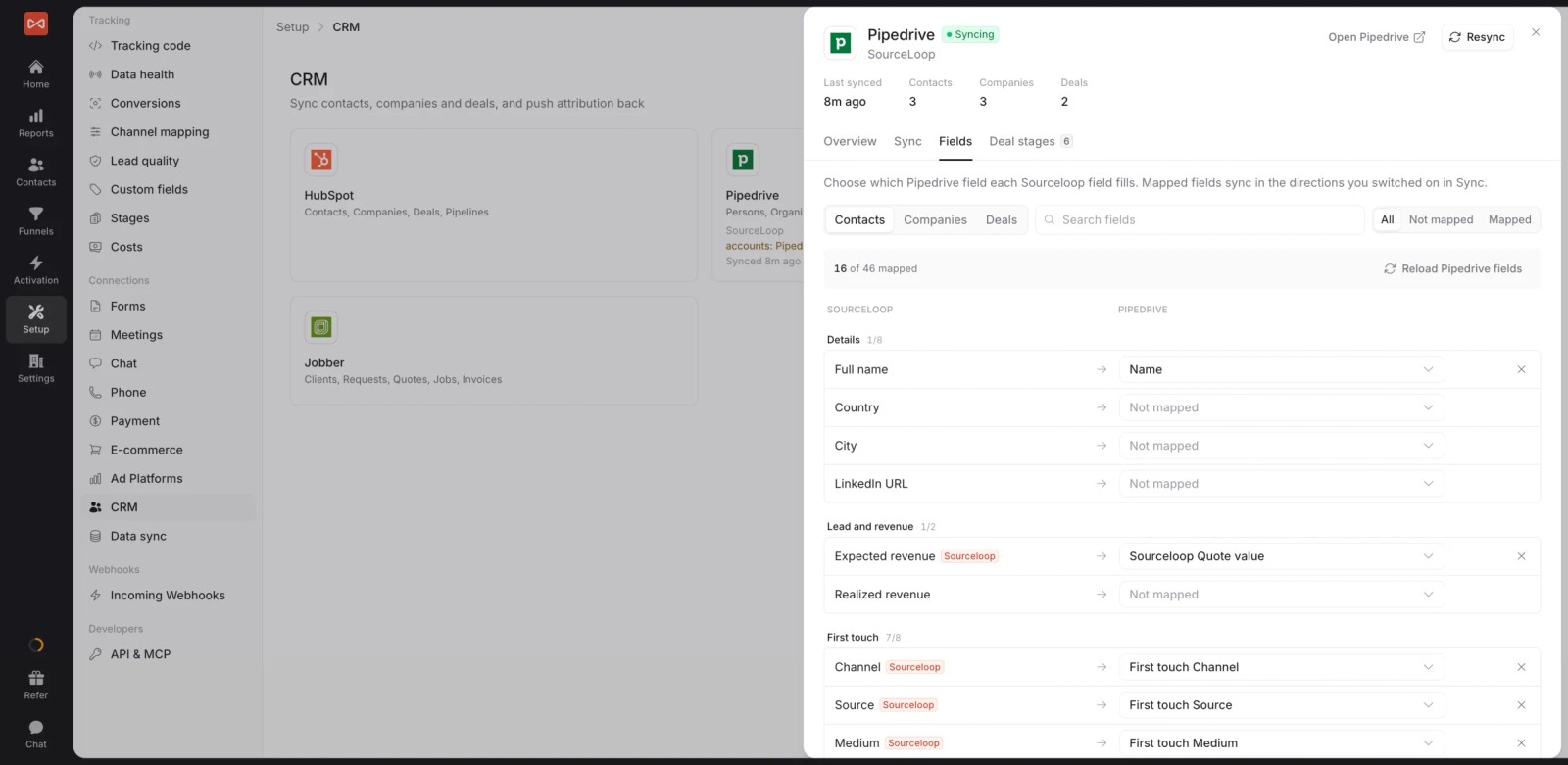
- Custom reports, alerts and white label, with multiple websites under one login.
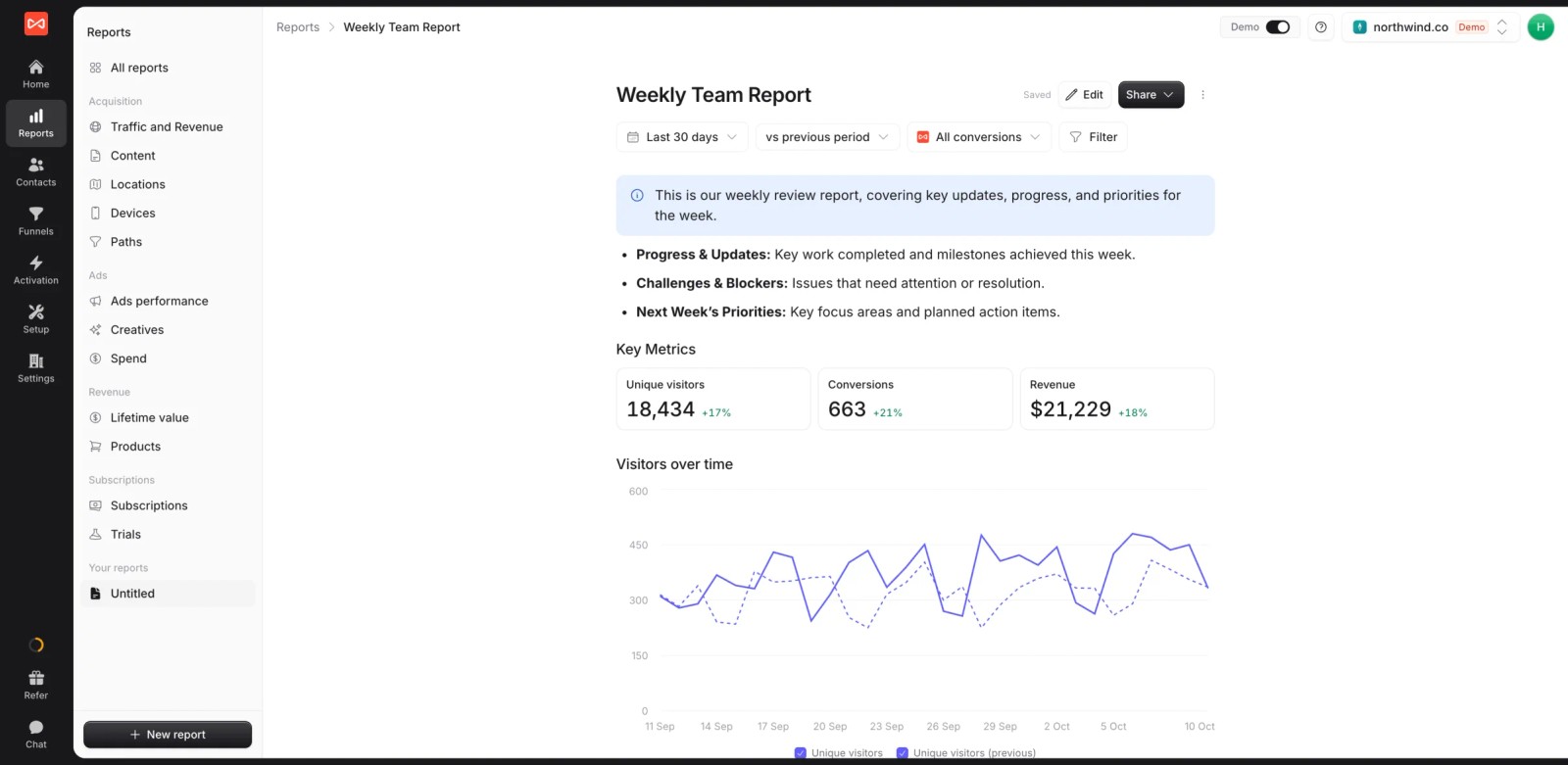
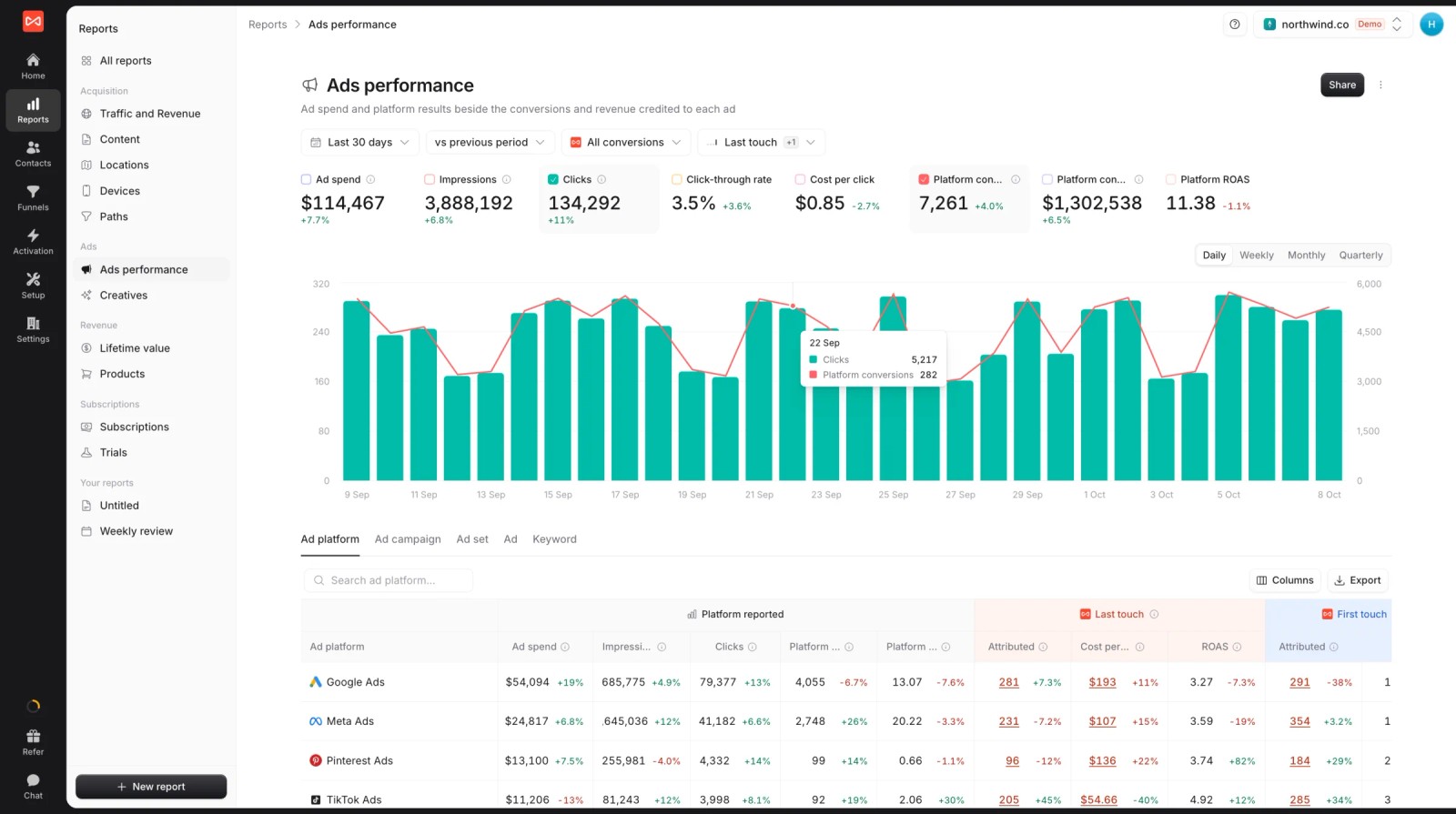
- Ad spend beside credited results: spend and platform-reported conversions next to what each model credits, so you can see how far each platform's own count drifts.
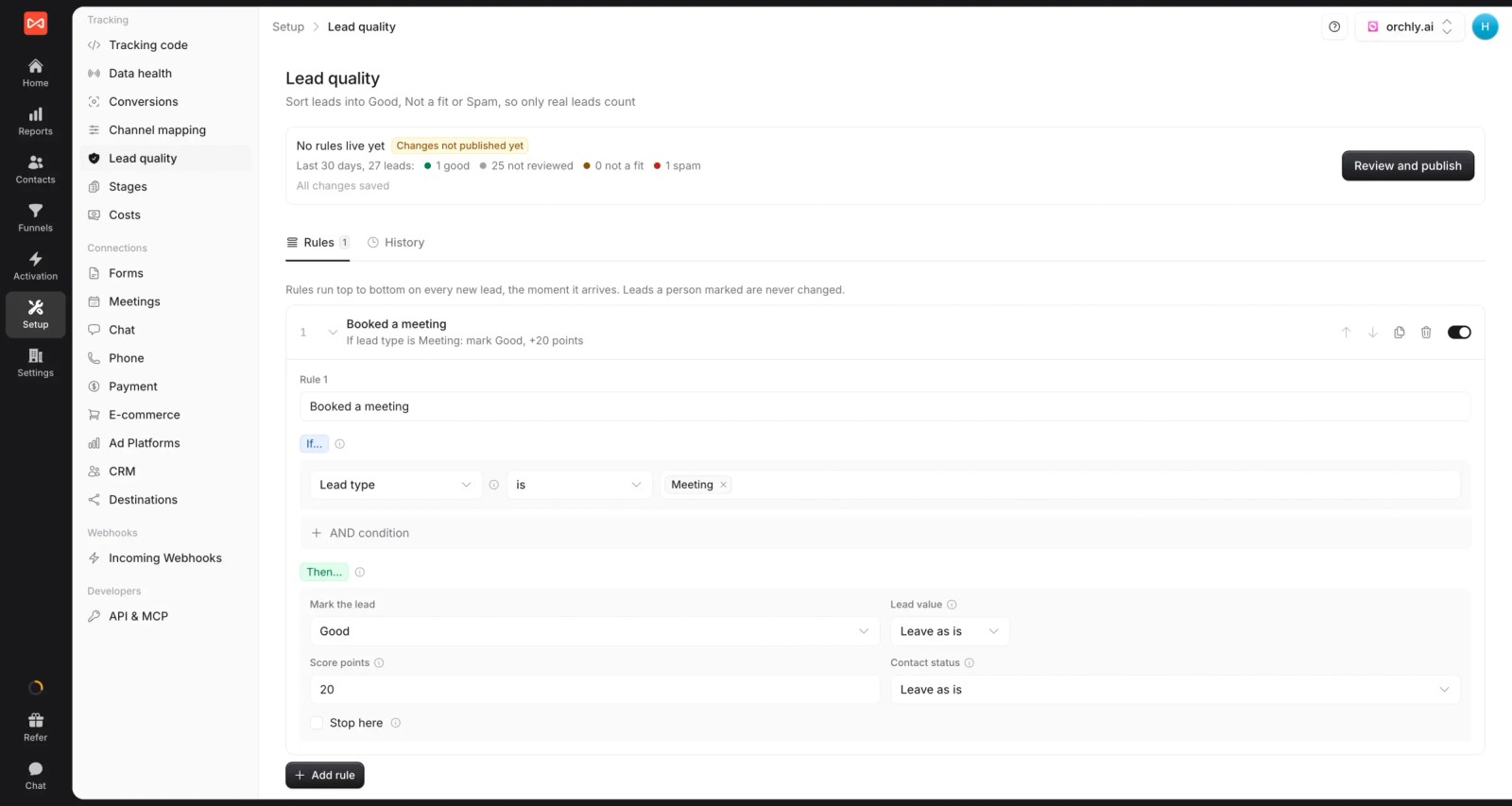
- Lead quality rules: mark leads Good, Not a fit or Spam before credit is split, so junk conversions don't inflate any channel.
Where it falls short
- No data-driven or custom-weighted models, and no W-shaped model.
- No view-through attribution or media mix modeling, so it won't credit ads people saw but never clicked.
Pricing
- Essential: $49/mo for one site and 30,000 page views, with tracking, attribution reports, lead quality rules and alerts
- Professional: $99/mo for 100,000 page views and unlimited users, adding CRM sync, conversion sync to the ad platforms, the API and MCP
- Agency: $249/mo for three sites and 1.5 million page views, adding white label reporting
- All seven models and unlimited conversions on every plan, with a 7-day trial.
Verdict: the clearest pick if you want to see, and defend, exactly how credit was split. Look elsewhere if you need modeled view-through credit.
2. Attribution App
Best for: SaaS teams that want click-level multi-touch they can audit down to the individual customer.
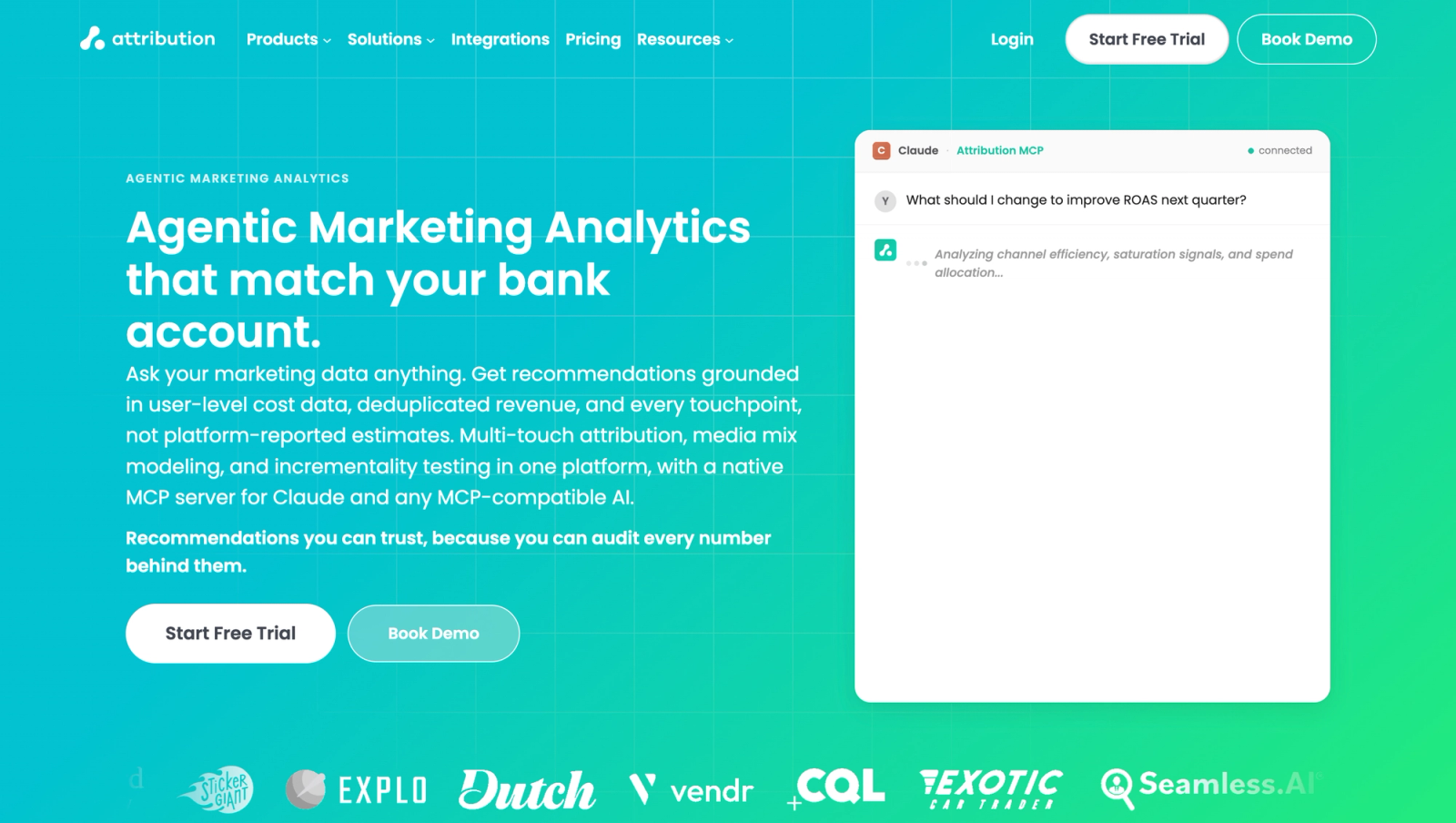
Attribution App ties every conversion to documented clicks and lets you set the model and lookback window yourself. Revenue comes from Stripe, Segment or your CRM, and ad costs are imported down to the ad.
When we tried it, the best moment was clicking a channel's revenue and seeing the list of people behind it. It's the same auditability as a rule-based model, at a finer grain.
Reviewers like how clearly it shows revenue per channel. Some say the interface doesn't help you remember what each model does, and that it can lag on heavy data.
Key features
- Models and lookback windows are fully configurable, so you can match the attribution rules to how long your sales cycle actually runs.
- Ad spend is pulled in automatically down to the individual ad, putting ROAS right next to the revenue each campaign is credited with.
- Every number drills down to the contacts and clicks behind it, which makes the credit split easy to defend when finance asks.
- Media mix modeling, incrementality testing and an MCP server now sit on top of the core attribution, for teams that want more than one view.
Where it falls short
- It doesn't track phone calls, which leaves lead-gen businesses that close by phone with a big gap in their journeys.
- Attribution starts from the day you install it, so there's no way to backfill history and the first weeks of reports look thin.
- Attributed conversions aren't sent back to the ad platforms, so bidding doesn't learn from the revenue the reports show you.
What users say
"It allows you to easily understand revenue per digital channel, which is so, so important for us to be able to invest in campaigns that are profitable." (Source)
"For those not deep in the world of analytics and attribution, one can constantly forget what the different attribution models mean." (Source)
"it's tough to get retroactive data, so historical attribution prior to standing up attribution was tough" (Source)
Pricing
- Pro: $399/mo ($335 billed yearly) for up to 10,000 monthly tracked users
- Custom: above that, with a 14-day trial
3. Dreamdata
Best for: B2B SaaS teams whose deals involve several people at one company over many months.
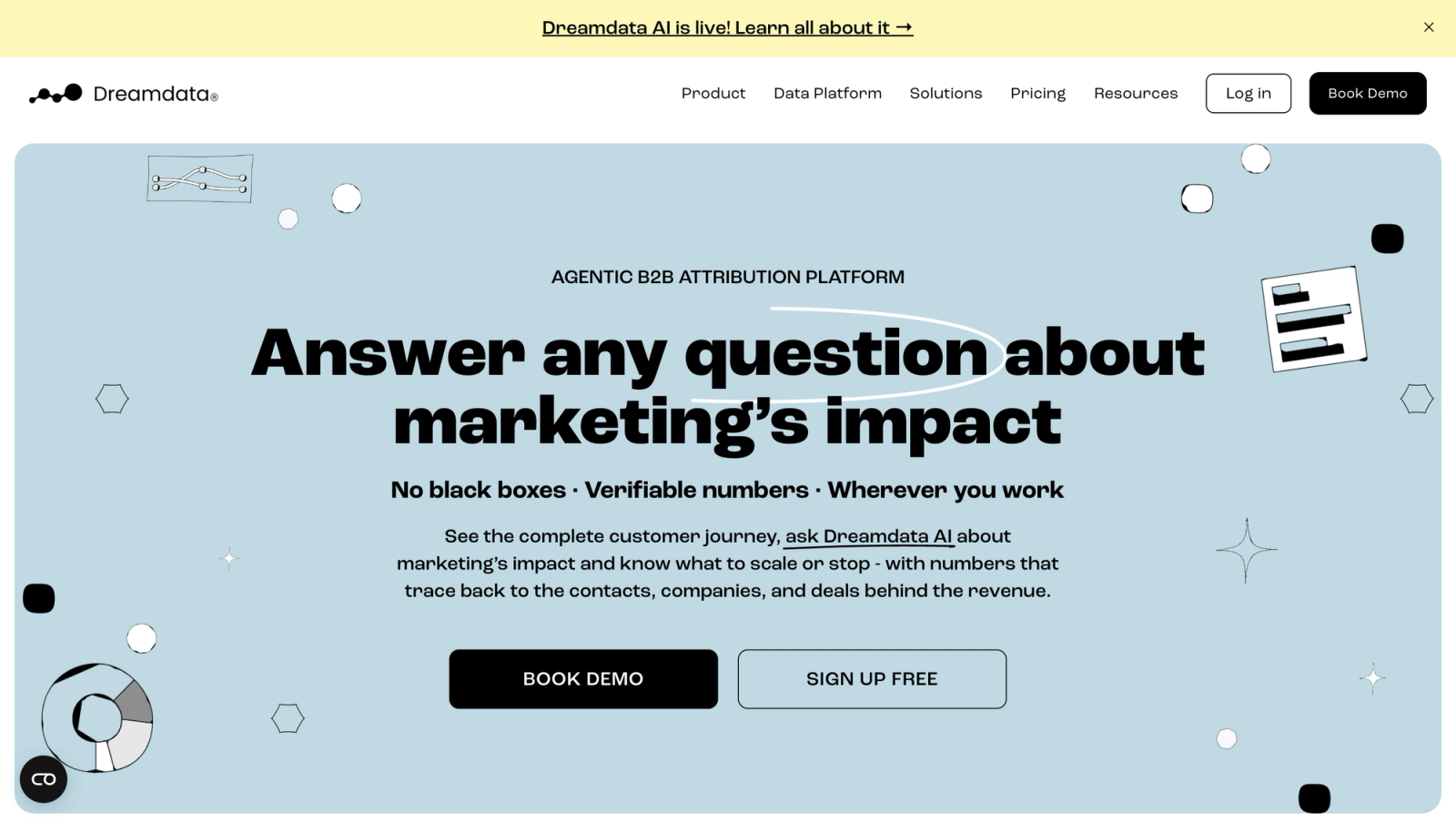
Dreamdata joins every contact's activity into one company journey and spreads revenue across it, with rule-based and data-driven models. It identifies anonymous companies too, so early research counts.
We've used it, and multi-touch makes the most sense here when you look at a whole account. Watching five people from one company touch ten channels before a deal closes is a strong argument for not using last touch.
Getting there took a while. Reviewers mention a learning curve in the first months and say results depend on how clean your CRM is.
Key features
- Every contact's touches at a company are combined into one account timeline, which suits deals where several people research before anyone talks to sales.
- Revenue is credited across CRM stages from MQL through opportunity to closed-won, so you can see which channels move deals forward.
- Anonymous visits are matched to companies from their IP address, letting early research count toward the deal before a form is filled.
- On paid plans, audiences and conversions flow back to the ad platforms, so campaigns can target and optimize on engaged accounts.
Where it falls short
- Phone calls and offline leads aren't handled well, since the product is built around web activity and CRM data.
- Prices for its attribution plans aren't published, so moving beyond the free plan means a sales conversation first.
- One reviewer notes it mainly reads from Salesforce and doesn't push attribution back into it, which limits what sales sees on records.
See our Dreamdata alternatives for similar tools.
What users say
"Since Dreamdata is easy to use the non technical marketers can easily find out which channel are driving most pipeline with Dreamdata reports." (Source)
"Learning curve is rather steep in the first 1-2 months." (Source)
"If your CRM health is poor, then no magic will happen, but Dreamdata is very helpful at revealing the problems." (Source)
Pricing
- Free: $0/mo with 2 months of history and 5 seats
- Attribution and Activation: custom pricing
4. HockeyStack
Best for: mid-market and enterprise B2B teams with a big channel mix and someone to run the platform.
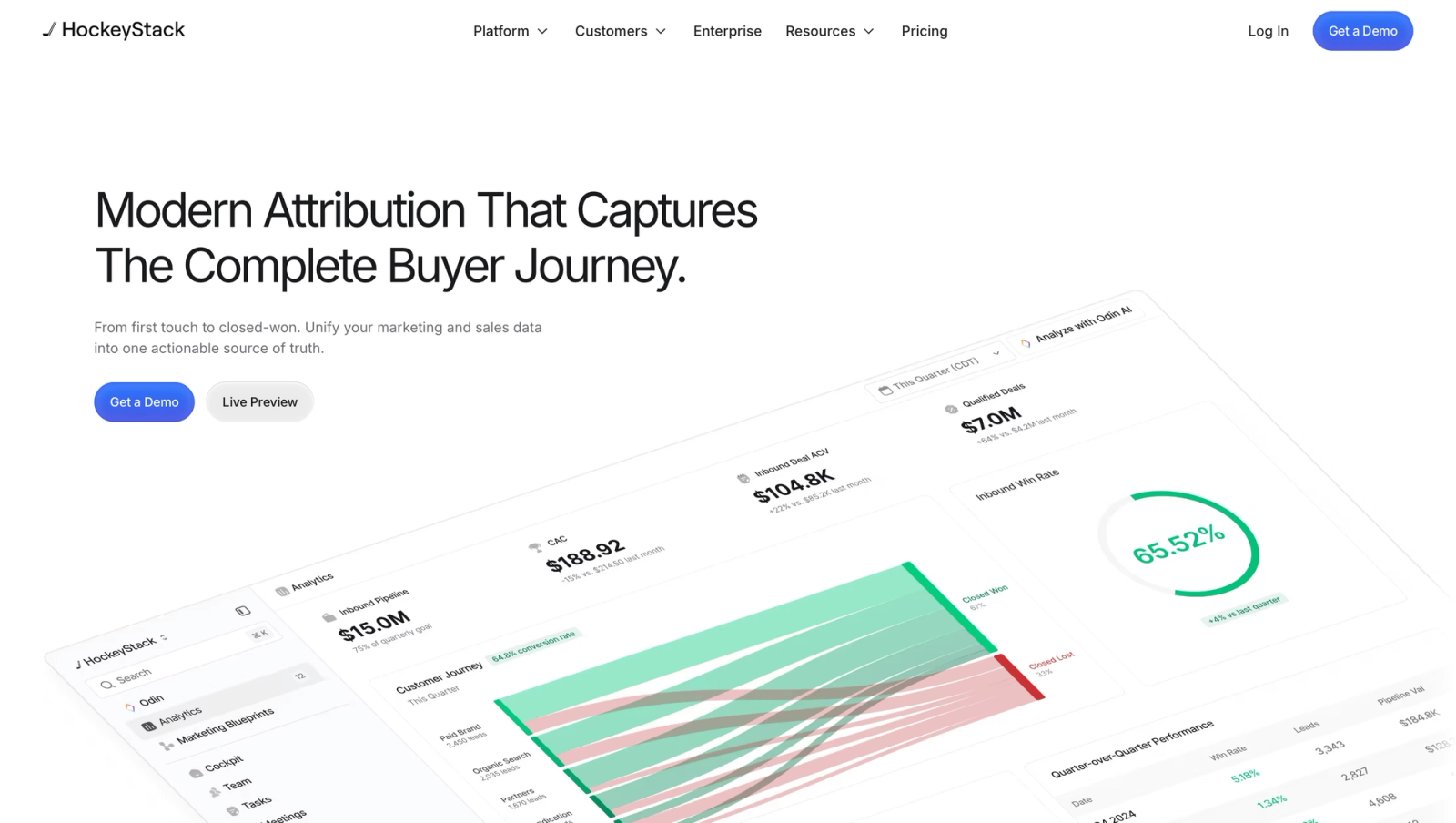
HockeyStack unifies CRM, ad, website and product data, then lets you flip between attribution models on the same report. It's added AI agents for analysis and sales.
Model switching is its strongest demo moment. The risk is the implementation: in reviews on both G2 and Capterra, some teams describe months of onboarding that ended without their data connecting.
Key features
- Attribution models switch instantly on any report, which lets different teammates compare first touch, linear and last touch without rebuilding anything.
- CRM, ad, marketing automation and product usage data are combined into one model, useful for B2B teams with a wide channel mix.
- Journeys run from the first anonymous visit through to closed-won, so long sales cycles can be traced end to end in one place.
- AI agents help with analysis and sales prospecting on top of the unified data, aimed at teams with someone dedicated to running the platform.
Where it falls short
- There's no self-serve trial, so you'll go through sales and an onboarding process before seeing your own data in it.
- It depends on clean CRM data and a dedicated owner, and teams without either describe long implementations that never fully worked.
- Phone calls aren't tracked, which matters for B2B companies whose demos or deals often start with an inbound call.
What users say
"I like being able to switch between attribution models like first touch, linear, and last touch in a second, so different marketing teammates can look at reports in different ways." (Source)
"4 months of onboarding ended in us cancelling the contract because they could not connect our data." (Source)
"Reporting is incredibly complicated." (Source)
Pricing
- Quoted, with annual contracts. See HockeyStack pricing for what buyers report.
5. Cometly
Best for: B2B SaaS teams on paid acquisition who want multi-touch tied to pipeline and fed back to Meta and Google.
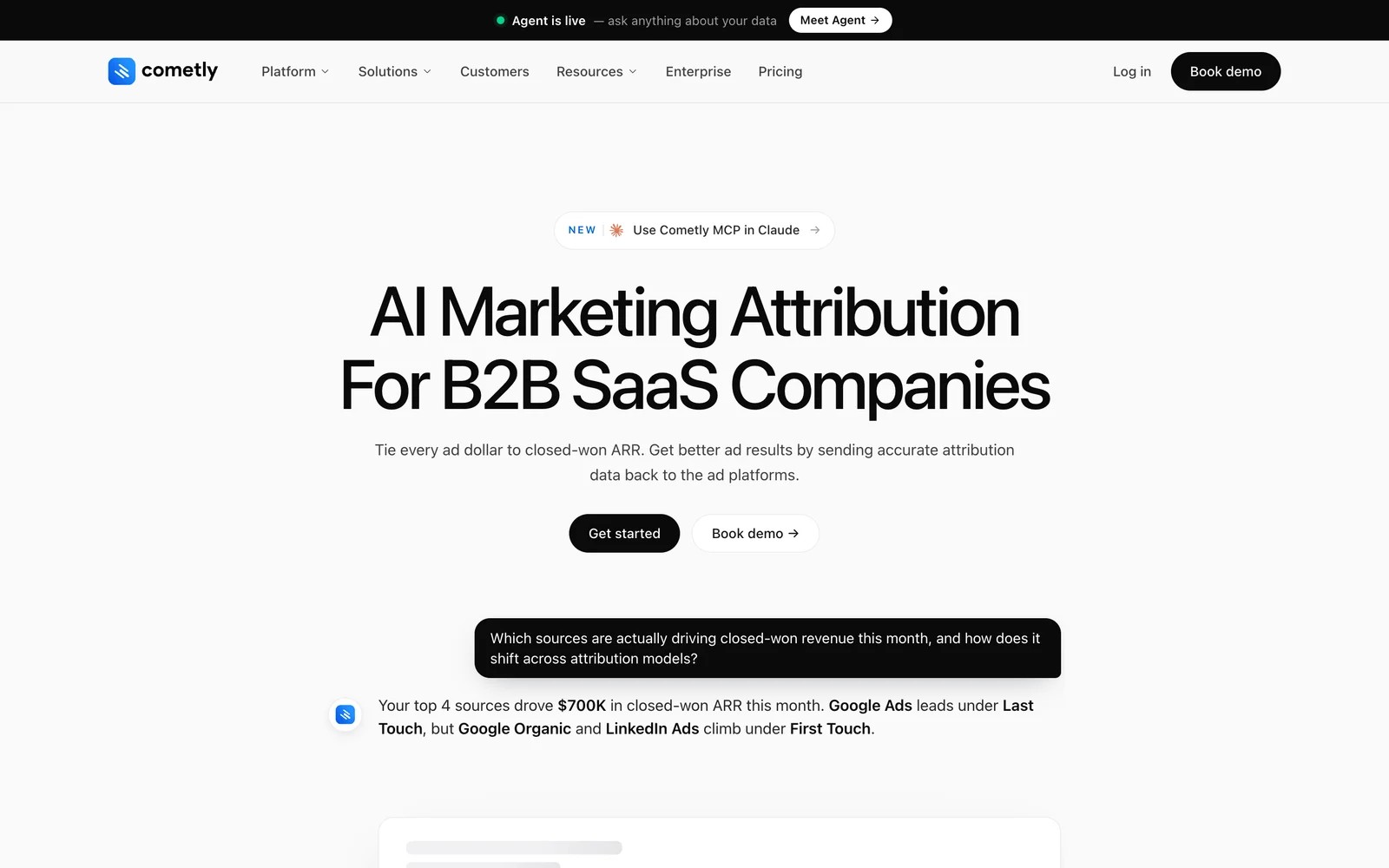
Cometly tracks ad clicks with a first-party pixel, follows each lead into the CRM and credits closed-won revenue across touches. It sends conversions back through the ad platforms' conversion APIs.
We've tested it. Comparing models on ad-level revenue was quick, and having Ads Manager's claimed numbers next to Cometly's view made the gap obvious. Configuration took more care once CRM stages came into it.
Key features
- A first-party pixel paired with server-side tracking captures ad clicks that browser-only tracking tends to lose to blockers and privacy limits.
- Multi-touch models credit closed-won revenue from the CRM down to the individual ad, which is what paid acquisition teams need to compare creatives.
- Conversions, offline sales included, are sent back to Meta and Google through their conversion APIs so the algorithms learn from real pipeline.
- An AI agent and an MCP server let you ask questions of the attribution data in plain language, without building custom reports first.
Where it falls short
- It doesn't track phone calls, so service businesses that rely on inbound calls will miss a large share of their leads.
- The product now targets B2B SaaS, which means ecommerce and local businesses are no longer its priority audience.
- Its pricing page shows plan structure but no dollar figures, so budgeting requires a conversation or a trial signup.
What users say
"Cometly marries sales and marketing data into one platform and feeds it back to your ad channels for optimization so you can make data driven decision right from your Ad Accounts." (Source)
"Documentation is out of sync with the actual application" (Source)
We couldn't find Cometly reviews on Capterra.
Pricing
- Usage-based Core plan and a quoted Enterprise plan. Our Cometly pricing breakdown has detail.
6. Ruler Analytics
Best for: lead generation businesses where many journeys end in a phone call.
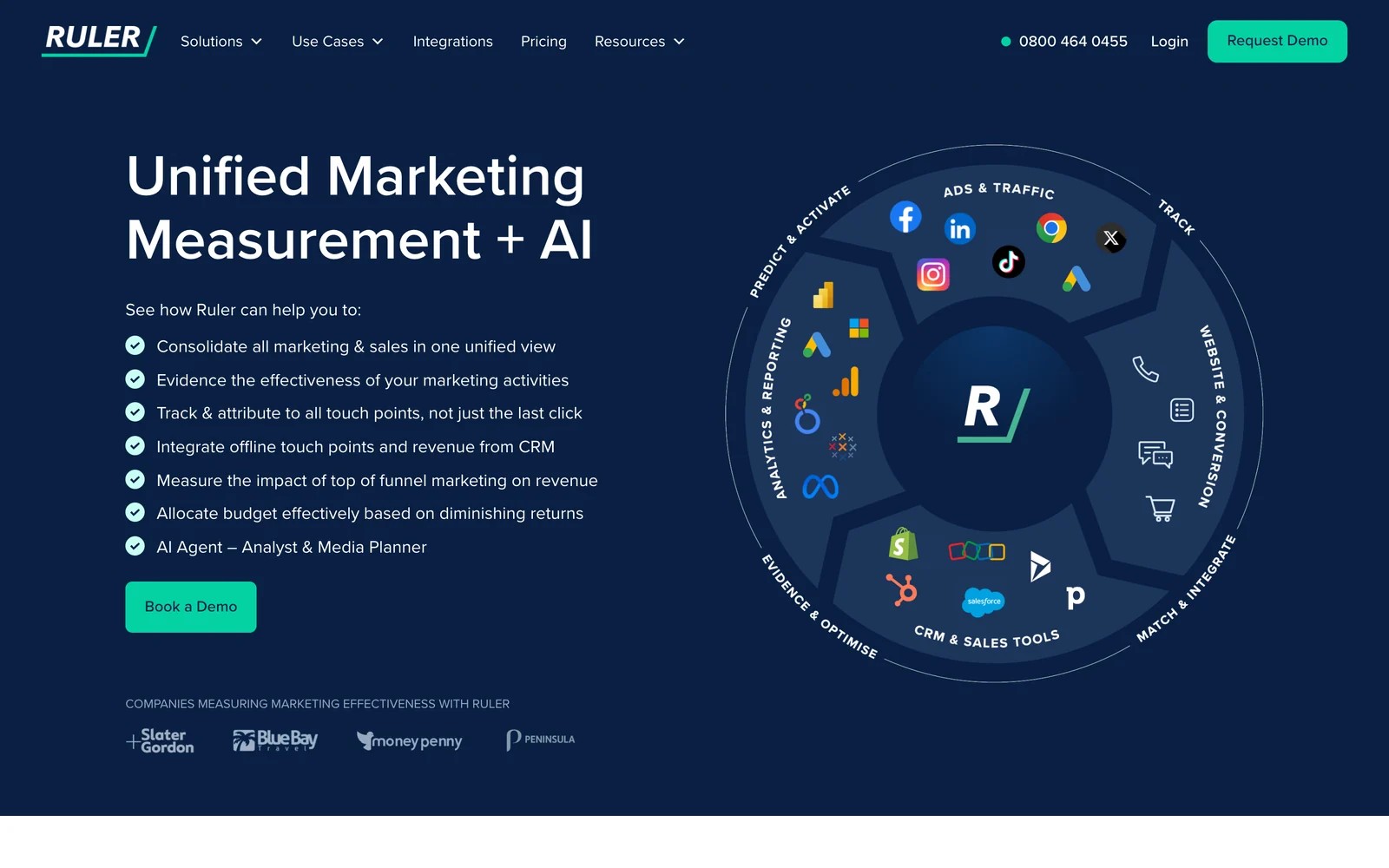
Ruler Analytics builds a journey for each visitor across forms, calls and chat, then credits CRM revenue back across those touches. Built-in call tracking is what sets it apart for multi-touch: phone leads get journeys too.
The flip side is maintenance. A Capterra reviewer describes setup taking almost three weeks and data breaking whenever the CRM changed.
Key features
- Built-in call tracking gives phone leads a complete multi-touch journey, something many attribution tools leave out entirely for lead-gen businesses.
- Closed revenue is pulled back from Salesforce, HubSpot, Pipedrive and other CRMs, so credit is split on real deal value rather than lead counts.
- Attributed revenue is sent back to Google Ads and Meta, helping campaigns optimize toward leads that actually turn into sales.
- Marketing mix modeling is available on the Advanced plan, for businesses that also spend on channels a journey can't capture.
Where it falls short
- There's no free trial, so you'll need to book a demo before you can see how it handles your own leads.
- Integrations rely on webhooks, and users have asked for a full API to build their own reporting and automation.
- One reviewer describes being locked into a 12-month contract, so check the terms carefully if month-to-month flexibility matters.
What users say
"Being able to demonstrate every enquiry to a client is essential and Ruler makes it easier." (Source)
"Everytime you change something in your CRM, Ruler will not work and you have to double check the data" (Source)
"you can only see first and last click of the user journey" (Source)
Pricing
- Small: from £299/mo for up to 10,000 monthly visits
- Medium, Large and Advanced: from £499, £999 and £1,499/mo
7. Northbeam
Best for: DTC brands spending heavily on paid social, where view-through matters.
Northbeam attributes store orders with modeled multi-touch that counts deterministic ad views as well as clicks. It layers media mix modeling and incrementality on top.
This is a different kind of MTA. You get credit for impressions that rule-based tools ignore, but you can't rebuild the split from a journey. Brands that fit its profile trust it; smaller ones find onboarding and price heavy.
Teams we know who use it lean on the view-through credit to justify paid social spend that click-only tools undervalue. The harder part is internal: explaining to finance why its numbers differ from both the ad platforms and Shopify.
Key features
- Its multi-touch attribution counts deterministic ad views alongside clicks, giving paid social credit for impressions that rule-based tools simply ignore.
- Media mix modeling and incrementality testing are offered on higher tiers, so larger DTC brands can check attribution against other methods.
- Northbeam Apex sends enriched conversion data back to the ad platforms, aiming to improve how their algorithms target and bid.
- An MCP server gives AI assistants access to the attribution data, letting analysts query performance from the tools they already use.
Where it falls short
- It doesn't attribute CRM deals, so lead generation businesses can't see which campaigns produced revenue from their pipeline.
- Because credit is modeled, you can't audit how a single journey's value was split the way you can with rule-based tools.
- Pricing starts well above what small advertisers spend on tools, so it really only fits brands with large paid budgets.
See Northbeam pricing for a full breakdown.
What users say
"Northbeam is our standard for all attribution now, for paid and owned channels." (Source)
"All of the data is modeled, so there's no way to look at a \"blended\" performance report." (Source)
Northbeam has no reviews on Capterra yet.
Pricing
- Starter: from $1,500/mo
- Professional: from $3,500/mo
- Enterprise: custom
8. Google Analytics 4
Best for: a free, modeled view of conversion paths on any site.
Google Analytics 4 now offers only two reporting models: data-driven and paid and organic last click. Google retired first click, linear, time decay and position-based in 2023.
Data-driven attribution is genuinely multi-touch, but it's a black box, and it only sees what GA4 can track: no individual leads, no CRM revenue, and a lot of browser blocking. Our guide to multi-touch attribution in Google Analytics covers how to get the most from it.
We use GA4 on our own sites. Data-driven attribution is fine for spotting broad channel patterns, but the moment someone asks which campaign produced a specific deal, it has no answer.
Key features
- It's free, and data-driven attribution is available on every property, which makes it the default starting point for most websites.
- Conversion paths reports show which channels tend to appear early in a journey and which ones close, even without a paid tool.
- The Google Ads link imports GA4 conversions for bidding, so Smart Bidding can work from the same events your reports use.
- BigQuery export gives analysts the raw event data to build their own models, useful once the built-in options feel too limited.
Where it falls short
- Rule-based models like linear, U-shaped and time decay are gone, so you can't compare how different rules would split credit.
- Conversions can't be connected to CRM revenue or individual leads, which leaves lead-gen and B2B teams without a revenue view.
- Data-driven attribution doesn't explain how credit was calculated for a given path, making the numbers hard to defend internally.
What users say
"Google analytics is a really easy to use tool, with no cost." (Source)
"Google Analytics is often blocked by browser/browser extension, whereas self-made solution is usually not detected by tracking blocker" (Source)
"The learning curve can be steep for beginners, especially with GA4's event based model, which feels less intuitive than the old Universal Analytics setup." (Source)
Pricing
- Free. Google Analytics 360 is quoted for enterprises.
How to choose
Start with your sales cycle, then decide how much you need to explain the numbers.
1. How long and how many people?
- Days to weeks, one buyer: a person-level, rule-based tool like SourceLoop or Attribution App.
- Months, a buying committee: account-based tools like Dreamdata or HockeyStack. SourceLoop's company journeys cover lighter B2B needs.
- Impulse purchases driven by paid social: a modeled tool like Northbeam.
2. Will you need to defend the numbers?
- If a client, CFO or sales team will question the split, pick fixed rules you can show on a single journey. SourceLoop, Attribution App and Ruler all let you do that.
3. Should the result change your bidding?
- Multi-touch only pays off when it changes spend. SourceLoop sends good leads, won deals and payments back to Google Ads, Meta and Microsoft Ads, so lead generation businesses, agencies and SaaS teams can bid on outcomes. For step-by-step setup, see how to implement multi-touch attribution.
Frequently asked questions
-
What is a multi-touch attribution tool?
A multi-touch attribution tool tracks the marketing touches before a conversion, such as ad clicks, organic visits and emails, and splits the credit for that conversion across them using a model.
-
Which multi-touch attribution model is best?
There's no single best model. U-shaped suits lead generation where the first and converting touches matter most, time decay suits short purchase cycles, and linear is a neutral starting point. Comparing two or three models side by side is more useful than picking one.
-
Does GA4 still have multi-touch attribution?
Yes, through its data-driven model. GA4 removed first click, linear, time decay and position-based models in 2023, leaving data-driven and paid and organic last click.
-
What's the difference between rule-based and data-driven attribution?
Rule-based models split credit with a fixed formula you can check by hand. Data-driven models learn weights from your conversion data, which can be more accurate but can't be recreated on paper.
-
How much does multi-touch attribution software cost?
GA4 is free. SourceLoop starts at $49 a month with seven models included, Attribution App at $399, and Northbeam at $1,500. Account-based B2B platforms are usually quoted on annual contracts.
-
How long should the attribution lookback window be?
Match it to your sales cycle. Most lead generation journeys fit in 30 to 90 days, while B2B deals and subscription revenue often need up to a year.




 Paid Social


