
10 Best Lead Source Tracking Software: Compared in 2026
A practical comparison of 10 lead source tracking tools, who they're built for, and what you'll actually pay.
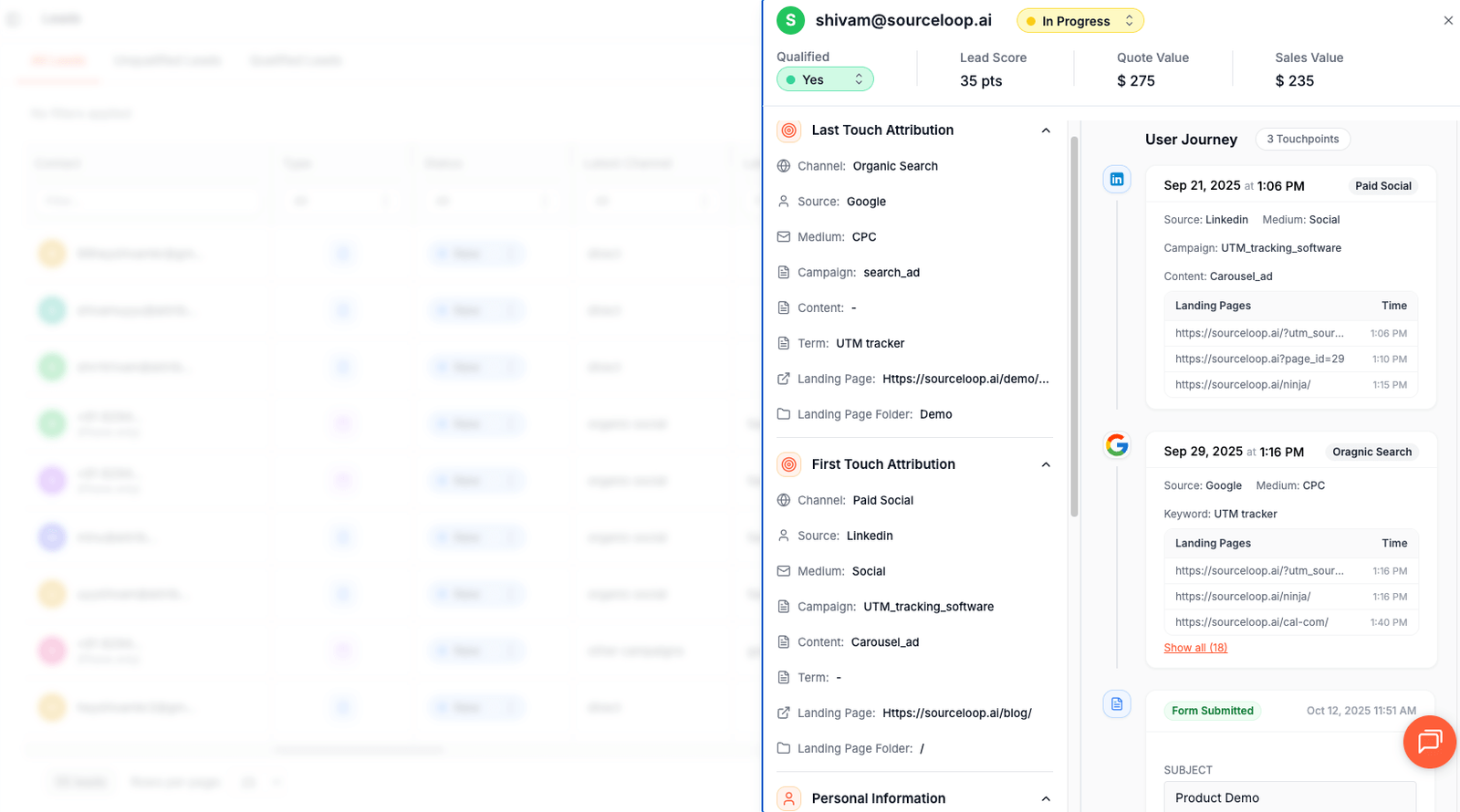
Table of contents
Lead source tracking software answers one question: where did this lead actually come from?
Not the channel they self-reported on a form, not the last touch your CRM auto-tagged, but the actual marketing activity that brought them in for the first time. Get it wrong and every downstream budget decision is wrong.
Below are 10 lead source tracking tools that solve different parts of the lead source problem in 2026.
Quick Comparison of Best Lead Source Tracking Tools
| Tool | Best for | Starts at | Category |
|---|---|---|---|
 Sourceloop Sourceloop |
Visitor-level lead source + revenue stitching | $49/mo | Marketing analytics |
 HubSpot HubSpot |
CRM with native lead source fields | Free / $890+/mo | CRM |
 Salesforce Sales Cloud Salesforce Sales Cloud |
Enterprise CRM with custom lead source | $25/user/mo | CRM |
 CallRail CallRail |
Phone call lead attribution | $45/mo | Call tracking |
 WhatConverts WhatConverts |
Calls + forms + chat in one tool | $30/mo | Call tracking |
 Ruler Analytics Ruler Analytics |
Visitor attribution pushed back into CRM | £199/mo | Marketing analytics |
 Dreamdata Dreamdata |
B2B SaaS with long sales cycles | $999/mo | B2B attribution |
 HockeyStack HockeyStack |
Enterprise B2B revenue analytics | $1,399/mo | B2B attribution |
 Cometly Cometly |
Multi-channel paid media attribution | Custom | Marketing analytics |
 Pipedrive Pipedrive |
Lean sales CRM with lead source field | $24/user/mo | CRM |
1. Sourceloop
Sourceloop solves the problem every CRM lead source field has: nobody fills it in correctly, and the data that is there is mostly wrong.
Most lead source tracking happens in two broken ways.
Either a sales rep types whatever they think the source was after a discovery call ("Google search? Referral? Not sure"), or your CRM auto-fills it from the last touch before the form fill, missing the campaign that actually sourced the lead 3 weeks earlier. Both produce data that flatters whichever channel happens to be visible when the form gets submitted.
Sourceloop captures the original source the moment the visitor lands, persists it across every page, every session, every device handoff, and writes it to your CRM exactly once: when the lead gets created. The rep doesn't fill it in. The CRM doesn't guess. The data is just right.
Why Sourceloop works well for lead source tracking
1. Captures the original source, not just the last touch
When a lead clicks a Google ad in March, comes back via organic search in April, then fills out a demo form after seeing a LinkedIn ad in May, most CRMs credit LinkedIn.
Sourceloop credits Google (first touch), shows LinkedIn (last touch), and stores both in the lead record. You decide which model to credit. The data isn't lost.
2. Auto-fires lead source on every Calendly, HubSpot Meetings, Typeform, and Jotform submission
The biggest hole in B2B lead source tracking is meeting bookings. Calendly redirects to a confirmation page that strips UTMs. Typeform submits to a thank-you page on a different subdomain.
By the time your CRM gets the new lead, the source is already gone. Sourceloop intercepts the booking event with the original source attached and pushes both into the CRM record together.
3. Writes lead source directly into HubSpot, Salesforce, and Pipedrive
Sourceloop pushes the captured source data into your CRM as named fields (Original Source, First Touch Channel, First Touch Campaign, Last Touch Channel, gclid, fbclid, Landing Page) on lead creation.
Reps see clean, populated fields the moment a lead lands in their queue.
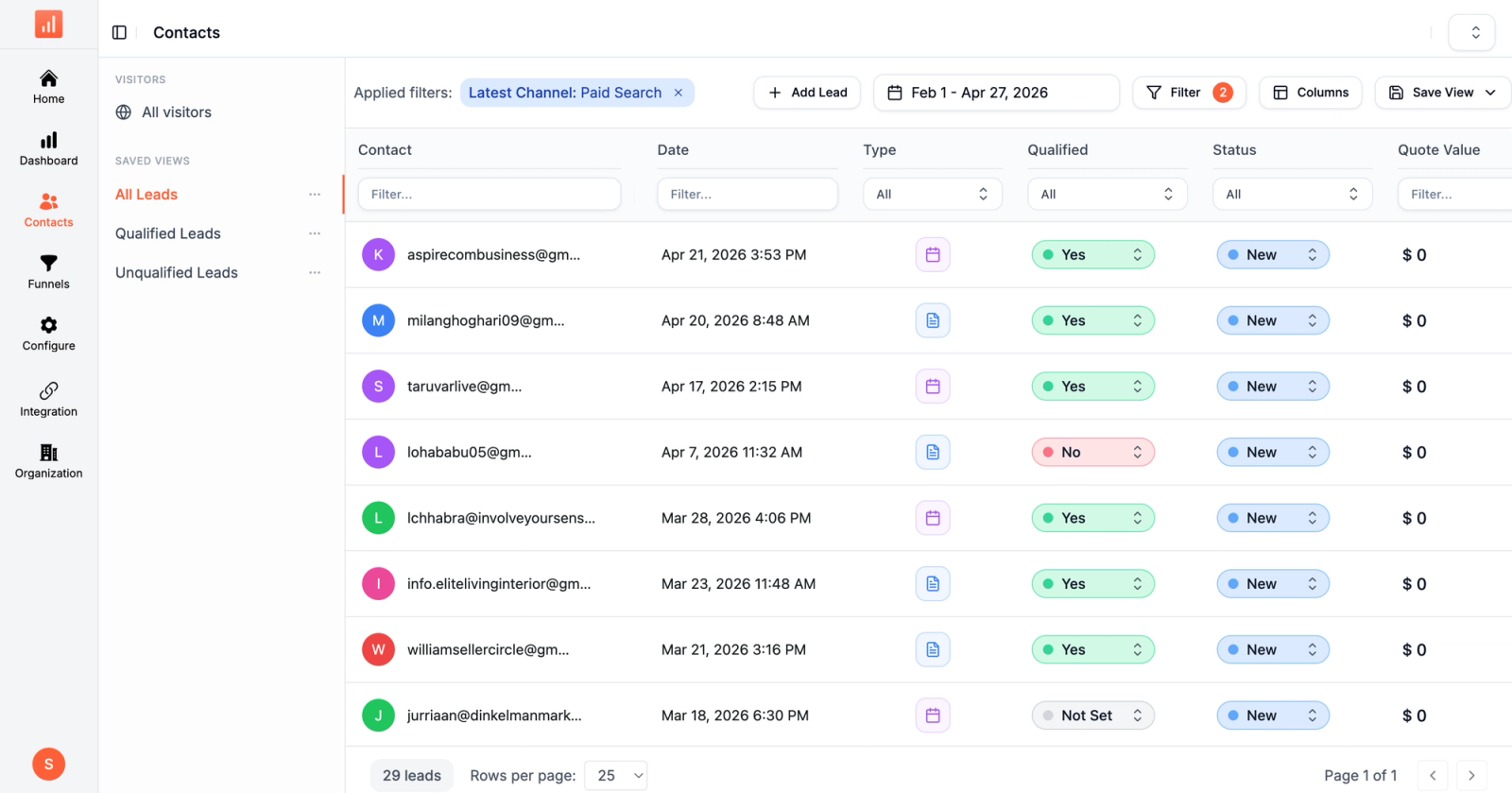
4. Recovers paid leads that get bucketed as "direct"
The single most common reporting failure in CRM lead source data: paid leads showing up as "direct" or "organic."
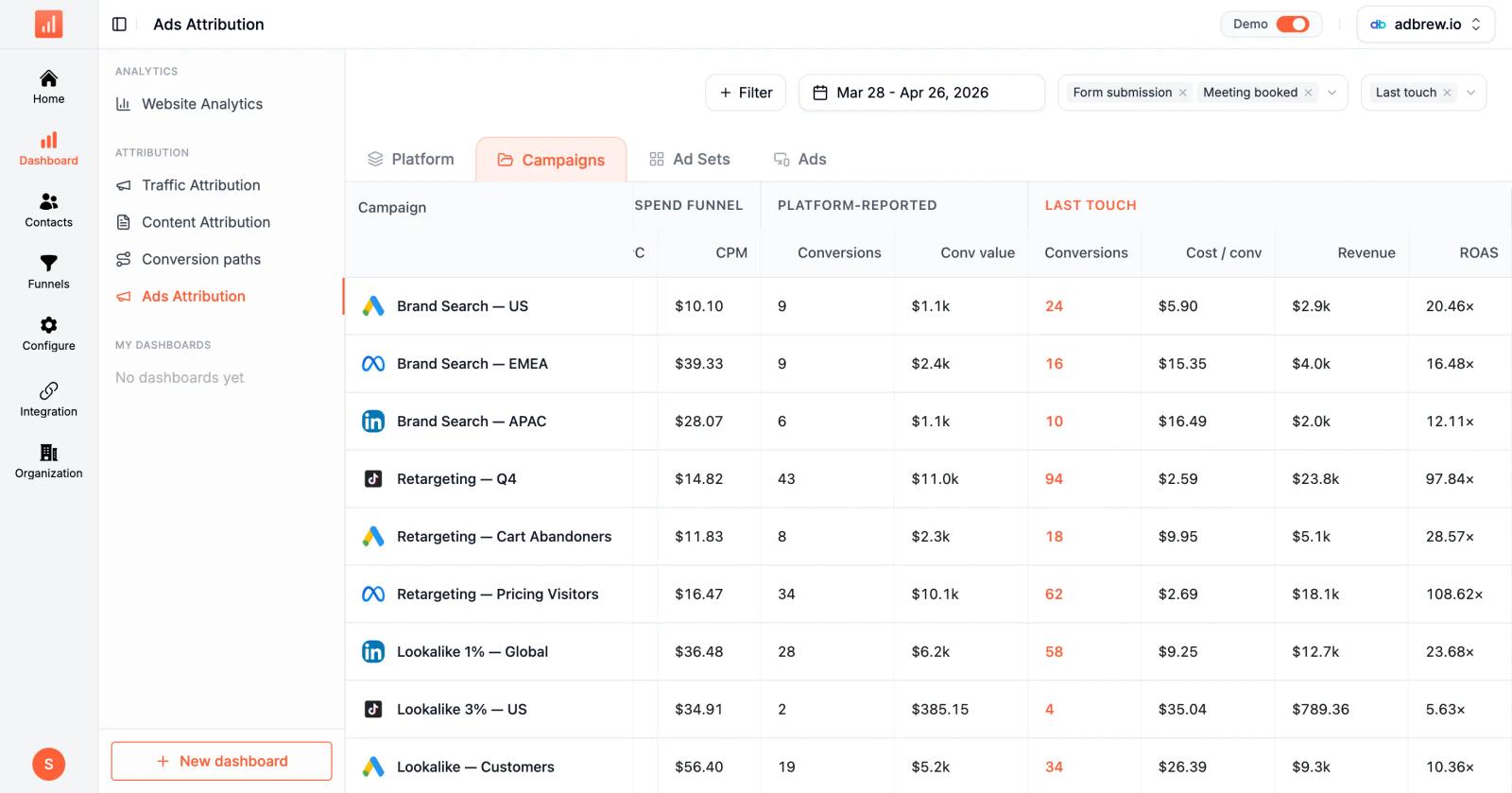
This happens because Google and Meta auto-tagging strip your UTMs and replace them with gclid or fbclid parameters that most tracking scripts don't capture.
Sourceloop captures all 9 click ID parameters (gclid, fbclid, msclkid, ttclid, li_fat_id, gbraid, wbraid, dclid, twclid), reverse-resolves them to the actual campaign, and writes the correct source.
5. Tracks AI tools as their own source category
ChatGPT, Claude, and Perplexity are now real lead sources for B2B SaaS. Most CRMs and analytics tools dump this traffic into "direct" because there's no UTM and the referrer is stripped. Sourceloop classifies AI Referrals as its own channel so when a sales rep asks "where did this lead come from," the answer can be "ChatGPT" instead of "we don't know."
6. Stitches sources across cross-domain lead capture flows
Marketing site → app subdomain → Stripe checkout → CRM contact. Most lead source tracking falls apart somewhere in this chain because each domain hop strips the source.
Sourceloop persists the original source through every redirect so the closed-won deal in Salesforce three months later still attributes to the original Meta ad that started everything.
Pros:
- Writes clean lead source directly into HubSpot, Salesforce, Pipedrive on lead creation
- Auto-detects bookings from Calendly, Cal.com, HubSpot Meetings, Typeform, Jotform
- Recovers paid leads from "direct" by capturing all 9 click ID parameters
- AI Referrals as a dedicated source category
- Cross-domain source stitching (marketing site → app → checkout)
- 365-day retention on every plan, matching B2B sales cycle length
Cons:
- Not a CRM, you still need HubSpot, Salesforce, or Pipedrive for the workflow
- Newer to market than CallRail or HubSpot
Pricing: Starts at $49/mo with full UTM and click ID capture, all native CRM integrations, account-level identity, and 365-day retention included. Professional unlocks unlimited websites. Business adds white-label. Enterprise adds the DPA.
2. HubSpot
Best for: Small to mid-sized businesses that want CRM, marketing automation, and lead source tracking in one place
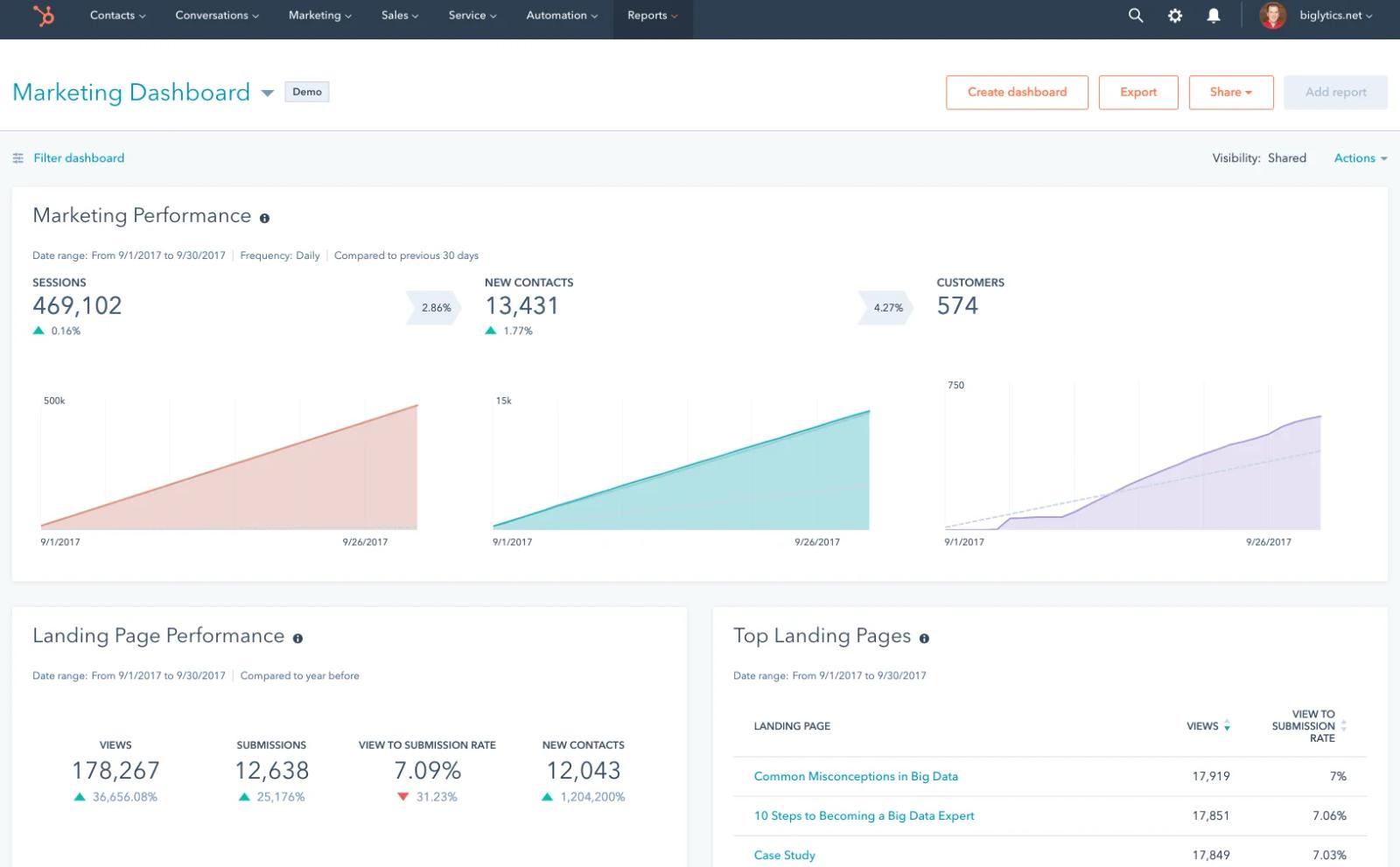
HubSpot captures lead source natively through its tracking code, fills the "Original Source" property automatically on every contact, and ties it to deals as they progress through the pipeline.
The lead source field has a fixed taxonomy (Organic Search, Paid Search, Email, Social, Referrals, Direct, Other Campaigns), which keeps things tidy but limits granularity.
The free CRM is genuinely useful for small teams. The catch is that real attribution reporting (multi-touch revenue attribution, custom report types) is gated behind Marketing Hub Professional and Enterprise, which scale into thousands of dollars per month.
Pros:
- Native lead source on every contact, no setup
- Free CRM tier covers basic needs
- Automated workflows triggered by lead source
Cons:
- Multi-touch attribution is Enterprise-only
- $7,000 onboarding fee on Enterprise
- Channel attribution is less granular than dedicated tools
Pricing: CRM and basic Marketing Hub free. Marketing Hub Professional from $890/month. Marketing Hub Enterprise from $3,600/month plus $7,000 one-time onboarding.
3. Salesforce Sales Cloud
Best for: Enterprise sales teams that need flexible, customizable lead source fields tied to opportunities
Salesforce is the default CRM for mid-market and enterprise. The "Lead Source" field is built in, fully customizable, and ties through to opportunities and closed-won revenue.
Marketing Cloud Account Engagement (formerly Pardot) adds marketing automation and multi-touch attribution on top.
The angle is flexibility: you can build any lead source taxonomy you want, any custom field, any report. The cost is complexity. Salesforce implementations typically require a consulting partner and several months of setup. Lead source data is only as clean as the team that fills it in, and most don't.
Pros:
- Most flexible, customizable CRM on the market
- Mature lead-to-opportunity-to-revenue reporting
- Massive AppExchange ecosystem for integrations
Cons:
- Requires implementation partner for most teams
- Lead source data quality depends on rep discipline
- Enterprise pricing scales sharply with users and features
Pricing: Sales Cloud Starter at $25/user/month. Professional at $80. Enterprise at $165. Unlimited at $330. Marketing Cloud Account Engagement adds significantly to total cost.
4. CallRail
Best for: Service businesses where phone calls drive most of the leads
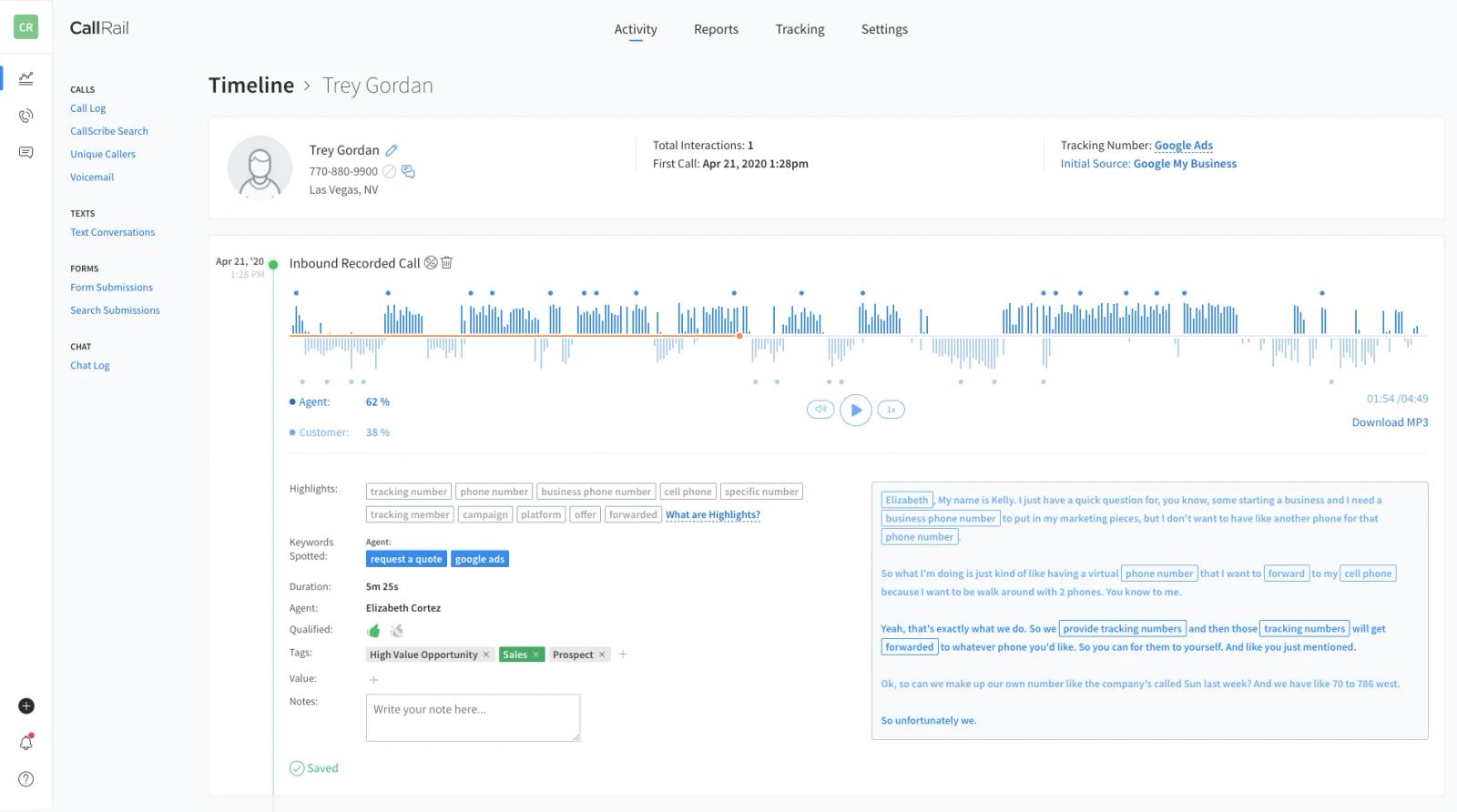
CallRail is the dominant call tracking platform, used by 200,000+ businesses. Dynamic Number Insertion (DNI) shows different phone numbers to visitors from different sources, so when a prospect calls, you know which Google Ads keyword, Meta campaign, or organic search query drove that call. Conversation Intelligence transcribes calls and surfaces lead-quality signals.
Real-world pricing is higher than the sticker. CallRail's $45/month base plan includes 250 minutes and 5 tracking numbers. Most service businesses end up paying $100-250/month once usage overages kick in, and premium integrations (HubSpot, Salesforce) add another $65/month.
Pros:
- Industry-standard for call attribution
- Dynamic Number Insertion ties calls to specific sources
- Conversation Intelligence and call recording
Cons:
- Premium integrations cost extra ($65/month add-on)
- Lead Center VoIP is being sunset January 2026
- Per-minute overages add up quickly
Pricing: Call Tracking from $45/month. Call Tracking + Form Tracking at $90/month. Call Tracking Complete at $175/month. Lead Conversion Complete at $215/month.
5. WhatConverts
Best for: Agencies and SMBs that want calls, forms, and chat tracking in one tool
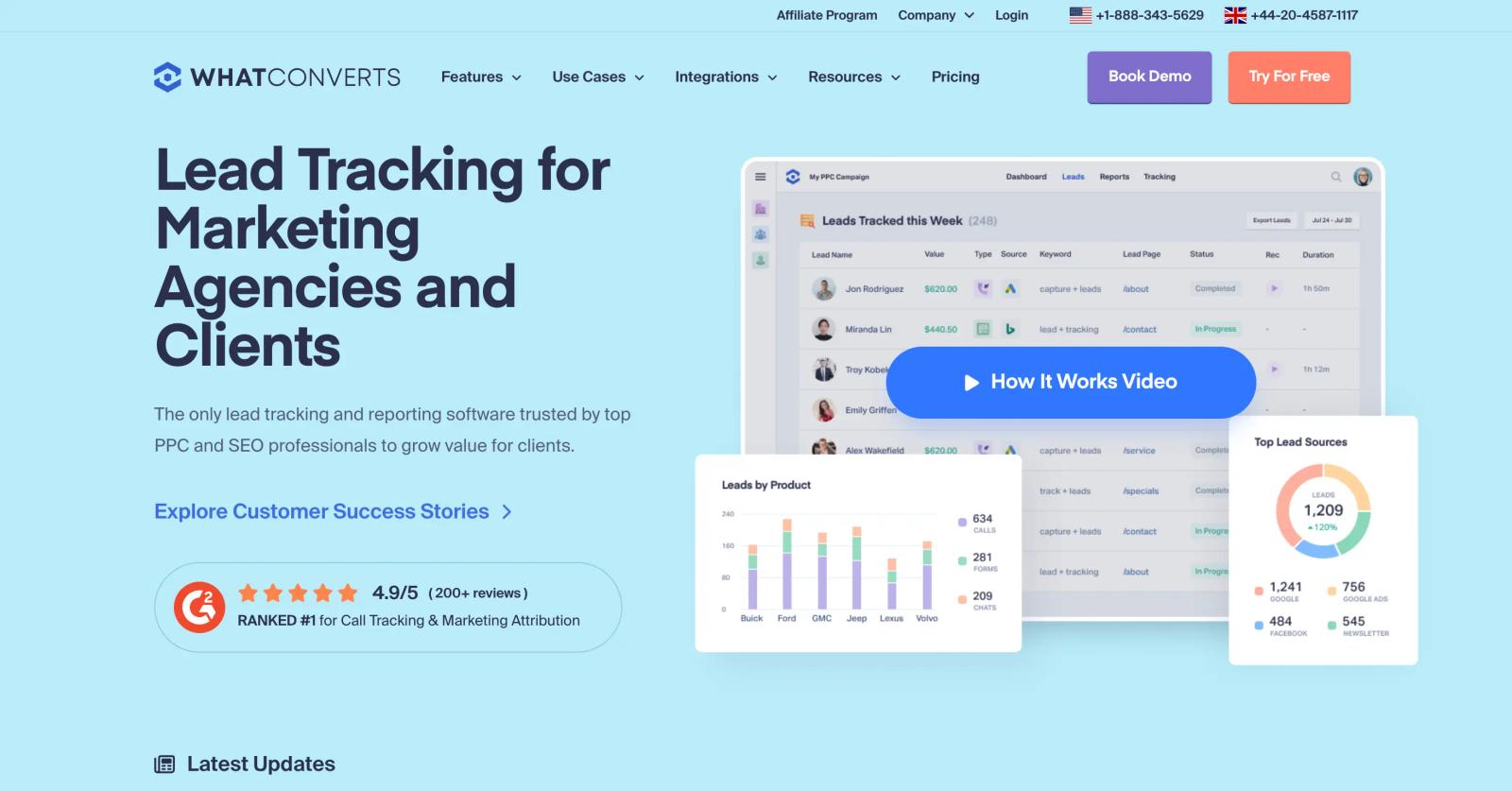
WhatConverts covers the same call tracking ground as CallRail but extends to forms, web chat, and ecommerce transactions in the same dashboard.
The differentiator is the $30/month entry price (cheaper than CallRail) and the fact that integrations with HubSpot, Salesforce, and Google Ads are included on every plan rather than gated as a paid add-on.
The catch is the per-minute overage rate, which is reportedly steep at $1.75/minute. For low-call-volume businesses, WhatConverts is the better deal. For high-volume call centers, CallRail's $0.05/minute overage rate works out cheaper.
Pros:
- Lower entry price than CallRail
- All integrations included, no add-ons
- Tracks calls, forms, chat, and transactions in one tool
Cons:
- Per-minute overages get expensive at high volumes
- Smaller ecosystem and integration library than CallRail
- Reporting depth less mature for enterprise use cases
Pricing: Call Tracking from $30/month. Plus at $60/month adds form and chat tracking. Pro at $100/month. Elite at $160/month.
6. Ruler Analytics
Best for: B2B and lead-gen businesses that want visitor-level attribution pushed back into CRM
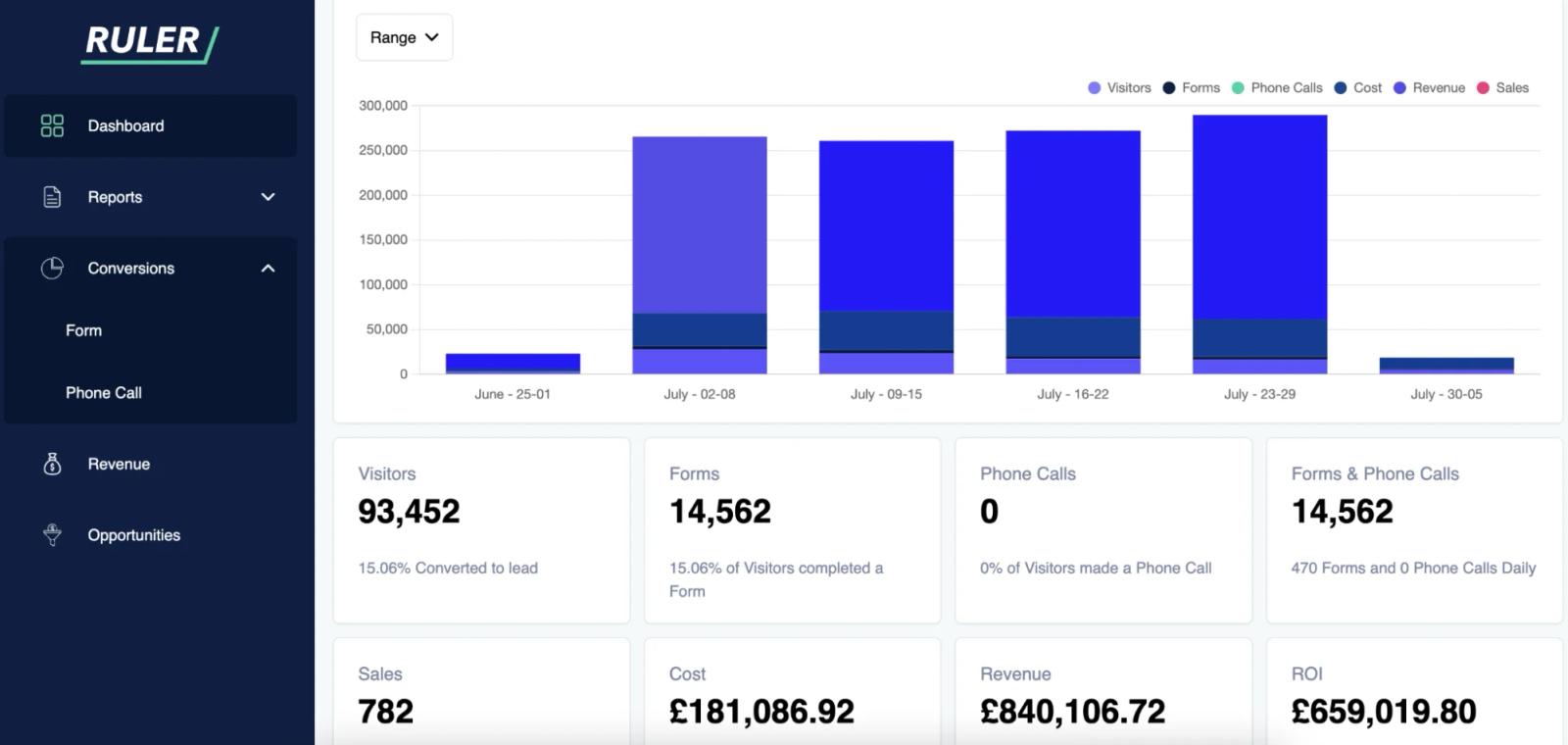
Ruler Analytics is a UK-built attribution platform that captures every visitor's source, stitches it through forms and phone calls, and pushes the attributed revenue back into HubSpot, Salesforce, Microsoft Dynamics, and Google Ads.
Closed-loop reporting is the differentiator: you see not just which channel sourced the lead but which channel sourced the closed revenue.
The most-cited weakness on Capterra is the 12-month minimum contract. Setup time can run up to three weeks.
For mid-market B2B with phone calls and forms as primary lead types, Ruler is a solid pick. For ecommerce or self-serve SaaS, it's overkill.
Pros:
- Visitor-level attribution stitched to CRM revenue
- Strong call tracking included
- Closed-loop reporting on closed-won deals
Cons:
- 12-month minimum contract
- Setup can take 2-3 weeks
- Pricing scales by traffic volume rather than leads
Pricing: Small Business at £199/month for 5,000 monthly visits. Medium Business at £649/month. Large Business at £1,149/month.
7. Dreamdata
Best for: B2B SaaS with multi-stakeholder buying journeys and long sales cycles
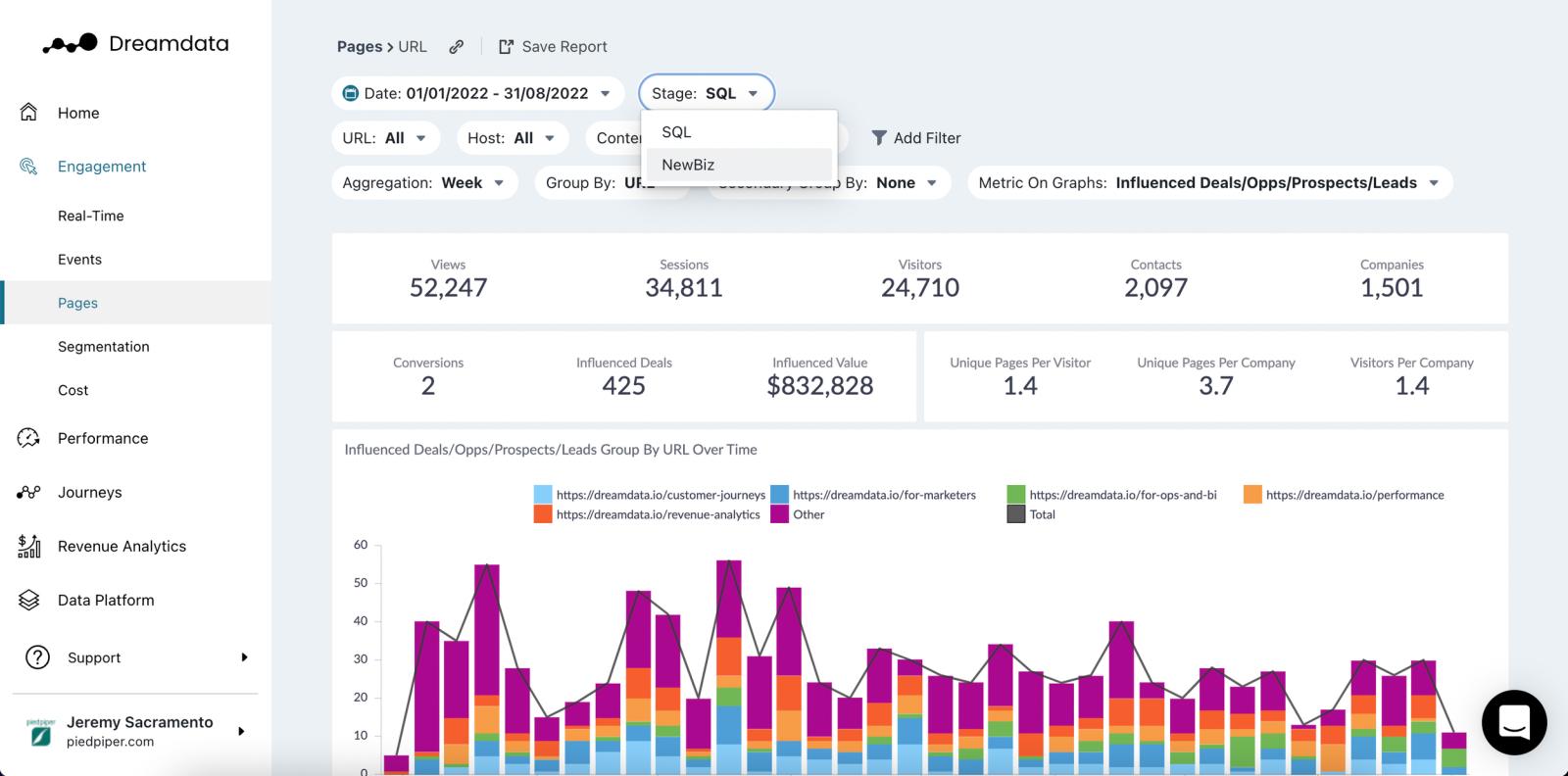
Dreamdata is a B2B attribution platform out of Copenhagen that maps the full account-level customer journey. It connects CRMs, marketing automation, ad platforms, intent tools, and product usage into a unified data model and attributes pipeline back to the originating campaigns.
The IP-to-company resolution engine identifies up to 80% of companies visiting your site, even when they don't fill out a form.
Dreamdata is rated number one in G2's B2B Attribution category with 230+ reviews. The trade-off is implementation complexity (4-8 week typical onboarding) and pricing that scales sharply with contact volume.
Pros:
- Up to 80% company identification rate from anonymous traffic
- BigQuery and Snowflake access on higher tiers
- Account-level journey visualization
Cons:
- 4-8 week implementation
- Pricing scales sharply with contact volume
- Free tier is limited compared to Sourceloop
Pricing: Free tier available. Team plan from $999/month. Annual contracts typical, with contract values often $9,000-$30,000.
8. HockeyStack
Best for: Mid-market and enterprise B2B running complex multi-channel motions
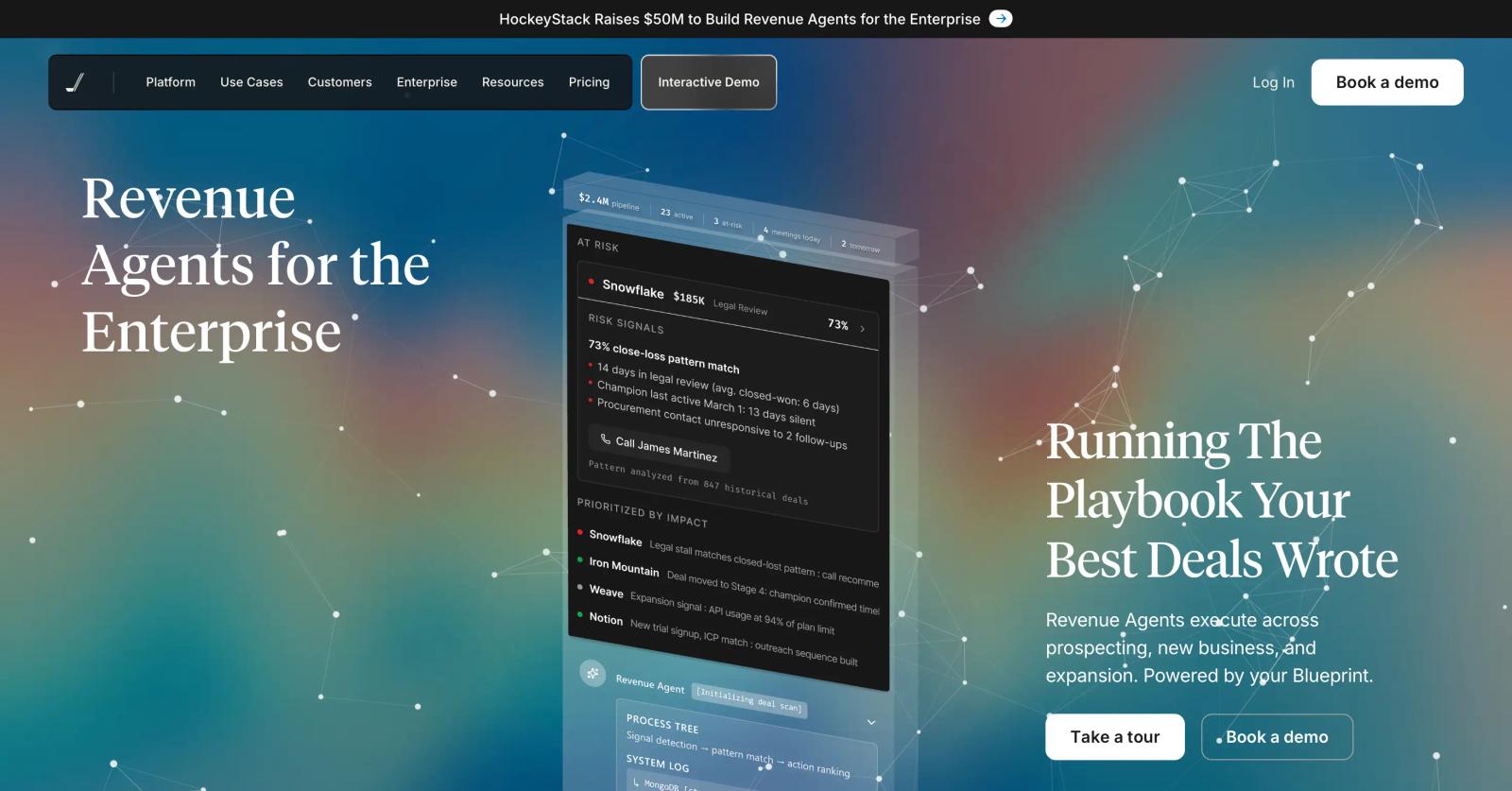
HockeyStack is a B2B revenue analytics platform built for go-to-market teams with long, multi-stakeholder sales cycles. It connects CRMs, marketing automation, ad platforms, product analytics, and customer success tools into a unified data foundation, then layers AI agents (Odin for analysis, Nova for sales) on top.
The product is genuinely strong for teams spending six figures a month across paid, organic, events, and outbound. The most-cited negative on G2 is the learning curve, with 11 explicit mentions and 8 calling it "steep".
Pros:
- Best-in-class multi-touch attribution for complex B2B
- AI agents that surface insights without manual reporting
- Deep CRM and product analytics integration
Cons:
- Steep learning curve, 2-6 weeks to operationalize
- No public pricing, demo-gated
- Annual contracts only
Pricing: Growth plan starts around $1,399/month per Docket's research. Enterprise custom.
9. Cometly
Best for: Paid media teams that want lead source tracking plus AI optimization
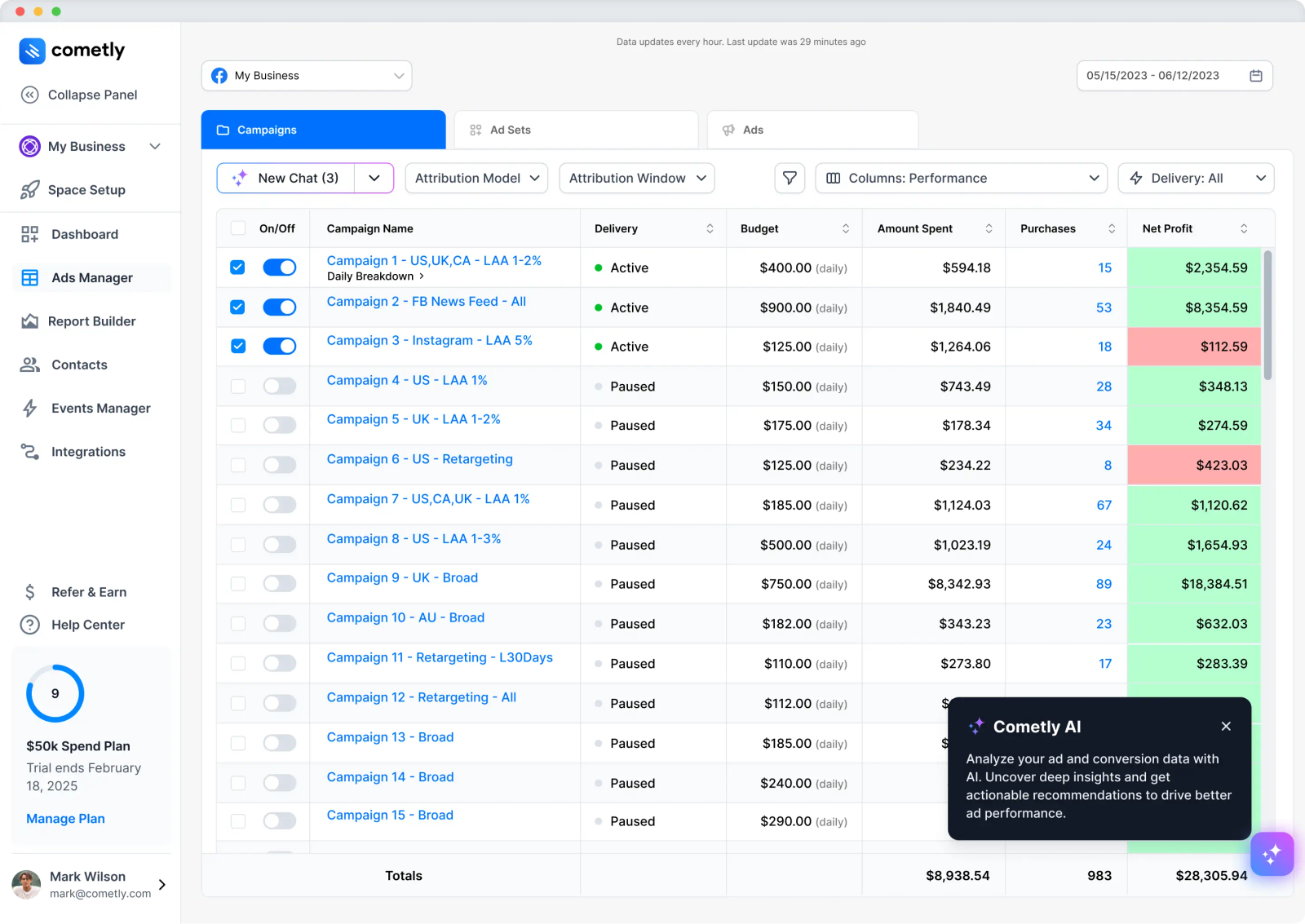
Cometly tracks lead sources across ad platforms, CRM, and website touchpoints in real time, then layers an "AI Ad Manager" that recommends which campaigns and ad sets to scale or pause based on actual conversion data.
Server-side tracking ensures lead source survives iOS limitations and ad blockers.
For paid media teams running multi-platform campaigns, Cometly is one of the strongest tools for connecting ad spend back to leads and revenue.
It's not a CRM, so you'll still pair it with HubSpot, Salesforce, or Pipedrive for the sales workflow side.
Pros:
- Server-side lead source tracking that survives iOS and ad blockers
- AI optimization recommendations on top of attribution
- Conversion sync feeds enriched data back to ad platforms
Cons:
- No public pricing
- Steeper setup for complex tech stacks
- Documentation has been called less complete than expected
Pricing: Quote-based, ad-spend-tiered.
10. Pipedrive
Best for: Small sales teams that need an affordable CRM with a lead source field
Pipedrive is a sales-led CRM built for SMBs and startups. It's not built for marketing attribution depth, but the "Source" field on every lead and deal lets you capture where leads came from manually or via integrations.
Combined with Pipedrive's web forms, LeadBooster chat, and integrations with Mailchimp, Calendly, and ad platforms, it's a workable lead source setup for teams under 20 reps.
The trade-off is that lead source data is only as good as the people filling it in, which is true for any sales-led CRM. For mid-market and enterprise, Pipedrive's reporting depth runs out fast.
Pros:
- Affordable starting price
- Easy to set up, low admin overhead
- Strong sales pipeline visualization
Cons:
- No native multi-touch attribution
- Lead source field is a manual or integration-driven entry
- Reporting is shallow compared to HubSpot or Salesforce
Pricing: Essential at $24/user/month. Advanced at $49. Professional at $79. Power at $99. Enterprise at $129.
How to choose
For most teams, the question isn't "which lead source tool" but "what's actually broken about my current setup?"
The lean approach: one tool that does both capture and revenue stitching. If your problem is that lead source data in your CRM is messy, incomplete, or stops being useful after the first touch, Sourceloop covers UTM and click ID capture, cross-domain stitching, booking tool auto-detection, and Stripe/Polar/LemonSqueezy revenue stitching on one $49/month bill.
It feeds cleaner data into whatever CRM you're already running, so you don't replace HubSpot or Salesforce, you make their lead source fields actually accurate.
The traditional stack: if your business runs primarily on phone calls, pair a call tracking specialist (CallRail, WhatConverts) with your CRM.
If you're a B2B SaaS with multi-stakeholder cycles, layer Dreamdata or HockeyStack on top of HubSpot or Salesforce. If you're already on HubSpot Enterprise, the native attribution may cover your needs.
Frequently asked questions
-
What is lead source tracking software?
Lead source tracking software identifies where each lead originally came from (the campaign, channel, ad, or referral source that first brought them to your site or business) and ties that source to downstream events like form fills, sales calls, demo bookings, and closed-won revenue. It's the bridge between marketing activity and CRM pipeline data.
-
What's the difference between lead source tracking and marketing attribution?
Lead source tracking typically focuses on the first touch (where the lead originated), while marketing attribution distributes credit across every touchpoint in the journey using models like linear, position-based, or time-decay. In practice, the categories overlap heavily: most modern lead source tools also offer multi-touch attribution as part of the same dashboard.
-
Why is lead source data in my CRM usually wrong?
Several reasons. First, CRM tracking scripts often only capture the last visit before the form fill, missing the original source. Second, UTMs get stripped by redirects, payment processors, or self-reported source dropdowns. Third, sales reps often manually overwrite the lead source field with their best guess. Fourth, anonymous traffic from AI tools, podcasts, or events shows up as "direct" because there's no UTM. Fixing this requires capturing source server-side and stitching it across the full journey.
-
Do I need lead source tracking if I already have HubSpot or Salesforce?
The CRM gives you a lead source field. It doesn't always give you accurate data in that field. HubSpot's Original Source property is automated but limited to seven categories. Salesforce's Lead Source is whatever your reps type in. If you want granular, accurate, multi-touch source data, you'll likely add a marketing analytics tool (Sourceloop, Ruler Analytics, Cometly) on top of your CRM.
-
Which tool is best for businesses where phone calls drive leads?
CallRail is the industry standard for call tracking, used by 200,000+ businesses. WhatConverts is the cheaper alternative with calls + forms + chat in one tool. Both use Dynamic Number Insertion to attribute phone leads back to specific marketing sources. Pair either one with your CRM for full pipeline reporting.
-
Which tool is best for B2B SaaS with long sales cycles?
Dreamdata and HockeyStack are the strongest purpose-built options. Both connect CRM, marketing automation, ad platforms, and product analytics into a unified account-level view. Dreamdata is the more affordable entry point at $999/month. HockeyStack starts at $1,399/month and is better for teams with serious multi-channel complexity. For smaller B2B teams, Sourceloop covers the basics (Calendly, HubSpot Meetings, account-level identity) at a fraction of the cost.
-
How much should I budget for lead source tracking?
Below 100 leads/month, free CRM tiers (HubSpot, Pipedrive entry plans) are fine. Between 100-1,000 leads/month, dedicated marketing analytics tools at $30-$250/month make sense (Sourceloop, WhatConverts, CallRail). Above 1,000 leads/month or six-figure ad spend, enterprise platforms at $1,000+/month are justified by the budget at stake.
-
Can I track leads from AI tools like ChatGPT and Perplexity?
Yes, but most analytics tools default to bucketing this traffic as "direct" because there's no UTM and no clean referrer. Tools that classify AI Referrals as a dedicated channel (Sourceloop is one of the few right now) let you see how much pipeline AI search is actually sourcing. This matters more every month as AI-driven traffic grows.




 Paid Social


